1 The Enterprise RAG Architecture: Beyond “Hello World”
Most organizations start their “copilot” journey with a simple demo: a page where you upload a few documents, run basic embedding search, and show a GPT-generated answer. This is helpful for exploring ideas, but it falls apart as soon as real enterprise requirements enter the picture. Content volume grows, documents become inconsistent, latency increases, and the system fails to enforce security expectations.
This section defines what “enterprise-grade” means in the context of Retrieval-Augmented Generation (RAG) and explains the architectural foundations you’ll rely on throughout the rest of the implementation. The reference architecture uses .NET 9, Azure OpenAI, Azure AI Search, and Semantic Kernel as the orchestration layer, all aligned to real-world expectations around performance, reliability, and security.
1.1 Defining the “Enterprise” Standard
1.1.1 Moving from POC to Production: Latency, Accuracy, and Security
Early prototypes usually follow the same pattern: create embeddings, store them, run a vector query, and feed the retrieved text into GPT-4o. This workflow works with small datasets because nothing stresses the system. As soon as you scale to tens or hundreds of thousands of documents, its limitations become obvious. Queries slow down, results feel inconsistent, and small issues in chunking or indexing propagate throughout the system.
Enterprise RAG systems must meet three core requirements:
-
Latency Retrieval should remain fast, even at scale. In practice:
- Search should typically complete within 150–400 ms.
- Model inference must remain predictable to avoid stalled UX during streaming responses.
- Chunking and context assembly must limit unnecessary tokens so the model has less to process.
-
Accuracy Embeddings alone are not enough for enterprise content. Many queries rely on exact identifiers or configuration values. To ensure strong relevance:
- Hybrid search is essential to match both semantic meaning and exact terms.
- Semantic ranking helps surface the right chunks when multiple documents appear similar.
- Overlapping chunks maintain continuity when a concept spans multiple sections.
-
Security Every retrieval step must respect user permissions before any data is sent to the model. A secure copilot:
- Filters results at the index level based on user identity or group membership.
- Embeds security metadata directly into chunk records.
- Ensures LLMs never see information the user is unauthorized to access.
Moving to production is not just scaling up a POC; it requires treating retrieval, indexing, metadata, and access control as first-class engineering concerns.
1.1.2 The “Confluence Copilot” Requirement: Handling Complex Formatting, Tables, and Code Blocks
Enterprise documents are rarely clean or uniform. Confluence, SharePoint, and internal wikis contain deeply structured content: nested tables, code blocks in multiple languages, long-form configuration guides, screenshots, and multi-level headings. A naïve chunking strategy that splits content by character count destroys this structure, leaving the model with fragments that lack context.
To produce accurate answers, an enterprise copilot must preserve:
- Table boundaries so field descriptions remain meaningful.
- Section context from headings and subheadings.
- Code blocks exactly as written.
- Markdown structure whenever available.
A practical rule is simple: never break syntax or meaning boundaries. When ingestion respects structure, search quality improves dramatically, and the model generates more reliable answers with fewer hallucinations.
1.2 High-Level Architecture Diagram
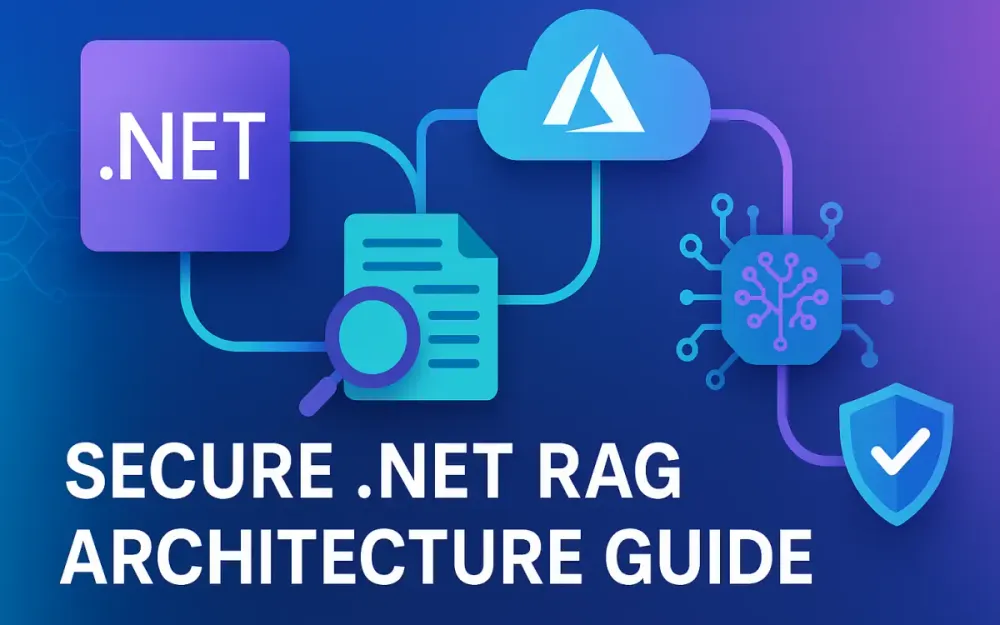
A complete enterprise RAG system has four major parts: ingestion, storage, orchestration, and consumption. Each part can evolve independently, but all must work together to deliver consistent performance and security. The goal is a pipeline where documents move cleanly from ingestion to indexing, and user queries flow predictably through retrieval and grounding.
1.2.1 Ingestion Pipeline: Kernel Memory (Open Source) vs. Custom Indexers
Ingestion transforms raw documents into structured, searchable chunks. There are two practical strategies:
Using Microsoft.KernelMemory (KM) KM provides a ready-made pipeline that handles:
- Chunking, including header-aware splitting.
- Metadata extraction from common file formats.
- Embedding generation.
- Indexing into Azure AI Search.
KM is fast to adopt and works well for standard formats. Its main limitation appears when teams need specialized parsing logic or must integrate with proprietary documentation sources.
Building custom indexers A custom ingestion pipeline gives full control. Teams often combine:
Markdigfor markdown parsing.PdfPigor similar libraries for structured PDF extraction.- HTML traversal for Confluence or SharePoint exports.
- Custom chunking logic tuned for the document type.
Custom ingestion requires more code but produces better results when documents contain domain-specific structures or nonstandard formatting.
Most enterprises start with KM for speed, then add custom ingestion paths once they understand their content behavior.
1.2.2 Storage: Azure AI Search (Vector + Keyword)
Azure AI Search serves as the central knowledge store. A well-designed index contains:
- Vector fields for embedding-based semantic search.
- Full-text fields for keyword and exact match retrieval.
- Metadata fields for filtering, sorting, and enforcing permissions.
- Semantic ranker configuration for improved relevance ordering.
Hybrid retrieval—vector + keyword + semantic ranking—is essential for enterprise accuracy. Azure AI Search also provides:
- HNSW-based high-performance vector search.
- Scaling options across tiers to match document volume.
- OData filter support for document-level access control.
This combination allows your copilot to retrieve the most relevant content quickly and securely.
1.2.3 Orchestration: Semantic Kernel within ASP.NET Core
Semantic Kernel coordinates how your application interacts with Azure OpenAI and Azure AI Search. It manages prompt templates, plugins, grounding logic, and chat state. In .NET 9, SK integrates cleanly through dependency injection, allowing orchestration logic to remain modular and testable.
Example registration:
builder.Services.AddSingleton<IChatCompletionService>(sp =>
    new AzureOpenAIChatCompletion(
        modelId: "gpt-4o",
        endpoint: new Uri(builder.Configuration["AzureOpenAI:Endpoint"]),
        credential: new DefaultAzureCredential()));
By centralizing orchestration inside SK, the API surface becomes simpler, and you avoid leaking retrieval or grounding details into the frontend.
1.2.4 Frontend/Consumption: Blazor or React via Minimal APIs
The frontend should never call LLMs or search endpoints directly. Instead, a minimal API layer acts as the single secure entry point. This API handles authentication, retrieval, context assembly, and grounding before returning a structured answer to the frontend.
Common endpoints include:
/api/chatfor grounded responses./api/searchto preview matches./api/feedbackto collect user relevance ratings.
Streaming works well in Blazor, React, or any modern UI. The frontend only renders results—everything else remains behind the API boundary to enforce consistent security behavior.
1.3 Technology Stack & Prerequisites
1.3.1 .NET 9 and C# 12/13 Features
.NET 9 provides performance and ergonomics that matter when building a copilot:
- Lower memory allocation during streaming operations.
- Faster JSON serialization for model interactions.
- Middleware improvements for high-throughput APIs.
Span<T>andMemory<T>utilities for efficient chunk processing.
C# 12/13 adds:
- Primary constructors for cleaner models.
- Richer pattern matching for ingestion logic.
- Collection expressions for building chunk structures more intuitively.
These features simplify code and reduce overhead across the ingestion and serving layers.
1.3.2 Azure OpenAI (GPT-4o) & Azure AI Search (Semantic Ranker)
Azure OpenAI provides:
- GPT-4o for reasoning and grounded answers.
- High-quality embedding models for search.
- Smaller models like GPT-4o-mini for summarization and chunk title generation.
Azure AI Search provides:
- Vector search with HNSW.
- Keyword and filter queries.
- Semantic ranker for final ordering.
- Secure document filtering using metadata.
Together, they make a complete enterprise RAG platform that meets accuracy, latency, and security requirements.
1.3.3 Library Spotlight: Microsoft.SemanticKernel, Microsoft.KernelMemory, and Azure.Identity
These libraries form the foundation of the solution:
- Semantic Kernel (SK) handles orchestration, prompts, plugins, and streaming.
- KernelMemory offers ingestion, chunking, and embedding workflows out-of-the-box.
- Azure.Identity provides secure, keyless authentication using Managed Identities and Entra ID.
Each library minimizes boilerplate and helps ensure the final system is maintainable and secure.
2 Designing the Vector Store with Azure AI Search
The vector store is central to retrieval quality. If the index is poorly structured or improperly tuned, the copilot produces inconsistent answers, weak citations, and unnecessary hallucinations. Azure AI Search gives you strong building blocks—vector search, keyword search, semantic ranking, and metadata filtering—but the design of the index determines whether your RAG system behaves reliably at enterprise scale.
This section explains how to configure Azure AI Search so it works cohesively with the ingestion strategy you built earlier and the Semantic Kernel orchestration layer that comes next.
2.1 The Hybrid Search Strategy
2.1.1 Why Vectors Alone Aren’t Enough: The Case for Keyword Search + Vector Search
Embeddings capture semantic meaning, which works well for high-level questions. But enterprise queries often include identifiers, parameter names, or exact terms that embeddings struggle to match. You need both semantic and exact matching to return dependable results.
Typical failure cases for vector-only search include:
- Queries containing internal codes or IDs (
ERR-5043,FeatureToggle:EnableX). - Product names, acronyms, or abbreviations common inside engineering teams.
- Configuration tables where specific keys must be matched exactly.
- Questions referencing file paths, URLs, or JSON property names.
For example:
“Where do I configure MaxRequestBodySize for API Gateway?”
A vector query may surface general API Gateway docs. A keyword query may locate the specific setting. When combined, you get both breadth and precision, and the ranking layer can select the most relevant chunks.
Hybrid retrieval ensures the system behaves consistently across both conversational and technical queries—something every enterprise copilot needs.
2.1.2 Understanding Reciprocal Rank Fusion (RRF)
Azure AI Search uses Reciprocal Rank Fusion (RRF) to blend results from vector search and keyword search. Instead of designing complex weightings or choosing one method over another, RRF combines both result sets based on their rank positions.
Conceptually:
- Run vector search → produce ranked list A.
- Run keyword search → produce ranked list B.
- Compute a fused score:
1 / (k + rank) - Sort by the fused scores.
This method is simple, robust, and performs well across document types and query styles. It’s the foundation of hybrid retrieval in Azure AI Search.
Example query configuration:
{
  "queryType": "semantic",
  "queryLanguage": "en-us",
  "search": "api gateway configuration",
  "vectorQueries": [
    {
      "field": "embedding",
      "kNearestNeighbors": 10,
      "vector": [ ... ]
    }
  ],
  "semanticConfiguration": "semantic-default"
}
This configuration ensures the engine evaluates both semantic and keyword relevance before applying semantic reranking.
2.2 Configuring the Index
2.2.1 Defining the Schema: id, content, embedding, source_url, and permissions
The schema determines how Azure AI Search stores chunks, retrieves them, and enforces security. The fields you define must support:
- High-quality retrieval.
- Transparent citations.
- Filtering based on user identity and group membership.
A typical index schema:
{
  "name": "enterprise-index",
  "fields": [
    { "name": "id", "type": "Edm.String", "key": true },
    { "name": "content", "type": "Edm.String", "searchable": true },
    { "name": "embedding", "type": "Collection(Edm.Single)", "vectorSearchDimensions": 3072 },
    { "name": "source_url", "type": "Edm.String", "filterable": true },
    { "name": "permissions", "type": "Collection(Edm.String)", "filterable": true }
  ]
}
The permissions field is essential for zero-trust RAG. It commonly includes:
- Entra ID group identifiers.
- Individual user object IDs (for personal content).
- Department, region, or project codes.
When the user sends a query, your application inserts a server-side OData filter so Azure AI Search returns only authorized chunks. This ensures sensitive content never reaches the model.
2.2.2 Configuring the Vector Profile (HNSW Algorithm Parameters)
Azure AI Search uses the HNSW (Hierarchical Navigable Small World) algorithm for vector search. Tuning parameters improves recall and latency depending on your dataset size and query distribution.
Key configuration parameters:
-
mDetermines how connected each node is in the vector graph. Recommended: 36–48 for most enterprise workloads. -
efConstructionControls the accuracy of the index during construction. Recommended: 200–400 when ingesting structured technical docs. -
efSearchControls recall vs. latency during search. Recommended: 40–80 for interactive copilots.
Configured in the index:
"vectorSearch": {
  "algorithmConfigurations": [
    {
      "name": "hnsw-config",
      "kind": "hnsw",
      "hnswParameters": {
        "m": 40,
        "efConstruction": 300,
        "efSearch": 60
      }
    }
  ]
}
These settings balance accuracy and performance for real-time, user-facing copilots where latency is a priority.
2.2.3 Enabling the Semantic Ranker for Improved Relevance
Semantic ranker refines the final ordering of results by evaluating the full text of the retrieved chunks—not just embeddings or term frequencies. It significantly boosts answer quality for long-form questions and mixed-format documents.
Enable semantic ranking by:
- Defining a
semanticConfiguration. - Prioritizing the
contentfield. - Running the query using
queryType: semantic.
Example configuration:
"semanticSettings": {
  "configurations": [
    {
      "name": "semantic-default",
      "prioritizedFields": {
        "contentFields": [
          { "name": "content" }
        ]
      }
    }
  ]
}
The ranker then reviews the top N hybrid search results and reorders them based on deeper relevance scoring. This step is crucial for enterprise content where multiple documents may describe similar concepts across different teams or versions.
2.3 Infrastructure as Code (Brief)
2.3.1 Deploying the Search Service and OpenAI Instances Using Bicep/Terraform
Search and OpenAI resources should always be deployed through Infrastructure as Code (IaC). This avoids drift across environments, enables version control, and supports repeatable deployments.
Minimal Bicep example for Azure AI Search:
resource search 'Microsoft.Search/searchServices@2023-11-01' = {
  name: 'enterprise-search'
  location: location
  sku: {
    name: 'standard3'
  }
  properties: {
    hostingMode: 'default'
  }
}
Azure OpenAI:
resource aoai 'Microsoft.CognitiveServices/accounts@2023-05-01' = {
  name: 'enterprise-openai'
  location: location
  sku: { name: 'S0' }
  kind: 'OpenAI'
}
Terraform alternatives use azurerm_search_service and azurerm_cognitive_account.
Using IaC ensures:
- Consistent setup across dev, test, and production.
- Repeatable provisioning for disaster recovery.
- Clear documentation of configuration changes.
This foundation keeps the RAG system predictable and maintainable as the team matures the copilot.
3 The Ingestion Pipeline: Chunking & Indexing Strategy
Retrieval quality is determined long before a user submits a query. The ingestion pipeline defines how raw documents become structured, searchable chunks. If the pipeline produces inconsistent chunk boundaries, incomplete metadata, or low-quality embeddings, the copilot will produce unreliable answers no matter how strong the retrieval logic is.
For an enterprise knowledge copilot, ingestion must handle documents that vary widely in format, structure, and quality. It must extract as much useful structure as possible while enforcing security metadata required for zero-trust RAG patterns.
3.1 Choosing an Ingestion Engine
3.1.1 Open Source Recommendation: Using Microsoft.KernelMemory
Microsoft.KernelMemory (KM) provides a ready-to-use ingestion workflow aligned with the architecture built in Section 1. It handles the majority of extraction, chunking, and indexing tasks for common enterprise formats such as PDFs, markdown files, and HTML exports (e.g., from Confluence).
KM supports:
- Structure-aware chunking rules.
- Metadata hooks for attaching access control.
- Automatic embedding generation using Azure OpenAI.
- Direct integration with Azure AI Search.
A typical ingestion call:
await memory.ImportDocumentAsync(
    documentId: "doc-123",
    filePath: "guide.pdf",
    tags: new() { { "department", "platform" } });
KM analyzes the document, splits it into manageable chunks, generates embeddings, and pushes everything into Azure AI Search using the index schema defined in Section 2. KM is a strong default because it reduces boilerplate and ensures consistency across teams.
3.1.2 Custom Route: Using Markdig for Markdown or PdfPig for PDFs Manually
Some enterprises eventually build custom ingestion pipelines when documentation formats are irregular or when teams need precise control over chunk boundaries and parsing logic. This is common when:
- Confluence or SharePoint pages contain complex table layouts.
- PDFs include diagrams mixed with text blocks.
- Documentation includes deep code samples that must remain intact.
- Section-based content (H1/H2/H3) needs strict preservation.
A markdown example using Markdig:
var pipeline = new MarkdownPipelineBuilder()
    .UseAdvancedExtensions()
    .Build();

var document = Markdown.Parse(markdownText, pipeline);

foreach (var block in document)
{
    // block can be HeadingBlock, ParagraphBlock, CodeBlock, etc.
}
Custom ingestion requires more engineering effort, but it produces highly accurate chunks—especially for configuration guides, API references, architecture documents, and onboarding manuals where structure matters.
3.2 Advanced Chunking Strategies
3.2.1 Fixed-Size vs. Structure-Aware Chunking (Preserving Headers)
Fixed-size chunking is easy to implement but rarely suitable for enterprise documentation. Splitting every 800–1000 characters is fast but destroys semantic boundaries:
- Headings lose their associated paragraphs.
- Tables break across chunks.
- Code fences split improperly.
- Long explanations get fragmented.
Structure-aware chunking, which honors document hierarchy, produces far higher-context fidelity. A typical strategy:
- Parse the document and identify structural elements (headers, paragraphs, code blocks, tables).
- Group content under each header.
- Apply a token limit (e.g., 600–900 tokens).
- If the limit is exceeded, split along natural boundaries such as paragraphs or subheaders.
- Never break code blocks or table boundaries.
A clean, structure-aware chunk might look like:
## API Gateway Limits

### MaxRequestBodySize

```json
{
  "MaxRequestBodySize": 1048576
}
```

This setting controls the maximum JSON payload size accepted by the gateway.
Chunks like this give GPT-4o clear section cues, consistent indentation, and enough surrounding context to answer questions with higher accuracy.
3.2.2 Handling Overlapping Windows to Maintain Semantic Continuity
Even with structure-aware chunking, certain concepts span multiple sections. Overlapping token windows help smooth out boundaries so retrieval doesn’t miss context that appears halfway across two chunks.
Recommended overlaps:
- Short knowledge articles: 10–15%
- Technical architecture docs: 20–25%
- Regulatory/compliance documents: 30%
KM configuration example:
{
  "TextPartitioning": {
    "MaxTokens": 900,
    "OverlapTokens": 150
  }
}
Overlap ensures that if a user asks, “Where is MaxRequestBodySize documented?”, Azure AI Search can retrieve adjacent chunks that include the definition and any explanatory text, improving grounded answers and citation quality.
3.3 The Metadata Problem
3.3.1 Extracting and Injecting Metadata (Author, Department, Last Modified) into the Index
Metadata is critical for zero-trust RAG. It drives:
- Security trimming.
- Relevance scoring.
- Filtering and attribution.
- Document lineage and traceability.
Typical metadata fields include:
authordepartmentsource_systemsource_urllast_modified_utcpermissions(group IDs or object IDs)
Metadata injection during ingestion often looks like:
var metadata = new Dictionary<string, object>
{
    { "author", "platform-team" },
    { "department", "engineering" },
    { "source_url", "https://confluence..." },
    { "permissions", userGroups }
};

await searchClient.UploadDocumentsAsync(
    chunks.Select(c => new {
        id = c.Id,
        content = c.Text,
        embedding = c.Embedding,
        permissions = metadata["permissions"]
    }));
This metadata directly supports the secure retrieval behavior implemented in later sections.
3.3.2 Generating Synthetic Titles for Chunks Using a Lightweight LLM
Most chunks extracted from large documents lack meaningful titles. Adding a short, AI-generated title helps Azure AI Search rank them more accurately and improves citation clarity for users.
A simple summarization prompt:
Generate a concise, descriptive title (6–10 words) for the following content:

{{chunkText}}
Using Semantic Kernel:
var title = await kernel.InvokePromptAsync(
    "synthesize_title",
    new() { ["chunkText"] = chunkText });
These titles become part of the stored metadata (e.g., title field) and significantly improve search relevance in hybrid retrieval scenarios.
4 Orchestration with Semantic Kernel (The Brain)
Semantic Kernel (SK) is the orchestration layer that coordinates retrieval, grounding, and generation. While Azure AI Search and the ingestion pipeline determine what content is retrievable, SK determines how the copilot uses that content to generate safe, grounded answers. It ties together the vector store, the Azure OpenAI models, and the API layer inside an ASP.NET Core application.
This section explains how SK is configured, how plugins integrate search and other native capabilities, and how prompts are structured to ensure reliable RAG behavior.
4.1 Kernel Configuration & Dependency Injection
4.1.1 Setting up the KernelBuilder in Program.cs
In an enterprise environment, the kernel should be registered through dependency injection so the application has a single, consistent orchestration engine. SK provides a fluent KernelBuilder that integrates naturally with ASP.NET Core. The registration includes at least:
- A chat completion model (GPT-4o).
- An embedding model (
text-embedding-3-large). - Any native plugins (search, utilities, summarizers).
A typical configuration in .NET 9:
var builder = WebApplication.CreateBuilder(args);

builder.Services.AddSingleton(sp =>
{
    var config = sp.GetRequiredService<IConfiguration>();

    return new KernelBuilder()
        .AddAzureOpenAIChatCompletion(
            modelId: config["AzureOpenAI:ChatModel"],
            endpoint: new Uri(config["AzureOpenAI:Endpoint"]),
            credential: new DefaultAzureCredential())
        .AddAzureOpenAITextEmbeddingGeneration(
            modelId: config["AzureOpenAI:EmbeddingModel"],
            endpoint: new Uri(config["AzureOpenAI:Endpoint"]),
            credential: new DefaultAzureCredential())
        .Build();
});
The kernel is registered as a singleton, because it stores configuration and plugin definitions, not per-user state. Session history and conversation context are kept outside the kernel to avoid leaking information across users—an important part of zero-trust behavior.
4.1.2 Implementing IChatCompletionService and ITextEmbeddingGenerationService
While SK provides built-in Azure OpenAI integrations, some enterprises prefer explicit implementations. This gives teams control over logging, retry policies, telemetry, and versioning. A wrapper around OpenAIClient can implement SK’s abstractions cleanly.
Simplified example:
public sealed class AzureChatService : IChatCompletionService
{
    private readonly OpenAIClient _client;
    private readonly string _model;

    public AzureChatService(OpenAIClient client, string model)
    {
        _client = client;
        _model = model;
    }

    public async Task<ChatMessage> CompleteAsync(
        ChatHistory history,
        ChatRequestSettings settings,
        CancellationToken token)
    {
        var response = await _client.GetChatCompletionsAsync(
            _model,
            new ChatCompletionsOptions
            {
                Messages = history.ToList(),
                MaxTokens = settings.MaxTokens,
                Temperature = settings.Temperature
            },
            token);

        return new ChatMessage(
            AuthorRole.Assistant,
            response.Value.Choices[0].Message.Content);
    }
}
Implementations like this allow you to attach diagnostics or track token usage in the orchestration layer—useful for cost monitoring introduced later in Section 8.
4.2 Plugin Design
4.2.1 Native Functions: Creating a SearchPlugin that Wraps Azure AI Search SDK
Plugins let SK treat native .NET capabilities as callable tools that the prompt can reference. For RAG, the most important plugin is one that performs hybrid search against Azure AI Search. The plugin encapsulates:
- Applying user-specific OData filters (from Entra ID groups).
- Running hybrid (vector + keyword) search.
- Returning clean, structured context for grounding.
Example:
public sealed class SearchPlugin
{
    private readonly SearchClient _client;

    public SearchPlugin(SearchClient client)
    {
        _client = client;
    }

    [KernelFunction("hybrid_search")]
    public async Task<string> HybridSearchAsync(string query, CancellationToken cancellation)
    {
        var options = new SearchOptions
        {
            QueryType = SearchQueryType.Semantic,
            SemanticConfiguration = "semantic-default",
            Size = 8
        };

        options.VectorSearch = new()
        {
            Queries =
            {
                new VectorizableTextQuery(query)
                {
                    Fields = { "embedding" },
                    KNearestNeighbors = 8
                }
            }
        };

        var results = await _client.SearchAsync<SearchDocument>(query, options, cancellation);

        var sb = new StringBuilder();
        foreach (var hit in results.Value.GetResults())
        {
            sb.AppendLine(hit.Document["content"]?.ToString());
            sb.AppendLine("---");
        }

        return sb.ToString();
    }
}
By registering this plugin, prompts can call hybrid_search directly, enabling a clean separation between orchestration and retrieval logic.
4.2.2 Prompt Functions: Defining the Persona and Rules via YAML or Fluent API
Persona prompts and grounding rules benefit from being stored outside compiled code. YAML files give teams a maintainable format that supports version control and A/B testing without redeploying the service.
Example YAML:
name: enterprise_assistant
description: Enterprise knowledge assistant with strict grounding behavior.
input_variables:
  - name: context
  - name: question
template: |
  You are an internal enterprise copilot. Use only the provided context.
  If the context does not contain the answer, respond with "I don't know."

  # Context
  {{context}}

  # User Question
  {{question}}
Load it at startup:
kernel.ImportPluginFromPromptDirectory("Prompts/AssistantPersona");This keeps orchestration flexible while ensuring consistent behavior across environments.
4.3 Prompt Engineering for RAG
4.3.1 The “Grounding” Prompt: Instructing the Model to Answer Only from Provided Context
RAG systems fail quickly if the model is not explicitly instructed to avoid speculative answers. The grounding prompt reinforces that the assistant must rely strictly on retrieved content.
A clear grounding instruction:
You must answer using only the information in the context.
If the answer cannot be found in the context, reply with "I don't know."
Do not add new details or make assumptions.
These rules are inserted as a system message and combined with the persona and retrieved chunks during request processing.
4.3.2 Formatting the Context: Injecting Search Results Dynamically into the System Prompt
Context formatting determines both accuracy and token efficiency. Chunks should be merged in a simple, predictable structure so GPT-4o can reason about them without noise or duplication.
For example:
var systemPrompt = $@"
# Grounding Rules
Use the provided context only. Do not infer missing details.

# Context
{context}
";
Assembling the history:
var history = new ChatHistory();
history.AddSystemMessage(systemPrompt);
history.AddUserMessage(question);
This pattern creates a clean separation of responsibilities:
- Search plugin → produces clean chunks
- Kernel → assembles system message and user question
- Model → generates grounded answer
This approach ensures that the assistant remains predictable and secure, even under heavy load or with complex enterprise content.
5 Implementing Retrieval Logic & Citations
The retrieval layer is where ingestion, indexing, hybrid search, and grounding come together. The goal is simple: consistently return high-quality, security-trimmed chunks to the Semantic Kernel so the model can generate correct, grounded answers. This section describes how the backend executes the retrieval pipeline, filters irrelevant results, and builds the citation metadata the frontend needs to render trustworthy answers.
5.1 The Retrieval Flow
5.1.1 User Query → Embedding → Vector Search → Hybrid Fusion → Semantic Re-Ranking → Top-K Results
Once the user submits a question, the backend follows the same flow every time:
- Generate an embedding for the query using the configured embedding model.
- Perform vector search over the
embeddingfield. - Perform keyword search over the
contentfield. - Azure AI Search fuses both lists using RRF.
- The semantic ranker reorders the fused results.
- The application selects the top-K relevant chunks for grounding.
This is the same hybrid search strategy described earlier, but now applied directly to user questions.
Example backend logic:
var embedding = await embeddingService.GenerateEmbeddingAsync(query);

var vectorQuery = new VectorizedQuery
{
    Vector = embedding,
    KNearestNeighbors = 12,
    Fields = { "embedding" }
};

var options = new SearchOptions
{
    QueryType = SearchQueryType.Semantic,
    SemanticConfiguration = "semantic-default",
    Size = 12
};

options.VectorSearch = new()
{
    Queries = { vectorQuery }
};

var response = await client.SearchAsync<SearchDocument>(query, options, cancellationToken);
response.Value.GetResults() now contains the fused, semantically ranked hybrid results. These documents still need to be filtered, trimmed, and formatted before they can be used by the copilot.
5.1.2 Thresholding: Filtering Out Results with Low Relevance Scores
Even with hybrid search, some results may be marginally related and should not be included as grounding context. Thresholding removes weak matches and reduces noise fed to the model.
A typical approach:
var filtered = results
    .Where(r => r.Score >= 0.25)
    .Take(6)
    .ToList();
Most enterprise teams start with a threshold around 0.20–0.30 and refine it based on evaluation metrics (Section 8). A threshold that’s too high risks missing useful content, while a threshold that’s too low increases hallucination risk. Filtering before prompt assembly keeps the grounding context clean and reduces token usage.
5.2 Building Citations
5.2.1 Mapping Search Result IDs to Inline Citations (e.g., [doc1])
Each chunk retrieved from Azure AI Search contains metadata (e.g. id, source_url). These fields allow the copilot to reference the originating document in the final answer. The backend assigns a stable marker for each chunk, such as [doc1], [doc2], etc.
Example citation mapping:
var citationMap = filtered
    .Select((result, index) => new
    {
        Tag = $"[doc{index + 1}]",
        Id = result.Document["id"].ToString(),
        Source = result.Document["source_url"].ToString()
    })
    .ToList();
Then the backend attaches these markers to the answer:
answerText += $"\n\nSources: {string.Join(", ", citationMap.Select(c => c.Tag))}";This keeps the response compact while letting the UI convert markers into links, previews, popovers, or a document panel—whatever suits the product UX.
5.2.2 Returning a Structured Response Object
Instead of returning a raw string, the backend exposes a structured object that separates:
- The final grounded answer
- The citations
- ID + URL metadata needed by the frontend
A typical response type:
public sealed record ChatResponse(
    string Answer,
    List<Reference> Citations);

public sealed record Reference(
    string Tag,
    string DocumentId,
    string SourceUrl);
Constructing the response:
return new ChatResponse(
    answerText,
    citationMap
        .Select(c => new Reference(c.Tag, c.Id, c.Source))
        .ToList());
Separating concerns makes the API predictable, easy to test, and frontend-friendly.
5.3 Handling “I Don’t Know”
5.3.1 Configuring the Model to Fallback Gracefully When Index Data Is Insufficient
Even when no relevant content exists, GPT-4o is capable of creating a plausible-sounding answer—unless we explicitly prevent it. The grounding prompt (Section 4) enforces context-only answers, but the backend adds a second safety layer.
If no results survive thresholding, the API returns a predefined fallback:
if (!filtered.Any())
{
    return new ChatResponse(
        "I don't know.",
        new List<Reference>());
}
Even when the model receives context, a final check reinforces expectations:
If the answer is not explicitly found in the provided context, respond with "I don't know."This combination—data-level filtering + prompt-level grounding—ensures predictable, safe responses and removes pressure on the model to “guess.” For enterprise copilots, this is often more important than being exhaustive: trust beats creativity.
6 Zero Trust RAG: Identity & Access Control (Entra ID)
A production-grade enterprise copilot must enforce security before any content reaches the model. This is the core principle of Zero Trust RAG: if a user cannot access a document directly, the copilot must not retrieve, embed, summarize, or reference any part of it. The enforcement happens across three layers:
- API authentication – validate user identity.
- Claim extraction – determine the user’s group memberships.
- Search filtering – ensure Azure AI Search returns only allowed chunks.
This section explains how to implement these safeguards in a .NET 9 Minimal API environment using Entra ID.
6.1 Authentication Layer
6.1.1 Securing the Minimal API with Microsoft.Identity.Web (Entra ID)
Every request to the copilot passes through API authentication. This ensures only authenticated users can reach the Semantic Kernel orchestration logic described in Section 4. The simplest approach for ASP.NET Core is using Microsoft.Identity.Web with Entra ID.
Program.cs configuration:
builder.Services.AddAuthentication(JwtBearerDefaults.AuthenticationScheme)
    .AddMicrosoftIdentityWebApi(builder.Configuration.GetSection("AzureAd"));
Protecting the chat endpoint:
app.MapPost("/api/chat", async (ChatRequest request, HttpContext http, Kernel kernel) =>
{
    // RAG pipeline
})
.RequireAuthorization();
All retrieval and model interactions require authentication. This prevents unauthorized users from hitting the kernel, triggering vector search, or accessing any knowledge.
6.1.2 Extracting User Claims and Groups from the JWT
Once a request is authenticated, the copilot needs the user’s identity and group memberships. These claims determine what content can appear in the grounding context. Entra ID can automatically include group IDs in JWTs depending on tenant configuration.
Example extraction:
var user = http.User;

var userId = user.FindFirst("oid")?.Value;

var groups = user.Claims
    .Where(c => c.Type == "groups")
    .Select(c => c.Value)
    .ToList();
These values flow into the retrieval layer, where they are translated into secure search filters (Section 6.2).
6.2 Document-Level Security (Security Trimming)
6.2.1 The Concept: Users Should Only Retrieve Chunks They Have Access To
Security trimming is a core requirement of a Zero Trust copilot. The model should never see content the user cannot directly access via the original document system (e.g., Confluence, SharePoint, internal Git repos).
In the ingestion pipeline (Section 3), each chunk is tagged with a permissions list that mirrors the source document’s access control. For example:
- Entra group IDs allowed to read the document
- Team or domain identifiers
- Individual user IDs (if personal docs are supported)
At retrieval time, only chunks matching the user’s group memberships are returned—everything else is invisible.
This ensures:
- Sensitive content is never used for grounding
- The model cannot hallucinate or summarize unauthorized information
- Logs and traces remain compliant with internal security policies
6.2.2 Implementation: Using OData Filters (search.in(...))
Azure AI Search natively supports access-based filters using OData expressions. The backend applies these filters on every hybrid search request.
Example:
var filter = $"search.in(permissions, '{string.Join(",", groups)}', ',')";
options.Filter = filter;
When this filter is present, Azure AI Search returns only documents whose permissions field intersects with the user’s group IDs.
Nothing outside this set reaches the model.
6.2.3 Injecting the User’s Object ID and Group IDs Automatically
To avoid mistakes, the code that constructs search queries should never manually build SearchOptions. Instead, a dedicated helper service ensures all search operations follow Zero Trust principles.
Example helper:
public sealed class SecureSearchService
{
    public SearchOptions CreateSecureOptions(IEnumerable<string> groups)
    {
        return new SearchOptions
        {
            QueryType = SearchQueryType.Semantic,
            SemanticConfiguration = "semantic-default",
            Filter = $"search.in(permissions, '{string.Join(",", groups)}', ',')"
        };
    }
}
Other components—like the SearchPlugin used by the Semantic Kernel—consume this service so every search request automatically applies user-level security trimming.
This keeps permissions enforcement centralized, consistent, and easy to audit.
6.3 Content Safety Filters
6.3.1 Implementing Azure AI Content Safety to Block Jailbreaks or Toxic Internal Queries
Even internal copilots face risks such as:
- Jailbreak attempts
- Toxic or abusive inputs
- Attempts to extract or manipulate sensitive content
Azure AI Content Safety acts as a guardrail on both input (user message) and output (model response).
Example pre-check:
var request = new AnalyzeTextOptions(question);
var result = await safetyClient.AnalyzeTextAsync(request);

if (result.Value.Flags.Any(flag => flag.Severity > 2))
{
    return new ChatResponse(
        "I cannot process that request.",
        new List<Reference>());
}
Teams typically apply:
-
Pre-query safety check Reject malicious or unsafe questions.
-
Post-generation safety check Filter unsafe model responses before they reach the UI.
Combined with security trimming, content safety ensures the copilot remains secure even if internal users attempt to bypass restrictions or probe sensitive topics.
7 Exposing via ASP.NET Core Minimal APIs
The API layer acts as the controlled entry point to the copilot. It is responsible for authentication, retrieval orchestration, and generation, while ensuring the frontend receives structured, predictable responses. In the enterprise architecture established earlier, the frontend never interacts directly with Azure AI Search or Azure OpenAI. All orchestration happens inside the backend, and Minimal APIs in .NET 9 provide a clean way to implement this layer.
7.1 API Design
7.1.1 Creating the /api/chat Endpoint
The /api/chat endpoint is the core API surface of the copilot. It accepts the user’s question, applies Entra ID authentication, retrieves security-trimmed context, invokes the Semantic Kernel, and returns a structured RAG response. Keeping this logic centralized avoids inconsistencies across clients and ensures the Zero Trust requirements defined in Section 6 are consistently enforced.
Example Minimal API route:
app.MapPost("/api/chat", async (
    ChatRequest request,
    HttpContext http,
    Kernel kernel,
    ISearchOrchestrator searchOrchestrator,
    CancellationToken token) =>
{
    var user = http.User;

    var groups = user.Claims
        .Where(c => c.Type == "groups")
        .Select(c => c.Value)
        .ToList();

    var context = await searchOrchestrator.GetContextAsync(
        request.Question,
        groups,
        token);

    var answer = await kernel.InvokePromptAsync(
        "enterprise_assistant",
        new()
        {
            ["context"] = context,
            ["question"] = request.Question
        },
        token);

    return Results.Ok(new ChatResponse(
        answer: answer.ToString(),
        citations: searchOrchestrator.GetCitations()));
})
.RequireAuthorization();
This endpoint follows the same workflow established in Sections 4 and 5: authentication → security trimming → hybrid retrieval → grounding → response.
Frontend clients simply pass the user’s question and render the output. They never see the retrieval mechanics or internal metadata.
7.1.2 Handling Request/Response DTOs
DTOs stabilize the API surface and prevent the frontend from depending on internal implementation details. They also make the API versioning strategy cleaner.
Example request DTO:
public sealed record ChatRequest(string Question, string? SessionId);The SessionId supports multi-turn conversations across browser tabs or devices.
Example response DTO:
public sealed record ChatResponse(
    string Answer,
    List<Reference> Citations);
This mirrors the citation structure introduced in Section 5. Teams should avoid embedding retrieval details directly into the response to keep the API clean and forward-compatible.
7.2 Streaming Responses (Server-Sent Events)
7.2.1 Why Streaming Matters for UX (Reducing Perceived Latency)
Copilot users expect fast feedback. Models like GPT-4o provide streaming token output, and exposing that stream to the frontend improves responsiveness while the full answer is still being generated. Streaming reduces perceived latency, improves user experience, and helps prevent duplicate submissions.
For long answers or large context loads, streaming also reduces server memory usage compared to buffering a full response.
7.2.2 Implementing IAsyncEnumerable with Semantic Kernel’s Streaming Chat Completion
Semantic Kernel supports streamed completions, and Minimal APIs integrate naturally with SSE (Server-Sent Events). This keeps the implementation simple and friendly to enterprise load balancers and gateways.
Example streaming endpoint:
app.MapPost("/api/chat/stream", async (
    ChatRequest request,
    HttpContext http,
    Kernel kernel,
    ISearchOrchestrator searchOrchestrator,
    CancellationToken token) =>
{
    http.Response.Headers.Append("Content-Type", "text/event-stream");

    var user = http.User;
    var groups = user.Claims
        .Where(c => c.Type == "groups")
        .Select(c => c.Value)
        .ToList();

    var context = await searchOrchestrator.GetContextAsync(
        request.Question,
        groups,
        token);

    var stream = kernel.InvokePromptStreamingAsync(
        "enterprise_assistant",
        new()
        {
            ["context"] = context,
            ["question"] = request.Question
        },
        token);

    await foreach (var chunk in stream)
    {
        await http.Response.WriteAsync($"data: {chunk}\n\n", token);
        await http.Response.Body.FlushAsync(token);
    }
})
.RequireAuthorization();
This streaming approach uses only standard HTTP and avoids WebSocket complexity.
Frontends such as React, Blazor, or Angular can consume streams using EventSource or modern fetch streaming APIs.
7.3 Managing Chat History
7.3.1 Storing Session State: In-Memory Cache (Dev) vs. Redis (Prod)
Multi-turn conversations benefit from statefulness. However, storing full history on the frontend introduces risks and can break grounding rules. The backend should handle session storage consistently.
For development:
builder.Services.AddMemoryCache();For production:
builder.Services.AddStackExchangeRedisCache(options =>
{
    options.Configuration = builder.Configuration["Redis:Connection"];
});
Session keys typically follow a predictable structure:
chat:session:{sessionId}Only user/assistant messages are stored—not vector content or retrieved chunks—to avoid retaining unnecessary sensitive information and to reduce storage overhead.
7.3.2 Rolling Window Summarization to Keep Token Usage Low
Conversation histories grow quickly. To prevent token inflation and latency spikes, the system periodically summarises older interactions into a compact “memory” block. This is consistent with the summarization strategy established earlier for ingestion metadata.
Example using Semantic Kernel:
var summary = await kernel.InvokePromptAsync(
    "summarize_history",
    new() { ["history"] = fullHistory });
The backend then stores a compact object:
{
  "summary": "User asked about API limits...",
  "messages": [
    { "role": "user", "content": "What about request size?" },
    { "role": "assistant", "content": "Here is the limit..." }
  ]
}
This reduces token usage, speeds up inference, and keeps the interaction aligned with how large models prefer to process conversations—focused on recent context with a stable high-level summary behind it.
8 Production Readiness: Observability & Evaluation
A production-grade enterprise copilot must be observable, measurable, and continuously evaluated. Traditional API monitoring is not enough because RAG systems produce answers by combining retrieval and generation. When something goes wrong, it is rarely obvious whether the issue lies in chunking, ranking, prompting, or model inference. This section explains how to implement observability with .NET Aspire and OpenTelemetry, and how automated RAG evaluation prevents regressions as content and models evolve.
8.1 Monitoring with .NET Aspire & OpenTelemetry
8.1.1 Tracing the Request Through API → Kernel → Azure OpenAI → Azure AI Search
Requests in a RAG system pass through multiple subsystems:
- Minimal API
- Search orchestrator
- Semantic Kernel orchestration
- Hybrid search (vector + keyword)
- Semantic ranking
- Azure OpenAI inference
Each stage contributes latency and may become a bottleneck as content volume grows. .NET Aspire integrates OpenTelemetry (OTel) instrumentation so teams can trace a question end-to-end with minimal configuration.
Example setup:
builder.Services.AddOpenTelemetry()
    .WithTracing(t =>
    {
        t.AddAspNetCoreInstrumentation();
        t.AddHttpClientInstrumentation();
        t.AddSource("SemanticKernel");
        t.AddAzureMonitorTraceExporter();
    });
A typical trace shows:
- When the API received the request
- How long Azure AI Search took for vector search
- How long semantic ranking took
- How long SK spent assembling the prompt
- Model inference duration (streaming and non-streaming)
Patterns such as elevated search time under load or spikes from large grounding contexts become visible immediately. Traces also help teams verify Zero Trust filters are consistently applied across requests.
8.1.2 Monitoring Token Usage and Cost per Request
Token consumption is a direct cost driver. Even small inefficiencies—excessive context, overly large chunk windows, verbose prompts—accumulate quickly in enterprise deployments. To control cost, teams must measure:
- Prompt tokens
- Completion tokens
- Total tokens per request
- Tokens per user/department
- Tokens per model (e.g., GPT-4o vs GPT-4o-mini)
Azure OpenAI responses include usage metadata. Logging this information helps detect problematic patterns such as:
- Context inflation from excessive chunk overlaps
- Users sending very large questions
- Inefficient prompt templates
- Unnecessary multi-turn memory retention
Example logging:
var completion = await chatService.CompleteAsync(history, settings, cancellationToken);

logger.LogInformation(
    "Tokens: prompt={Prompt}, completion={Completion}, total={Total}",
    completion.Usage.PromptTokens,
    completion.Usage.CompletionTokens,
    completion.Usage.TotalTokens);
Dashboards based on this data allow cost forecasting and provide input for optimization efforts such as prompt tightening or model selection.
8.2 Automated Evaluation (The “RAG Triad”)
8.2.1 Using a Judge LLM to Evaluate Answer Relevance, Context Relevance, and Groundedness
Human evaluation becomes impractical as content grows. Automated evaluation helps validate system changes such as:
- Adding new documents
- Updating chunking logic
- Adjusting vector profile parameters
- Switching embeddings models
- Updating persona or grounding prompts
The RAG Triad evaluates three dimensions:
-
Answer Relevance Does the generated answer meaningfully address the question?
-
Context Relevance Are the retrieved chunks appropriate and on-topic?
-
Groundedness Does the answer rely solely on the provided context?
A judge LLM (often GPT-4o-mini or a smaller model) scores the result from 1 to 5.
Example judge prompt:
Evaluate groundedness on a scale from 1 to 5.
Answer only with a number.

Question:
{{question}}

Retrieved Context:
{{context}}

Assistant Answer:
{{answer}}
This evaluation generates consistent numeric scores that can be tracked across builds to detect relevance regressions.
8.2.2 A Simple Unit Test Example Using Prompt Score Evaluation
By integrating RAG evaluation into CI/CD, teams can automatically block deployments that degrade relevance or groundedness.
Example xUnit test:
[Fact]
public async Task Answer_Should_Be_Grounded()
{
    var kernel = _factory.GetKernel();
    var judge = _factory.GetJudgeKernel();

    var eval = await judge.InvokePromptAsync(
        "evaluate_groundedness",
        new()
        {
            ["question"] = sample.Question,
            ["context"] = sample.Context,
            ["answer"] = sample.Answer
        });

    int score = int.Parse(eval.ToString());
    Assert.True(score >= 4, "Groundedness score too low.");
}
This test ensures the grounding logic remains consistent even as ingestion patterns or Retrieval flow evolve (Sections 3–5). The same approach can evaluate semantic coherence, safety compliance, or persona adherence.
8.3 Conclusion & Next Steps
8.3.1 Summary of the “Secure RAG” Pattern
This article described a complete, enterprise-grade pattern for building a secure knowledge copilot in .NET:
- Ingestion (Section 3): Structure-aware chunking, metadata extraction, and overlap tuning.
- Vector Store (Section 2): Azure AI Search with hybrid retrieval, RRF fusion, and semantic ranking.
- Orchestration (Section 4): Semantic Kernel coordinating search, grounding prompts, and persona definitions.
- Retrieval Logic (Section 5): Thresholding, citations, and context formatting.
- Zero Trust Access (Section 6): Entra ID authentication and security trimming at the search layer.
- API Exposure (Section 7): Minimal APIs, streaming, session management, and summarization.
- Observability & Evaluation (Section 8): Telemetry, token monitoring, and automated quality scoring.
Together, these components form a scalable and predictable foundation for enterprise copilots.
8.3.2 Future Proofing: Moving to Agentic RAG (Multi-step Reasoning)
Once the core copilot is stable, teams typically extend capabilities using Agentic RAG, where the assistant performs multi-step reasoning such as:
- Planning → retrieving → analyzing → refining → retrieving again
- Running safety checks before finalizing answers
- Combining documents across systems of record
- Calling native plugins to execute workflows (e.g., create tickets, query APIs)
Semantic Kernel already supports planning, tool calling, and multi-agent coordination. Because the system outlined in this article cleanly separates ingestion, retrieval, and orchestration, adopting Agentic RAG becomes an incremental evolution rather than a rewrite.