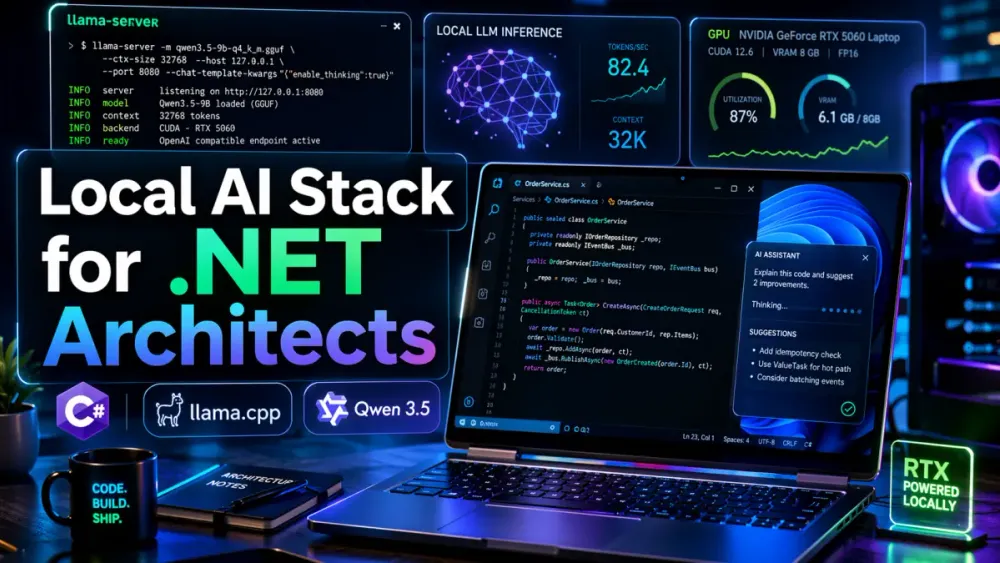
1 The 2026 Local AI Landscape: Moving Beyond the Wrapper
1.1 The Architect’s Choice: Why convenience (Ollama) is being traded for precision (llama.cpp)
A year ago, Ollama was the default answer to “how do I run a model locally?” It still deserves that position for quick setup, team demos, and low-friction experimentation. But once the workload becomes repeatable, performance-sensitive, or part of a daily engineering workflow, many developers move one level deeper and run llama.cpp directly. That shift is not about preference or ideology. It is about control.
llama.cpp exposes the settings that matter when local inference stops being a side project and starts becoming infrastructure. That includes exact GPU layer placement, memory mapping behavior, batching, prompt cache behavior, device selection, OpenAI-compatible and Anthropic-compatible endpoints, and direct control over chat templating. Its server runtime, llama-server, is designed as a lightweight HTTP layer with parallel decoding, continuous batching, monitoring endpoints, and support for multiple client styles. That makes it much closer to an inference engine than a convenience wrapper.
In practice, that is the real difference between the two tools. Ollama optimizes for simplicity. llama.cpp optimizes for explicit control. And when you are building a local coding workstation on Windows 11, that distinction matters more than one-command model pulls. You care about whether the model loads with --mmap, whether the right number of layers stays on the GPU with -ngl, whether a Qwen reasoning template is actually honored, and whether the server stays bound to localhost with no extra network-facing behavior. Ollama is often the easier starting point. llama.cpp is where serious tuning begins.
1.2 The Privacy Mandate: Running 8,000-word .NET technical deep-dives without cloud leaks
That deeper control matters for performance, but it matters just as much for privacy. For senior .NET teams, local inference is no longer only a cost decision. It is also a data-boundary decision. The moment you feed an internal architecture decision record, an unreleased migration plan, a proprietary codebase, or a sensitive design discussion into a hosted model, you introduce a governance question.
Even when a provider’s policy is acceptable, many teams still do not want source code, internal architecture notes, operational topology, or regulated business content leaving the workstation or the corporate network at all. That is the real reason local AI stacks keep gaining traction among architects, developers, and technical writers. The use case is not “run a chatbot on my laptop.” It is “work with sensitive technical content without sending it outside the machine.”
That becomes especially useful for long-form technical work. A large .NET design write-up, a code review across multiple services, or a modernization plan with real implementation details can all be processed locally. The OpenAI-compatible API exposed by llama-server also means you do not have to rebuild your tooling from scratch just to keep inference local. Existing clients and scripts can still fit into the workflow with relatively small changes.
This argument gets stronger as local models improve. Qwen3.5 is now an official Qwen family release, with published small and mid-sized variants such as 0.8B, 2B, 4B, 9B, 27B, and MoE variants like 35B-A3B. That smaller end of the family is what makes local authoring practical on a single workstation. You no longer have to push every outline, code example, or architecture comparison into the cloud just to get useful reasoning quality. For many daily tasks, the local option is now good enough to be the default.
1.3 Performance Reality: Why llama.cpp often outperforms wrapper-based local stacks
The safer conclusion is not that llama.cpp is always faster by a fixed percentage. It is that llama.cpp usually gives you the shortest and most transparent path from model weights to inference kernels. That tends to reduce abstraction overhead, but more importantly, it removes hidden defaults. And on a laptop, hidden defaults are often the bigger problem.
Laptop inference lives under tighter VRAM limits, lower sustained power, more thermal throttling, and more background operating-system noise than a desktop or server. In that environment, the performance gain often comes less from “better raw speed” and more from “fewer invisible decisions being made for you.” When you can control GPU offload depth, memory mapping, prompt caching, and chat-template behavior directly, you avoid a whole class of silent inefficiencies that are hard to diagnose later.
That is also why llama.cpp keeps improving in meaningful ways. Recent release notes and issue traffic continue to show CUDA-side improvements, Qwen-related fixes, and general work on runtime efficiency. That matters because local inference performance is not only about tensor math. It is also about memory transfers, cache behavior, and how quickly the runtime adapts to new model architectures. In 2026, llama.cpp is not standing still. It is evolving quickly enough to stay relevant as both hardware and model formats keep changing.
1.4 Introduction to the Stack: Windows 11, RTX 5060, and the Qwen3.5 “small” series
Before going further, there is one important correction to make. If the target machine is really an RTX 5060 laptop, the tuning advice should be framed around an 8 GB mobile GPU, not a 16 GB one. That changes the practical model-selection discussion quite a bit. It does not make the setup weak. But it does mean you have to be more deliberate about what fits comfortably and what only works with careful trade-offs.
That makes the Qwen3.5 small and mid-sized series a sensible target. The 0.8B and 2B models are easy to run. The 4B class is practical and forgiving. The 9B model is where things get interesting. It is still realistic, but only with the right quantization, a controlled context size, and careful handling of VRAM spillover into system RAM. Larger MoE models move out of “daily workstation model” territory and into “test carefully and expect trade-offs” territory.
The good news is that Qwen3.5 supports both thinking and non-thinking modes, and the 9B checkpoint is strong enough to be genuinely useful for local coding, architecture work, and technical drafting once converted to GGUF and served through llama.cpp. That makes this stack practical rather than theoretical. The rest of the article builds on that exact premise: a Windows 11 laptop, a mid-tier NVIDIA GPU, and a model that is small enough to run locally but capable enough to do real engineering work.
2 The Engine Room: Why llama.cpp Over Ollama?
2.1 Zero-Latency Overhead: Eliminating the background service bloat for dedicated coding sessions
Once the stack is defined, the next decision is the runtime itself. This is where many teams start with Ollama and eventually move toward direct llama.cpp usage. The reason is simple: when a local model becomes part of your daily engineering workflow, startup convenience matters less than steady-state behavior.
Ollama gives you a polished model-management experience. That is genuinely useful, especially when you are exploring models or onboarding a team. But it also introduces a service layer between the client and the model runtime. For general use, that is usually fine. For focused coding sessions, technical drafting, or long architectural prompts, many developers prefer to remove that extra layer and work directly with llama-server.
That preference is not about shaving off theoretical milliseconds for the sake of it. It is about keeping the runtime explicit. The server process is simple enough to reason about. You know what binary is running, what port it binds to, how much context it reserves, what model is loaded, and what changed when behavior changes. That kind of observability matters more than people expect, especially when local AI starts behaving like another part of the development toolchain rather than a standalone app.
This matters even more on Windows laptops. The machine is already juggling browser tabs, IDEs, OEM utilities, Teams, antivirus, power management, GPU scheduling, and whatever else happens to be open that day. Every additional always-on service competes for memory and startup timing. The value of direct llama.cpp use is not that it removes all overhead. It is that it makes the remaining overhead easier to understand and easier to control.
2.2 Granular VRAM Management: Manually offloading specific layers to the RTX 5060’s buffer
That brings us to one of the clearest practical advantages of llama.cpp: explicit VRAM management. The server exposes flags such as -ngl / --n-gpu-layers, --device, --split-mode, --tensor-split, and --fit, which let you decide how much of the model is actually placed in GPU memory and how aggressively the runtime should try to fit within device constraints.
On a constrained laptop GPU, that is not an advanced tuning extra. It is often the difference between a stable daily setup and a model that technically launches but becomes unreliable under real use. The useful mental model is simple. VRAM is the fast lane. System RAM is the overflow lane. PCIe is the penalty you pay once you spill. When the GPU has limited memory, every layer you offload needs to justify itself.
That is why laptop tuning should be deliberate rather than optimistic. You want to test a few layer counts, leave room for the KV cache, leave room for the desktop compositor, and avoid running so close to the memory limit that a browser tab, IDE rebuild, or background process tips the system into instability. On a true RTX 5060 laptop, that usually means being more conservative with context size and more selective with model size than you would be on a desktop card.
So the real strength of llama.cpp here is not just that it supports GPU offload. Other tools do that too. The strength is that it gives you direct, usable control over how that offload is applied. And on an 8 GB laptop GPU, that level of control is often what separates a workable setup from a frustrating one.
2.3 Flash Attention 2 and Quantization: Using GGUF choices with care
Once GPU placement is under control, the next layer is model format and attention behavior. Quantization is what makes this entire stack practical. Without it, models like Qwen3.5-9B become much harder to run comfortably on a mid-tier laptop GPU. With GGUF quantization, they become realistic daily-driver candidates.
But this is also where it is easy to oversimplify. Quantization is not just a matter of making a model smaller until it fits. It is a quality-versus-fit decision. In practice, the more useful comparison is often between stable, well-tested quantizations and more aggressive formats that save memory but can cost you reasoning quality, output stability, or compatibility headroom.
That is where Flash Attention enters the picture. llama.cpp continues to improve CUDA-side attention optimizations, and newer builds increasingly treat Flash Attention support as part of a serious GPU-backed runtime rather than an exotic option. At the same time, the surrounding issue traffic makes one thing clear: support is improving, but not every model and quant combination behaves equally well. Newer Blackwell-class hardware, fresh Qwen-family releases, and less common quant formats can still expose regressions or rough edges.
So the right operating principle is restraint. Do not turn on every aggressive optimization just because it exists. Start with a stable quant, verify that Flash Attention behaves correctly for your actual model and workload, and keep a fallback runtime profile around that prioritizes stability over experimentation. For a production-minded workstation, that is the better trade.
2.4 Native “Thinking” Templates: Direct support for Qwen3.5 reasoning behavior
This leads directly to another strong reason for preferring direct llama.cpp with Qwen-family models: template-level reasoning support. llama-server explicitly supports chat_template_kwargs, including options such as {"enable_thinking": false} and related reasoning controls. It also documents handling around reasoning_format. That matters because Qwen3 and Qwen3.5 do not treat “thinking” as a separate model family. They treat it as part of how the model is prompted and how the output is structured.
In other words, the quality you get from the model is tied not only to the weights and quantization, but also to whether the serving layer is passing the right template behavior through cleanly. That is exactly the kind of detail that can get blurred or simplified inside a wrapper. And if your use case involves coding, debugging, or architecture analysis, losing that reasoning behavior can materially change the value of the model.
There is still some caution required here. The broader ecosystem is catching up, and issue discussions around Qwen3.5 continue to show that reasoning_content handling is not flawless in all tool-calling or client scenarios. So this is not a case where you enable thinking once and forget about it. It is better to think of it as a capability you manage intentionally.
That is another reason llama.cpp fits well here. It shortens the path between what the model expects and what the server actually sends. That reduces the chance that an intermediate layer silently strips the metadata or template behavior you were relying on. When you are trying to get the most out of a reasoning-capable local model, that directness matters.
3 Hardware Forge: Optimizing the RTX 5060 Laptop on Windows 11
3.1 Windows 11 Performance Mode: HAGS and graphics scheduling
Once the runtime is chosen, the focus shifts to the machine itself. On Windows 11, the first goal is not maximizing a benchmark score. It is making the system predictable enough that the same model behaves the same way across a full work session.
That is why Hardware-Accelerated GPU Scheduling, or HAGS, is worth testing but not blindly trusting. Microsoft describes it as a more efficient scheduling model that offloads more GPU scheduling work to dedicated hardware. In practice, that can help reduce scheduler overhead in mixed workloads. But it is not a guaranteed speed boost for local inference, and it should not be treated like one.
For a local AI workstation, the only useful way to evaluate HAGS is with short, repeatable tests. Keep everything else fixed: same driver branch, same model, same context size, same GPU layer offload. Then compare time-to-first-token, output consistency, and generation speed. On laptops, scheduler behavior is only one variable among many. OEM power profiles, MUX behavior, background utilities, and thermal policies can easily outweigh the scheduling change itself.
So the stable approach is straightforward. Use Windows best-performance mode when plugged in. Keep the NVIDIA driver current. Test HAGS rather than assuming it helps. Then stay with whichever configuration gives you the most consistent behavior over a full day, not just the best short benchmark. That is the kind of tuning that actually matters in real use.
3.2 CUDA 12.x and 13.x on Windows: the build toolchain now matters less, but still matters
Once OS-level behavior is reasonably stable, the next piece is the build toolchain. The good news is that CUDA on Windows is in much better shape than it used to be. Support for current Windows 11 versions and modern Visual Studio releases removes a lot of the old friction around “does this build environment even make sense?”
That does not mean the toolchain no longer matters. It just means the failures are more manageable. A clean, supported build environment gets you past the historical setup problems. But once you move into newer CUDA releases, newer NVIDIA laptop GPUs, and newer model families, you are still close enough to the edge that regressions can appear.
So the practical advice stays the same: pin your build recipe. Keep one known-good CUDA version, one known-good Visual Studio toolchain, one reproducible CMake command, and one stable upstream commit. That may sound overly cautious for a laptop setup, but it saves time quickly. Local inference becomes much easier once you stop treating the runtime like a weekend experiment and start treating it like production infrastructure you happen to run on a workstation.
3.3 Thermal Management for Laptops: sustained inference is the real benchmark
This is also the point where laptop reality catches up with software optimism. Local inference on laptops fails more often because of heat and sustained power limits than because of missing build flags or bad command-line arguments.
The RTX 5060 Laptop GPU spans a wide subsystem power range, which means real-world behavior depends heavily on the chassis, cooling design, fan profile, and OEM power policy. Two laptops with the same GPU name can produce very different sustained inference performance. One may stay stable through long generation sessions. Another may look fine in short bursts and then collapse once the clocks settle and the thermal budget is exhausted.
That is why local AI workloads should be measured over minutes, not seconds. Article planning, long-context editing, debugging, and code generation all stress the system differently than a tiny test prompt. A machine that feels fast for 200 tokens may behave very differently after ten minutes of continuous work.
The practical tuning pattern is not glamorous, but it works. Keep the machine plugged in. Use an aggressive performance profile when appropriate. Raise the rear of the chassis or improve airflow. Avoid competing GPU-heavy workloads while the model is running. And benchmark only after the system has settled into sustained operation. For laptops, local AI is as much a thermal-design problem as it is a software-runtime problem.
3.4 Memory Mapping (mmap): where VRAM and system RAM meet
That same realism applies to memory behavior. llama.cpp enables memory mapping by default, and for laptop workflows that is usually the right starting point. It shortens load time and avoids copying the full model eagerly into regular RAM, which is especially useful when you are switching between model variants or relaunching the server during testing.
But mmap is not a fix for general memory pressure. It helps most when the rest of the system is already disciplined. If the machine is carrying a large context, many browser tabs, Visual Studio, Docker containers, and a local database, memory mapping does not erase that pressure. It just gives the runtime a more efficient relationship between model storage, system memory, and GPU offload.
That still matters a lot on a laptop GPU with limited memory. Every unnecessary copy increases pressure on system RAM, reduces flexibility for the KV cache, and makes spillover more painful. So while mmap sounds like a low-level implementation detail, it has very real effects on how comfortable the system feels during daily use.
In practice, the best setup is usually conservative rather than heroic: mmap enabled, a measured context window, carefully chosen GPU layer offload, and enough free system memory that Windows is not fighting for resources in the background. Once those pieces are aligned, the workstation behaves much more like a predictable local inference box and much less like a fragile experiment.
4 Deployment: Building and Running the Llama-Server
4.1 The Native Build: Compiling llama.cpp with cmake for Windows and CUDA support
Up to this point, the discussion has been about choosing the right runtime and tuning the machine around it. This section is where that work turns into something you can actually run. The goal is a native Windows build of llama-server with CUDA enabled, not just a generic repository clone that happens to compile.
llama.cpp documents llama-server as the supported HTTP server for local inference, and that matters here because the rest of the workflow depends on it. The same server binary exposes OpenAI-compatible routes, an Anthropic Messages-compatible route, and the operational flags you need for local tuning. That makes it the right foundation for a workstation setup where the model runtime is supposed to behave like a controllable piece of infrastructure rather than an app you launch casually.
On Windows, the cleanest path is still a native CMake build using Visual Studio and an installed CUDA toolkit. Support for modern Windows 11 versions and current Visual Studio toolchains has made this much less painful than it used to be, but the usual workstation rule still applies: keep the build reproducible. One known-good CUDA toolkit, one known-good Visual Studio toolchain, and one repeatable CMake command will save you far more time than constantly chasing the latest combination.
A typical PowerShell build on Windows 11 looks like this:
git clone https://github.com/ggml-org/llama.cpp.git
cd llama.cpp

cmake -S . -B build `
  -DGGML_CUDA=ON `
  -DLLAMA_CURL=ON `
  -DCMAKE_BUILD_TYPE=Release

cmake --build build --config Release -j 8
That produces llama-server.exe in the build output for the selected configuration. If CUDA is wired correctly, the server will enumerate the GPU at startup and allow model layers to be offloaded with flags such as -ngl. That is one of the main reasons the native build is worth doing. Once it is in place, all of the important runtime controls are available from the same executable instead of being spread across multiple layers.
For long-term use, it helps to turn the build into a small bootstrap script instead of relying on memory or notes scattered across terminals. The point is not sophistication. The point is repeatability.
$ErrorActionPreference = "Stop"

$repo = "D:\AI\llama.cpp"
$build = Join-Path $repo "build"

Set-Location $repo

cmake -S . -B $build `
  -DGGML_CUDA=ON `
  -DLLAMA_CURL=ON `
  -DCMAKE_BUILD_TYPE=Release

cmake --build $build --config Release -j 8

Write-Host "Build complete."
Write-Host "Server path: $build\bin\Release\llama-server.exe"
That script is intentionally simple. Local AI setups become fragile when too much hidden logic gets packed into the build layer. Keep the command obvious, keep the binary path stable, and keep at least one known-good commit around before upgrading. That approach is much easier to live with than assuming the newest build is automatically the best build.
4.2 Downloading the Brain: Sourcing high-quality Qwen 3.5 9B GGUFs from HuggingFace
Once the server binary exists, the next real decision is the model artifact itself. At this stage, Qwen3.5-9B GGUF variants are easy to find. The harder part is choosing the right quantization for the hardware you actually have.
That is why model selection should be treated as part of deployment, not as a casual download step. Different GGUF packs may all run, but they do not all behave the same way once you factor in VRAM pressure, context size, system RAM spillover, and the kind of work you plan to do. For a local coding and architecture workstation, the best choice is usually the one that stays stable through normal multitasking rather than the one that looks best in isolation.
In practice, Q4_K_M remains the safest default for Qwen3.5-9B on a Windows laptop. It generally offers a strong balance between memory footprint, reasoning quality, and day-to-day stability. More aggressive quants such as IQ4_XS can make sense when you need more headroom, but they should be treated as deliberate trade-offs, not automatic upgrades. On the other side, heavier Q5 or Q6 variants may improve output quality, but they also reduce operational margin on a constrained laptop.
A typical Hugging Face CLI pull looks like this:
huggingface-cli download bartowski/Qwen_Qwen3.5-9B-GGUF `
  Qwen3.5-9B-Q4_K_M.gguf `
  --local-dir D:\Models\Qwen3.5-9B-Q4_K_M
And for an Unsloth build:
huggingface-cli download unsloth/Qwen3.5-9B-GGUF `
  Qwen3.5-9B-Q4_K_M.gguf `
  --local-dir D:\Models\Qwen3.5-9B-Q4_K_M-unsloth
Just as important as the model choice is the way you organize it. Keep each model in its own folder, version the directory name, and store a small metadata file next to it. That makes later comparisons much easier when you want to remember which quant was stable, which one handled longer contexts better, and which one felt better for drafting versus reasoning work.
{
  "model": "Qwen3.5-9B-Q4_K_M.gguf",
  "source": "bartowski/Qwen_Qwen3.5-9B-GGUF",
  "purpose": "daily local coding and article drafting",
  "tested_ctx": 32768,
  "tested_ngl": 24,
  "notes": "Stable on Windows 11 laptop, good balance of quality and fit"
}
That kind of bookkeeping looks minor when you first set up the workstation. It becomes extremely useful a few weeks later when you are comparing results across multiple model versions and no longer remember which file produced which behavior.
4.3 The Master Command: Explaining the 2026 llama-server flags
With the server built and the model downloaded, the actual deployment artifact becomes the launch command. This is the point where all the earlier design decisions come together: model size, host binding, context window, GPU layer offload, API compatibility, and Qwen reasoning behavior.
llama-server exposes many flags, but a practical workstation command does not need to use all of them. What matters is a small set of deliberate controls: model path, host and port, context size, GPU layer count, optional fit behavior, API-key handling, and the chat-template configuration needed for Qwen-family models.
A strong baseline command for a local Windows setup looks like this:
.\build\bin\Release\llama-server.exe `
  -m D:\Models\Qwen3.5-9B-Q4_K_M\Qwen3.5-9B-Q4_K_M.gguf `
  --host 127.0.0.1 `
  --port 8080 `
  --ctx-size 32768 `
  -ngl 24 `
  --jinja `
  --chat-template-kwargs "{\"enable_thinking\":true}" `
  --api-key sk-local-dev
A few choices here are worth calling out. The host is pinned to 127.0.0.1, which keeps the server local-only unless you intentionally change that. The API key exists because many clients expect one, even on localhost, and because it is a good habit to preserve the same access pattern you would use in a more formal deployment. And the Qwen-specific template settings are there because reasoning behavior is not just a model feature. It is part of how the model is served.
If you plan to use this daily, it is better to move the launch parameters into a PowerShell launcher instead of rebuilding the command each time in a terminal. That makes it easier to compare runtime profiles and easier to keep track of what changed.
$model = "D:\Models\Qwen3.5-9B-Q4_K_M\Qwen3.5-9B-Q4_K_M.gguf"
$server = ".\build\bin\Release\llama-server.exe"

& $server `
  -m $model `
  --host 127.0.0.1 `
  --port 8080 `
  --ctx-size 32768 `
  -ngl 24 `
  --fit `
  --jinja `
  --chat-template-kwargs "{\"enable_thinking\":true}" `
  --api-key sk-local-dev
The value of putting this in a script is not convenience alone. It is traceability. Once the runtime profile is written down, you can version it, diff it, and benchmark it without guessing which flag changed between runs.
4.3.1 --ctx-size 32768: Why 32k is the sweet spot for large .NET projects
The context window is one of the easiest places to make a local setup look better or worse than it really is. llama.cpp exposes --ctx-size directly, which is useful because it lets you treat context as an explicit engineering decision instead of an invisible default.
For a large .NET codebase, 32k is a strong working target. It is large enough to hold an ADR, a few core contracts, selected implementation files, and some system instructions, but still small enough to avoid turning every request into a memory-management experiment. That balance matters on a laptop, where context pressure affects both latency and stability.
Could you push beyond that? Yes. But larger context windows should be earned through measurement, not assumed because the model advertises a higher maximum. In real work, 32k usually gives enough room to reason across multiple related files without encouraging sloppy prompt packing.
A useful pattern is to separate stable context from task context. Stable context includes architecture notes, service boundaries, naming conventions, and recurring constraints. Task context includes the specific files, classes, and questions relevant to the current request. That structure helps keep the context window productive instead of filling it with repeated background information.
4.3.2 --chat-template-kwargs "{\"enable_thinking\":true}": Unlocking Qwen’s reasoning
This flag matters because Qwen3.5 reasoning behavior is template-driven. It is not enough to load the model and assume the best behavior will appear automatically. If the serving layer does not pass the right template options, you are not really testing the model the way it was intended to be used.
That is why --chat-template-kwargs belongs in the deployment command rather than being treated as an optional detail. It gives you direct control over whether thinking mode is enabled, and that directly affects how the model behaves during analysis-heavy prompts.
At the same time, this is not a case where one setting works perfectly for every scenario. Reasoning-enabled profiles are often more useful for debugging, code analysis, and architecture prompts. But for tool-heavy loops or workflows where the surrounding client is still catching up to Qwen’s reasoning format, a non-thinking profile may be more stable.
That makes it useful to keep both modes available:
# Reasoning-focused profile
--chat-template-kwargs "{\"enable_thinking\":true}"

# Tool-stability profile
--chat-template-kwargs "{\"enable_thinking\":false}"
The best local setups are the ones that treat model behavior as profile-driven. That gives you a stable default while still leaving room for specialized modes when the workload changes.
4.4 Verifying the OpenAI-Compatible Endpoint: Testing localhost:8080 with PowerShell
Before connecting any editor, tool, or agent framework, it is worth verifying the server directly. That helps separate runtime problems from client-integration problems. llama-server exposes a health endpoint along with OpenAI-compatible and Anthropic-compatible APIs, so you can test readiness and generation behavior without involving any other software.
Start with a basic health check:
Invoke-RestMethod `
  -Uri "http://127.0.0.1:8080/health" `
  -Method Get
If that passes, move to a simple OpenAI-style request:
$headers = @{
  "Content-Type" = "application/json"
  "Authorization" = "Bearer sk-local-dev"
}

$body = @{
  model = "qwen-local"
  messages = @(
    @{ role = "system"; content = "You are a precise .NET architecture assistant." },
    @{ role = "user"; content = "List 3 design concerns in a distributed cache invalidation strategy." }
  )
  max_tokens = 300
  chat_template_kwargs = @{
    enable_thinking = $true
  }
} | ConvertTo-Json -Depth 6

Invoke-RestMethod `
  -Uri "http://127.0.0.1:8080/v1/chat/completions" `
  -Method Post `
  -Headers $headers `
  -Body $body
If this works, the inference layer is ready. That is an important checkpoint because it tells you the server, model, host binding, API key, and template settings are all functioning before you add another layer on top. From there, the next step is not deployment anymore. It is integration.
5 Integration: Wiring Claude Code to your Local Forge
5.1 Installing the Claude Code CLI: Anthropic’s official agentic powerhouse
Once the local server is running cleanly, the next question is how to make it useful inside an actual development workflow. That is where Claude Code comes in. Anthropic positions Claude Code as an agentic coding tool that can work across a repository, edit files, run commands, and participate in day-to-day engineering tasks. That makes it a reasonable client layer for a local model workflow, provided the backend integration is handled carefully.
On Windows, the current installation path is straightforward:
irm https://claude.ai/install.ps1 | iexThen verify the installation:
claude --versionThe installation itself is the easy part. The more interesting part is that Claude Code now supports gateway-style backend configuration through environment variables such as ANTHROPIC_BASE_URL and authentication tokens. That opens the door to using a local llama-server endpoint in place of Anthropic’s hosted backend, at least for workflows where compatibility is good enough.
That does not mean the local backend is identical to Anthropic’s cloud APIs in every detail. It means the client now has a documented way to point somewhere else, and that is the hook that makes local experimentation viable.
5.2 Custom Backend Setup: Mapping ANTHROPIC_BASE_URL to your local llama-server
This mapping step is where precision matters. Claude Code officially supports ANTHROPIC_BASE_URL for Anthropic-format endpoints, and llama-server exposes an Anthropic Messages-compatible route. That makes the integration practical, but it is still better to think of it as compatibility-oriented rather than perfectly identical.
A local environment configuration can look like this:
$env:ANTHROPIC_BASE_URL = "http://127.0.0.1:8080"
$env:ANTHROPIC_AUTH_TOKEN = "sk-local-dev"
This lines up cleanly with the local server configuration from the previous section. The same API key used by llama-server can be passed through as the expected auth token for the client.
The reason to favor the Anthropic-compatible route instead of the OpenAI-compatible route here is simple: Claude Code already expects Anthropic-style semantics. If the goal is to get the cleanest possible handshake with the least amount of translation, it makes sense to stay close to the format the client was designed for.
That said, it is still worth being realistic. Some workflows will behave well. Some may expose rough edges around headers, tool calling, or reasoning-related output. The right mindset is to treat the local backend as a practical integration target, not as a perfect drop-in replacement for every hosted behavior.
5.3 Bypassing the Key: Setting dummy environment variables for a local-only workflow
For a localhost-only setup, the API key is often more about compatibility than security. The client expects a token. The server can validate one. That is enough to create a clean local-only handshake without involving any external provider.
A minimal local profile looks like this:
$env:ANTHROPIC_BASE_URL   = "http://127.0.0.1:8080"
$env:ANTHROPIC_AUTH_TOKEN = "sk-local-dev"
claude
This keeps the workflow simple. The local server stays bound to 127.0.0.1, the client has the auth variables it expects, and there is no need to introduce a more complicated gateway layer unless the use case grows beyond a single machine.
That distinction matters. For a personal workstation or an isolated local setup, direct mapping is usually enough. For a shared team environment, it is not. Once the backend becomes something more than a local tool running on one machine, you should stop treating it as an informal integration and start treating it like real infrastructure, with the routing, access control, and compatibility hardening that implies.
5.4 Handshake Troubleshooting: Solving common CORS and Windows Firewall blocks
The first failures in this setup are usually not subtle. They are usually one of four things: wrong host binding, wrong API key, blocked port, or a mismatch between what the client sends and what the server expects. That is why it helps to test the server directly before bringing Claude Code into the loop.
Because llama-server exposes /health, you can quickly verify whether the service is reachable at all. If health checks pass but Claude Code still fails, the next place to look is the message route and the headers. That helps you separate network problems from compatibility problems.
On Windows, if you actually need a firewall rule, add one deliberately rather than opening broad access:
New-NetFirewallRule `
  -DisplayName "llama-server local 8080" `
  -Direction Inbound `
  -Action Allow `
  -Protocol TCP `
  -LocalPort 8080
In most workstation setups, you will not need to expose the port widely, so keep the scope tight. And when the integration becomes unstable, do not guess. Fall back to direct API tests, verify that the local server is returning correct responses, and then work outward from there. That makes it much easier to tell whether the problem lives in the model, the server, the client, or the layer between them.
6 Architectural Workflows: Real-World .NET Implementation
6.1 System Scaffolding: Using Claude Code to design distributed .NET 10 microservices
Once the local model stack is working end to end, the conversation shifts from setup to usefulness. This is where the workstation starts paying for itself. The real benefit is not just that you can chat with a local model. It is that you can start using it as part of real engineering work without paying a context or cost penalty every time you iterate.
Claude Code is particularly useful here because it is designed to work across a codebase rather than on isolated snippets. That makes it a good fit for scaffolding a first-pass .NET service landscape when you already have the architecture in mind but want help turning it into working structure.
The key is to keep the prompt grounded. A vague request for “build me microservices” is too broad to be useful. A tighter request that defines service boundaries, contracts, telemetry assumptions, cache roles, and failure modes gives the model something concrete to work with.
For example:
claudeDesign a .NET 10 solution for:
- API Gateway
- Catalog Service
- Pricing Service
- Redis-backed cache invalidation worker
- Shared contracts library
- OpenTelemetry setup
Use minimal APIs where reasonable, background services for invalidation, and structured logging.That prompt is specific enough to produce a useful result. It can give you a project layout, package recommendations, service boundaries, and enough structure to start building real code instead of staring at a blank solution.
6.2 Thinking in Code: How Qwen 3.5’s “Thinking Mode” solves complex LINQ and Middleware bugs
This is also where the reasoning profile becomes more than a technical curiosity. When the task shifts from generation to diagnosis, thinking mode tends to matter more. Architecture prompts, debugging tasks, and code-flow analysis all benefit when the model can hold onto more intermediate structure while it works through the problem.
A good example is a subtle LINQ issue where the bug is not in syntax, but in the order of operations:
var activeNames = orders
    .Select(o => o.Customer)
    .Where(c => c.IsActive)
    .Distinct()
    .ToList();
This can look fine at a glance, but it changes the level at which filtering happens and may hide order-level semantics you actually care about. A reasoning-capable model is more likely to notice that the projection happened too early and that the code no longer reflects the domain intent as clearly as it could.
A better version keeps the filtering at the order level before projecting the value actually needed:
var activeNames = orders
    .Where(o => o.Customer.IsActive)
    .Select(o => o.Customer.Name)
    .Distinct()
    .ToList();
The same kind of reasoning applies to middleware pipelines. If authentication, tenant resolution, caching, or correlation middleware is ordered incorrectly, the bug is architectural rather than mechanical. A local model with the right reasoning profile can help explain why the failure appears only for certain routes, tenants, or headers, which is often more valuable than simply pointing at the broken line.
6.3 Documentation to Code: Turning high-level architectural ADRs into working C# boilerplate
One of the strongest uses of a local setup is taking architecture documents and turning them into first-pass code without sending any of that material outside the machine. This is where privacy, context, and speed all reinforce each other.
Instead of translating an ADR manually into a service skeleton, you can feed the document, the service contract, and the operating constraints into the model and ask for code that reflects those decisions. The benefit is not only faster output. It is better alignment. The generated code is more likely to reflect your naming, your boundaries, and your design choices instead of falling back to generic sample-project assumptions.
For example, if an ADR says: cache product lookups in Redis, keep a small in-memory cache for hot keys, and emit invalidation events from the write path, the model can produce a grounded first service skeleton like this:
public sealed class ProductCacheService(
    IDistributedCache distributedCache,
    IMemoryCache memoryCache,
    IProductRepository repository,
    ILogger<ProductCacheService> logger)
{
    public async Task<ProductDto?> GetAsync(Guid productId, CancellationToken ct)
    {
        var memoryKey = $"product:{productId}";
        if (memoryCache.TryGetValue<ProductDto>(memoryKey, out var fromMemory))
        {
            return fromMemory;
        }

        var redisKey = $"product:{productId}";
        var cachedJson = await distributedCache.GetStringAsync(redisKey, ct);
        if (!string.IsNullOrWhiteSpace(cachedJson))
        {
            var dto = JsonSerializer.Deserialize<ProductDto>(cachedJson);
            if (dto is not null)
            {
                memoryCache.Set(memoryKey, dto, TimeSpan.FromMinutes(2));
            }
            return dto;
        }

        var entity = await repository.GetByIdAsync(productId, ct);
        if (entity is null) return null;

        var result = new ProductDto(entity.Id, entity.Name, entity.Price);
        var json = JsonSerializer.Serialize(result);

        await distributedCache.SetStringAsync(redisKey, json, new DistributedCacheEntryOptions
        {
            AbsoluteExpirationRelativeToNow = TimeSpan.FromMinutes(10)
        }, ct);

        memoryCache.Set(memoryKey, result, TimeSpan.FromMinutes(2));
        return result;
    }
}
This is not final production code, and it should not be treated that way. But it is grounded enough to move the design forward. That is the real value: the model helps you get from design intent to a usable implementation starting point much faster.
6.4 Testing at Scale: Generating unit tests and integration mocks without “Token Anxiety”
The last major workflow gain is volume. Once the model is local, you stop treating every extra prompt like a billable event. That changes how you test. Instead of asking for one carefully rationed test file, you can iterate through multiple failure modes, concurrency cases, serialization issues, and invalidation scenarios without worrying about per-request cost.
That is especially useful in cache-heavy systems, where the interesting bugs are often not obvious one-step failures. The real issues are things like stale data under concurrent invalidation, fallback behavior after Redis timeouts, cache drift between nodes, or inconsistent serialization across storage layers.
A local model can help enumerate those cases and produce realistic scaffolding to start from:
public sealed class ProductCacheServiceTests
{
    [Fact]
    public async Task GetAsync_ReturnsFromMemory_WhenPresent()
    {
        var memory = new MemoryCache(new MemoryCacheOptions());
        var distributed = new FakeDistributedCache();
        var repository = new FakeProductRepository();
        var logger = NullLogger<ProductCacheService>.Instance;

        var expected = new ProductDto(Guid.NewGuid(), "Keyboard", 99.99m);
        memory.Set($"product:{expected.Id}", expected, TimeSpan.FromMinutes(2));

        var service = new ProductCacheService(distributed, memory, repository, logger);

        var result = await service.GetAsync(expected.Id, CancellationToken.None);

        Assert.NotNull(result);
        Assert.Equal(expected.Name, result!.Name);
    }
}
The real advantage comes after that first draft. Because the model is local, you can immediately keep iterating. Ask for timeout tests. Ask for stale-data scenarios. Ask for concurrent invalidation coverage. Ask for theory-based variants or mocks that simulate Redis failures. That is where the workstation starts to feel like part of the engineering toolchain rather than a separate assistant sitting next to it.
7 Performance Benchmarks: Local Qwen 3.5 vs. Claude 3.5 Sonnet
7.1 Speed Comparison: Measuring TPS on the 5060 for “Drafting” vs. “Thinking” tokens
Once the stack is stable, the next question is not whether it runs. It is how it behaves under the kind of work you actually do. For this setup, synthetic benchmark numbers are less useful than repeatable tasks that look like a normal day: architecture prompts, code edits, refactoring requests, and long-form technical drafting.
That is why two measurements matter more than most others: prompt processing speed and generation speed. Prompt processing tells you how quickly the model absorbs the context you send it. Generation speed tells you how quickly it produces the answer after that context is loaded. Those two phases behave differently, and they matter differently depending on the workload. A setup can feel fast when the request starts and still feel slow once it begins writing.
For an RTX 5060 laptop, it also helps to treat “drafting” and “thinking” as separate operating modes rather than one average performance profile. Drafting prompts usually involve summaries, rewrites, structure cleanup, or boilerplate generation. They are often lighter and more direct. Thinking prompts tend to include more intermediate reasoning, more context pressure, and more analysis work, which usually lowers effective generation speed. That distinction matters because Qwen3.5 uses thinking behavior as part of the model’s operating pattern unless it is explicitly disabled.
The cleanest way to benchmark this locally is to run the same task twice: once with thinking disabled and once with thinking enabled. Keep the model file, context size, GPU layer offload, and system state the same between runs. Then record time to first token, total wall-clock time, prompt tokens, completion tokens, and the perceived quality of the result. Drafting mode is the number to optimize when the workload is article writing, code scaffolding, or structural edits. Thinking mode is the number to optimize when the workload is debugging, architecture trade-offs, and deeper reasoning tasks.
A simple PowerShell harness is usually enough for repeatable testing:
$headers = @{
  "Content-Type"  = "application/json"
  "Authorization" = "Bearer sk-local-dev"
}

$body = @{
  model = "qwen-local"
  messages = @(
    @{ role = "system"; content = "You are a senior .NET architect. Be precise." },
    @{ role = "user"; content = "Review this distributed caching design and suggest 4 improvements." }
  )
  max_tokens = 1200
  chat_template_kwargs = @{
    enable_thinking = $true
  }
} | ConvertTo-Json -Depth 8

$sw = [System.Diagnostics.Stopwatch]::StartNew()
$response = Invoke-RestMethod `
  -Uri "http://127.0.0.1:8080/v1/chat/completions" `
  -Method Post `
  -Headers $headers `
  -Body $body
$sw.Stop()

$response.usage
"ElapsedMs: $($sw.ElapsedMilliseconds)"
If you want results that are easier to compare over time, capture multiple runs and write them to a file:
$results = @()

foreach ($thinking in @($false, $true)) {
    foreach ($i in 1..5) {
        $body = @{
            model = "qwen-local"
            messages = @(
                @{ role = "system"; content = "You are a senior .NET architect. Be precise." },
                @{ role = "user"; content = "Refactor this ASP.NET Core middleware pipeline for tenant-aware caching." }
            )
            max_tokens = 1000
            chat_template_kwargs = @{
                enable_thinking = $thinking
            }
        } | ConvertTo-Json -Depth 8

        $sw = [System.Diagnostics.Stopwatch]::StartNew()
        $response = Invoke-RestMethod `
          -Uri "http://127.0.0.1:8080/v1/chat/completions" `
          -Method Post `
          -Headers $headers `
          -Body $body
        $sw.Stop()

        $results += [pscustomobject]@{
            Run              = $i
            ThinkingEnabled  = $thinking
            ElapsedMs        = $sw.ElapsedMilliseconds
            PromptTokens     = $response.usage.prompt_tokens
            CompletionTokens = $response.usage.completion_tokens
        }
    }
}

$results | Export-Csv ".\qwen-benchmark.csv" -NoTypeInformation
That kind of local benchmark is more useful than a generic community screenshot. It tells you how your exact laptop, your exact quantization, and your actual prompt style behave in practice.
7.2 Logic Accuracy: How the 9B model handles C# 14/15 features compared to the Cloud giant
Speed is easy to track. Logic quality is harder because it depends on the kind of work you are asking the model to do. Qwen3.5-9B is now a real official release, and its size is a large part of what makes it practical for local coding workflows. But that same size also defines its limits.
A 9B local model can be very effective at structured coding work. It usually does well with refactoring, API cleanup, architectural scaffolding, pattern matching improvements, and clear output formatting. But a larger cloud model still has an advantage when the work involves ambiguous requirements, subtle framework behavior, broader ecosystem knowledge, or multi-file reasoning across a larger surface area. That is the trade to expect. It should not be presented as a failure of the local stack.
That is also why the comparison with Claude 3.5 Sonnet should stay grounded. The useful question is not which model is “better” in the abstract. The useful question is where each model fails, and whether those failure modes are acceptable for the task in front of you. For many day-to-day engineering workflows, a local Qwen3.5-9B setup is good enough to handle the first pass, especially when the task is bounded and the prompt is precise. For more ambiguous or higher-risk work, the cloud model still has a meaningful advantage.
That difference becomes clearer with newer C# features and modern ASP.NET Core patterns. A local 9B model can often modernize pattern matching, clean up minimal API routing, simplify service registrations, or point out obvious allocation and structure issues. But once the task requires subtle interpretation of preview features, analyzer behavior, compatibility edge cases, or cross-project refactoring judgment, the larger cloud model tends to recover more gracefully from uncertainty.
A useful evaluation pattern is to score both models against real tasks, not against abstract benchmark prompts. For example:
public static string MapStatus(OrderStatus status) => status switch
{
    OrderStatus.Pending or OrderStatus.Queued => "Waiting",
    OrderStatus.InProgress                   => "Running",
    OrderStatus.Completed                    => "Done",
    _                                        => "Unknown"
};
Then ask both models to do the same three things: explain the code, improve it without changing semantics, and generate edge-case tests. That gives you a practical signal. The model that makes the safest edits and the fewest hidden assumptions is the one you want in your daily workflow. In many teams, that ends up meaning local Qwen3.5-9B for fast iteration and a cloud model for selective final review.
7.3 Context Saturation: What happens when you push the 32k window to its limit?
The easiest way to make a local model look worse than it really is is to waste its context window. A 32K working context is enough for serious engineering tasks, but only if it is used carefully. It is large enough to hold architecture notes, selected implementation files, service contracts, and current task instructions. It is not large enough to justify dumping every related file into the request and hoping the model sorts it out for you.
When that window gets saturated, the failure mode is usually gradual rather than obvious. Prompt ingestion slows down. The model starts carrying more irrelevant context than useful signal. And the answer may still sound coherent while quietly missing the one interface, design constraint, or implementation detail that mattered most. That is what makes context saturation tricky. The failure does not always look like nonsense. Sometimes it looks like a confident answer built on incomplete attention.
That is why layered context works better than giant context blocks. Keep stable architecture notes and naming conventions in one reusable section. Then add only the active files, interfaces, and requirements relevant to the current task. Rotate context aggressively as the work changes instead of treating the session like a long-running memory dump.
A small prompt-packing helper can enforce that discipline:
from pathlib import Path

MAX_CHARS = 90000

def load_text(path: str) -> str:
    return Path(path).read_text(encoding="utf-8")

def pack_context(files: list[str]) -> str:
    chunks = []
    total = 0
    for file in files:
        text = load_text(file)
        block = f"\n\n### FILE: {file}\n{text}"
        if total + len(block) > MAX_CHARS:
            break
        chunks.append(block)
        total += len(block)
    return "".join(chunks)

context = pack_context([
    "adr-cache-strategy.md",
    "CatalogService.cs",
    "CacheInvalidationWorker.cs",
    "Program.cs"
])

print(context[:2000])
That approach is not glamorous, but it is effective. Long-context systems reward prompt discipline more than they reward optimism.
7.4 Economic Impact: Realizing the $500+/month savings for a Senior Technical Author
The cost case for local inference is strong, but it needs to be framed carefully. It is easy to overstate the savings if the article makes it sound like every developer or architect is automatically spending hundreds of dollars each month on cloud model usage. That is not true for light or moderate usage.
The bigger savings show up in high-volume iterative work. A senior technical author or architect rarely sends one prompt and one response. The real workflow includes outlines, rewrites, comparisons, technical validation, code generation, code review, restructuring, and repeated revisions. That is where local inference becomes more attractive. The marginal cost of the next iteration becomes close to zero once the workstation is already in place.
A simple example makes the difference clear. If a monthly workflow includes 25 million input tokens and 25 million output tokens, the total can reach roughly $450 under Claude 3.5 Sonnet-era pricing, even before accounting for retries, repeated revisions, or any surrounding tool-related usage. Increase the output-heavy portion of that workload and the monthly total can move past $500 without much effort. That is where the local setup starts to make strong economic sense, especially for users who generate or revise large volumes of technical content.
input_tokens_m = 25
output_tokens_m = 25

input_cost = input_tokens_m * 3
output_cost = output_tokens_m * 15
total = input_cost + output_cost

print({
    "input_cost_usd": input_cost,
    "output_cost_usd": output_cost,
    "total_usd": total
})
The more honest conclusion is that local inference does not eliminate cloud spend. It changes where cloud spend is necessary. Routine drafting, iterative rewrites, first-pass code generation, and many architecture discussions can move local. High-risk judgment calls, larger-context validation, and final review can stay in the cloud. That is usually the most practical split.
8 Maintenance and Scaling the Sovereign Stack
8.1 Model Versioning: “Hot-swapping” GGUFs as new Qwen 3.5 checkpoints release
A local stack remains useful only if the model layer is treated like a managed dependency. That becomes more important as new Qwen3.5 checkpoints, updated GGUF conversions, and improved quantizations continue to appear. The model ecosystem moves quickly, which is good for quality, but it also creates drift if the workstation is managed casually.
The easiest mistake is to overwrite model files in place and treat the new one as a silent upgrade. That makes it almost impossible to explain later why output quality changed, why the runtime became slower, or why a previously stable prompt now behaves differently. Once that happens, the workstation stops being predictable.
The safer pattern is straightforward. Version model folders, keep separate launcher profiles for each model build, and store lightweight notes about benchmark behavior alongside the artifacts. Then hot-swapping becomes reversible instead of disruptive. You are not replacing one vague “current model.” You are introducing a specific new version into a controlled runtime.
$models = @{
  "qwen35-9b-q4km-v1" = "D:\Models\Qwen3.5-9B-Q4_K_M-v1\Qwen3.5-9B-Q4_K_M.gguf"
  "qwen35-9b-iq4xs-v2" = "D:\Models\Qwen3.5-9B-IQ4_XS-v2\Qwen3.5-9B-IQ4_XS.gguf"
}

$selected = $models["qwen35-9b-q4km-v1"]

.\llama-server.exe `
  -m $selected `
  --host 127.0.0.1 `
  --port 8080 `
  --ctx-size 32768 `
  -ngl 24 `
  --api-key sk-local-dev
That structure is simple, but it is enough to keep the workstation understandable months later, which is when improvised local AI setups usually start becoming hard to manage.
8.2 Security Hardening: Protecting your local server from internal network exposure
Once the stack is stable, the next concern is making sure it stays local in the way you expect. The simplest and most important hardening step is still to bind the server to 127.0.0.1 unless you have a specific reason to expose it more broadly.
That one setting keeps the inference layer in its proper role: a local workstation service. The moment the port is reachable from elsewhere on the network, the setup stops being just a personal development tool and starts becoming shared infrastructure. At that point, the expectations change. Access control, auditing, reverse proxying, logging, and operational visibility all become much more important.
Even on localhost, it is still worth keeping the API key in place. It is not mainly about defending a loopback address from attack. It is about preserving a clean contract between the server and the client, and reducing the chance of accidental unauthenticated use by local tools or scripts.
A small Windows hardening checklist can help verify the setup:
# Verify only loopback binding is in use
Get-NetTCPConnection -LocalPort 8080 | Select-Object LocalAddress, LocalPort, State

# Optional: inspect firewall rules related to the local server
Get-NetFirewallRule | Where-Object { $_.DisplayName -like "*llama*" } |
    Format-Table DisplayName, Enabled, Direction, Action
The best security posture for this kind of workstation is intentionally boring. Tight host binding, narrow firewall scope, explicit tokens, and no unnecessary exposure are usually enough. That is exactly the kind of setup you want.
8.3 The Future Outlook: Preparing for the 14B and 32B models on next-gen laptop silicon
The next step up from a 9B daily-driver model is not just more parameters. It is a different operating profile. Larger Qwen-family checkpoints and future coding-oriented variants will benefit from more VRAM, faster memory, and better sustained thermal behavior than a mid-tier laptop can comfortably provide today.
That does not mean larger local models are out of reach. It means the practical boundary is moving. As newer laptop GPUs improve memory bandwidth, efficiency, and thermal headroom, the kinds of models that feel realistic on a mobile workstation will continue to expand. But that change will be gradual, and it will still be constrained by chassis design and power delivery, not just GPU branding.
For a workstation meant to last a few years, the better strategy is not to over-optimize today for a 32B local model. It is to keep the runtime modular enough that a future hardware upgrade becomes an operational change rather than a redesign. If your launcher profiles, model directories, benchmark scripts, and client integration are already clean, then moving from a 9B daily-driver model to a 14B or larger model becomes straightforward.
That is the real long-term benefit of building the stack carefully now. You are not just tuning for today’s laptop. You are creating a local workflow that can scale with the next hardware cycle.
8.4 Conclusion: Final tips for maintaining a professional-grade, local AI workstation
A local AI workstation works best when it is treated like part of the engineering toolchain rather than a side experiment. That means pinning the runtime, versioning the model files, benchmarking with real prompts, separating reasoning profiles from drafting profiles, and keeping the server local-only unless there is a clear reason to do otherwise.
It also means being honest about what the setup is for. A workstation like this is not a universal replacement for the best cloud models, and it does not need to be. Its value comes from control, privacy, predictable cost, and the ability to iterate freely on the kinds of tasks that make up most of a real engineering day.
That is the broader takeaway from this stack. Qwen3.5 on llama.cpp, running locally on Windows 11, is now capable enough to handle a meaningful share of day-to-day writing, coding, and architecture work. It will not win every comparison against a larger hosted model. But it does not have to. For senior developers, architects, and technical authors, the more important outcome is often that the system is local, fast enough, inspectable, and fully under their control.