1 Introduction: The Shift from Syntax to Intent
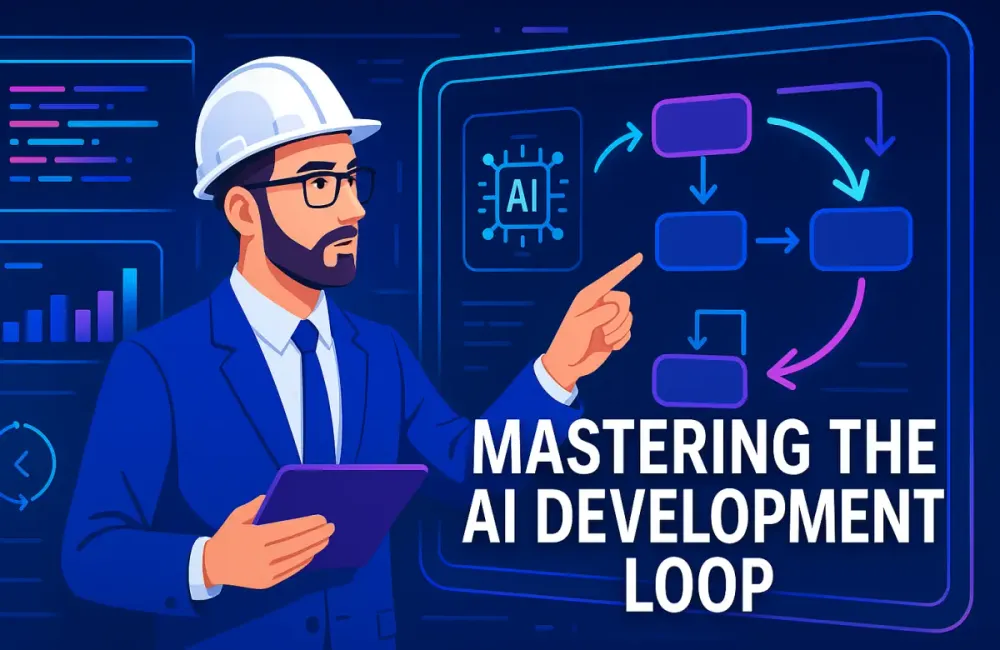
Software development has always involved trade-offs between speed, clarity, and long-term maintainability. As AI-assisted development becomes mainstream, the balance shifts again—but this time, architects and senior engineers face a new responsibility: shaping the intent of the system, not typing the syntax. Vibe Coding is the discipline of treating AI models not as autocomplete engines but as junior developers who need direction, constraints, and review. The goal is not to write less code; the goal is to create a development loop where the human controls the architecture and the AI handles mechanical execution.
Vibe Coding becomes especially powerful for teams working with modern front-end stacks such as Angular or React, .NET-based backends, and SQL databases. These environments involve complex interactions—API contracts, component boundaries, security patterns, deployment pipelines—and AI tools can speed up the mechanical parts of these tasks when given precise instructions. But when not constrained, the same tools make up patterns, mix paradigms, or drift away from your design choices. That’s why your intent matters more than the syntax the AI produces.
1.1 Defining Vibe Coding for Architects
Vibe Coding means designing the system through intent rather than syntax. You manage constraints, patterns, and functional expectations; the AI implements them. Instead of asking the model to “write a login form,” you define the flow, the architecture constraints, the naming conventions, and the error-handling approach. Then you ask the model to work within those rules.
For example, a React + .NET developer might say:
- “Authentication must be handled in
authService.ts, not inside the component.” - “Use React 18 functional components with hooks; avoid class components.”
- “API responses must follow the
ApiResponse<T>envelope.”
This shifts the model’s job from creative guessing to rule-following execution. It also shifts your job from typing to specifying, checking, and refining.
With this paradigm, architects guide AI models through the same structured workflows they use with real junior developers. The AI becomes a high-speed implementation engine with perfect recall of your rules—if you provide those rules up front.
1.2 The Core Philosophy
In Vibe Coding, the human behaves like the product manager, technical lead, and governance authority. The AI behaves like the developer who implements the plan. The mindset shift is simple but profound:
You’re no longer the typist. You’re the system’s decision-maker.
When engineers interact with AI as though it’s a typing assistant, the results feel random. The model hallucinates patterns or creates dead-end structures that don’t fit the system. When engineers treat the model as a developer that must follow constraints, they regain control of the architecture.
The core philosophy includes:
- You define the architecture, patterns, and constraints.
- You approve every implementation plan before code is generated.
- You control the quality gate, not the AI.
- You maintain the project’s memory, context, and governance.
- You prevent drift by reinforcing constraints.
This approach yields predictable, maintainable code even when multiple AI models are used across a project’s lifecycle.
1.3 The Efficiency Goal
AI coding tools aren’t valuable because they type faster than humans. They’re valuable because they reduce the time to first feature without sacrificing architecture or long-term maintainability. Vibe Coding optimizes for three outcomes:
- Speed with structure: Features move through ideation → specification → implementation faster.
- Consistency across contributors: The Instructions Folder ensures every AI session follows the same rules.
- Architectural integrity: Decisions made on day one persist through the entire lifecycle.
This matters for enterprise-grade systems where backend services must follow strict security rules, and front-end components need to comply with design systems. When intent and architecture are preserved, the AI becomes a multiplier instead of a liability.
2 Phase 0: The Context-First Setup
Phase 0 establishes the rules, structure, and constraints the AI must follow during development. Modern coding models are fast, but they drift without explicit boundaries. They may mix design patterns, create unapproved file structures, or choose outdated APIs. The purpose of this phase is to prevent drift by giving the AI a stable, persistent memory outside the chat window.
The Context-First approach works across environments: Cursor AI, Claude Code, VS Code with GitHub Copilot, or any other LLM-based workflow. Once the Instructions Folder is in place, every coding session becomes more consistent and predictable.
2.1 The Instructions Folder Strategy
The Instructions Folder is a small but critical part of the project. It contains the architectural definition, coding conventions, and non-negotiable constraints. These files give the AI a clear understanding of the system, similar to onboarding a new engineer with a written design brief.
When these files are referenced consistently, the AI behaves like a developer who knows the architecture instead of improvising. This keeps the implementation aligned with the PRD, TDD, and underlying system goals.
2.1.1 Why the Instructions Folder Matters
LLMs can process thousands of tokens, but their working memory is temporary. Once a session restarts or a long conversation evolves, the model may:
- shift from functional to class components
- forget naming conventions
- introduce state management libraries that aren’t part of the stack
- generate inconsistent API responses
- modify the folder structure without instruction
- change casing or file naming rules
- mix patterns from earlier versions of the framework
These issues compound over time and eventually create architectural inconsistencies that require manual cleanup.
A simple example makes the issue clear. Suppose the system uses React 18 with functional components only. Without an Instructions Folder, the AI may generate a class component if the prompt becomes ambiguous. Or it might introduce Redux even if you never requested state management. And during backend development, it might return raw objects rather than wrapping responses in your standard envelope.
But when the Instructions Folder is referenced before each session, the AI consistently follows the same patterns. It stops inventing new conventions and instead works within the boundaries you define.
2.1.2 Required Files and Their Roles
The Instructions Folder contains four required files. Each file serves a specific purpose in guiding the AI’s reasoning.
2.1.2.1 00_Project_Context.md
This file describes the project’s purpose, primary users, business constraints, and non-functional expectations. It helps the AI reason about features in context instead of treating each request as an isolated task.
A short example:
Purpose: Support field inspections through a mobile-first interface.
Users: Technicians, Supervisors.
Business Constraints:
- Offline usage supported for up to 10 minutes.
- Inspection data stored in SQL Server.
- Authentication uses HttpOnly cookies.
The example is intentionally brief because the full version appears in Section 10. The goal here is to explain how the file guides architectural decisions.
2.1.2.2 01_Tech_Stack.md
This file defines the exact technologies and disallowed alternatives. It prevents the AI from mixing stacks or pulling in libraries you don’t want.
Example excerpt:
Frontend: React 18, TypeScript, Tailwind.
Backend: .NET 8 Minimal APIs.
Rules:
- Functional components only.
- Use React Query for data fetching.
- Use async/await exclusively.
By defining the stack explicitly, the AI avoids mixing syntax from older React versions or outdated .NET patterns.
2.1.2.3 02_Architecture_Rules.md
This file defines how the system is organized. It explains which folders exist, which responsibilities belong where, and how layers interact. The file also includes API patterns, error-handling expectations, and security rules.
Example excerpt:
/components → Presentational UI only
/services → Business logic + API integration
/hooks → Shared logic and React Query wrappers
API Envelope → ApiResponse<T>
Auth → HttpOnly cookies only
Even a short ruleset like this keeps the AI from placing logic inside components or returning raw API responses.
2.1.2.4 03_Coding_Style.md
This file outlines conventions for naming, error handling, formatting, and boilerplate. These rules produce a uniform codebase even when the AI writes most of the implementation.
Example excerpt:
Components: PascalCase
Hooks: useSomething()
Services: something-service.ts
Error Handling: Use handleApiError() for all failures
No console.log in production
These conventions help maintain consistency across features and sessions.
2.1.3 How These Files Work Together
Individually, each file adds a constraint. Together, they create a complete architectural contract:
- The Context file defines the purpose.
- The Tech Stack file defines the allowed tools.
- The Architecture Rules file defines the system structure.
- The Coding Style file defines how code should look and behave.
This contract becomes the AI’s reference point. When an instruction is ambiguous, the model uses these files to make informed decisions instead of guessing.
2.2 Tooling Setup
The Instructions Folder works only if the editor or AI tool loads it consistently. Without this step, the AI may ignore the folder or use only fragments of it. Tooling integration ensures the folder is treated as a default input for every session.
2.2.1 Cursor AI and VS Code Integration
Cursor’s .cursorrules file lets you bind the Instructions Folder directly to the coding environment. Each time you ask Cursor to generate or modify code, the rules are automatically included.
A practical configuration:
include:
  - instructions/00_Project_Context.md
  - instructions/01_Tech_Stack.md
  - instructions/02_Architecture_Rules.md
  - instructions/03_Coding_Style.md

rules:
  - Follow the architecture rules unless specifically overridden.
  - Avoid unapproved libraries or patterns.
  - Use React Query for all data fetching.
  - Use ApiResponse<T> for every API response.
This integration significantly reduces errors. Developers no longer need to remind the AI about conventions, and the tool remains consistent regardless of session length.
2.2.2 Recommended Model Selection
Different LLMs excel at different tasks. Selecting the right model for each step improves reliability and reduces rework.
Gemini 2.5 Pro
Useful for reviewing long files, reading schemas, analyzing architecture, and generating planning documents. It performs well with technical descriptions and high-level design.
Claude 4.5 Sonnet
Useful for writing code quickly and accurately. Claude handles TypeScript, React Query, .NET Minimal APIs, and SQL with consistent patterns. It also performs well on iterative refactoring.
A consistent rule of thumb:
- Use Gemini for planning.
- Use Claude for implementation.
This separation mirrors traditional development workflows: architects design the system, and developers implement the details.
2.2.3 Session Startup Pattern
Every session should begin with a small set of instructions so the AI anchors itself to the folder. Example:
Load the Instructions Folder. Follow the architecture and coding rules exactly.
If any request violates them, ask for clarification.
A short anchor like this keeps the model aligned even when the conversation lasts for many steps.
2.2.4 Avoiding Context Drift in Long Sessions
In long sessions, LLMs sometimes:
- lose track of earlier decisions
- revert to default coding styles
- introduce new patterns to “improve” consistency
- rewrite components or files unnecessarily
To prevent this, include a simple reminder periodically:
Use the Instructions Folder as the authoritative source of truth.
If a requested change conflicts with the rules, highlight it rather than guessing.
This pattern preserves architectural fidelity across large refactors and multi-step features.
2.3 Practical Example: Before and After Phase 0
A short example shows the difference Phase 0 makes.
2.3.1 Without Phase 0
Request: “Create an inspection form component.”
Possible output:
class InspectionForm extends React.Component {
  state = { notes: "", status: "pass" };

  handleSubmit() {
    fetch('/api/inspection', { method: 'POST' });
  }
}
Issues:
- Class component
- Inline fetch
- No ApiResponse
- No error handling
- No folder structure awareness
2.3.2 With Phase 0
Request: “Create the InspectionForm component.”
Output aligns automatically:
export function InspectionForm() {
  const mutation = useCreateInspectionMutation();

  return (
    <form onSubmit={mutation.mutate}>
      {/* UI only */}
    </form>
  );
}
Business logic moves to services. Queries use React Query. Components are functional. The rules hold.
2.4 Takeaways
Phase 0 is essential for AI-coded projects. The Instructions Folder provides structure, the tooling integration enforces consistency, and the model selection strategy ensures correctness. Once this foundation is in place, every subsequent phase—PRD creation, TDD generation, Plan Mode, Act Mode, testing, review, and deployment—becomes far more stable and predictable.
3 Phase 1: Product & Technical Definition
Phase 1 ensures that every feature, UI interaction, and backend behavior is defined before a single file is created. In traditional development, this reduces rework and misalignment. In Vibe Coding, it is absolutely required because any ambiguity causes the AI to “fill in the blanks,” often with incorrect or inconsistent assumptions.
The goal of this phase is to produce:
- A complete PRD (Product Requirements Document)
- UI/UX breakdowns, wireframes, and component trees
- A Technical Design Document that includes schema, API contracts, and architectural decisions
All three form the scaffolding the AI will use during implementation.
3.1 Generating the Product Requirements Document (PRD)
The PRD is the foundation for the entire build. With AI as your development engine, the PRD becomes your source of truth that prevents drift. The more structured it is, the more predictable the generated code becomes.
3.1.1 The Prompting Strategy
The best way to build a PRD with AI is through iterative prompting. You want the AI to expand and refine while keeping everything aligned with your business context.
Below is the detailed workflow used by architects.
Step 1: Start with a one-sentence idea
Keep this short on purpose. You’re not trying to be comprehensive here—you’re establishing the AI’s starting point.
Prompt:
“The app helps technicians log equipment inspections.”
The AI will produce a short summary. That summary is simply the anchor for the next steps.
Step 2: Expand into a high-level requirements list
You now ask the AI to broaden the concept into structured requirements.
Prompt:
“Expand this into a high-level requirements list. Include the main user flows and core business outcomes.”
You should expect a response describing:
- Inspection submission
- Technician login
- Supervisor review
- Equipment lookup
- Audit trails
Keep it high-level for now.
Step 3: Convert high-level items into detailed functional requirements
The AI now needs to articulate functional behavior with clarity—what the system does, not how it is built.
Prompt:
“Convert these into detailed functional requirements. Separate must-haves from nice-to-haves. Include specific rules for validation, permissions, and error cases.”
This is where the PRD begins to take shape.
Step 4: Add edge cases
AI tools tend to skip real-world exceptions unless specifically asked.
Prompt:
“Add a section listing all relevant edge cases, including offline behavior, partial submissions, invalid data, and concurrent updates.”
Step 5: Validate against the Instructions Folder
Now you enforce business constraints and prevent hallucinated features.
Prompt:
“Check alignment with
00_Project_Context.md. Remove or correct anything that violates business constraints. Highlight any assumptions you had to make.”
This is the moment where the PRD becomes grounded.
Step 6: Produce the final PRD document
The AI should produce a single coherent document.
Prompt:
“Combine all sections into a final PRD. Use clear headings:
- Overview
- Personas
- User Flows
- Functional Requirements (Must-haves / Nice-to-haves)
- Non-functional Requirements
- Edge Cases
- Dependencies”
3.1.2 Example Prompt (Architect Level)
Architect-level prompts give the AI authority, boundaries, and clear expectations.
Here is the refined version:
“Act as a Senior Product Manager. Draft a complete PRD for [App Name]. Include:
- Core User Flows (Step-by-step)
- Functional Requirements (Must-haves vs Nice-to-haves)
- Edge Cases and data validation rules
- Non-functional requirements
- Assumptions you made
Reference
00_Project_Context.mdfor business alignment. Follow enterprise-level formatting.”
This yields a detailed, complete PRD that is ready for UI planning.
3.2 The “Plan Your UI/UX First” Rule
AI models generate code quickly but often with inconsistent naming, layout assumptions, or invented components. Planning UI and UX before writing code ensures consistency and prevents rework.
Planning UI first also forces clarity: a screen cannot be built unless its layout, inputs, and outputs are understood.
3.2.1 Visual Context
You have three ways to generate visual context:
-
Ask for text-based wireframes Useful in environments where image generation is restricted.
-
Provide rough sketches Even crude box drawings help the AI ground its layout decisions.
-
Request component trees for every screen This improves front-end architecture consistency.
Here are the exact prompts for each.
Option A: Text-based wireframes
Prompt:
“Describe the layout of the Equipment Inspection screen using a wireframe-style text block. Include form fields, headers, footers, modals, and navigation.”
The AI may produce something like:
--------------------------------------------------------
| Header: Inspection Details                            |
--------------------------------------------------------
| Equipment Select [Dropdown]                           |
| Technician Notes [Multiline Input]                    |
| Status [Radio Buttons: Pass / Fail]                   |
| Upload Photos [Button]                                |
--------------------------------------------------------
| Submit [Primary]   Cancel [Secondary]                 |
--------------------------------------------------------
This keeps the UI grounded and prevents component drift later.
Option B: Convert an image sketch
After uploading a sketch:
Prompt:
“Convert this sketch into a React component tree. Group shared elements under
/components/common. Only describe structure—do not write code yet.”
Option C: Define interaction flows
Prompt:
“List the step-by-step interactions a technician performs on this screen. Include error states and required validations.”
This gives the AI an understanding of expected user behavior.
3.2.2 Component Breakdown
The goal is a full component inventory before coding. This prevents the AI from inventing components during implementation.
Prompt:
“List all React components required for the Inspection Flow. Group them under:
- Pages
- Feature components
- Shared UI components
- Reusable atomic elements
Include a short description of each component’s responsibility.”
Output will resemble:
Pages/
  InspectionPage
  InspectionListPage

Components/Inspection/
  InspectionForm
  InspectionSummary
  PhotoUpload
  StatusSelector

Components/Common/
  Button
  Input
  Dropdown
  Modal
This list becomes your implementation checklist.
Enforced Single-Component Implementation
After the inventory is created, enforce isolation:
Prompt:
“Create only the
InspectionForm.tsxcomponent. Use the component list as reference. Do not create any additional files. Follow03_Coding_Style.md.”
This stops the model from generating unwanted code.
3.3 Technical Design Document (TDD) Generation
The TDD translates product and UI decisions into system architecture. This includes:
- Database schema
- API contracts
- Domain models
- Validation requirements
- Component interactions
- Business rules and flows
The TDD becomes the blueprint for both backend and frontend code generation.
3.3.1 Schema Design Prompt
You want a normalized, secure SQL schema aligned with the PRD.
Prompt:
“Based on the PRD, design a normalized SQL schema for SQL Server. Provide:
- DDL statements
- Foreign keys
- Constraints
- Default values
- RLS (Row Level Security) policies for Technician access
Ensure fields match the PRD requirements. Justify design decisions.”
This yields:
EquipmentTechniciansInspectionsInspectionPhotos
With SQL like:
CREATE TABLE Technicians (
    Id INT IDENTITY PRIMARY KEY,
    Name NVARCHAR(200) NOT NULL,
    EmployeeNumber VARCHAR(50) UNIQUE NOT NULL
);
And RLS example:
CREATE SECURITY POLICY TechnicianSecurityPolicy
ADD FILTER PREDICATE dbo.fn_IsTechnicianAuthorized(TechnicianId)
ON dbo.Inspections;
3.3.2 API Contract Definition
The API contract is the integration backbone between React/Angular and .NET.
You define:
- Request bodies
- Response envelopes
- Error formats
- DTO naming conventions
- Pagination rules
- Sorting rules
- Validation behavior
Prompt:
“Define the complete API contract for the Inspection module. Include:
- Request and response models
- Route definitions
- HTTP verbs
- Validation rules
- Error response structure
Follow the
ApiResponse<T>envelope pattern in02_Architecture_Rules.md.”
Example .NET DTO:
public record CreateInspectionRequest(
    int EquipmentId,
    string Status,
    string Notes
);
Example response:
public record InspectionDto(
    int Id,
    int EquipmentId,
    string Status,
    string Notes,
    DateTime CreatedAt
);
TypeScript counterpart:
export interface InspectionDto {
  id: number;
  equipmentId: number;
  status: string;
  notes: string;
  createdAt: string;
}
4 Phase 2: The “Plan Mode → Act Mode” Execution Loop
Once the PRD and TDD are stable, the next step is guiding the AI through controlled implementation. Phase 2 is where Vibe Coding becomes operational. You’re no longer gathering requirements—you’re ensuring the system is built exactly as defined. The purpose of this loop is simple: prevent the AI from making architectural guesses. Plan Mode forces it to describe the implementation path. Act Mode ensures it writes only the code you approved. This mirrors how architects review designs before developers start building.
4.1 Step 1: Plan Mode (The Architect’s Review)
Plan Mode is where the AI outlines how it will implement a feature. Instead of producing code immediately, the model generates a structured plan that shows intended file changes, responsibilities, and interactions. This prevents drift early and lets you catch issues before they turn into refactoring work.
4.1.1 Workflow
You start Plan Mode whenever you ask the AI to build or modify something—whether that is the User Auth flow, the Technician Inspection components, or backend inspection endpoints. The AI must produce a clear plan that includes:
- Files it intends to create or update
- The purpose of each file
- Expected functions or class members
- References to API endpoints already defined in the TDD
- Error cases it will handle
- Any assumptions or missing pieces of context
A Plan Mode response for implementing user authentication in the Technician Inspection App might look like:
Files to create:
- /services/auth-service.ts: Implements login, logout, and token-refresh logic using the existing ApiResponse<T> structure.
- /components/LoginForm.tsx: Renders the email/password form and triggers the auth-service login function.
- /hooks/useAuth.ts: Provides authentication state to components using React Query and local state.

Updates to existing files:
- /types/auth.ts: Add LoginRequest and LoginResponse types based on the API contract.
- /App.tsx: Wrap the app with the AuthProvider from useAuth.

API endpoints referenced:
- POST /api/auth/login
- POST /api/auth/refresh
This provides a full implementation map without a single line of code.
4.1.2 Example Prompt
A Plan Mode prompt should reference the Instructions Folder and communicate authority clearly:
“Review
02_Architecture_Rules.mdand the PRD’s Authentication section. Outline the steps you will take to implement the User Auth flow. List all files you will create or update and include one sentence explaining each file’s responsibility. DO NOT write any code. Identify any missing information or assumptions you need to confirm.”
This prompt makes the AI behave like a junior developer preparing a design summary.
4.1.3 Human Gatekeeping
After the AI produces its plan, your job is to evaluate it. You’re checking for violations of constraints set earlier in the Instructions Folder. That includes:
-
Security problems Example: proposing to store tokens in localStorage instead of HttpOnly cookies.
-
Architecture violations Example: placing login logic directly inside
LoginForm.tsxinstead of/services/auth-service.ts. -
Incorrect file placement Example: creating a
helpersfolder that doesn’t exist in the defined folder structure. -
Unapproved assumptions Example: planning to use an external UI library not listed in
01_Tech_Stack.md. -
Missing error handling Example: no mention of expected 401/403 responses from the backend.
When you find something wrong, you instruct the AI precisely:
“Revise Step 2. No credentials or tokens may be stored in localStorage. Authentication must rely on HttpOnly cookies. Update the plan and return the corrected version.”
You approve the plan only when it meets all architectural rules. Once approved, you move to Act Mode.
4.2 Step 2: Act Mode (The Developer’s Execution)
Act Mode turns the approved plan into real implementation. The AI writes only the code for the step you specify. Nothing more. Nothing less. This isolates potential errors and keeps architectural drift under control.
4.2.1 Boilerplate Injection
Before implementing feature logic, you often need standard boilerplate: empty services, shared types, interfaces, hooks, or controllers. Instead of generating it manually, you instruct the AI to create predictable scaffolding that matches your existing conventions.
This is especially useful in a React + .NET + SQL stack where frontend and backend layers share consistent patterns.
Prompt:
“Generate boilerplate files for the Authentication module using the naming, folder structure, and patterns defined in
03_Coding_Style.md. Create empty files only:auth-service.ts,useAuth.ts,auth.types.ts, andLoginForm.tsx. Do not implement any logic yet.”
This ensures every future file follows the same pattern established earlier in the Instructions Folder.
Typical output:
/services/auth-service.ts → empty service with exported functions
/hooks/useAuth.ts → wrapped React Query placeholders
/types/auth.types.ts → empty types for LoginRequest, LoginResponse
/components/LoginForm.tsx → empty component structure
The folder layout stays consistent across the entire project.
4.2.2 Iterative Implementation Prompt
Once the scaffolding is ready, you use small, incremental Act Mode prompts. Instead of telling the AI to “implement auth,” you reference the plan and request exactly one step.
Example Prompt:
“Execute Step 1 of your approved plan. Implement
auth-service.tswith login, logout, and refresh functions. Follow the ApiResponsecontract. Handle 401 and 403 errors explicitly. Do not modify any other files.”
A predictable output may look like:
// /services/auth-service.ts
import { apiClient } from './api-client';
import { ApiResponse, LoginRequest, LoginResponse } from '../types/auth.types';
import { handleApiError, isHttpError } from './error-utils';

export async function login(
  payload: LoginRequest
): Promise<ApiResponse<LoginResponse>> {
  try {
    const res = await apiClient.post('/auth/login', payload);
    return res.data;
  } catch (err: unknown) {
    if (isHttpError(err, 401) || isHttpError(err, 403)) {
      return { success: false, error: 'Invalid username or password.' };
    }
    return handleApiError(err);
  }
}
Because the PRD, TDD, and Instructions Folder already defined:
- API contract
- Service conventions
- Error handling patterns
- Naming conventions
- Folder structure
…the generated code stays aligned without requiring manual correction.
You continue the loop—approve a plan step, execute that step—until the feature is complete.
5 Phase 3: Quality Assurance & Refinement
By the time you reach Phase 3, the feature is implemented through the Plan Mode → Act Mode loop. Now you validate correctness and strengthen the code. Quality Assurance is not an afterthought in Vibe Coding. It’s part of the loop and ensures everything generated by the AI behaves as documented in the PRD and TDD. This phase focuses on verifying behavior through automated tests and stabilizing the AI when it becomes stuck or confused.
5.1 Automated Testing & TDD
Testing works especially well with AI because the model naturally produces structured test code when given clear expectations. The goal here is to verify that both the business rules from the PRD and the architectural patterns from the Instructions Folder are honored. The best way to achieve that is by using a Test-First workflow. You define the expected behavior in a test, then ask the AI to write code to satisfy it.
This ensures the model grounds its logic in concrete, verifiable rules rather than internal assumptions.
5.1.1 Test-First Vibe
Test-First Vibe is simple: you ask the AI to produce the failing test before generating any implementation code. This forces clarity and aligns the model with real requirements.
For example, in the Technician Inspection App, the PRD states that technicians can upload photos during an inspection, but file uploads must respect size limits. In this case, the test defines the rule, and the service code becomes the implementation that satisfies the rule.
This mirrors real-world TDD but operates at AI scale—tests get generated instantly, and the model receives guardrails for the exact behavior you expect.
5.1.2 Example Prompt
A straightforward test-first instruction might be:
“Write a Jest test case that fails if a technician attempts to upload a file larger than 5MB using
UploadFileService. After producing the failing test, write only the service logic required to make that test pass. Follow all patterns from03_Coding_Style.md.”
A matching Jest test could look like:
// upload-service.test.ts
import { validateFileSize } from '../services/upload-service';

describe('validateFileSize', () => {
  it('throws when file exceeds 5MB', () => {
    const file = new File([new ArrayBuffer(6 * 1024 * 1024)], 'oversized.jpg');
    expect(() => validateFileSize(file)).toThrow('File exceeds 5MB limit.');
  });
});
And the service implementation that satisfies it:
// services/upload-service.ts
export function validateFileSize(file: File) {
  const max = 5 * 1024 * 1024;
  if (file.size > max) {
    throw new Error('File exceeds 5MB limit.');
  }
}
This approach ensures that every rule in the PRD—whether for inspections, auth, or technician flows—has objective validation built in.
5.2 Handling “The Loop” (AI Stagnation)
Even with a structured workflow, there are times when the model gets stuck in repetitive or contradictory behavior. This usually happens when the model’s internal assumptions conflict with the Instructions Folder or when it tries to reconcile mismatched patterns introduced earlier. Instead of debugging the code directly, Vibe Coding treats this as a signal to reset the model’s working memory.
5.2.1 The Warning Sign
You know the AI is stuck when its responses follow predictable patterns:
- It produces the same incorrect fix multiple times
- It gives identical reasoning for different errors
- It refuses to modify a wrong implementation
- It oscillates between two conflicting solutions
- It forgets context or reverts to older architectural patterns
This is The Loop. When you see it, you do not push forward. You intervene immediately.
5.2.2 The Protocol
To fix stagnation, you use a four-step workflow designed specifically for AI-driven development:
-
STOP Do not let the model continue repeating the same fix. That only reinforces incorrect assumptions.
-
Document Ask the AI for a structured self-diagnosis. Prompt:
“Write a ‘Current Issues Report’ summarizing the issue, the last attempted fix, and your reasoning about why it did not work.”
The model produces a clear explanation that anchors the next session.
-
Reset Open a fresh chat or new session. This clears out the incorrect assumptions from the previous conversation.
-
Restore Feed the new session the critical context:
- The Current Issues Report
- Relevant constraints from the Instructions Folder
- Any impacted files
Prompt:
“Here is the Current Issues Report. Here is
01_Tech_Stack.md. Continue the task using only these constraints and do not deviate from the established patterns.”
This resets the cognitive state of the model while maintaining architectural consistency.
The Loop becomes a manageable, recoverable situation instead of a frustrating dead end. It ensures that long-running development sessions stay aligned with the structure established in Phase 1 and executed in Phase 2.
6 Phase 4: The Review & Documentation Cycle
By this point, the feature has been implemented through a sequence of controlled Plan Mode → Act Mode steps, and the first round of automated tests has already validated core behavior. Phase 4 ensures that the code is not only correct, but consistent with the architecture and coding conventions defined at the start of the project. This is where Vibe Coding shifts from “getting things working” to “keeping things clean.” The AI becomes your assistant reviewer, and the Instructions Folder becomes the reference point for every correction.
6.1 Iterative Code Review with AI
The Code Review cycle ensures that the feature fits naturally into the existing project structure. In Vibe Coding, you don’t rely on a single manual review. Instead, you use the AI itself to perform iterative self-review. You provide the constraints, and the model critiques its own output as if it were submitting a pull request.
This works especially well with the Technician Inspection App because business logic, service structure, and error-handling patterns were defined clearly in Phase 1 and Phase 2. The AI already has those rules in context, so the review becomes a targeted refinement rather than a rewrite.
6.1.1 Self-Correction
You start by asking the AI to evaluate the code against the rules defined earlier in 02_Architecture_Rules.md and 03_Coding_Style.md. Because the model understands the architecture it is expected to follow, it can identify issues such as:
- A React component performing business logic instead of a service
- A .NET endpoint returning raw objects instead of
ApiResponse<T> - A missing null check in an inspection retrieval method
- Incorrect file naming (e.g.,
Authservice.tsinstead ofauth-service.ts) - Violations of agreed error handling patterns
- Unused imports or props
You then instruct the AI to refactor only the problematic sections. This prevents the model from rewriting entire files and maintains alignment with the rest of the codebase.
For example, suppose the AI initially wrote an inspection retrieval method without catching database errors. During self-review, it may identify the missing catch block and propose a correction.
6.1.2 Prompt
A precise code review instruction may look like this:
“Review the code you just wrote for the Inspection module. Verify that it follows all error handling and response patterns defined in
03_Coding_Style.mdand the API rules in02_Architecture_Rules.md. If it violates any rule, refactor the code. Only output modified sections.”
When reviewing .NET code, a corrected example might appear like:
public async Task<ApiResponse<InspectionDto>> GetInspectionAsync(int id)
{
    try
    {
        var item = await _repo.GetAsync(id);
        if (item is null)
            return new ApiResponse<InspectionDto>(false, null, "Inspection not found.");

        return new ApiResponse<InspectionDto>(true, item, null);
    }
    catch (SqlException ex)
    {
        _logger.LogError(ex, "Database error while fetching inspection.");
        return new ApiResponse<InspectionDto>(false, null, "Database error.");
    }
}
This matches the TDD-defined response envelope, uses the correct exception handling pattern, and aligns with the service behavior described earlier in Phase 2. With good Instructions Folder definitions, AI corrections become reliable and predictable.
6.2 Documentation as Code
After code review, the last step is updating the Instructions Folder. This ensures that any architectural decisions made during the feature’s implementation become permanent project rules. This is where Vibe Coding completes its loop: the architecture evolves, the rules evolve, and future sessions inherit the improved patterns automatically.
The Instructions Folder is your long-term memory. When it’s updated, future Plan Mode and Act Mode cycles benefit from the improved constraints. This prevents the model from reverting to old patterns in later features.
6.2.1 Auto-Documentation
You do not manually rewrite documentation. Instead, you ask the AI to extract architectural implications from the updated codebase. For example, if the new Auth Flow introduced a new hook (useAuth) or a new shared DTO, the model should document its intended use.
Common updates might include:
- A new shared folder for auth state or technician preferences
- Updated naming conventions introduced during refactoring
- Newly established rules about API error responses
- Additional constraints for inspection validation
- New client-side utilities standardized during feature development
- Extended security rules for handling technician identity
This step ensures that your architecture remains a living document rather than something that drifts away from the code.
6.2.2 Prompt
A typical documentation instruction looks like:
“Update
02_Architecture_Rules.mdand03_Coding_Style.mdwith any new rules or patterns introduced while implementing the Authentication and Inspection features. Add only the new or revised sections.”
The AI may produce entries such as:
New Rule: All inspection-related queries must be wrapped in try/catch blocks using the standardized database error response pattern.
New Rule: Authentication state must be accessed through `useAuth()` and never directly from React Query.
New Rule: Shared DTOs for both frontend and backend must be stored in `/types` and referenced by services and components to maintain consistency.
These updates ensure future features follow the same refined patterns without requiring you to restate them. The more consistent your Instructions Folder becomes, the more predictably the AI behaves in future development cycles.
7 Phase 5: The Feature Addition Loop & Deployment
When the first version of a system is live, new requirements begin to appear—small enhancements, missing edge cases, UX fixes, and larger feature additions. With Vibe Coding, each new feature must follow the same structured workflow that shaped the initial build. Phase 5 ensures that enhancements do not introduce regressions, break architectural rules, or create inconsistent patterns. The loop mirrors Phases 1 and 2, but with a focus on minimizing disruption to the existing codebase.
7.1 The Delta Spec
A Delta Spec is a focused update to the existing PRD and TDD. Instead of rewriting the whole specification, you capture only what changes. This helps the AI maintain continuity with the original design while preventing unnecessary rework.
7.1.1 Update the PRD
You start by updating the PRD with the new feature’s behavior, constraints, and user flows. This keeps the product definition aligned with the implementation.
For example, suppose technicians request a “Dark Mode” toggle inside the Technician Inspection App. Before coding, you revise the PRD accordingly:
“Update the PRD with a new ‘Dark Mode’ feature. Add user flows for enabling and disabling Dark Mode, persistence rules (per technician), and error scenarios if user preferences fail to load. Keep all details consistent with existing personas and system goals.”
This ensures the feature is intentionally designed—not improvised inside the code.
7.1.2 Context Pruning
After the PRD update, you feed the AI only the files involved in the change. The goal is to eliminate cognitive overload and reduce architectural drift.
Example prompt for controlled context:
“Read
user-preferences.service.ts,auth-service.ts, andnavbar.tsx. These are the only files relevant to the Dark Mode change.”
A pruned set might include:
user-preferences.service.ts(saving theme preference)navbar.tsx(surface toggle UI)App.tsxorThemeProvider(apply selected theme)- A .NET controller handling preferences (if backend persistence exists)
This approach keeps the AI focused on the feature’s scope and prevents updates in unrelated areas.
7.2 Regression Prevention
Before you let the AI write code, you ask it to review how the new feature might affect existing behavior. This prevents surprises later and mirrors the structured reasoning of the earlier phases.
7.2.1 Pre-Implementation Scan
A Pre-Implementation Scan asks the AI to inspect the code and identify elements that could break when the new feature is added. For Dark Mode, the scan might reveal:
- Components that rely on hard-coded light backgrounds
- Tailwind classes used inconsistently
- Missing theme-related props in shared UI components
- Existing technician preference logic that assumes only non-theme preferences
This early evaluation gives you clarity about integration risks before writing a single line of code.
7.2.2 Prompt
A direct prompt that maintains continuity with the example app:
“I want to add a ‘Dark Mode’ toggle. Analyze
tailwind.config.js,App.tsx, andNavbar.tsx. Identify where existing components might break and explain why. Propose mitigations.”
A typical AI output would flag:
- Hard-coded
bg-whiteclasses - Shared components that assume light mode
- Missing technician preference hydration on login
- Theme mismatch between server-rendered and client-side styles
This list becomes your risk map when planning the implementation.
7.3 Implementation & Integration
Once the Delta Spec and risk map are ready, you repeat the Vibe Coding pattern: Plan Mode → Act Mode. This keeps enhancements aligned with architecture and reduces regression risk.
7.3.1 Execute Plan → Act Mode
You begin by asking the AI to produce a full plan:
“Plan the Dark Mode implementation. Reference the updated PRD and your pre-implementation scan. List every file you will modify or create and describe the change for each. Do not write code yet.”
A typical plan might include:
Files to update:
- App.tsx: Initialize ThemeProvider with persisted user preference.
- Navbar.tsx: Add the Dark Mode toggle UI component.
- user-preferences.service.ts: Add functions to save and load theme preference.
- /types/preferences.types.ts: Add ThemePreference type.

Files to create:
- /providers/theme-provider.tsx: Implement context that switches Tailwind theme classes.
Once the plan is reviewed and approved (mirroring Phase 2), you move into controlled execution:
“Implement Step 1 of your plan. Modify App.tsx to initialize the ThemeProvider. Do not modify any other files.”
The output might include:
// App.tsx
import { ThemeProvider } from './providers/theme-provider';

function App() {
  return (
    <ThemeProvider>
      <RouterProvider router={router} />
    </ThemeProvider>
  );
}

export default App;
By implementing one step at a time, you avoid broad, speculative diffs and can review each change for consistency.
7.3.2 Run Full Test Suite
After every major integration step, you ask the AI to run or generate tests to ensure nothing breaks. This is especially useful for backend preference persistence or UI consistency.
A .NET test verifying preference loading might look like:
[Fact]
public async Task LoadsTechnicianThemePreference()
{
    var service = new UserPreferencesService(_repo);
    var prefs = await service.GetPreferencesAsync(techId);

    Assert.Equal("dark", prefs.Theme);
}
You repeat this cycle until the entire feature is implemented without regressions.
7.4 Deployment (CI/CD)
When the feature is stable and tested, you prepare it for deployment. Vibe Coding treats deployment as another Plan Mode → Act Mode cycle: plan the configuration, generate it, verify it, and test it.
7.4.1 Deployment Config
You ask the AI to produce deployment artifacts using the same stack defined in 01_Tech_Stack.md.
For example:
“Generate a production-ready Dockerfile for the .NET 8 API and React frontend using our standard architecture.”
A typical backend Dockerfile might be:
# Build stage
FROM mcr.microsoft.com/dotnet/sdk:8.0 AS build
WORKDIR /src
COPY . .
RUN dotnet publish -c Release -o /app

# Runtime stage
FROM mcr.microsoft.com/dotnet/aspnet:8.0
WORKDIR /app
COPY --from=build /app .
ENTRYPOINT ["dotnet", "Api.dll"]
This gives you a reproducible deployment artifact without hand-editing.
7.4.2 Post-Deployment Verification
After deploying, you verify the environment using smoke tests generated by the AI.
For example:
“Create a Python script to check the production health endpoint and verify that
/api/user/preferencesreturns 401 when unauthenticated.”
import requests

def test_health():
    assert requests.get("https://prod.example.com/health").status_code == 200

def test_preferences_requires_auth():
    res = requests.get("https://prod.example.com/api/user/preferences")
    assert res.status_code == 401

test_health()
test_preferences_requires_auth()
This confirms the environment is functional and respects security expectations.
8 Phase 6: The Bug Fixing Loop & Hotfix Deployment
Even with strong architecture, consistent service patterns, and a complete test suite, real-world production systems eventually surface issues. Phase 6 uses the same Vibe Coding principles—explicit planning, controlled execution, and documentation—to handle bugs without introducing instability. The emphasis here is reproducibility and traceability. You don’t let the AI guess the fix; you guide it through a structured process that starts with understanding the issue and ends with a documented, validated hotfix.
8.1 The Triage & Reproduction
Bug fixing begins with triage. Instead of immediately asking the AI for a patch, you start by supplying raw diagnostic data—logs, stack traces, or user reports—and instructing the model to analyze what could be wrong. This prevents incorrect assumptions and anchors the conversation in real system behavior.
8.1.1 Log Ingestion
You paste the full error details into the AI session. For the Technician Inspection App, imagine a production log showing technicians receiving errors when loading an inspection:
System.NullReferenceException: Object reference not set to an instance of an object.
   at Api.Services.InspectionService.GetInspectionAsync(Int32 id)
Your instruction stays simple:
“Here are the logs. Summarize the failure conditions based on this stack trace and list the most likely root causes.”
This keeps the AI focused on understanding the problem, not fixing it prematurely.
8.1.2 The “Repro Script” (Crucial Step)
Reproducibility is essential in Vibe Coding. Before any fix is attempted, you want the AI to create a script or automated test that triggers the same issue. If you can’t reproduce a bug, you can’t confirm the fix later.
For .NET backends, this usually means an xUnit test. For frontend issues, it might be a Cypress or Playwright test.
8.1.3 Prompt
A clear reproduction instruction:
“Here is the error log. Write an xUnit test that reproduces this crash inside
GetInspectionAsync. Use the same API assumptions we defined in the TDD. Do not attempt to fix the code yet—only prove that the bug exists.”
A matching test could be:
[Fact]
public async Task GetInspection_Throws_When_InspectionIsMissing()
{
    var service = new InspectionService(_repoReturningNull);
    await Assert.ThrowsAsync<NullReferenceException>(() => service.GetInspectionAsync(999));
}
Once this test fails, you know the issue is real and reproducible, and you can safely move on to analysis.
8.2 The Fix & Verification
After confirming reproduction, Vibe Coding moves into root cause analysis and a controlled, minimal fix. As with new feature development, you avoid letting the AI improvise or rewrite too much code.
8.2.1 Root Cause Analysis
Before the fix, you request an explanation:
“Explain why this failure occurred. Reference the PRD or
00_Project_Context.mdif the issue involves business logic or invalid technician behavior.”
The AI might point out that the service assumed the inspection existed and dereferenced a null entity from the repository—violating both the PRD (which requires clean messaging) and the API contract (which must return ApiResponse<T> values).
This step helps maintain architectural consistency when applying the fix.
8.2.2 Apply Fix
You now give the AI a narrow, focused instruction:
“Apply the minimal fix required to prevent this null reference. Modify only
InspectionService.cs. Show the diff.”
A properly constrained fix might be:
public async Task<InspectionDto> GetInspectionAsync(int id)
{
    var item = await _repo.GetAsync(id);
    if (item is null)
        throw new NotFoundException("Inspection not found.");

    return item;
}
This fix aligns with the existing design rules:
- The API contract expects either a DTO or a defined error
- The PRD states that missing inspections should be communicated cleanly
- The architecture rules restrict business logic to services
8.2.3 Verify
Once patched, you instruct the AI to rerun the reproduction test:
“Run the reproduction test. Confirm that the original failure is resolved.”
If the test now passes, the fix is validated. If not, you return to Plan Mode and repeat the loop until the bug is fully resolved.
8.3 Hotfix Deployment
Once the fix is stable and tested, you prepare it for production. Hotfix deployment follows the same structured approach as feature deployment: documented changes, updated versioning, and automated verification.
8.3.1 Version Bump
Versioning ensures traceability. Even small hotfixes should increment the version.
“Update the backend version from 1.4.2 to 1.4.3 following semantic versioning rules.”
This step ensures that environments (Dev, QA, Prod) reflect the correct version.
8.3.2 Changelog Update
Next, you generate a clear changelog entry so future developers—and future AI sessions—understand what changed and why.
“Based on the diff for this hotfix, generate a concise changelog entry for version 1.4.3.”
A typical entry:
### 1.4.3
- Fixed NullReferenceException in InspectionService when an inspection ID does not exist.
- Added NotFoundException to ensure consistent error reporting for missing inspections.
This becomes part of your project documentation and is later included in your Instructions Folder updates.
8.3.3 Push to Prod
Finally, you validate the environment using AI-generated smoke tests:
“Prepare a hotfix deployment checklist and generate smoke tests verifying
/api/inspections/{id}returns 404 instead of crashing.”
A Python smoke test might include:
import requests

def test_missing_inspection_returns_404():
    res = requests.get("https://prod.example.com/api/inspections/999")
    assert res.status_code == 404
This ensures the hotfix behaves correctly in the live environment before you complete the deployment.
9 Conclusion: The New Role of the Architect
By the time you reach Phase 9, the full Vibe Coding workflow becomes clear. The development process is no longer a straight line from “write requirements” to “write code.” Instead, it’s a continuous loop of intent-setting, controlled execution, validation, and refinement. The architect doesn’t type out components or controllers. Instead, they shape the system: defining constraints, reviewing plans, approving implementation steps, and enforcing consistency. The AI becomes the developer, but the architect remains the decision-maker who preserves the integrity of the Technician Inspection App—or any application built with this method.
9.1 Summary
Vibe Coding shifts the engineer’s effort from writing syntax to managing intent. You refine the PRD, create the component breakdown, define database schemas and API contracts, and enforce architectural rules. The AI uses those constraints to produce code that aligns with the project’s design. Each phase—Plan Mode, Act Mode, testing, review, bug fixing, and hotfix deployment—follows the same predictable workflow. This reduces the “time-to-first-feature,” lowers the cost of iteration, and ensures that new additions like Dark Mode or inspection workflow enhancements fit seamlessly into the existing codebase.
The result is development that moves faster without sacrificing structure or maintainability.
9.2 The “Human in the Loop”
AI brings speed, but it does not understand business nuance, long-term consequences, or subtle architectural trade-offs. That’s why the human architect remains central in this workflow. You interpret logs, approve plans, validate tests, and align each feature with the PRD and TDD. You ensure that Authentication still behaves correctly after a UI change, or that the Inspection Service continues to return consistent ApiResponse<T> envelopes even after a small bug fix.
The AI executes the work, but the architect safeguards quality, security, and business value. Without a human in this role, the system can drift—even with strong instructions.
9.3 Next Steps
The best way to adopt Vibe Coding is to start with the same foundation used throughout this article: build your 00_Instructions folder. Define your tech stack. Document your architecture rules. Record your naming conventions and coding patterns. These documents form the external memory that keeps the AI aligned across sessions, features, and environments.
Once you have that in place, you can run the full workflow on your next feature—Plan Mode, Act Mode, tests, refinement, and deployment. The process is consistent, predictable, and repeatable.
10 📁 00_Instructions Folder (Complete Sample)
Below is the full folder content. You can copy this exact structure into your project.
00_Project_Context.md
Project Overview
The Technician Inspection App allows field technicians to log equipment inspections from a mobile-friendly React interface. Supervisors can review logs, verify completed inspections, and analyze trends. The system must be simple, fast, secure, and resilient in low-connectivity environments.
Primary Users
Technician
- Performs equipment inspections in the field
- Takes photos, adds notes, submits inspection results
- Requires simple UI and fast response times
Supervisor
- Reviews submitted inspections
- Flags issues, approves or rejects logs
- Needs consistent data visibility and reliable reporting
Business Goals
- Reduce manual paperwork
- Provide consistent inspection records
- Support field technicians with minimal training
- Ensure secure access using role-based authentication
- Enable future enhancements like offline caching, dark mode, and automated reminders
Non-Functional Requirements
- Must load quickly on mobile devices
- Must handle intermittent connectivity
- Must use secure authentication (HttpOnly cookies)
- Must support standard audits and error logging
- Must maintain stable performance as data volume grows
Constraints
- Authentication must follow enterprise security rules
- Inspection data must be stored in SQL Server
- Frontend must remain React-only (no Angular, Vue, or class components)
- Backend must use .NET 8 minimal APIs
- All API responses must use
ApiResponse<T>envelope
01_Tech_Stack.md
Frontend
- React 18 (Functional Components Only)
- TypeScript
- React Router
- React Query for data fetching
- TailwindCSS
- Vite as build tool
- Cypress for E2E testing
- Jest + Testing Library for unit tests
Backend
- .NET 8 Minimal API
- C# 12
- MediatR (optional) for command/query separation
- SQL Server 2022
- EF Core 8 for ORM
- xUnit for unit tests
Infrastructure / Deployment
- Docker (multi-stage builds)
- GitHub Actions or Azure DevOps CI/CD
- Azure SQL or AWS RDS (SQL Server mode)
- Azure App Service or ECS
Hard Rules
- No Class Components in React
- No localStorage for tokens
- HttpOnly cookie authentication only
- All business logic belongs in
/servicesor backend controllers - Frontend cannot call APIs directly inside JSX components
- Backend must return
ApiResponse<T>across all endpoints - All SQL must use parameterized queries (if raw SQL is used)
- Do not introduce any library not listed here unless approved
02_Architecture_Rules.md
Folder Structure (Frontend)
src/
  components/
    common/
    inspection/
    auth/
  services/
  hooks/
  types/
  providers/
  pages/
Folder Responsibilities
- /components: Pure UI
- /services: All API calls + business logic
- /hooks: Shared state and reusable logic
- /types: DTOs, interfaces, response envelopes
- /providers: Context providers (auth, theme, etc.)
- /pages: Route-level components only
Naming Conventions
- Components →
PascalCase - Hooks →
useSomething.ts - Services →
something-service.ts - DTOs →
SomethingDto - API Requests →
SomethingRequest - API Responses →
SomethingResponse
API Rules
- All endpoints must return:
ApiResponse<T>- Response schema:
{
  "success": true|false,
  "data": {},
  "error": "string | null"
}- 4xx errors must produce meaningful error messages
- 500 errors must be logged and mapped to a user-friendly message
Security Rules
- All authentication is cookie-based, HttpOnly
- No access tokens or refresh tokens stored in frontend memory
- Role enforcement must occur server-side
- Sensitive fields must never be sent to the frontend
SQL Rules
- Every table must have a primary key
- Use soft deletes only if documented in PRD
- Use foreign keys for all relationships
- Use RLS (Row Level Security) for technician-specific data
- Timestamps always stored in UTC
Coding Behavior Rules (Frontend)
- API calls must use
apiClient useQueryanduseMutationwrap all API requests- Components must remain free of business logic
- Error messages must follow shared error utilities
- Theme and UI settings managed in
/providers
03_Coding_Style.md
TypeScript Rules
- Strict mode enabled
- Explicit return types on all exported functions
- No
anyunless documented - Prefer
interfacefor DTOs
React Rules
- Functional components only
- Hooks must be pure and predictable
- No inline API calls in components
- Prefer composition over props drilling
- Extract repeated UI elements to
common/
Service Patterns
Each service file must follow this pattern:
import { apiClient } from './api-client';
import { ApiResponse } from '../types';

export async function exampleFunction(): Promise<ApiResponse<ExampleDto>> {
  try {
    const res = await apiClient.get('/example');
    return res.data;
  } catch (err: unknown) {
    return handleApiError(err);
  }
}
Error Handling
Use the shared utilities:
import { handleApiError, isHttpError } from './error-utils';- 401 and 403 errors must produce specific messaging
- 500-level errors must log internally (backend)
- Do not use raw
console.login production code
C# Rules
- Use records for DTOs
- Use async/await across all handlers
- Minimal API endpoints must be small and thin
- Business logic must stay in services
- Map exceptions to
ApiResponse<T>consistently
Formatting & Linting
- Prettier + ESLint defaults
- Max line length: 100
- Organize imports automatically
- Use trailing commas and consistent spacing
04_Quality_Checklist.md (optional but recommended)
Before Approving Any AI-Generated Plan
- Does it follow the folder structure?
- Does it follow naming conventions?
- Does it place logic in the correct layer?
- Does it reference the PRD/TDD?
- Does it avoid unapproved libraries?
Before Approving Any AI-Generated Code
- Does error handling follow shared utilities?
- Does it return
ApiResponse<T>envelopes? - Are 401/403 cases handled?
- Are types defined in
/types? - Is business logic outside React components?
05_Prompts_Guide.md (Highly Recommended)
Plan Mode Prompt
“Review
02_Architecture_Rules.mdand outline the implementation plan. List files you will create or modify, and provide a short description for each. DO NOT write code yet.”
Act Mode Prompt
“Execute Step 1 of your plan. Only modify the file(s) listed in Step 1. Follow all conventions in
03_Coding_Style.md. Do not touch any other files.”
Test-First Prompt
“Write a failing test that verifies the behavior described in the PRD. After generating the test, write only the code needed to pass it.”
Loop Recovery Prompt
“Write a ‘Current Issues Report’ summarizing why you’re stuck, what you attempted, and why it failed.”