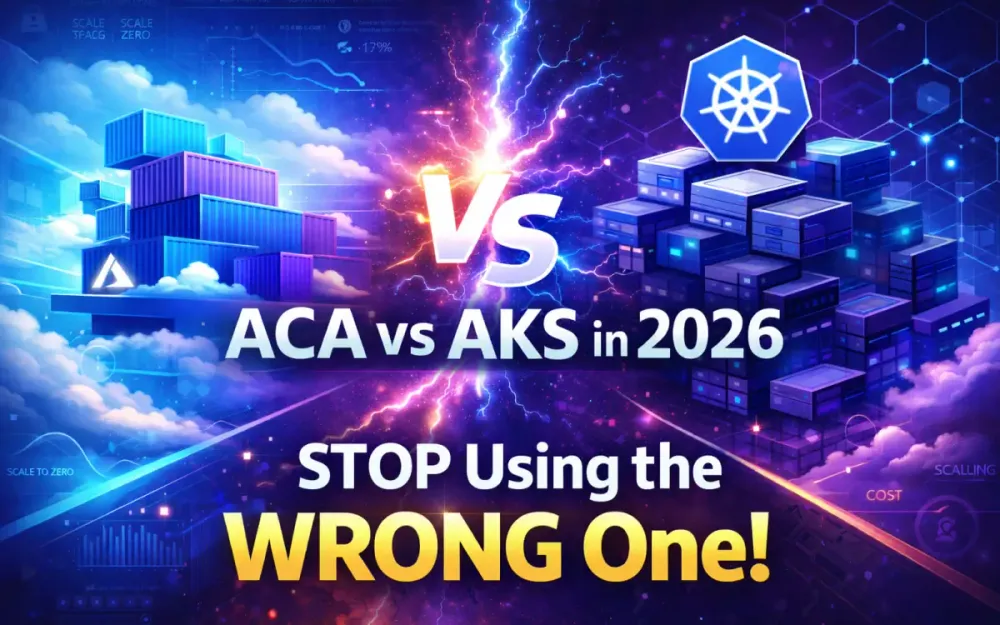
The question used to be whether to containerize .NET applications at all. That debate ended years ago. In 2026, the real question is which Azure container platform serves your workload, your team, and your budget — and the answer is rarely obvious.
Azure Container Apps (ACA) and Azure Kubernetes Service (AKS) are both mature, production-grade platforms. Both run containers. Both integrate with Azure’s identity, networking, and observability stack. But they make fundamentally different bets about where complexity should live: inside the platform or in your hands.
This article gives you a structured framework for making that decision. You will see the architectural differences, real cost models for three workload types, a production implementation of a .NET 10 checkout service, and a clear migration path if you outgrow your initial choice.
1 The Container Landscape for .NET in 2026
1.1 The Shift to Platform Engineering: Why Architects are Choosing Abstraction Over Infrastructure
Platform engineering has moved from conference buzzword to standard practice. The pattern is consistent: organizations build internal platforms that abstract away cloud primitives so product teams can deploy services without writing Kubernetes manifests, configuring load balancers, or managing certificate renewals.
ACA fits naturally into this model. It is the abstraction layer. The Kubernetes control plane, ingress controllers, service discovery, and autoscaling configuration are all managed for you. Your Bicep or Terraform defines what runs, not how the cluster underneath it operates.
AKS, in contrast, is the infrastructure layer you build a platform on top of. Teams choosing AKS are often building golden paths for dozens of other teams — they need custom admission controllers, specific network policies, or multi-cluster federation that ACA simply does not expose.
The implication for decision-making: ACA is not a simplified version of AKS. It is a different product that happens to use Kubernetes internally. If your team’s job is running one application efficiently, ACA is often the right answer. If your team’s job is running a platform for many applications, AKS gives you the control surface you need.
1.2 .NET 10 and the State of Cloud-Native Development
.NET 10, released in late 2025, pushes cloud-native capabilities significantly forward. Three features have the most impact on container platform decisions.
Native AOT compilation reduces startup times to under 50ms and cuts memory consumption by 60–80% compared to JIT-compiled equivalents. For scale-to-zero scenarios — where cold starts matter — this changes the math entirely. An AOT-compiled .NET 10 service wakes up as fast as a Go or Rust binary.
Minimal APIs have matured into a production pattern, not just a toy for demos. Combined with source generators and trimmed runtimes, you can build an HTTP service that fits in a 30MB container image. This matters when you are paying per GB of memory on ACA’s consumption plan.
ASP.NET Core 10 performance improvements — including server-sent events for AI streaming, improved gRPC support, and better HTTP/3 handling — mean modern .NET services compete with any runtime on latency benchmarks.
The practical takeaway: if you are still running .NET 6 or .NET 8 images in production, benchmark an upgrade before committing to a container platform. The resource savings often justify an ACA consumption plan where a heavier runtime did not.
1.3 Executive Summary: The “Kubernetes-unless” Approach vs. the “Kubernetes-first” Legacy
The legacy mindset treats Kubernetes as the default and asks “can we simplify this?” The modern approach inverts that: start with the simplest platform that meets your requirements and move to Kubernetes only when specific constraints force it.
The “Kubernetes-unless” framework works as follows:
- Start with ACA for new workloads
- Identify specific requirements that ACA cannot satisfy: custom admission controllers, specialized CNI configurations, stateful workloads with complex storage needs
- Move to AKS only when those requirements exist and are validated
This is not anti-Kubernetes. AKS in 2026 is an excellent platform. The point is that every Kubernetes cluster comes with real operational overhead — even with AKS Automatic mode reducing much of it — and that overhead should be justified by actual requirements, not by habit.
2 Architectural Deep Dive: Control Planes and Abstractions
Understanding what ACA and AKS actually are under the hood changes how you evaluate their trade-offs. Both use containers. Both run on Azure compute. But the abstraction layers are fundamentally different.
2.1 Azure Container Apps (ACA): The Envoy, KEDA, and Dapr Underpinnings
ACA is a hosted application platform built on Kubernetes. Microsoft runs the Kubernetes control plane on your behalf, and the data plane includes:
- Envoy proxy as the sidecar handling service-to-service communication, traffic splitting, and ingress
- KEDA (Kubernetes-based Event Driven Autoscaler) for scaling container replicas based on event sources — HTTP traffic, queue depth, CPU, or custom metrics
- Dapr as an optional distributed application runtime providing state management, pub/sub, and service invocation abstractions
You do not interact with any of these directly through kubectl. Instead, you configure them through the Container Apps resource model — either in Bicep, Terraform, the Azure Portal, or the az containerapp CLI.
The trade-off is clear: you gain operational simplicity and lose low-level control. If KEDA’s built-in scalers cover your needs (they cover most), the abstraction is pure benefit. If you need a custom KEDA scaler that modifies Kubernetes resources directly, ACA’s abstraction becomes a wall.
2.1.1 Understanding the Environment Boundary and Workload Profiles
An ACA environment is the boundary that contains one or more container apps sharing a virtual network, logging configuration, and Dapr settings. Think of it as the equivalent of a Kubernetes namespace, but with more infrastructure baked in.
Within an environment, you choose a workload profile:
Consumption profile — pure serverless. You pay per second of CPU and memory usage when replicas are running. Scale-to-zero is supported. Cold start times apply (reduced significantly with Native AOT). Best for workloads with variable or low traffic.
Dedicated profile — always-on compute with reserved capacity. You provision D-series, E-series, or GPU VMs explicitly. No cold starts. Predictable billing. Best for latency-sensitive services or continuous workloads.
You can mix both profiles within a single environment, which gives you a practical pattern: run stateless APIs on the consumption profile and background workers on a small dedicated profile.
resource acaEnvironment 'Microsoft.App/managedEnvironments@2024-03-01' = {
  name: 'env-ecommerce-prod'
  location: location
  properties: {
    workloadProfiles: [
      {
        name: 'Consumption'
        workloadProfileType: 'Consumption'
      }
      {
        name: 'dedicated-d4'
        workloadProfileType: 'D4'
        minimumCount: 1
        maximumCount: 5
      }
    ]
    vnetConfiguration: {
      internal: true
      infrastructureSubnetId: subnetId
    }
  }
}
2.1.2 Serverless GPUs in 2026: Hosting .NET AI Inference on ACA
ACA’s serverless GPU capability, stabilized in late 2024 and widely adopted by 2026, allows you to run GPU workloads without provisioning a Kubernetes node pool. You configure an NC-series workload profile and deploy AI inference containers directly.
For .NET workloads using Microsoft.ML, ONNX Runtime, or Semantic Kernel with local model inference, this removes significant infrastructure overhead. A .NET 10 API that serves ONNX models can scale to zero overnight and spin up GPU capacity on demand.
{
  name: 'gpu-inference'
  workloadProfileType: 'NC8as-T4'
  minimumCount: 0
  maximumCount: 3
}
The billing model: you pay only when the GPU is active. For inference workloads that handle bursts of requests during business hours but go idle overnight, this beats a permanently allocated AKS GPU node pool by 40–60% in most cost models.
2.2 Azure Kubernetes Service (AKS): The Power of the Upstream Standard
AKS gives you a full Kubernetes cluster where Microsoft manages the control plane and you manage the node pools. You have kubectl access, can install any Helm chart, write custom controllers, configure any CNI plugin, and integrate any Kubernetes-native tool.
The power of upstream compatibility is real. Every Kubernetes ecosystem tool works on AKS without vendor lock-in to Azure-specific APIs. Your Helm charts, Kustomize configs, and operator patterns are portable across GKE, EKS, or on-premises clusters.
2.2.1 The 2026 Ingress Evolution: Moving from NGINX to the Gateway API
In 2025, the Kubernetes community declared the Gateway API as the stable replacement for the Ingress resource. By 2026, most new AKS clusters use the Application Gateway for Containers (AGC) as the Gateway API implementation, replacing NGINX Ingress Controller deployments.
The Gateway API separates infrastructure concerns from application concerns through three resource types:
- GatewayClass — defined by infrastructure operators, references the AGC controller
- Gateway — defines listeners (ports, TLS certificates), typically owned by platform teams
- HTTPRoute — defines routing rules (paths, headers, backends), owned by application teams
This separation enables proper RBAC: application teams can add HTTPRoutes without touching the Gateway configuration, and platform teams control the infrastructure boundary.
apiVersion: gateway.networking.k8s.io/v1
kind: HTTPRoute
metadata:
  name: checkout-route
  namespace: ecommerce
spec:
  parentRefs:
  - name: platform-gateway
    namespace: infra
  hostnames:
  - "api.ecommerce.example.com"
  rules:
  - matches:
    - path:
        type: PathPrefix
        value: /checkout
    backendRefs:
    - name: checkout-service
      port: 8080
2.2.2 Managed Operations: How AKS Automatic is Bridging the Complexity Gap
AKS Automatic, introduced in late 2024 and fully production-ready in 2026, handles a significant portion of the operational overhead that historically made AKS expensive to run:
- Automatic node provisioning — nodes scale based on pending pod requirements using Node Autoprovision (NAP), selecting the right VM SKU per workload
- Automatic upgrades — control plane and node pool upgrades happen on a defined maintenance window schedule
- Automatic security hardening — Azure Policy guardrails are applied by default, blocking privileged pods and requiring resource limits
- Integrated monitoring — Container Insights and Prometheus metrics are enabled out of the box
AKS Automatic reduces the operational gap between ACA and AKS considerably. For teams that want Kubernetes control without full-time platform engineering, it is a credible middle ground.
The gap that remains: AKS Automatic still requires you to manage workload-level concerns — resource requests and limits, pod disruption budgets, network policies for each service. ACA absorbs all of that.
3 The 2026 Decision Matrix: A Side-by-Side Comparison
A structured comparison across the dimensions that actually drive platform selection.
| Dimension | Azure Container Apps | AKS Standard | AKS Automatic |
|---|---|---|---|
| Kubernetes exposure | None | Full | Partial |
| Cluster management | None | Full | Reduced |
| Scale-to-zero | Yes (consumption) | No (requires KEDA add-on) | No |
| Dapr support | Native | Manual install | Manual install |
| Custom CRDs | No | Yes | Yes |
| GPU workloads | Serverless GPU profiles | Node pools | Node Autoprovision |
| Startup latency | ~100ms warm / ~1s cold | ~50ms warm | ~50ms warm |
| Min cost (idle) | $0 (consumption) | ~$150/month (3 nodes) | ~$150/month |
| RBAC granularity | App-level | Full cluster | Full cluster |
| Service mesh | Envoy (managed) | Istio, Linkerd (manual) | Istio add-on |
3.1 Operational Complexity: Who Manages the Upgrades, Security Patches, and Node Pools?
On ACA, Microsoft manages everything below the container image. OS patches, Kubernetes upgrades, CNI updates, and control plane availability are all Azure’s responsibility. Your operational burden is container image security and application configuration.
On AKS Standard, you manage node pool upgrades (though auto-upgrade channels help), OS node image versions, cluster add-ons, and the certificate rotation schedule. This is not trivial — a production AKS cluster requires regular maintenance windows, upgrade testing, and someone who understands the Kubernetes release cycle.
On AKS Automatic, the upgrade and patching burden drops significantly, but you still own workload-level configuration: resource quotas, pod security standards, and network policies. Budget for at least 0.25 FTE of platform engineering time even with Automatic mode.
The decision criterion: if your organization has fewer than 10 engineers, the operational overhead of AKS Standard is likely disproportionate unless you have strong Kubernetes expertise in-house. ACA or AKS Automatic are the practical choices.
3.2 Scaling Patterns: KEDA-driven Event Scaling vs. HPA/VPA and Cluster Autoscaler
ACA scaling uses KEDA as the underlying engine but exposes it through a simplified model. You define scale rules in the container app specification:
{
  "scale": {
    "minReplicas": 0,
    "maxReplicas": 30,
    "rules": [
      {
        "name": "http-scaling",
        "http": {
          "metadata": {
            "concurrentRequests": "100"
          }
        }
      },
      {
        "name": "queue-scaling",
        "custom": {
          "type": "azure-servicebus",
          "metadata": {
            "queueName": "checkout-orders",
            "messageCount": "50"
          }
        }
      }
    ]
  }
}
Scale-to-zero happens automatically when no HTTP requests arrive or when the queue drains. Scale-out is fast — typically under 30 seconds for the consumption profile.
AKS scaling uses the Horizontal Pod Autoscaler (HPA) for CPU/memory-based scaling, KEDA (via the cluster add-on) for event-driven scaling, and the Cluster Autoscaler or Node Autoprovision for node-level scaling. This three-tier model gives more control but requires coordination:
apiVersion: keda.sh/v1alpha1
kind: ScaledObject
metadata:
  name: checkout-scaledobject
spec:
  scaleTargetRef:
    name: checkout-deployment
  minReplicaCount: 2
  maxReplicaCount: 50
  triggers:
  - type: azure-service-bus
    metadata:
      queueName: checkout-orders
      messageCount: "50"
      namespace: ecommerce-bus
    authenticationRef:
      name: servicebus-trigger-auth
The key difference: AKS requires a separate KEDA ScaledObject per deployment, proper auth configuration, and node pool capacity to scale into. ACA handles the compute provisioning transparently.
3.3 Networking and Security: VNet Integration, Private Links, and the Zero Trust Workload Identity Model
Both platforms support Azure Virtual Network integration and Private Link for secure communication. The configuration differs in complexity.
On ACA, VNet integration is configured at the environment level. You specify a delegated subnet, and all apps in the environment inherit the network boundary. Egress through a NAT gateway or firewall, ingress through a managed external load balancer or internal VIP — both work. Service-to-service calls within the same environment use internal DNS (servicename.internal) without leaving the VNet.
On AKS, you configure the CNI (Azure CNI, Cilium, or kubenet) at cluster creation and manage Network Policies per namespace. The flexibility is greater — you can implement fine-grained east-west policies at the pod level — but the responsibility is also greater.
Workload Identity is the 2026 standard for both platforms, replacing pod identity and AAD Pod Identity. It federates a Kubernetes service account (or ACA’s managed identity) with an Azure AD application, allowing pods to authenticate to Azure services without storing credentials.
On ACA:
resource checkoutApp 'Microsoft.App/containerApps@2024-03-01' = {
  name: 'checkout-service'
  identity: {
    type: 'UserAssigned'
    userAssignedIdentities: {
      '${managedIdentityId}': {}
    }
  }
  properties: {
    // ...
  }
}
On AKS, you annotate the Kubernetes service account:
apiVersion: v1
kind: ServiceAccount
metadata:
  name: checkout-sa
  namespace: ecommerce
  annotations:
    azure.workload.identity/client-id: "<client-id>"
The outcome is the same — credential-free access to Key Vault, Service Bus, Blob Storage — but the setup path differs. ACA’s approach is simpler; AKS’s approach is more flexible and portable.
3.4 Developer Velocity: The Impact of Inner Loop Tools
The Azure Developer CLI (azd) is the primary tool for both platforms in 2026. azd init, azd up, and azd deploy handle template initialization, infrastructure provisioning, and application deployment in one workflow.
For ACA, azd generates Bicep that deploys an environment and one or more container apps from an azure.yaml manifest. For AKS, it generates Bicep for the cluster plus Helm values or Kustomize overlays for the application.
The inner loop difference is real. A developer working on an ACA service can run azd deploy --service checkout and have the new container running in Azure in under two minutes. The equivalent AKS workflow — build image, push to ACR, update the Helm chart, apply to the cluster — takes longer and involves more steps.
For teams where most developers are focused on application code rather than infrastructure, ACA’s simpler deployment model translates to measurable velocity improvement.
4 The .NET Ecosystem Synergy: Aspire, Dapr, and Open-Source Libraries
The .NET ecosystem has built first-class abstractions for cloud-native development. Understanding how these tools integrate with ACA and AKS helps you choose the right stack.
4.1 .NET Aspire: The Glue for Orchestrating Local Development to Cloud Deployment
.NET Aspire 2.0 (released with .NET 10) is an opinionated framework for building observable, distributed .NET applications. It handles service discovery, connection string injection, health checks, and OpenTelemetry configuration through a code-first model.
A typical Aspire app host registers services:
var builder = DistributedApplication.CreateBuilder(args);

var serviceBus = builder.AddAzureServiceBus("ecommerce-bus")
    .AddQueue("checkout-orders");

var redis = builder.AddAzureRedis("session-cache");

var checkoutApi = builder.AddProject<Projects.CheckoutApi>("checkout")
    .WithReference(serviceBus)
    .WithReference(redis)
    .WithExternalHttpEndpoints();

var inventoryApi = builder.AddProject<Projects.InventoryApi>("inventory")
    .WithReference(redis);

builder.Build().Run();
Locally, Aspire runs containers for Service Bus emulator and Redis. In Azure, it provisions real resources and injects connection strings as environment variables. The application code never changes between environments.
4.1.1 Using Aspire Components to Abstract Service Discovery and Connection Strings
Aspire components handle the boilerplate of service client configuration. Instead of manually building ServiceBusClient with a connection string or managed identity credential, you add the component:
// In CheckoutApi's Program.cs
builder.AddAzureServiceBusClient("ecommerce-bus");
builder.AddAzureRedisCacheClient("session-cache");
Aspire injects the correct configuration — emulator connection strings locally, managed identity credentials in Azure — without any conditional logic in application code. This pattern works identically on ACA and AKS; the abstraction lives at the application layer, not the platform layer.
4.2 Dapr (Distributed Application Runtime): Deep Integration in ACA vs. Sidecar Management in AKS
Dapr provides portable APIs for state, pub/sub, bindings, service invocation, and secrets. In ACA, Dapr is a first-class citizen:
resource checkoutApp 'Microsoft.App/containerApps@2024-03-01' = {
  properties: {
    configuration: {
      dapr: {
        enabled: true
        appId: 'checkout-service'
        appPort: 8080
        appProtocol: 'http'
      }
    }
  }
}
Dapr components — state stores, pub/sub brokers — are defined at the environment level and automatically injected into every app that enables Dapr. There is no sidecar container to manage, no Helm chart to install, no cert-manager dependency.
On AKS, Dapr requires a separate Helm installation, sidecar injection via namespace annotations, and component YAML manifests per namespace. It is operationally heavier but gives more control — you can pin specific Dapr versions, configure custom middleware chains, or integrate Dapr with existing service meshes.
4.2.1 Practical Patterns: State Management, Pub/Sub, and Resiliency Policies
Using Dapr’s state and pub/sub APIs in .NET:
public class CheckoutService
{
    private readonly DaprClient _dapr;

    public CheckoutService(DaprClient dapr) => _dapr = dapr;

    public async Task<string> CreateOrderAsync(OrderRequest request, CancellationToken ct)
    {
        var orderId = Guid.NewGuid().ToString();

        // State store: Redis locally, Azure Table Storage in production
        await _dapr.SaveStateAsync("statestore", orderId, new OrderState
        {
            OrderId = orderId,
            Items = request.Items,
            Status = OrderStatus.Pending,
            CreatedAt = DateTime.UtcNow
        }, cancellationToken: ct);

        // Pub/Sub: Service Bus emulator locally, real Service Bus in production
        await _dapr.PublishEventAsync("pubsub", "order-created", new OrderCreatedEvent
        {
            OrderId = orderId,
            CustomerId = request.CustomerId
        }, cancellationToken: ct);

        return orderId;
    }
}
Dapr’s resiliency policies handle retry and circuit breaker logic through YAML configuration rather than code:
apiVersion: dapr.io/v1alpha1
kind: Resiliency
metadata:
  name: checkout-resiliency
spec:
  policies:
    retries:
      defaultRetry:
        policy: constant
        duration: 500ms
        maxRetries: 3
    circuitBreakers:
      inventoryCircuitBreaker:
        maxRequests: 1
        timeout: 30s
        trip: consecutiveFailures >= 5
  targets:
    apps:
      inventory-service:
        retry: defaultRetry
        circuitBreaker: inventoryCircuitBreaker
This configuration is platform-agnostic. The same YAML works on ACA and AKS, making Dapr an effective portability layer between the two platforms.
4.3 Recommended Open-Source Stack for 2026
4.3.1 Polly and Resilience Pipelines: Handling Transient Faults in Microservices
Polly 8.x with Microsoft.Extensions.Resilience integrates with IHttpClientFactory for resilient outbound HTTP calls. This is your first line of defense for transient faults that Dapr or the platform does not handle:
builder.Services.AddHttpClient<InventoryClient>()
    .AddStandardResilienceHandler(options =>
    {
        options.Retry.MaxRetryAttempts = 3;
        options.Retry.Delay = TimeSpan.FromMilliseconds(200);
        options.CircuitBreaker.SamplingDuration = TimeSpan.FromSeconds(30);
        options.CircuitBreaker.FailureRatio = 0.5;
        options.TotalRequestTimeout.Timeout = TimeSpan.FromSeconds(10);
    });
The AddStandardResilienceHandler pipeline includes retry, circuit breaker, and timeout by default, following .NET resilience guidance. Override thresholds to match your specific SLA requirements.
4.3.2 MassTransit: Simplifying Message-Based Communication on Azure Service Bus
MassTransit 8.x abstracts Azure Service Bus operations into a consumer model that integrates with .NET’s hosted service infrastructure:
builder.Services.AddMassTransit(x =>
{
    x.AddConsumer<OrderCreatedConsumer>();

    x.UsingAzureServiceBus((context, cfg) =>
    {
        cfg.Host(connectionString);

        cfg.SubscriptionEndpoint<OrderCreatedEvent>(
            "checkout-subscription",
            e =>
            {
                e.ConfigureConsumer<OrderCreatedConsumer>(context);
                e.UseMessageRetry(r => r.Exponential(
                    5,
                    TimeSpan.FromSeconds(1),
                    TimeSpan.FromSeconds(30),
                    TimeSpan.FromSeconds(5)));
            });
    });
});
MassTransit handles dead-lettering, retry scheduling, and outbox patterns. On ACA, it pairs well with KEDA’s Service Bus scaler — the same queue that MassTransit consumes from drives the replica count automatically.
4.3.3 YARP (Yet Another Reverse Proxy): Custom Ingress Scenarios for .NET
YARP is a reverse proxy library for .NET that you embed in a .NET application. On AKS, it serves as a custom gateway that understands your application’s business logic — tenant routing, feature flag-based traffic splitting, or request enrichment that standard ingress controllers cannot perform.
builder.Services.AddReverseProxy()
    .LoadFromConfig(builder.Configuration.GetSection("ReverseProxy"))
    .AddTransforms(builderContext =>
    {
        builderContext.AddRequestTransform(async context =>
        {
            // Add tenant ID from JWT to upstream headers
            var tenantId = context.HttpContext.User.FindFirst("tid")?.Value;
            context.ProxyRequest.Headers.Add("X-Tenant-Id", tenantId ?? "default");
            await ValueTask.CompletedTask;
        });
    });
On ACA, YARP runs as a container app in front of your service mesh. On AKS, it can run as a regular deployment behind the Gateway API or serve as the Gateway API backend directly. Either way, it gives .NET teams the ability to implement API gateway patterns without learning a separate tool.
5 Financial Engineering (FinOps): Real Cost Comparisons
Cost modeling for container platforms requires separating compute, networking, storage, and management costs. The headline pricing is rarely the whole story.
5.1 The Consumption Trap: When ACA’s Pay-per-Second Becomes More Expensive Than Reserved AKS Nodes
ACA consumption billing is: (vCPU-seconds × $0.000024) + (memory GB-seconds × $0.000003).
For a service that handles 1,000 requests per hour at an average duration of 100ms with 0.25 vCPU and 512MB allocated per request, the monthly cost is roughly $8–12. That is genuinely cheap.
But for a service that handles 100,000 requests per hour continuously, with replicas running 24/7 to handle load, the consumption model gives you almost no benefit over reserved compute. At sustained load, ACA dedicated profiles or AKS reserved instances consistently win.
The crossover point, based on 2026 Azure pricing: if your container apps run at more than 40% average utilization across a full month, ACA dedicated profiles or AKS reserved instances become more cost-effective than the consumption profile.
5.2 Cost Modeling for Three Typical Workloads
5.2.1 Scenario A: Low-Traffic Internal LOB App (The Case for Scale-to-Zero)
Profile: Internal HR portal, 50 concurrent users during business hours (9am–6pm weekdays), idle otherwise.
ACA consumption: Runs approximately 45 hours per week. With 1 vCPU and 2GB per replica, 2–4 replicas during peak:
- ~$45–80/month compute
- Plus ~$12/month for the environment base charge (Log Analytics, etc.)
- Total: ~$60–95/month
AKS (minimum viable): 2-node Standard_D2s_v5 cluster (8 vCPU, 16GB RAM total):
- ~$220/month compute pay-as-you-go, ~$140/month with 1-year reserved
- Add ingress, monitoring, and management overhead
- Total: ~$180–280/month
Verdict: ACA wins clearly for low-traffic internal apps. Scale-to-zero eliminates idle compute costs that no reserved instance strategy can match.
5.2.2 Scenario B: High-Throughput Public API (The Case for AKS Reserved Instances)
Profile: Public e-commerce API, 5,000 requests/second peak, 1,500 requests/second average, 24/7 operation.
ACA dedicated profile: Minimum 3 × D4 instances (16 vCPU, 64GB RAM total), plus autoscaling headroom:
- ~$1,200–1,600/month for compute
- ACA adds management overhead per replica on dedicated profiles
AKS with 1-year reserved Standard_D8s_v5 × 4 nodes:
- ~$800–950/month for compute (reserved pricing)
- Add monitoring (
$50), ingress ($30), support overhead - Total: ~$900–1,050/month
Verdict: AKS reserved instances win for sustained high-throughput workloads. The cost delta is 30–40% in favor of AKS at this scale.
5.2.3 Scenario C: Bursty Background Processing (The Case for ACA Jobs)
Profile: Nightly batch report generation, image processing pipeline triggered by uploads, 0–500 concurrent jobs depending on queue depth.
ACA Jobs (execution-based billing): Each job instance runs to completion and terminates. Billing is per execution, not per running hour. For 10,000 jobs per day averaging 30 seconds each:
- CPU cost: 10,000 × 30s × 0.5 vCPU × $0.000024 = ~$3.60/day = ~$108/month
- Memory cost: similarly ~$30/month
- Total: ~$140/month
AKS with dedicated batch nodes: Even with spot instances, you need standing node capacity for burst headroom:
- 2 × Standard_D4s_v5 spot nodes: ~$60–80/month
- But spot instances get evicted, requiring job retry logic, node pool management, and engineering time
- Total compute: ~$80/month plus engineering overhead
Verdict: Depends on engineering capacity. ACA Jobs win on operational simplicity; AKS spot wins on raw cost if you have platform engineering capacity to manage interruptions.
5.3 Strategic Use of Azure Spot Instances and Savings Plans in 2026
Azure Spot Instances on AKS offer 60–90% discounts for interruptible workloads. In 2026, the spot node pool pattern is mature: run spot node pools for batch and background workloads, on-demand node pools for stateful or latency-sensitive services.
resource spotNodePool 'Microsoft.ContainerService/managedClusters/agentPools@2024-02-01' = {
  name: 'spotpool'
  parent: aksCluster
  properties: {
    vmSize: 'Standard_D4s_v5'
    count: 2
    minCount: 0
    maxCount: 20
    enableAutoScaling: true
    scaleSetPriority: 'Spot'
    spotMaxPrice: -1  // Pay market price up to on-demand price
    nodeTaints: ['kubernetes.azure.com/scalesetpriority=spot:NoSchedule']
  }
}
Azure Savings Plans (compute savings plans, not reserved instances) cover both ACA dedicated profiles and AKS node pools under a single hourly commitment. For organizations running mixed workloads on both platforms, a savings plan often beats platform-specific reservations by 5–15% due to flexibility.
The FinOps recommendation: model costs across three scenarios before committing. ACA consumption’s simplicity has real value; factor in engineering time for AKS operations at a realistic hourly rate — typically $80–150/hour — before declaring AKS the cheaper option.
6 Practical Implementation: Building a Modern .NET Microservice
6.1 Case Study: An E-commerce Checkout System with .NET 10
The checkout service handles order creation, inventory reservation, payment processing coordination, and order confirmation. It combines:
- Synchronous HTTP API for customer-facing requests
- Asynchronous messaging for inventory and payment coordination
- State management for order lifecycle tracking
- External integrations with payment processor and notification service
The service is deployed to ACA with Bicep IaC, GitHub Actions CI/CD, and OpenTelemetry observability. The same design principles apply to AKS.
6.2 Designing the Service: Native AOT for 50ms Startup Times and 80% Less RAM
The checkout service uses Native AOT compilation, which has specific requirements:
<Project Sdk="Microsoft.NET.Sdk.Web">
  <PropertyGroup>
    <TargetFramework>net10.0</TargetFramework>
    <PublishAot>true</PublishAot>
    <StripSymbols>true</StripSymbols>
    <InvariantGlobalization>true</InvariantGlobalization>
  </PropertyGroup>
  <ItemGroup>
    <PackageReference Include="Microsoft.AspNetCore.OpenApi" Version="10.0.0" />
    <PackageReference Include="Dapr.AspNetCore" Version="1.16.0" />
    <PackageReference Include="Azure.Monitor.OpenTelemetry.AspNetCore" Version="1.4.0" />
    <PackageReference Include="MassTransit.AzureServiceBus" Version="8.4.0" />
  </ItemGroup>
</Project>
The API surface using Minimal APIs:
var builder = WebApplication.CreateSlimBuilder(args);

builder.Services.AddDaprClient();

builder.Services.AddOpenTelemetry()
    .UseAzureMonitor()
    .WithTracing(t => t
        .AddAspNetCoreInstrumentation()
        .AddDaprInstrumentation())
    .WithMetrics(m => m
        .AddAspNetCoreInstrumentation());

builder.Services.AddMassTransit(ConfigureMessaging);
builder.Services.AddScoped<ICheckoutOrchestrator, CheckoutOrchestrator>();

var app = builder.Build();

app.MapPost("/checkout/orders", async (
    CreateOrderRequest request,
    ICheckoutOrchestrator orchestrator,
    CancellationToken ct) =>
{
    var result = await orchestrator.CreateOrderAsync(request, ct);
    return result.IsSuccess
        ? Results.Created($"/orders/{result.OrderId}", result)
        : Results.Problem(result.Error, statusCode: 422);
})
.WithName("CreateOrder")
.RequireAuthorization();

app.MapGet("/health/ready", () => Results.Ok())
   .WithName("ReadinessProbe");

app.Run();
AOT constraints to know: reflection-based serialization requires source generators. Use [JsonSerializable] attributes or TypedResults in Minimal APIs. Third-party libraries must also support AOT — check for IsAotCompatible in NuGet package metadata before adding a dependency.
The Dockerfile for an AOT-compiled .NET 10 service uses a multi-stage build to keep the final image small. The SDK stage handles compilation; the runtime stage ships only the native binary:
# Stage 1: Build the AOT binary
FROM mcr.microsoft.com/dotnet/sdk:10.0 AS build
WORKDIR /src

# Install native AOT prerequisites
RUN apt-get update && apt-get install -y clang zlib1g-dev

COPY ["src/CheckoutService/CheckoutService.csproj", "src/CheckoutService/"]
RUN dotnet restore "src/CheckoutService/CheckoutService.csproj"

COPY . .
RUN dotnet publish "src/CheckoutService/CheckoutService.csproj" \
    -c Release \
    -r linux-x64 \
    --self-contained \
    -o /app/publish

# Stage 2: Minimal runtime image - no .NET runtime required
FROM mcr.microsoft.com/dotnet/runtime-deps:10.0 AS final
WORKDIR /app

# Non-root user required by ACA and recommended for AKS
RUN adduser --disabled-password --gecos '' appuser
USER appuser

COPY --from=build /app/publish .

ENV ASPNETCORE_HTTP_PORTS=8080
EXPOSE 8080

ENTRYPOINT ["./CheckoutService"]
The final image is under 50MB. The runtime-deps base image provides only the native libraries (glibc, libssl) that the AOT binary links against — there is no .NET runtime, no JIT compiler, and no IL code. This image size reduction matters for ACR storage costs at scale, and the startup profile makes scale-to-zero viable even for response-time-sensitive services.
6.3 The Implementation Guide
6.3.1 Defining Infrastructure as Code with Bicep for ACA
The complete infrastructure definition for the checkout service:
@description('Environment name suffix')
param environmentName string
param location string = resourceGroup().location

var prefix = 'ecommerce-${environmentName}'

resource logAnalytics 'Microsoft.OperationalInsights/workspaces@2023-09-01' = {
  name: '${prefix}-logs'
  location: location
  properties: {
    sku: { name: 'PerGB2018' }
    retentionInDays: 30
  }
}

resource acaEnv 'Microsoft.App/managedEnvironments@2024-03-01' = {
  name: '${prefix}-env'
  location: location
  properties: {
    appLogsConfiguration: {
      destination: 'log-analytics'
      logAnalyticsConfiguration: {
        customerId: logAnalytics.properties.customerId
        sharedKey: logAnalytics.listKeys().primarySharedKey
      }
    }
    workloadProfiles: [
      { name: 'Consumption', workloadProfileType: 'Consumption' }
    ]
  }
}

resource daprPubSub 'Microsoft.App/managedEnvironments/daprComponents@2024-03-01' = {
  name: 'pubsub'
  parent: acaEnv
  properties: {
    componentType: 'pubsub.azure.servicebus.queues'
    version: 'v1'
    metadata: [
      { name: 'connectionString', secretRef: 'servicebus-connection' }
    ]
    scopes: ['checkout-service', 'inventory-service']
  }
}

resource checkoutIdentity 'Microsoft.ManagedIdentity/userAssignedIdentities@2023-01-31' = {
  name: '${prefix}-checkout-id'
  location: location
}

resource checkoutApp 'Microsoft.App/containerApps@2024-03-01' = {
  name: 'checkout-service'
  location: location
  identity: {
    type: 'UserAssigned'
    userAssignedIdentities: { '${checkoutIdentity.id}': {} }
  }
  properties: {
    environmentId: acaEnv.id
    configuration: {
      ingress: {
        external: true
        targetPort: 8080
        transport: 'http2'
      }
      dapr: {
        enabled: true
        appId: 'checkout-service'
        appPort: 8080
      }
      registries: [
        {
          server: '${acrName}.azurecr.io'
          identity: checkoutIdentity.id
        }
      ]
    }
    template: {
      containers: [
        {
          name: 'checkout'
          image: '${acrName}.azurecr.io/checkout-service:latest'
          resources: { cpu: '0.5', memory: '1Gi' }
          env: [
            { name: 'ASPNETCORE_ENVIRONMENT', value: 'Production' }
            { name: 'APPLICATIONINSIGHTS_CONNECTION_STRING', secretRef: 'appinsights-connection' }
          ]
        }
      ]
      scale: {
        minReplicas: 0
        maxReplicas: 20
        rules: [
          {
            name: 'http-scale'
            http: { metadata: { concurrentRequests: '50' } }
          }
        ]
      }
    }
  }
}
6.3.2 Setting up the GitHub Actions Pipeline with Blue-Green Deployment Labels
The GitHub Actions workflow builds, tests, and deploys with a blue-green pattern using ACA’s traffic splitting:
name: Deploy Checkout Service

on:
  push:
    branches: [main]
    paths: ['src/CheckoutService/**']

env:
  REGISTRY: ${{ vars.ACR_NAME }}.azurecr.io
  IMAGE_NAME: checkout-service

jobs:
  build-and-test:
    runs-on: ubuntu-latest
    steps:
      - uses: actions/checkout@v4

      - name: Setup .NET 10
        uses: actions/setup-dotnet@v4
        with:
          dotnet-version: '10.0.x'

      - name: Build and publish AOT
        run: |
          dotnet publish src/CheckoutService \
            -c Release \
            -r linux-x64 \
            --self-contained \
            -o ./publish

      - name: Run unit tests
        run: dotnet test tests/CheckoutService.Tests -c Release

      - name: Build container image
        run: |
          docker build \
            -t ${{ env.REGISTRY }}/${{ env.IMAGE_NAME }}:${{ github.sha }} \
            -f src/CheckoutService/Dockerfile.aot .

  deploy-green:
    needs: build-and-test
    runs-on: ubuntu-latest
    environment: production
    steps:
      - name: Azure login
        uses: azure/login@v2
        with:
          client-id: ${{ secrets.AZURE_CLIENT_ID }}
          tenant-id: ${{ secrets.AZURE_TENANT_ID }}
          subscription-id: ${{ secrets.AZURE_SUBSCRIPTION_ID }}

      - name: Push image to ACR
        run: |
          az acr login --name ${{ vars.ACR_NAME }}
          docker push ${{ env.REGISTRY }}/${{ env.IMAGE_NAME }}:${{ github.sha }}

      - name: Deploy green revision
        run: |
          az containerapp update \
            --name checkout-service \
            --resource-group rg-ecommerce-prod \
            --image ${{ env.REGISTRY }}/${{ env.IMAGE_NAME }}:${{ github.sha }} \
            --revision-suffix green-${{ github.run_number }}

      - name: Send 10% traffic to green
        run: |
          BLUE=$(az containerapp revision list \
            --name checkout-service \
            --resource-group rg-ecommerce-prod \
            --query "[?properties.active && !contains(name, 'green')].name | [0]" -o tsv)

          az containerapp ingress traffic set \
            --name checkout-service \
            --resource-group rg-ecommerce-prod \
            --revision-weight \
            "$BLUE=90" \
            "checkout-service--green-${{ github.run_number }}=10"

  promote-green:
    needs: deploy-green
    runs-on: ubuntu-latest
    environment: production-approve
    steps:
      - name: Azure login
        uses: azure/login@v2
        with:
          client-id: ${{ secrets.AZURE_CLIENT_ID }}
          tenant-id: ${{ secrets.AZURE_TENANT_ID }}
          subscription-id: ${{ secrets.AZURE_SUBSCRIPTION_ID }}

      - name: Promote green to 100%
        run: |
          az containerapp ingress traffic set \
            --name checkout-service \
            --resource-group rg-ecommerce-prod \
            --revision-weight \
            "checkout-service--green-${{ github.run_number }}=100"
The production-approve environment in GitHub requires a manual approval step before promoting. This gives your team time to validate the green revision at 10% traffic before full rollout.
6.3.3 Implementing Observability with OpenTelemetry and Azure Monitor
OpenTelemetry is the standard observability protocol in 2026. Azure Monitor natively ingests OTLP traces, metrics, and logs without additional agents.
// Program.cs - full observability setup
builder.Services.AddOpenTelemetry()
    .UseAzureMonitor(options =>
    {
        options.ConnectionString =
            builder.Configuration["APPLICATIONINSIGHTS_CONNECTION_STRING"];
    })
    .WithTracing(tracing =>
    {
        tracing
            .AddAspNetCoreInstrumentation(opts =>
            {
                opts.RecordException = true;
                opts.Filter = ctx =>
                    !ctx.Request.Path.StartsWithSegments("/health");
            })
            .AddHttpClientInstrumentation()
            .AddSource("CheckoutService.*")
            .SetSampler(new TraceIdRatioBasedSampler(0.1)); // 10% sampling
    })
    .WithMetrics(metrics =>
    {
        metrics
            .AddAspNetCoreInstrumentation()
            .AddMeter("CheckoutService.Orders")
            .AddMeter("CheckoutService.Payments");
    });
Custom metrics for business observability:
public class CheckoutMetrics
{
    private readonly Counter<long> _ordersCreated;
    private readonly Histogram<double> _checkoutDuration;
    private readonly Counter<long> _paymentFailures;

    public CheckoutMetrics(IMeterFactory meterFactory)
    {
        var meter = meterFactory.Create("CheckoutService.Orders");

        _ordersCreated = meter.CreateCounter<long>(
            "checkout.orders.created",
            description: "Total orders successfully created");

        _checkoutDuration = meter.CreateHistogram<double>(
            "checkout.duration.ms",
            unit: "ms",
            description: "End-to-end checkout duration");

        _paymentFailures = meter.CreateCounter<long>(
            "checkout.payment.failures",
            description: "Payment failures by reason");
    }

    public void RecordOrderCreated(string region) =>
        _ordersCreated.Add(1, new TagList { { "region", region } });

    public void RecordCheckoutDuration(double ms, string paymentMethod) =>
        _checkoutDuration.Record(ms, new TagList { { "payment_method", paymentMethod } });

    public void RecordPaymentFailure(string reason) =>
        _paymentFailures.Add(1, new TagList { { "reason", reason } });
}
Register CheckoutMetrics as a singleton and inject it into the checkout orchestrator. These metrics feed Azure Monitor dashboards and alert rules, giving you production visibility without additional tooling overhead.
7 Migration and Evolutionary Paths: The “One-Way Door” Myth
The belief that choosing ACA or AKS locks you in permanently is not accurate. Both platforms use containers, Azure networking, and standard Azure services. Migration is work, but it is not a rewrite.
7.1 Moving from ACA to AKS: When Your Workload Outgrows the Serverless Sandbox
The triggers that push teams from ACA to AKS are specific:
- Custom CRDs: ACA cannot install Custom Resource Definitions. If you need an operator-based workflow — Argo CD, cert-manager with complex policies, database operators — you need AKS.
- Service mesh requirements: Istio, Linkerd, or Cilium service meshes require direct cluster access. ACA’s managed Envoy cannot be extended with these tools.
- Persistent storage with complex access patterns: ACA supports Azure Files and NFS mounts, but complex storage topologies — ReadWriteMany with multiple node affinity, local NVMe SSDs — require AKS node pool configuration.
- Multi-tenant cluster isolation: If you need strong namespace isolation with custom admission webhooks, network policies, and audit logging, AKS gives you the necessary control surface.
7.1.1 Handling Custom CRDs, Service Meshes, and Persistent Storage
When migrating from ACA to AKS, the container images do not change. The migration work is in infrastructure and configuration:
- Map ACA ingress rules to Gateway API HTTPRoutes: Export the ACA ingress configuration and translate to Gateway API resources. The path and header matching semantics are equivalent.
- Translate Dapr component YAMLs: ACA Dapr components have a near-identical format to standalone Dapr component YAMLs. Changes are minimal.
- Replace scale rules with KEDA ScaledObjects: ACA’s JSON scale rules map directly to KEDA’s ScaledObject spec — the event source types and metadata fields are identical.
- Migrate secrets to Kubernetes Secrets or Key Vault CSI: ACA manages secrets internally; AKS needs explicit secret management through Kubernetes Secrets or the CSI driver.
The migration timeline for a typical 5–10 service architecture: 2–4 weeks of infrastructure work, assuming the application code itself needs no changes.
7.2 Moving from AKS to ACA: Consolidating for Operational Sanity and Cost Reduction
The reverse migration — AKS to ACA — happens when teams find that the operational overhead of running a Kubernetes cluster outweighs the control benefits. This is common after team downsizing, acquisition consolidation, or when a cluster hosts only 3–5 services that do not actually need Kubernetes primitives.
Constraints to validate before migrating AKS workloads to ACA:
- Remove any Kubernetes-specific resources: CRDs, custom operators, PodDisruptionBudgets
- Ensure no host path volume mounts or hostNetwork usage
- Replace StatefulSets with stateless designs backed by external state: Azure Cache for Redis, Azure Cosmos DB, Azure SQL
- Verify all container images run as non-root (ACA enforces this by default)
For most stateless .NET microservices, these checks pass without code changes. The migration is primarily infrastructure work, and the reward is a measurable reduction in ongoing operational effort.
A practical way to audit your AKS workloads before migrating to ACA is to scan for the incompatible resource types using kubectl:
#!/bin/bash
# Pre-migration audit: identify AKS workloads not compatible with ACA

NAMESPACE=${1:-default}

echo "=== Checking for StatefulSets (require external state on ACA) ==="
kubectl get statefulsets -n "$NAMESPACE" --no-headers 2>/dev/null | awk '{print "  WARNING: StatefulSet found:", $1}'

echo "=== Checking for host path volume mounts ==="
kubectl get pods -n "$NAMESPACE" -o json | \
  jq -r '.items[] | select(.spec.volumes[]?.hostPath != null) |
  "  WARNING: HostPath volume in pod: " + .metadata.name'

echo "=== Checking for privileged containers ==="
kubectl get pods -n "$NAMESPACE" -o json | \
  jq -r '.items[] | select(
    .spec.containers[]?.securityContext.privileged == true
  ) | "  WARNING: Privileged container in pod: " + .metadata.name'

echo "=== Checking for containers running as root ==="
kubectl get pods -n "$NAMESPACE" -o json | \
  jq -r '.items[] | select(
    (.spec.securityContext.runAsNonRoot == null or
     .spec.securityContext.runAsNonRoot == false)
  ) | "  CHECK: No runAsNonRoot enforced on pod: " + .metadata.name'

echo "=== Custom Resource Definitions in use ==="
kubectl get crds --no-headers 2>/dev/null | \
  grep -v "k8s.io\|azure.com" | \
  awk '{print "  BLOCKER: Third-party CRD:", $1}'

echo "Audit complete. Resolve WARNINGs and BLOCKERs before migrating to ACA."
Run this against each namespace before committing to migration. The BLOCKERs are hard stops; the WARNINGs require architectural changes in the application before the container can run on ACA.
7.3 Bridging the Gap: Using Azure Container Registry as the Universal Artifact Store
Azure Container Registry is the foundation that makes migration between platforms non-disruptive. Both ACA and AKS pull images from ACR; the image does not change when you switch platforms.
ACR’s geo-replication feature keeps images close to compute across Azure regions. Its vulnerability scanning integration with Microsoft Defender for Containers applies regardless of whether the container runs on ACA or AKS.
resource acr 'Microsoft.ContainerRegistry/registries@2023-07-01' = {
  name: acrName
  location: location
  sku: { name: 'Premium' }
  properties: {
    adminUserEnabled: false
    policies: {
      retentionPolicy: {
        days: 30
        status: 'enabled'
      }
    }
  }
}

// Grant ACA managed identity pull access
resource acrPullRole 'Microsoft.Authorization/roleAssignments@2022-04-01' = {
  name: guid(acr.id, checkoutIdentity.id, 'acrpull')
  scope: acr
  properties: {
    roleDefinitionId: subscriptionResourceId(
      'Microsoft.Authorization/roleDefinitions',
      '7f951dda-4ed3-4680-a7ca-43fe172d538d')  // AcrPull role
    principalId: checkoutIdentity.properties.principalId
  }
}
Use ACR Tasks for image builds triggered by source commits. This keeps the build pipeline platform-agnostic — the same ACR task outputs images to both your ACA staging environment and your AKS production cluster during a phased migration.
7.4 The Role of Azure Foundry (2026 Branding) in Unifying Container Management
Microsoft has been progressively unifying the developer platform experience — under what the Azure portal now surfaces as Azure Foundry — bringing together Container Apps, Azure AI Services, and the developer portal into a single pane. The Container Apps Studio within this experience provides:
- Visual workflow for defining multi-service application topologies
- Traffic flow visualization and scaling event dashboards
- One-click environment promotion from dev through staging to production
For teams using AKS, the Azure Kubernetes Fleet Manager provides a parallel experience for multi-cluster management — centralized policy, fleet-wide upgrades, and cross-cluster service discovery.
The practical impact: both platforms are now accessible to developers who are not infrastructure specialists, through tooling that abstracts the CLI complexity. This reduces the velocity gap between ACA and AKS for routine operations, making the choice between platforms less about tooling and more about actual architectural requirements.
8 Conclusion and Strategic Roadmap
8.1 The Decision Tree for 2026 Projects
Work through these questions in order:
1. Do you need to run fewer than 20 services, and does your team have fewer than 15 engineers? Start with ACA. Prove the workload. Move to AKS only when a specific constraint requires it.
2. Do you have specific Kubernetes requirements — custom CRDs, a service mesh, stateful operators? Yes: use AKS. Use AKS Automatic to reduce operational overhead. No: stay with ACA.
3. Is your workload sustained at high utilization — above 40% average CPU and memory? Yes: evaluate AKS reserved instances for cost efficiency. Run the numbers with your actual workload profile. No: ACA consumption profile likely wins on cost.
4. Does your team have internal platform engineering capacity — at least 0.5 FTE of Kubernetes expertise? Yes: AKS Standard is viable. The control benefits are accessible. No: ACA or AKS Automatic. The operational overhead of AKS Standard is real and should not be underestimated.
5. Is this a new project with no legacy constraints? Yes: default to ACA, adopt .NET Aspire, and revisit the platform decision in six months as requirements become clearer.
This decision tree is a starting point, not a rule. Organizations with strong Kubernetes practices should not abandon AKS because a simpler option exists. Organizations without that expertise should not build it just because AKS has more features.
8.2 Future-Proofing Your Architecture: Why Standardizing on Containers Is Your Best Bet
The platform choice between ACA and AKS will continue to evolve. ACA adds capabilities with each release; AKS simplifies operations with each Automatic mode improvement. In two years, the gap will look different.
What will not change: containers as the deployment unit. Your investment in container builds, ACR as the artifact store, OpenTelemetry instrumentation, and the .NET Aspire service composition model carries forward regardless of which runtime you choose.
Patterns that age well:
- Stateless services that externalize all state to managed services: Cosmos DB, Redis Cache, Blob Storage
- Workload Identity for all service authentication — no connection strings stored in environment variables
- OpenTelemetry for traces, metrics, and logs — vendor-agnostic observability that works with any backend
- Aspire component model for local development — consistent behavior from laptop to cloud
Patterns that create lock-in:
- ACA-specific ingress features used without abstraction layers
- AKS-specific CRDs deployed without a portability plan
- Platform-specific autoscaling configurations not backed by KEDA-compatible specifications
Build to the portable patterns and migration becomes a configuration exercise, not an engineering project.
8.3 Final Thoughts: Building for Business Value, Not Infrastructure Obsession
The hardest part of the ACA vs. AKS decision is not technical. It is resisting the pull of interesting infrastructure problems when business problems are what actually need solving.
Kubernetes is genuinely fascinating. Running a production cluster teaches you an enormous amount about distributed systems. But if your team spends 20% of its time on cluster maintenance for a service that handles 500 requests per day, that 20% is overhead, not investment.
ACA exists precisely to eliminate that overhead for teams that do not need the control surface. Use it. If you hit a wall, the migration path is well-defined and the container images do not change.
For teams that do need the control — multi-tenant platforms, complex stateful workloads, large-scale traffic management — AKS in 2026 is the best it has ever been. AKS Automatic, the Gateway API, and Node Autoprovision have removed the most painful operational friction points. The remaining complexity exists because it is genuinely necessary.
The 2026 guidance is straightforward: match the platform complexity to the problem complexity. Neither ACA nor AKS is universally better. The right answer depends on your workload profile, your team’s expertise, your budget constraints, and your operational capacity. Use the framework in this article to make that decision with clear criteria, and revisit it as your requirements evolve.