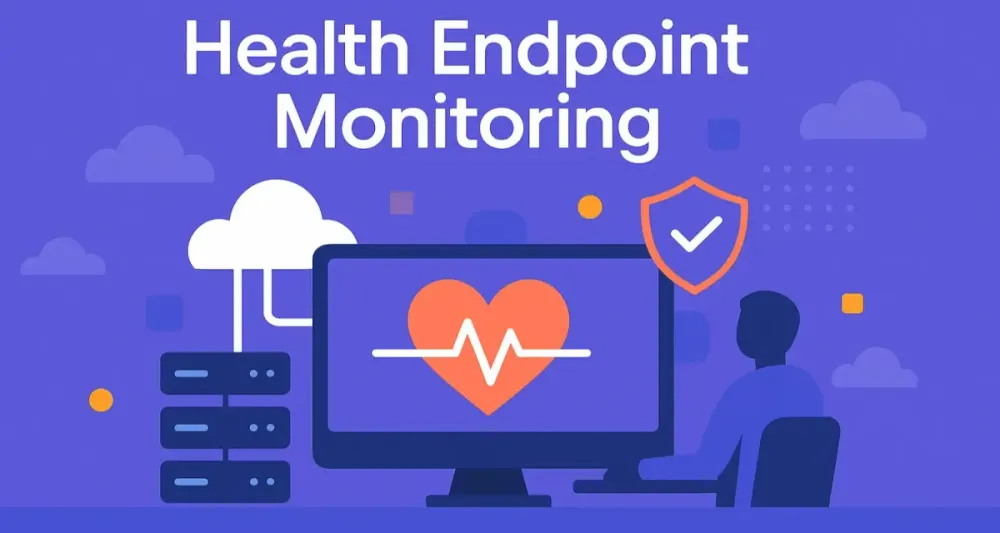
In a cloud-native world where microservices dominate, having a robust strategy for monitoring the health of your applications isn’t merely nice-to-have—it’s essential. But what exactly does it mean to monitor the “health” of an application, and why does it matter so much for software architects?
Let’s dive deep into the “why,” “what,” and “how” of Health Endpoint Monitoring, specifically tailored for architects working with modern .NET applications.
1 The “Why” and “What” of Health Endpoint Monitoring
1.1 Core Concept: Moving Beyond “Is It Up?” Checks
At first glance, health checks seem straightforward—just ping your application periodically, and if it responds, you’re good, right? Not quite.
Imagine your app is responding fine, yet it’s subtly malfunctioning—a database connection is hanging or a critical downstream service is timing out. Traditional ping checks would pass, but users might still experience degraded service.
Health Endpoint Monitoring, in contrast, involves actively assessing the application’s operational status and the health of its underlying components. Think of it as a comprehensive medical exam rather than just checking the patient’s pulse. Your health endpoints should reveal not just “alive” or “dead,” but nuanced states reflecting real-time application health.
1.2 The Architect’s Perspective: Building Reliability and Scalability
Why should you, as an architect, prioritize robust health checks? Because modern architectures demand scalability, reliability, and the ability to heal themselves automatically.
By implementing thorough health monitoring, you give orchestrators—such as Kubernetes or Azure App Services—the data needed to make intelligent decisions. They can restart services, reroute traffic, or scale resources automatically, vastly enhancing your application’s resilience.
Health checks are the heartbeat of modern architecture. They guide your systems toward reliability, enable faster troubleshooting, and support automated recovery strategies.
1.3 A Brief History: From /ping to .NET’s Built-in Health Checks
Historically, developers implemented health monitoring through simplistic endpoints, often just returning a 200 OK response from a custom /ping endpoint. While this worked initially, the shortcomings soon became clear. They didn’t reflect actual application conditions, and any dependency issues remained hidden until user impact occurred.
Fast-forward to today, .NET provides sophisticated built-in health check frameworks, allowing detailed monitoring of dependencies, metrics, and overall system integrity directly out-of-the-box.
2 Foundational Principles of Effective Health Monitoring
2.1 Granularity is Key: Liveness, Readiness, and Startup Probes
Effective health checks differentiate clearly among three core probes:
- Liveness Probe: Answers “Is the application alive?” It tells orchestrators if the application is running or needs restarting.
- Readiness Probe: Answers “Is the application ready to accept traffic?” Crucial for deployments, ensuring services handle requests only when fully ready.
- Startup Probe: Helps orchestrators manage lengthy application startup processes without prematurely killing applications that are still initializing.
Clearly distinguishing these states provides orchestrators more precision and fewer false positives.
2.2 Dependency Awareness: Don’t Forget Your Neighbors
Applications rarely operate in isolation. Databases, message queues, external APIs—all of these dependencies impact your application’s performance and availability. Your health checks should explicitly verify these dependencies. A chain is only as strong as its weakest link, and this applies directly to your service health.
2.3 Actionable Insights: Empower Humans and Automation
Your health check responses should convey clear, actionable information. Instead of just returning a vague “Healthy” or “Unhealthy,” provide meaningful messages detailing what went wrong. This aids troubleshooting and enables automated systems to take specific recovery actions.
2.4 Security First: Protect Your Health Endpoints
Health checks often expose sensitive data, such as dependency endpoints or internal state. Always secure these endpoints through authentication or network-level security controls.
3 Key Components in a .NET Health Monitoring Ecosystem
Building effective health monitoring in .NET requires understanding the main components involved:
3.1 The Health Check Endpoint
This is the public-facing HTTP endpoint (/health or /healthz) that external systems call to determine your app’s health.
Example using minimal API in .NET 8:
var builder = WebApplication.CreateBuilder(args);
builder.Services.AddHealthChecks();

var app = builder.Build();

app.MapHealthChecks("/health");

app.Run();
3.2 Health Check Logic
Custom health check logic assesses critical dependencies or internal conditions:
public class DatabaseHealthCheck : IHealthCheck
{
    private readonly DatabaseContext _dbContext;

    public DatabaseHealthCheck(DatabaseContext dbContext)
    {
        _dbContext = dbContext;
    }

    public async Task<HealthCheckResult> CheckHealthAsync(HealthCheckContext context, CancellationToken cancellationToken = default)
    {
        try
        {
            await _dbContext.Database.CanConnectAsync(cancellationToken);
            return HealthCheckResult.Healthy("Database connected successfully.");
        }
        catch (Exception ex)
        {
            return HealthCheckResult.Unhealthy("Database connection failed.", ex);
        }
    }
}
Register this health check in DI:
builder.Services.AddHealthChecks()
    .AddCheck<DatabaseHealthCheck>("Database");
3.3 Health Check Reporter (JSON formatter)
Customize how health check results appear, providing richer diagnostic information:
app.MapHealthChecks("/health", new HealthCheckOptions
{
    ResponseWriter = async (context, report) =>
    {
        context.Response.ContentType = "application/json";
        var response = new
        {
            status = report.Status.ToString(),
            results = report.Entries.Select(e => new
            {
                name = e.Key,
                status = e.Value.Status.ToString(),
                description = e.Value.Description,
                data = e.Value.Data
            })
        };
        await context.Response.WriteAsJsonAsync(response);
    }
});
3.4 The Health Check Aggregator/UI
Consider using tools like HealthChecks UI to visualize multiple service statuses centrally.
3.5 The Orchestrator
Kubernetes or Azure App Service can consume these health checks to automate decisions, like rolling updates or scaling actions based on service health.
4 When to Employ Health Endpoint Monitoring Pattern
4.1 Microservices Architectures
When your architecture spans multiple small services, understanding each service’s state is crucial for overall stability.
4.2 Cloud-Native Applications
Dynamic environments like Kubernetes necessitate proactive health monitoring to manage frequent deployments and scaling events effectively.
4.3 High-Availability Systems
Critical systems must identify issues quickly and accurately to minimize downtime, thus requiring sophisticated health monitoring.
4.4 Complex Applications with Multiple Dependencies
If your application relies heavily on external systems (databases, APIs, caches), comprehensive health checks provide a holistic view and quicker diagnosis.
5 Implementing Robust Health Checks in .NET 8 and Beyond
Health endpoint monitoring in .NET 8 is more powerful and flexible than ever. To realize its full benefits, you need more than just wiring up a default endpoint. You need a clear, maintainable strategy that balances reliability, operational clarity, and minimal overhead. This section offers a blueprint for building production-grade health checks in .NET 8 and beyond.
5.1 Leveraging the Microsoft.Extensions.Diagnostics.HealthChecks Framework
.NET’s built-in health checks library, Microsoft.Extensions.Diagnostics.HealthChecks, is now a foundational part of any modern .NET application. Let’s step through its usage, from basic to advanced.
5.1.1 Basic Setup and Configuration: Getting Started with AddHealthChecks() in Program.cs
Setting up health checks in a .NET application has never been easier. With .NET 8, you use the modern hosting model, often with top-level statements.
Example: Minimal Setup
var builder = WebApplication.CreateBuilder(args);

builder.Services.AddHealthChecks();

var app = builder.Build();

app.MapHealthChecks("/health");

app.Run();
This code does two things:
- Registers the health checks middleware and services.
- Maps the
/healthendpoint, making it accessible via HTTP GET.
But, this alone only checks whether the process is running. For real value, you’ll want to plug in additional checks and logic.
Configuration Principles
- Always put health check registrations as early as practical in your pipeline.
- Separate environment-specific health checks using configuration or environment variables.
- Use dependency injection to provide access to required services or resources for your health checks.
5.1.2 Built-in Checks: Utilizing Pre-Built Health Checks for Common Dependencies
Microsoft and the open-source community provide a rich collection of pre-built health checks for popular infrastructure components. These save time and standardize reporting.
Popular Built-In Checks
- SQL Server: Checks connectivity and, optionally, a query.
- PostgreSQL: Similar checks for PostgreSQL databases.
- Redis: Ensures the cache is reachable and responsive.
- Azure Services: Covers Azure Storage, Cosmos DB, Service Bus, and more.
Example: Registering Multiple Built-In Checks
builder.Services.AddHealthChecks()
    .AddSqlServer(builder.Configuration.GetConnectionString("MainDatabase"), name: "sql")
    .AddRedis(builder.Configuration["Redis:ConnectionString"], name: "redis")
    .AddAzureBlobStorage(builder.Configuration["Azure:BlobStorage"], name: "azureblob")
    .AddNpgSql(builder.Configuration.GetConnectionString("PostgresDb"), name: "postgres");
Each check can be named, enabling targeted reporting, filtering, or exclusion.
Why leverage these?
- Built-in checks follow well-tested best practices.
- They’re maintained alongside the framework, which reduces technical debt.
- They help standardize health check responses across your microservices landscape.
5.1.3 Crafting Custom Health Checks: Implementing IHealthCheck
Out-of-the-box solutions are great, but real-world systems often need checks tailored to specific business logic or proprietary systems.
How Custom Health Checks Work
Implement the IHealthCheck interface, then register your class with the DI container.
Detailed C# Example: Custom API Health Check
Suppose you need to check the health of an internal REST API critical for your system:
public class ExternalApiHealthCheck : IHealthCheck
{
    private readonly IHttpClientFactory _clientFactory;

    public ExternalApiHealthCheck(IHttpClientFactory clientFactory)
    {
        _clientFactory = clientFactory;
    }

    public async Task<HealthCheckResult> CheckHealthAsync(
        HealthCheckContext context,
        CancellationToken cancellationToken = default)
    {
        var client = _clientFactory.CreateClient("externalApi");
        try
        {
            var response = await client.GetAsync("/status/health", cancellationToken);
            if (response.IsSuccessStatusCode)
            {
                return HealthCheckResult.Healthy("API is responsive.");
            }
            return HealthCheckResult.Unhealthy("API returned error status code.");
        }
        catch (Exception ex)
        {
            return HealthCheckResult.Unhealthy("API unreachable.", ex);
        }
    }
}
Register the Custom Health Check
builder.Services.AddHttpClient("externalApi", client =>
{
    client.BaseAddress = new Uri(builder.Configuration["ExternalApi:BaseUrl"]);
});

builder.Services.AddHealthChecks()
    .AddCheck<ExternalApiHealthCheck>("External API");
Tips for Custom Checks
- Return descriptive messages in
HealthCheckResult. - Capture exception details when things go wrong.
- Consider adding extra metadata using the
dataparameter.
5.2 Advanced Implementation Techniques
Beyond the basics, robust health monitoring requires additional sophistication. Let’s explore advanced techniques that provide operational flexibility and improved performance.
5.2.1 Tagging and Filtering: Purpose-Driven Health Endpoints
You often need separate health endpoints for different stakeholders or systems—such as readiness for orchestrators, liveness for restarts, and comprehensive health for dashboards.
How Tagging Works
Assign tags to health checks and filter which checks run for each endpoint.
Example: Liveness vs. Readiness
builder.Services.AddHealthChecks()
    .AddCheck<DatabaseHealthCheck>("Database", tags: new[] { "ready" })
    .AddCheck<ExternalApiHealthCheck>("ExternalAPI", tags: new[] { "live" });

app.MapHealthChecks("/health/ready", new HealthCheckOptions
{
    Predicate = check => check.Tags.Contains("ready")
});
app.MapHealthChecks("/health/live", new HealthCheckOptions
{
    Predicate = check => check.Tags.Contains("live")
});
Benefits
- Minimizes unnecessary checks during critical operations.
- Provides targeted diagnostics for each use case.
5.2.2 Caching Health Check Results: Performance Gains for Expensive Checks
Some health checks are resource-intensive—database queries, network calls, etc. You can cache these results to avoid hammering dependencies with repeated checks, especially under frequent polling by orchestrators or monitoring tools.
Pattern for Caching Results
Wrap the expensive check in a decorator that caches its result for a configurable interval.
Example: Caching Custom Health Check Results
public class CachedHealthCheck : IHealthCheck
{
    private readonly IHealthCheck _innerCheck;
    private HealthCheckResult _cachedResult;
    private DateTimeOffset _lastChecked;
    private readonly TimeSpan _cacheDuration = TimeSpan.FromSeconds(30);

    public CachedHealthCheck(IHealthCheck innerCheck)
    {
        _innerCheck = innerCheck;
    }

    public async Task<HealthCheckResult> CheckHealthAsync(HealthCheckContext context, CancellationToken cancellationToken = default)
    {
        if (DateTimeOffset.UtcNow - _lastChecked > _cacheDuration)
        {
            _cachedResult = await _innerCheck.CheckHealthAsync(context, cancellationToken);
            _lastChecked = DateTimeOffset.UtcNow;
        }
        return _cachedResult;
    }
}
Register using DI or manually compose in startup logic.
When to use?
- Health checks that interact with third-party services.
- Expensive computations that rarely change.
5.2.3 Setting Timeouts: Guarding Against Slow Checks
A single stuck or slow health check can block your entire health reporting process. Prevent this by enforcing per-check timeouts.
Implementation
Set the Timeout property when registering a health check.
builder.Services.AddHealthChecks()
    .AddCheck<DatabaseHealthCheck>(
        "Database",
        timeout: TimeSpan.FromSeconds(2));
This way, if the database doesn’t respond within two seconds, the health check fails fast.
Operational Impact
- Keeps health endpoint response times predictable.
- Prevents orchestrators from being misled by slow or hung dependencies.
6 Azure-Native Health Monitoring
As your applications move to the cloud, native integration with platform health monitoring becomes a strategic advantage. Azure offers tight health monitoring at both the platform and application level, providing a full spectrum of insight and automation.
6.1 Azure App Service Health Checks
Azure App Service supports health checks natively. By configuring a health check endpoint (like /health/ready), Azure automatically monitors your instances. If an instance returns unhealthy, Azure removes it from the load balancer and spins up a new one.
Configuring Health Checks in the Azure Portal
- Go to your App Service in the Azure Portal.
- Select “Health check” under “Monitoring”.
- Specify your health check path (e.g.,
/health/ready). - Save the configuration.
Why is this valuable?
- Zero code change needed for Azure’s built-in monitoring.
- Automatic recovery—Azure restarts unhealthy instances for you.
- Health checks can be easily tuned from the portal for different environments.
Best Practices
- The endpoint should check all dependencies required for a fully functional app instance.
- Avoid exposing sensitive internal data on public endpoints.
6.2 Azure Kubernetes Service (AKS) Integration
Azure Kubernetes Service brings orchestrated container management, where health checks play a central role in managing pod lifecycle.
6.2.1 Liveness Probes: Ensuring Self-Healing
A liveness probe checks if the container is still running as expected. If it fails, Kubernetes restarts the container.
Typical AKS Liveness Probe Configuration (YAML)
livenessProbe:
  httpGet:
    path: /health/live
    port: 80
  initialDelaySeconds: 10
  periodSeconds: 15
  timeoutSeconds: 2
  failureThreshold: 3
How it works
- Kubernetes starts probing after the initial delay.
- On repeated failures, the container is restarted.
- Keeps your system self-healing and minimizes manual intervention.
6.2.2 Readiness Probes: Smart Traffic Routing
A readiness probe determines when a pod is ready to serve traffic. Kubernetes only routes traffic to pods passing the readiness check.
Typical AKS Readiness Probe Configuration (YAML)
readinessProbe:
  httpGet:
    path: /health/ready
    port: 80
  initialDelaySeconds: 5
  periodSeconds: 10
  timeoutSeconds: 2
  failureThreshold: 3
Practical Use Cases
- During rolling updates, readiness probes prevent traffic from hitting pods that are still warming up or applying migrations.
- Only healthy, fully initialized pods receive production traffic.
6.3 Azure Application Insights: Deep Integration for Diagnostics and Alerting
Beyond basic health checks, deep operational visibility requires monitoring trends, correlating failures, and setting up alerts. This is where Application Insights shines.
What can you do?
- Track health check endpoint invocations as custom events or metrics.
- Create custom alerts for unhealthy results, spikes in failures, or slow responses.
- Analyze health trends over time, correlate with deployments, and diagnose root causes.
Example: Logging Health Check Results in Application Insights
Integrate with Application Insights via middleware or directly from health checks:
public class InstrumentedHealthCheck : IHealthCheck
{
    private readonly TelemetryClient _telemetryClient;

    public InstrumentedHealthCheck(TelemetryClient telemetryClient)
    {
        _telemetryClient = telemetryClient;
    }

    public Task<HealthCheckResult> CheckHealthAsync(HealthCheckContext context, CancellationToken cancellationToken = default)
    {
        var result = // ... your health check logic
        _telemetryClient.TrackEvent("HealthCheck", new Dictionary<string, string>
        {
            ["CheckName"] = context.Registration.Name,
            ["Status"] = result.Status.ToString()
        });
        return Task.FromResult(result);
    }
}
Operational Benefits
- Proactive alerting when systems degrade, before users notice.
- Comprehensive dashboards for both developers and operations.
- Easy integration with Azure Monitor and incident response workflows.
The Architect’s Takeaway: From Health Checks to Holistic Observability
Effective health endpoint monitoring isn’t just a technical checklist. It’s a bridge between your code and the systems—human and automated—that depend on its reliable operation. When you integrate these patterns and platform capabilities, you empower your organization to respond to problems quickly, avoid costly downtime, and deliver consistently high service quality.
Think of health endpoints as your system’s first responder, able to signal issues before they become incidents. As you implement these strategies, you’ll discover their value not just in keeping your applications online, but in providing the real-time intelligence needed for modern, self-healing architectures.
7 Real-World Architectural Scenarios
7.1 A Resilient E-commerce Platform
Consider an e-commerce platform that handles thousands of users simultaneously, with core services including product catalogs, order processing, inventory, and third-party payment gateways. In such a distributed environment, a single point of failure can ripple across the business, causing lost sales and frustrated customers.
How do health checks help here?
- Product Catalog Service: Regular health checks ensure that the catalog is responsive and synchronized with inventory. A custom health check might validate that a background job updating product availability from warehouses has run recently and completed successfully.
- Order Processing: Health endpoints confirm that the service can communicate with the database, inventory service, and event/message brokers (for asynchronous processing).
- Payment Gateway Integration: External payment systems (Stripe, PayPal, etc.) are often outside your direct control. Health checks can call their status endpoints or run non-intrusive test transactions, reporting issues proactively to your operations team.
- Real-Time Monitoring: With all these services exposing health endpoints, orchestrators can automatically remove unhealthy instances and alert engineers before customers are impacted.
Code Example: Catalog Database Health Check
public class ProductCatalogDbHealthCheck : IHealthCheck
{
    private readonly ProductCatalogDbContext _context;

    public ProductCatalogDbHealthCheck(ProductCatalogDbContext context)
    {
        _context = context;
    }

    public async Task<HealthCheckResult> CheckHealthAsync(HealthCheckContext context, CancellationToken cancellationToken = default)
    {
        // Check if last sync was successful within the last hour
        var lastSync = await _context.SyncLogs.OrderByDescending(s => s.Timestamp).FirstOrDefaultAsync();
        if (lastSync != null && lastSync.Status == "Success" && lastSync.Timestamp > DateTime.UtcNow.AddHours(-1))
        {
            return HealthCheckResult.Healthy("Product catalog synchronized successfully.");
        }
        return HealthCheckResult.Unhealthy("Product catalog sync stale or failed.");
    }
}
7.2 A Scalable Financial Services Application
Financial services demand low-latency, high-availability solutions with stringent compliance requirements. Here, health checks become part of the foundation for reliability and regulatory assurance.
Scenarios to monitor:
- Critical Data Feeds: Market data APIs, FX rates, stock prices—all vital for real-time trading.
- Trading Algorithms: Validate not just the algorithm engine’s process health, but also confirm that no error conditions are flagged and risk controls are operational.
- Regulatory Reporting: Ensure that data pipelines for compliance reporting are live, recent submissions are acknowledged, and critical ETL jobs aren’t stuck.
Architecture Patterns:
- Tagging health checks for regulatory (compliance), trading (performance), and data feeds (external dependencies).
- Integrating with Azure Monitor or a custom dashboard for real-time alerting and traceability.
Real-World Impact: If a market data feed is unhealthy, automated health checks can instantly remove affected algorithm pods from the trading cluster, reducing risk exposure.
7.3 A Multi-Tenant SaaS Application
Multi-tenant SaaS brings unique monitoring challenges. Outages or degradation for a single tenant should not impact all customers, and diagnostics should isolate problems at the tenant level.
Tenant-Specific Health Checks:
- Each tenant may have unique dependencies (databases, storage, APIs).
- Health checks can be parameterized per tenant and expose a summary endpoint for support staff.
- Example: A tenant’s reporting database goes offline—health checks flag only that tenant as unhealthy, letting your support team respond before it escalates.
Implementation Example:
public class TenantDatabaseHealthCheck : IHealthCheck
{
    private readonly ITenantProvider _tenantProvider;

    public TenantDatabaseHealthCheck(ITenantProvider tenantProvider)
    {
        _tenantProvider = tenantProvider;
    }

    public async Task<HealthCheckResult> CheckHealthAsync(HealthCheckContext context, CancellationToken cancellationToken = default)
    {
        var unhealthyTenants = new List<string>();
        foreach (var tenant in _tenantProvider.GetAllTenants())
        {
            var dbContext = _tenantProvider.GetDbContextForTenant(tenant);
            if (!await dbContext.Database.CanConnectAsync())
            {
                unhealthyTenants.Add(tenant);
            }
        }

        if (unhealthyTenants.Any())
        {
            return HealthCheckResult.Unhealthy($"Tenants with DB issues: {string.Join(", ", unhealthyTenants)}");
        }

        return HealthCheckResult.Healthy("All tenant databases are reachable.");
    }
}
Operational Result: With targeted health checks, support teams can react faster, provide more granular SLAs, and maintain confidence across a diverse customer base.
8 Common Anti-Patterns and Pitfalls to Avoid
Despite the power of health endpoint monitoring, there are common mistakes that undermine its value. Awareness is your first line of defense.
8.1 The “Always Healthy” Endpoint
A health check endpoint that simply returns 200 OK, without performing any real checks, creates a dangerous illusion of safety. It may pass in all circumstances, even if critical dependencies are failing.
Example to Avoid:
app.MapGet("/health", () => Results.Ok());This provides no value for diagnostics or automation. Always ensure your health endpoints reflect the true state of your app and its environment.
8.2 Overly Complex and Slow Health Checks
Some teams build health checks that run complex queries or aggregate huge data sets, dramatically slowing down the response. This can put additional stress on already-strained resources, and sometimes causes orchestrators to misclassify a healthy service as unhealthy.
Symptoms:
- Timeouts in orchestrators.
- Increased database load during traffic spikes.
- Monitoring tools flagging endpoints as “flapping” (alternating between healthy/unhealthy).
Best Practice: Health checks should be lightweight, fast, and focused. Avoid heavy queries or batch operations.
8.3 Leaking Sensitive Information
By default, health check endpoints might expose stack traces, configuration, or even connection strings in their responses—especially when custom reporters are used. In a worst-case scenario, attackers gain valuable information about your environment.
How to Mitigate:
- Never include sensitive data in health check responses.
- Secure endpoints using authentication, IP whitelisting, or internal-only routing.
- Use production-safe error messaging: enough for operations, but not for attackers.
8.4 Ignoring Dependencies
It’s tempting to limit health checks to just the application process. But ignoring critical dependencies—databases, external services, or caches—means your health check may report a false sense of security.
Solution: Explicitly check all major dependencies. Use built-in checks where available, and implement custom logic for business-critical systems.
8.5 Lack of Actionable Responses
Returning only “unhealthy” without context leaves your support team (and automated systems) with guesswork. Always include actionable details in your health check output—whether it’s which dependency failed, or what action is required.
Bad Example:
{
  "status": "Unhealthy"
}
Better Example:
{
  "status": "Unhealthy",
  "details": {
    "Database": "Unreachable",
    "PaymentGateway": "Timeout after 3 seconds"
  }
}
9 Advantages and Disadvantages of the Pattern
9.1 Key Benefits
- Improved Reliability: Health checks enable rapid detection of failures, supporting automated recovery and minimizing downtime.
- Faster Fault Detection and Recovery: Orchestrators and load balancers act on real-time health data, quickly removing unhealthy instances and bringing up replacements.
- Enhanced Scalability: In microservices or serverless environments, health checks inform scaling decisions, ensuring only ready services receive traffic.
- Operational Visibility: DevOps teams gain a clear, up-to-the-minute view of system health, facilitating proactive maintenance and root cause analysis.
- Better Incident Response: Actionable health check responses shorten the time to diagnose and resolve issues.
9.2 Potential Drawbacks
- Increased Complexity: Designing, implementing, and maintaining comprehensive health checks across many services adds architectural and operational complexity.
- Performance Overhead: Poorly implemented health checks can burden your infrastructure. Too-frequent or heavy checks can exhaust resources, or cause false positives/negatives.
- Configuration Management: With different health checks, tags, and dependencies across environments, misconfiguration is a risk. Consistency and automation are key.
- Security Risks: Without careful design, health endpoints may leak sensitive information or provide attack vectors if left unprotected.
Managing Drawbacks: The disadvantages of the health endpoint monitoring pattern can be minimized with thoughtful implementation, automation, and periodic review.
10 Conclusion: Best Practices for .NET Architects
Let’s distill the journey into a practical checklist that guides your health endpoint monitoring architecture to success.
10.1 Keep it Simple, but Not Too Simple
Aim for the minimal viable health check that delivers actionable insights. Avoid both trivial (always healthy) and overly complex checks. Review health checks periodically to ensure they’re still fit for purpose.
10.2 Think About the Consumer of the Health Check
Who is using your health check data? Orchestrators, monitoring tools, or humans? Tailor your health endpoints and outputs for their needs. Use tags and filtering to present the right level of information to the right consumer.
10.3 Secure Your Endpoints
Treat health endpoints as sensitive. Use authentication, restrict access via networking, and never expose implementation details. Remember that attackers often probe health endpoints for reconnaissance.
10.4 Integrate with Your Monitoring and Orchestration Tools
Design health checks to integrate seamlessly with Kubernetes, Azure App Service, Application Insights, and other platform tools. Don’t treat health checks as an afterthought—make them a first-class citizen in your operational pipeline.
10.5 Continuously Review and Refine Your Health Checks
Your application and its dependencies evolve. So should your health checks. Schedule regular reviews, analyze monitoring data for false positives/negatives, and iterate based on real-world incidents.