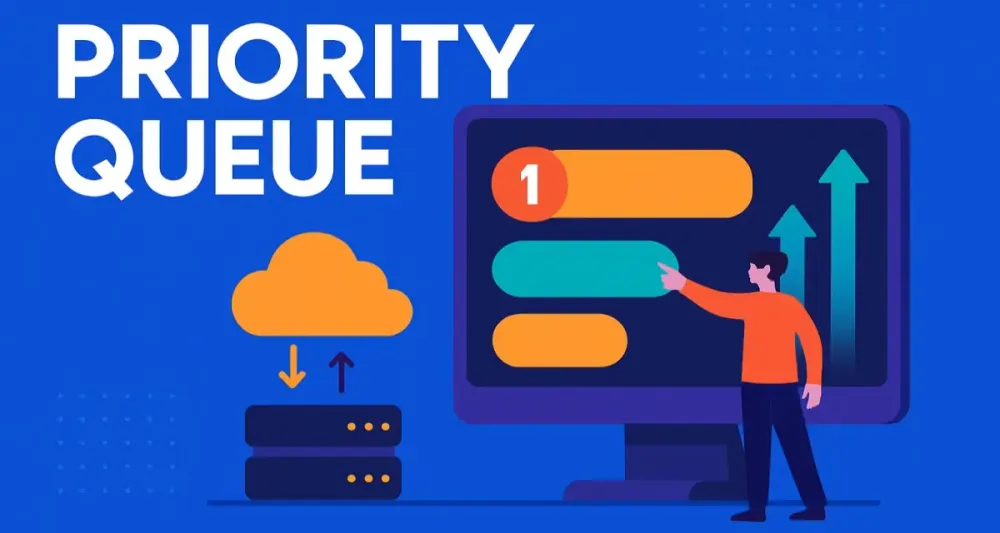
Cloud-native architectures demand efficiency, responsiveness, and scalability. For software architects, achieving these objectives involves understanding patterns that enable systems to thrive under intense workloads. One such pattern that stands out is the Priority Queue Pattern, a crucial approach to handling tasks according to their importance rather than mere arrival time.
Let’s explore how this pattern can revolutionize your cloud applications, improve user experiences, optimize resources, and bolster system resilience.
1 Introduction to Asynchronous Processing in the Cloud
1.1 The Architect’s Dilemma
Building cloud-native applications isn’t straightforward. Software architects often face a triple-edged challenge: maintaining responsiveness, ensuring scalability, and bolstering system resilience. Your application needs to respond swiftly to user demands, gracefully scale under load, and survive the inevitable system hiccups.
Think about a busy airport terminal. Flights must arrive and depart efficiently, but air traffic controllers must prioritize emergency or high-value flights over standard ones. Similarly, cloud applications require intelligent prioritization to manage workflows effectively.
1.2 The Power of Asynchrony
Asynchronous communication decouples tasks, enabling them to proceed independently of each other. By employing asynchronous patterns, architects ensure that services can handle varying workloads without direct dependencies, significantly enhancing scalability and fault tolerance.
Instead of waiting in a rigid sequence, tasks can run in parallel, greatly reducing latency. This freedom transforms your application from a constrained monolith into a dynamic orchestra where each component operates harmoniously yet independently.
1.3 Introducing Queues
Queues are the backbone of asynchronous processing. They temporarily store messages or tasks, decoupling producers (tasks creators) from consumers (task processors). By acting as intermediaries, queues facilitate load balancing and fault tolerance, allowing applications to maintain responsiveness and stability even under intense workloads.
1.4 The Missing Piece: Prioritization
However, standard First-In, First-Out (FIFO) queues have a notable drawback. They treat all messages equally, ignoring real-world complexities. A high-priority transaction or critical system alert can end up stuck behind routine tasks, causing potentially costly delays.
1.5 The Priority Queue Pattern
Enter the Priority Queue Pattern. This architectural solution addresses the limitations of standard queues by introducing priority-based processing. Tasks aren’t merely processed in the order they arrive; instead, they are handled according to their importance. This ensures critical operations always get processed first, directly aligning with business objectives.
2 Deep Dive: The Priority Queue Architectural Pattern
2.1 Core Concepts
2.1.1 What is a Priority Queue?
A Priority Queue is a specialized queue data structure where each task or message carries a priority value. Unlike FIFO queues, a Priority Queue sorts its contents based on priority. High-priority tasks jump ahead of low-priority ones, ensuring timely processing of critical tasks.
2.1.2 Key Components
- Producers: Components or services that generate tasks.
- Consumers: Components or services that process tasks.
- Priority Queue: The intermediate storage mechanism, sorting tasks based on priority values.
- Priority Value: Numeric or categorical indicator determining task precedence.
2.1.3 How it Works
Here’s a simplified flow:
- Submission: Producers submit tasks with an associated priority.
- Storage: Tasks are stored and continuously sorted based on priority.
- Retrieval: Consumers pull tasks from the queue, always receiving the highest-priority task available first.
Here’s how you might implement a simple priority queue in C# using the latest features in .NET 8:
// Using .NET 8 PriorityQueue
PriorityQueue<TaskMessage, int> priorityQueue = new();

// Producer
priorityQueue.Enqueue(new TaskMessage("Process Premium User Payment"), priority: 1); // Highest priority
priorityQueue.Enqueue(new TaskMessage("Send Notification"), priority: 5);
priorityQueue.Enqueue(new TaskMessage("Routine Data Sync"), priority: 10); // Lowest priority

// Consumer
while(priorityQueue.TryDequeue(out var taskMessage, out int priority))
{
    Console.WriteLine($"Processing: {taskMessage.Content} with Priority: {priority}");
}
2.2 Why It Matters in the Cloud
2.2.1 Enhancing User Experience
Imagine users subscribing to premium services. Shouldn’t their requests be prioritized over free-tier users? Priority queues help ensure critical user interactions are handled promptly, leading to happier, more engaged customers.
2.2.2 Optimizing Resource Utilization
High-priority tasks often demand intensive resources. Processing them first ensures the system utilizes available resources efficiently. Conversely, less critical tasks can be delayed until resources are readily available, preventing unnecessary resource contention.
2.2.3 Improving System Resilience
In times of peak load or disruptions, priority queues guarantee that crucial tasks—like system alerts or transactions—continue unhindered, thus maintaining system stability and reliability.
2.2.4 Cost Management
Delays can be expensive, especially in finance or e-commerce. Prioritizing critical tasks reduces latency, directly impacting profitability and reducing operational costs.
2.3 Common Use Cases and Scenarios for .NET Architects
For .NET architects, the Priority Queue Pattern can be realized using .NET 8’s PriorityQueue<TElement, TPriority>, cloud messaging services (like Azure Service Bus with custom message headers), or distributed task frameworks. Here are enriched, practical examples across industries:
2.3.1 E-commerce
Scenario: During high-volume sales (think Black Friday), you may need to process orders for customers who paid for expedited shipping or placed high-value orders ahead of regular ones.
Technical Details:
-
Priority Calculation: Use order attributes such as shipping type, customer loyalty status, or cart value to assign priorities.
-
Integration: In a microservice, the order processing service places orders into a priority queue, and worker nodes pull and fulfill highest-priority orders first.
-
Cloud Example:
- With Azure Service Bus, you can use message custom properties to define priority, and consumer workers filter and sort incoming messages accordingly.
C# Example:
// Assigning priorities dynamically
int priority = order.IsExpedited ? 1 : order.TotalValue > 500 ? 2 : 10;
priorityQueue.Enqueue(order, priority);
2.3.2 Healthcare
Scenario: A hospital’s alert system receives thousands of device events per day, but patient-critical alerts—such as sudden drops in vital signs—must be processed within seconds.
Technical Details:
- Priority Calculation: Criticality of the event (life-threatening, urgent, routine).
- Workflow: The alert ingestion service tags each message. Downstream processors (like paging or SMS modules) subscribe only to high-priority alerts.
- Audit: Lower-priority alerts may be batch processed or handled during off-peak hours.
C# Example:
// Example priorities: 1 = Life Threatening, 5 = Urgent, 10 = Routine
priorityQueue.Enqueue(new Alert { PatientId = 456, Message = "Heart Rate Critical" }, 1);
priorityQueue.Enqueue(new Alert { PatientId = 457, Message = "Routine Checkup" }, 10);
2.3.3 Finance
Scenario: In a real-time trading system, large or time-sensitive trades are prioritized over small, non-urgent ones.
Technical Details:
- Priority Calculation: Trade size, market timing, customer type.
- Processing Logic: Trade matching engines dequeue trades by priority, ensuring regulatory compliance for high-value customers and maximizing profit opportunities.
- Recovery: During outages, the system replays the queue starting with high-priority transactions.
C# Example:
// Dynamic assignment based on trade value
int priority = trade.Amount >= 1_000_000 ? 1 : 5;
priorityQueue.Enqueue(trade, priority);
2.3.4 Communication Platforms
Scenario: A messaging platform needs to deliver chat messages in real time, while presence updates (like “user is typing” or “last seen”) can be delayed with no user impact.
Technical Details:
- Priority Calculation: Message type (interactive, transactional, informational).
- Queueing Strategy: Real-time messages get highest priority; presence/status messages receive lower priorities and are processed during idle periods.
- Scale-Out: The system may use multiple consumers for chat messages, while presence updates are handled by a single, less frequent processor.
C# Example:
priorityQueue.Enqueue(new Message { Content = "User message" }, 1); // Immediate
priorityQueue.Enqueue(new Message { Content = "User presence update" }, 5); // Deferred
2.3.5 IoT
Scenario: A smart city platform processes sensor data from thousands of devices, ranging from fire alarms to air quality monitors.
Technical Details:
- Priority Calculation: Event type (emergency, warning, informational), source device criticality.
- Architecture: The ingestion pipeline routes emergency events to high-priority processing streams for immediate action, while batch data analytics process low-priority telemetry.
- Fault Tolerance: High-priority events may trigger redundancy or failover logic; low-priority messages can be dropped or archived in case of overload.
C# Example:
priorityQueue.Enqueue(new IoTEvent { Event = "Gas Leak Detected" }, 1); // Emergency
priorityQueue.Enqueue(new IoTEvent { Event = "Periodic Temperature Reading" }, 10); // Routine
3 Implementation Strategies in C# and .NET
Effective use of the Priority Queue Pattern in a real-world .NET environment requires careful attention to both technology choices and architecture. Should you reach for the built-in .NET in-memory priority queue? Or is a more cloud-oriented, distributed approach necessary? Let’s break down the options and the reasoning behind each.
3.1 The In-Memory Priority Queue in .NET
3.1.1 Introducing System.Collections.Generic.PriorityQueue<TElement, TPriority>
Since .NET 6, developers have access to a built-in priority queue: System.Collections.Generic.PriorityQueue<TElement, TPriority>. This class is a generic implementation, using a binary heap under the hood, which ensures fast enqueue and dequeue operations based on priority.
The API is straightforward. The type parameter TElement represents the items to store, and TPriority (often an integer) determines the order in which items are retrieved. Smaller priority values are dequeued before larger ones—think of 1 as “urgent,” and 10 as “eventual.”
3.1.2 Code Deep Dive
Let’s look at how you might use this class within a single .NET service. This approach works well for scenarios where your workload and data do not need to leave the process boundary.
using System.Collections.Generic;

public class TaskMessage
{
    public string Content { get; }
    public TaskMessage(string content) => Content = content;
}

public class InMemoryPriorityQueueExample
{
    private readonly PriorityQueue<TaskMessage, int> _queue = new();

    public void Enqueue(string content, int priority)
    {
        _queue.Enqueue(new TaskMessage(content), priority);
    }

    public void ProcessAll()
    {
        while (_queue.TryDequeue(out var message, out var priority))
        {
            Console.WriteLine($"Processing '{message.Content}' with Priority {priority}");
            // Imagine processing logic here
        }
    }
}

// Usage
var pq = new InMemoryPriorityQueueExample();
pq.Enqueue("Background sync", 10);
pq.Enqueue("Premium user login", 1);
pq.Enqueue("Free user login", 5);
pq.ProcessAll();
In this simple example, messages are always processed in the correct priority order. The logic is easy to follow, and you have full control over priority assignment and processing behavior.
3.1.3 Limitations
While the in-memory priority queue is invaluable for prototypes, batch jobs, or isolated single-instance services, it does not meet the needs of distributed or cloud-native systems:
- Lack of Durability: If the process crashes, all queued messages are lost. There is no persistence or recovery.
- No Scalability: Only one instance can access the queue at a time. You cannot scale out to multiple consumers or across machines.
- Limited Observability: Monitoring, auditing, and diagnostics are difficult, especially under production workloads.
- No Fault Isolation: An error in one consumer can block all processing.
For modern cloud architectures, especially those handling business-critical workloads, a distributed and persistent queueing strategy is essential.
3.2 Building a Custom Priority Queue Logic with Standard Queues
If your use case outgrows in-memory queues, the next architectural step is to use standard, production-ready message queues—yet add your own logic for prioritization.
3.2.1 The “Multiple Queues” Approach
A well-established solution is to create a separate queue for each priority level. For example:
orders-highorders-mediumorders-low
When publishing a message, your producer examines the business logic and routes the message to the appropriate queue. Consumers then check the queues in order of importance: always drain high-priority first, then medium, then low.
This pattern is remarkably flexible, and can be mapped to any queueing technology—Azure Service Bus, RabbitMQ, AWS SQS, or even database tables.
3.2.2 Architecting the .NET Consumer Service
To get the most out of this pattern, the consumer logic must be deliberate. A naive approach might assign one consumer per queue, but this risks the lower-priority queues “starving” the high-priority ones if they become busy.
A smarter approach is a polling worker that always tries the highest-priority queue first, only moving to lower-priority queues if higher levels are empty.
3.2.3 C# Implementation Example
Here is a simplified polling service using .NET. In production, you would handle retries, error handling, and integrate with your chosen queue library or SDK.
public class QueueProcessorService
{
    private readonly IMessageQueue[] _queues;

    public QueueProcessorService(IMessageQueue[] queues)
    {
        // queues[0] = High, queues[1] = Medium, queues[2] = Low
        _queues = queues;
    }

    public async Task ProcessAsync(CancellationToken cancellationToken)
    {
        while (!cancellationToken.IsCancellationRequested)
        {
            bool processed = false;
            foreach (var queue in _queues)
            {
                var message = await queue.TryDequeueAsync();
                if (message != null)
                {
                    await HandleMessageAsync(message);
                    processed = true;
                    break; // Start from the highest again
                }
            }

            if (!processed)
            {
                // No messages found, wait a moment
                await Task.Delay(500, cancellationToken);
            }
        }
    }

    private Task HandleMessageAsync(Message message)
    {
        // Business logic
        Console.WriteLine($"Processed: {message.Content}");
        return Task.CompletedTask;
    }
}
In practice, IMessageQueue would be implemented by your queue technology—such as Azure Service Bus, RabbitMQ, or AWS SQS. You can add logging, metrics, and backoff strategies to refine performance.
3.2.4 Pros and Cons
Advantages:
- Simplicity: Each queue is a standard queue. No special dependencies or custom data structures.
- Visibility: You can monitor queue lengths for each priority independently.
- Scale: Each queue can scale horizontally, and additional consumers can be added at any priority.
Drawbacks:
- Starvation: Low-priority queues may never be processed if high-priority traffic is sustained.
- Operational Overhead: More queues means more configuration and management.
- Work Distribution: Ensuring fair work allocation and resource balancing across consumers may require additional logic.
Architects often implement “aging” mechanisms, where a low-priority task’s priority increases the longer it waits. This reduces starvation risk, though it adds complexity.
3.3 Leveraging Cloud-Native Services
Distributed, persistent priority queues are not built into most cloud queue services. This is a key challenge when building cloud-first architectures.
3.3.1 The Challenge
Services like Azure Queue Storage and AWS SQS provide robust, reliable queues—but only as FIFO (or nearly FIFO) structures. Out of the box, they lack any concept of message priority.
Why not just build your own priority queue as a service? You could, but this comes at the cost of complexity, durability, and scalability that cloud queues provide by default.
3.3.2 Architecting for the Cloud
A practical solution is to combine the multiple-queues approach with cloud messaging services. Create separate queues (or topics/subscriptions) for each priority level. Your producer service classifies each message, and your consumer service implements prioritized polling.
To get the most from this approach in cloud-native systems:
- Use labels or custom message properties to denote priority. This is useful for diagnostics and downstream analytics.
- Consider auto-scaling consumers based on queue depth or backlog age.
- Employ monitoring and alerting to track when low-priority queues are at risk of starvation.
A further enhancement is to periodically “promote” aging messages in low-priority queues to higher levels, ensuring no work is left behind.
4 Architecting Priority Queues in Microsoft Azure with .NET
For organizations committed to the Azure platform, several patterns emerge for building robust, enterprise-grade priority queues.
4.1 The Azure Service Bus Approach
4.1.1 Why Service Bus?
Azure Service Bus is Azure’s flagship enterprise messaging platform. Unlike Azure Storage Queues, it supports rich features:
- Sessions: Enables FIFO processing within a session or workflow.
- Transactions: Multiple operations can be committed or rolled back as a unit.
- Dead-lettering: Failed messages are moved for later investigation.
- Duplicate detection, message ordering, and scheduling.
These features provide the reliability and traceability that architects expect in mission-critical systems.
4.1.2 Pattern Implementation
To implement the priority queue pattern, you can create multiple Service Bus queues or topic subscriptions for each priority level:
orders-highorders-mediumorders-low
Alternatively, use topics with subscriptions, and apply SQL-like filters on message properties (e.g., Priority = 1) to route messages.
4.1.3 C# Implementation with Azure.Messaging.ServiceBus SDK
Let’s walk through the main components of an Azure-native priority queue.
4.1.3.1 The Producer
The producer service classifies each message by priority, then sends it to the correct queue or topic/subscription.
using Azure.Messaging.ServiceBus;

public class PriorityQueueProducer
{
    private readonly ServiceBusClient _client;

    public PriorityQueueProducer(ServiceBusClient client)
    {
        _client = client;
    }

    public async Task SendMessageAsync(string content, int priority)
    {
        string queueName = priority switch
        {
            1 => "orders-high",
            2 => "orders-medium",
            _ => "orders-low"
        };

        var sender = _client.CreateSender(queueName);

        var message = new ServiceBusMessage(content)
        {
            Subject = "Order",
            ApplicationProperties = { ["Priority"] = priority }
        };

        await sender.SendMessageAsync(message);
    }
}
4.1.3.2 The Consumer (Azure Functions)
Azure Functions integrate tightly with Service Bus. You can bind a function to a specific queue, ensuring that each function only processes one priority level. This makes concurrency and scaling straightforward.
public class OrderProcessingFunction
{
    [Function("HighPriorityOrderHandler")]
    public async Task RunHigh([ServiceBusTrigger("orders-high", Connection = "ServiceBusConnection")] string message)
    {
        // Process high-priority order
    }

    [Function("MediumPriorityOrderHandler")]
    public async Task RunMedium([ServiceBusTrigger("orders-medium", Connection = "ServiceBusConnection")] string message)
    {
        // Process medium-priority order
    }
}
Each function instance can scale independently based on load.
4.1.3.3 A Smarter Consumer (Worker Service)
If you want a single service to process multiple priorities—always handling high first—you can build a .NET Worker Service that polls the queues in order.
public class ServiceBusPriorityQueueConsumer : BackgroundService
{
    private readonly ServiceBusReceiver[] _receivers;

    public ServiceBusPriorityQueueConsumer(ServiceBusClient client)
    {
        _receivers = new[]
        {
            client.CreateReceiver("orders-high"),
            client.CreateReceiver("orders-medium"),
            client.CreateReceiver("orders-low")
        };
    }

    protected override async Task ExecuteAsync(CancellationToken stoppingToken)
    {
        while (!stoppingToken.IsCancellationRequested)
        {
            foreach (var receiver in _receivers)
            {
                var message = await receiver.ReceiveMessageAsync(TimeSpan.FromSeconds(1));
                if (message != null)
                {
                    // Process the message here
                    await receiver.CompleteMessageAsync(message, stoppingToken);
                    break; // Always start with highest priority again
                }
            }

            await Task.Delay(250, stoppingToken);
        }
    }
}
This approach provides full control and is suitable when you need custom logic for message processing and error handling.
4.1.4 Architectural Diagram
Imagine a diagram with three Service Bus queues (or topic subscriptions), all feeding into a set of .NET consumers. High-priority queues connect to more or faster consumers. Monitoring and alerting cover queue depth and age for each priority, ensuring SLAs are met and starvation is visible.
If you’d like, I can provide a detailed description for how you’d design or diagram this architecture in Visio, Lucidchart, or similar tools.
4.2 A Note on Azure Storage Queues
4.2.1 When to Use Them
Azure Storage Queues are simple, low-cost, and provide massive scalability. For scenarios where the workload is less critical—such as log processing, telemetry, or background clean-up jobs—they may suffice.
If you don’t require transactional support, ordering, dead-lettering, or message filtering, Storage Queues are often the right trade-off between complexity and cost.
4.2.2 Replicating the Pattern
The multiple-queue pattern applies equally here. Create several queues (e.g., logs-high, logs-low), and have your consumers poll them in order of priority. As with Service Bus, make sure to monitor queue lengths and backlog age, and consider implementing an “aging” strategy if starvation becomes a problem.
5 Design Patterns, Best Practices, and Anti-Patterns
With priority queues, the true differentiator between a merely functional system and an enterprise-grade solution lies in design rigor. The following practices, and the traps to avoid, shape how your architecture performs under load and how robustly it can respond to the unexpected.
5.1 Preventing Priority Inversion
5.1.1 The Problem
Imagine a scenario where a low-priority task is holding a resource—a lock, database connection, or file handle—while a high-priority task waits. If the high-priority consumer can’t make progress until the low-priority one releases the resource, you’ve encountered priority inversion. In cloud systems, this can manifest as a thread pool starvation, database deadlock, or even contention on distributed locks.
This issue is subtle but insidious: while your queue ensures high-priority tasks are next in line, a single slow or misbehaving low-priority task can grind the system to a halt. The impact? Missed SLAs, frustrated users, and a pattern that defeats its own goal.
5.1.2 Solutions
Addressing priority inversion calls for both architectural foresight and practical technique:
- Lock-Free Data Structures: Favor lock-free collections (
ConcurrentQueue,ConcurrentDictionary) where possible. These minimize contention and reduce the odds of one task holding up the rest. - Priority Inheritance Protocols: Borrowed from real-time operating systems, this approach temporarily elevates the priority of a low-priority task holding a needed lock. While .NET and cloud queues rarely support true priority inheritance natively, you can simulate the effect by designing critical sections to be as brief as possible and offloading long work outside the lock.
- Fine-Grained Locking: Avoid coarse global locks. Where locking is required (e.g., updating a shared cache or reference data), use smaller, more focused locks to reduce cross-priority interference.
- Timeouts and Deadlock Detection: Set clear timeouts for resource acquisition. If a lock can’t be acquired quickly, escalate or log the issue for diagnostic attention.
5.2 Handling Queue Starvation
5.2.1 The Problem
A classic risk with strict priority systems: high-priority queues are continuously populated, leaving medium- or low-priority work to languish indefinitely—starvation. For many business systems, especially those serving a broad range of stakeholders, this is unacceptable.
5.2.2 Mitigation Strategies for .NET Consumers
5.2.2.1 Weighted Round-Robin Polling
A straightforward but effective tactic is weighted round-robin polling. Here, your consumer processes, for example, five high-priority messages, then three medium, then one low, then repeats. This doesn’t eliminate responsiveness for top priorities but ensures regular progress for all levels.
Sample Implementation Snippet:
private static readonly int[] PollWeights = { 5, 3, 1 }; // High, Medium, Low

public async Task ProcessWithWeightsAsync(CancellationToken cancellationToken)
{
    var counters = new int[PollWeights.Length];
    while (!cancellationToken.IsCancellationRequested)
    {
        for (int i = 0; i < _queues.Length; i++)
        {
            for (int j = 0; j < PollWeights[i]; j++)
            {
                var message = await _queues[i].TryDequeueAsync();
                if (message != null)
                    await HandleMessageAsync(message);
                else
                    break;
            }
        }
        await Task.Delay(100, cancellationToken); // Brief pause
    }
}
This approach can be tuned dynamically as system needs evolve.
5.2.2.2 Priority Aging
A more advanced solution is priority aging. Here, the system tracks how long each message has been waiting. As time passes, the message’s priority is automatically increased—so an old low-priority message eventually becomes indistinguishable from a new high-priority one.
How can you achieve this in .NET?
- Track enqueue timestamps in the message metadata.
- When polling, sort or promote messages based on both priority and age.
- In systems using cloud-native queues, schedule a periodic “promoter” function that moves aged messages to a higher-priority queue.
This ensures no work is left behind, even under sustained high load.
5.3 Idempotency is Non-Negotiable
5.3.1 The “At-Least-Once” Delivery Guarantee
Virtually all cloud queue systems offer at-least-once delivery. This means your consumer may receive the same message multiple times—if it fails to acknowledge success, or if a network glitch occurs, the message will be redelivered. Without idempotency, your application may process the same task more than once, leading to duplicate billing, repeated emails, or other inconsistencies.
5.3.2 Designing Idempotent Consumers in C#
Ensuring idempotency in your consumers is essential. Several approaches are common in .NET environments:
-
Tracking Processed Message IDs: Maintain a durable record (e.g., in SQL, Redis, or Cosmos DB) of processed message IDs. Before processing, check if the message has already been handled.
public async Task ProcessMessageAsync(Message message) { if (await _idempotencyStore.IsProcessedAsync(message.Id)) return; // Business logic await DoWorkAsync(message); await _idempotencyStore.MarkProcessedAsync(message.Id); } -
Optimistic Concurrency Control: When updating resources (such as order status), use concurrency tokens or unique constraints so duplicate attempts have no effect.
-
Natural Idempotency: Where possible, design operations that are naturally idempotent—such as “set user status to active” rather than “increment login count.”
5.4 Monitoring, Logging, and Alerting
5.4.1 Key Metrics to Watch
Robust operations require visibility. Prioritize the following metrics:
- Queue Depth per Priority: Are your high-priority queues emptying rapidly? Are lower-priority queues growing unacceptably?
- Message Processing Time: End-to-end latency from enqueue to completion. Alert if high-priority messages age beyond expected thresholds.
- Dead-Letter Queue Counts: A rising count here signals processing failures, misconfigured consumers, or poison messages.
- Throughput: Messages processed per second, per consumer and per queue.
5.4.2 Leveraging Azure Monitor and Application Insights
Azure provides rich tools for observing your priority queue architecture:
- Dashboards: Aggregate queue metrics, alerting on anomalies or backlogs.
- Distributed Tracing: Trace message flows from enqueue through processing, identifying bottlenecks or retry storms.
- Custom Metrics and Logs: Use Application Insights to emit custom events (e.g.,
MessageProcessed,QueueStarvationDetected). - Alerts: Configure rule-based alerts for excessive latency, dead-letter growth, or consumer crashes.
5.5 Anti-Patterns to Avoid
5.5.1 Too Many Priority Levels
While the temptation exists to define every conceivable priority (“super-ultra-urgent,” “medium-high”), more than 3-5 levels often complicates logic and clouds operational insight. Excessive granularity can lead to confusion, misconfiguration, and unpredictable backlog behavior. Choose a small, clear set of priorities and stick to them.
5.5.2 Using Priority for Ordering
Priority should not be confused with strict ordering. If you need messages to be processed in exact sequence (for example, account debits followed by credits), consider using Service Bus sessions or dedicated FIFO queues. Priority queues solve for “what matters most now,” not “what happened first.”
5.5.3 Neglecting the Dead-Letter Queue
A dead-letter queue (DLQ) is not a graveyard to ignore. Messages end up here for a reason—poison messages, repeated processing failures, or validation errors. Always have an automated process to review, report on, and potentially replay or remediate DLQ messages.
6 Advanced Concepts and Future Considerations
While the fundamentals of the Priority Queue Pattern are powerful, cloud systems evolve rapidly. Architects who anticipate the future stay ahead of scale, complexity, and business demand.
6.1 Dynamic Priority Adjustment
Real-world business priorities are rarely static. What if the priority of a task must change after it enters the system—due to new information, elapsed time, or external events?
Architecting for Dynamic Priority:
- Requeueing: If a message’s priority increases (for example, a customer escalates a support ticket), remove it from its current queue and re-enqueue at a higher-priority queue.
- Message Mutation: In systems with topic-based routing, update the message property and let the routing logic reassign it.
- Event-Driven Reprioritization: External events (such as customer cancellations or payment failures) can trigger automatic escalation of related tasks.
Dynamic prioritization is especially useful in incident management, logistics, and customer service workflows, where responsiveness can make or break outcomes.
6.2 Combining with Other Patterns
6.2.1 Priority Queue + Circuit Breaker
Imagine a high-priority queue repeatedly delivering a message that always fails due to a downstream service outage. Without safeguards, this “poison message” can monopolize processing and cause a feedback loop.
The Circuit Breaker pattern detects repeated failures and halts processing temporarily, protecting the system from overload and giving dependent services time to recover.
Integration Example:
- Wrap message processing in a circuit breaker.
- If failures cross a threshold, the consumer skips or dead-letters the offending message, or pauses consuming that priority until external recovery.
6.2.2 Priority Queue + Saga
The Saga pattern coordinates long-running business processes spanning multiple services—such as order fulfillment or user onboarding.
Combining Saga with priority queues allows for:
- Ensuring that the steps of high-priority, long-running workflows are scheduled and completed with urgency.
- Coordinating compensating transactions for failed high-priority steps.
- Tracking state and progression across distributed systems, always advancing what matters most to the business.
6.3 The Future of Queuing in .NET
The .NET ecosystem continues to evolve. Here are a few directions likely to impact how architects use priority queues:
- Native Priority Queues in Cloud Messaging: We may see first-class support for priority at the service level (Azure, AWS), reducing the need for custom multiple-queue patterns.
- Improved Observability: Expect tighter integration between queue processing and distributed tracing, helping architects trace priority impacts in real time.
- More Expressive SDKs: .NET queueing libraries are becoming more fluent, supporting advanced patterns like dynamic priority, aging, and batching out of the box.
- Integration with AI/ML: In the future, ML models may dynamically assign or adjust message priorities based on predictive analytics (e.g., estimated impact, user value).
Forward-thinking architects should monitor these trends and be ready to adopt or adapt as the ecosystem matures.
7 Conclusion: The Architect’s Takeaway
7.1 Summary of Key Principles
The Priority Queue Pattern, when implemented thoughtfully, aligns system behavior with business priorities. It goes beyond traditional FIFO models, enabling systems to be more responsive, resilient, and user-centric. Key principles include:
- Prioritize Work by Value: Always process what matters most, not merely what arrived first.
- Design for Fairness: Prevent starvation and avoid priority inversion.
- Embrace Idempotency and Observability: Robustness and visibility are non-negotiable in distributed, cloud-native systems.
- Leverage Platform Capabilities: Use the right mix of in-memory, multi-queue, and cloud-native features.
7.2 When to (and When Not to) Use the Priority Queue Pattern
Use the Priority Queue Pattern when:
- Your business needs demand differentiated responsiveness (e.g., premium vs. standard customers, urgent alerts vs. routine updates).
- Processing delays for some tasks carry a higher cost than others.
- System scale and concurrency require robust work orchestration.
Avoid it when:
- All tasks truly carry equal business value, and strict FIFO is more understandable for your team.
- You require guaranteed strict ordering within a stream of related work (in which case, use sessions/FIFO).
- System complexity outweighs the benefits—start simple, and add prioritization only as real needs emerge.
7.3 Final Thoughts
Priority queues are not just a technical convenience—they are an architectural reflection of business priorities. In the cloud, with limitless scale and complexity, the ability to manage what matters most, when it matters most, is a differentiator for software organizations.
For .NET architects, the tools are available: from built-in .NET 8 features to enterprise-grade cloud services like Azure Service Bus, you can craft solutions that elegantly and efficiently bridge business need with system capability.
As you design your next distributed system, ask: Are you truly putting your most valuable work first? With the Priority Queue Pattern, you can.