1 Introduction: The Unsung Hero and Silent Killer
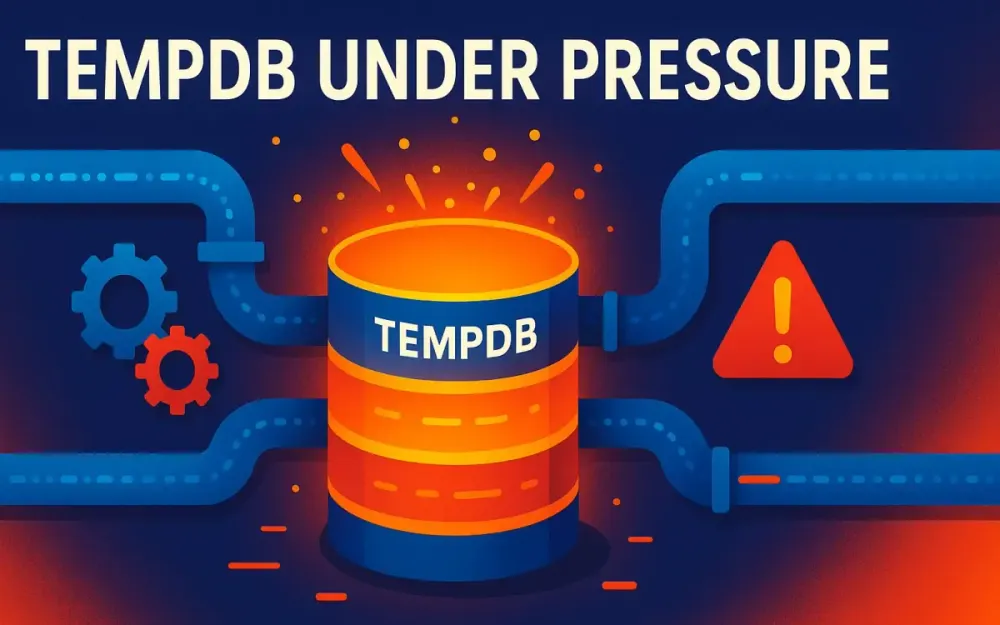
TempDB in SQL Server is one of those components that stays invisible until something goes wrong. When it does, the fallout is immediate, severe, and often mysterious. Architects, leads, and senior developers need to understand TempDB not just as an implementation detail, but as an architectural cornerstone. Ignoring it is like ignoring the foundation of a skyscraper—unseen until cracks bring the entire structure into question.
1.1 The 3 AM Alert
Picture this: it’s 3 AM, your pager buzzes, and an urgent alert jolts you awake. Users report sluggish performance. The overnight ETL, which usually finishes in 30 minutes, has been running for over 2 hours. The CFO can’t get their critical financial report before markets open.
You log into SQL Server and see modest CPU, normal memory, and healthy user database disks. Yet queries are stuck waiting. Digging deeper, you notice PAGELATCH_UP and PAGELATCH_EX waits piling up, all pointing to allocation pages in database ID 2. That database is TempDB.
This is the classic “TempDB awakening.” Everything looks okay on the surface, but SQL Server’s shared scratchpad has run out of capacity to keep up with demand. When that happens, the entire system feels the chokehold.
1.2 Why TempDB Matters More Than Ever
Workloads have changed dramatically since the early days of SQL Server:
- Analytics Everywhere: Operational databases now run complex aggregations that stress TempDB’s ability to sort, spool, and hash intermediate results.
- High Concurrency: Cloud-native applications serve thousands of concurrent requests, multiplying contention.
- Isolation & Versioning: Read Committed Snapshot Isolation (RCSI) and Snapshot Isolation depend on TempDB’s version store, increasing pressure.
- Larger Datasets: Data sizes have exploded, making spills to TempDB much more frequent and expensive.
- DevOps Cycles: Rapid deployments mean schema changes, index rebuilds, and DBCC checks are frequent—all stressing TempDB.
Simply put, TempDB is a systemic dependency. If it struggles, your system struggles. And unlike user databases, TempDB is shared across every database on the instance—there’s no escaping it.
1.3 What You Will Learn
This guide moves from the immediate to the strategic:
- Anatomy: What TempDB actually does and who consumes it.
- Diagnosis: Recognizing symptoms (latch contention, metadata contention, I/O bottlenecks, spills) and proving them with DMVs, PerfMon, and Extended Events.
- Foundational Fixes: Right-sizing, multiple files, storage placement, and autogrowth settings.
- Modern Features: Memory-optimized TempDB metadata (2019+) and spill feedback (2022+).
- Developer Practices: Choosing temp constructs wisely, preventing spills, and writing SARGable queries.
- Emergency Playbook: A step-by-step runbook for when TempDB crises erupt at 3 AM.
By the end, you’ll know how to troubleshoot and fix TempDB issues—and how to prevent them through architecture and development discipline.
2 The Anatomy of TempDB: More Than Just #TempTables
TempDB is often misunderstood as just “the place where temp tables go.” In reality, it is the global scratchpad for the entire SQL Server instance. Every database, every session, every query can consume TempDB behind the scenes.
2.1 The Global Scratchpad
TempDB is unique in several ways:
- Recreated at startup. Every restart rebuilds TempDB from scratch. It is non-durable—no user data survives a restart.
- Shared across the entire instance. There is only one TempDB per instance, no matter how many databases you host.
- Stores both user and system objects. Developers and the SQL Server engine itself compete for the same resource pool.
- Highly concurrent. With thousands of sessions running queries, TempDB becomes a hotspot for contention on allocation and metadata pages.
2.2 The Many Consumers of TempDB
User Objects
These are objects developers explicitly create:
- Local Temporary Tables (
#TempTable) — Connection-specific, stored in TempDB with full metadata, indexes, statistics, and constraints. - Global Temporary Tables (
##GlobalTemp) — Visible to all sessions; rare but potentially dangerous under concurrency. - Table Variables (
@Variable) — Defined in memory, but large ones spill into TempDB. SQL Server 2019 introduced Table Variable Deferred Compilation, improving cardinality estimation. - Multi-statement Table-Valued Functions — Often spill intermediates into TempDB.
Pro Tip: If someone says “We only used a table variable, so it won’t hit TempDB,” they are usually mistaken. Large table variables spill just like temp tables.
Internal Objects
Even without explicit temp tables, SQL Server relies on TempDB for:
- Worktables for Sorts: Large
ORDER BYoperations that exceed memory spill sorted segments into TempDB. - Worktables for Hash Operations: Hash joins and aggregations that exceed memory grants spill partitions.
- Spooling: Execution plans spool intermediate rows for operators like
Table Spool (Lazy Spool)or recursive CTEs. - Cursors and LOB Storage: Certain cursor implementations and out-of-row LOBs use TempDB.
Each of these operations is invisible at the T-SQL surface but leaves fingerprints in execution plans as “spill to TempDB” warnings.
The Version Store
Perhaps the most underestimated consumer is the version store, which underpins row-versioning isolation levels:
- RCSI: Now widely enabled by default in modern systems.
- Snapshot Isolation: Explicitly enabled at the database level.
- Triggers: Use version store internally for consistent before/after images.
Heavy update workloads under RCSI can balloon TempDB usage very quickly.
Pitfall: Architects often enable RCSI to reduce blocking without realizing the pressure it shifts onto TempDB.
Maintenance Operations
- Index Rebuilds with
SORT_IN_TEMPDB = ONoffload sort operations from the user database into TempDB:
ALTER INDEX IX_Sales_Date ON Sales.Orders
REBUILD WITH (SORT_IN_TEMPDB = ON);
The trade-off: reduces I/O and log pressure on the user database, but TempDB must have sufficient space and bandwidth.
- DBCC CHECKDB makes heavy use of TempDB for sorting and verifying data structures—on very large databases, it can consume hundreds of GBs. This is often the first time teams realize their TempDB is undersized—when scheduled CHECKDB jobs fail due to lack of space.
- Service Broker uses TempDB for internal queue and message state management.
- Triggers rely on worktables in TempDB to hold
insertedanddeletedpseudo-tables, especially for large batch modifications.
3 Diagnosing TempDB Problems: From Symptoms to Proof
You rarely get a clean, single-symptom alert pointing at TempDB. Problems present as a pattern: strange waits, sudden slowdowns, runaway disk latency, or plans complaining about spills. This section gives you practical signals to watch for and the diagnostic queries to confirm your suspicion. The goal is to move from hand-waving to evidence within minutes.
3.1 Quick First Check: “Is TempDB the Fire Right Now?”
When the pager goes off, start here before digging into specifics:
-- 30-second snapshot: are TempDB waits dominating right now?
SELECT TOP (20)
    wt.wait_type,
    wt.session_id,
    wt.resource_description,
    er.command,
    er.total_elapsed_time,
    DB_NAME(er.database_id) AS dbname
FROM sys.dm_os_waiting_tasks AS wt
JOIN sys.dm_exec_requests AS er ON wt.session_id = er.session_id
WHERE wt.wait_type LIKE 'PAGE%LATCH_%'
  AND wt.resource_description LIKE '2:%'
ORDER BY er.total_elapsed_time DESC;
If the top rows all point at TempDB, you’ve justified focusing there first instead of chasing red herrings in app code or user databases. Now narrow down which symptom is dominant.
For a broader view, check accumulated waits since the last restart to see if TempDB-related waits dominate historically—not just in this moment:
SELECT TOP (25)
    wait_type,
    waiting_tasks_count,
    wait_time_ms,
    1.0 * wait_time_ms / NULLIF(waiting_tasks_count, 0) AS avg_wait_ms
FROM sys.dm_os_wait_stats
WHERE wait_type LIKE 'PAGELATCH_%'
   OR wait_type LIKE 'PAGEIOLATCH_%'
ORDER BY wait_time_ms DESC;
If PAGELATCH_* or PAGEIOLATCH_* rank in the top 5–10 waits, TempDB likely needs structural attention beyond just the current incident. Now let’s understand each symptom in detail.
3.2 Latch Contention — The Traffic Jam in Memory
Latch contention is the classic TempDB crisis. It happens when many workers compete to allocate or deallocate space simultaneously, all touching the same handful of in-memory allocation pages.
What Is a Latch?
Think of a latch as the “occupied” sign on a single-stall restroom: fast to flip, held briefly, protecting in-memory structures rather than logical rows. When latch contention surfaces, the engine spends disproportionate time waiting to enter tiny critical sections. Thousands of small waits add up to big latency.
Pitfall: Don’t confuse PAGELATCH_* (in-memory structure contention) with PAGEIOLATCH_* (waiting on physical I/O). The former points to concurrency hot spots; the latter points to storage slowness.
The Hotspots: PFS, GAM, and SGAM Pages
TempDB allocations funnel through three special page types inside each data file:
- PFS (Page Free Space): Tracks free space at the page level. First at page ID 1 in file 1, repeating every 8,088 pages.
- GAM (Global Allocation Map): Tracks which extents are allocated. First at page ID 2.
- SGAM (Shared Global Allocation Map): Tracks mixed extents available for allocation. First at page ID 3.
Under pressure with many small allocations, these pages become “hot.” If you see PAGELATCH_EX or PAGELATCH_UP piling up on 2:1:1, 2:1:2, or 2:1:3 (database 2 = TempDB, file 1, pages 1–3), you’ve found classic allocation latch contention.
Identifying Latch Contention
This query surfaces live waiting tasks and classifies whether they hit allocation pages or metadata pages:
;WITH waits AS (
    SELECT
        wt.session_id, wt.wait_type, wt.resource_description,
        er.command, er.cpu_time, er.total_elapsed_time
    FROM sys.dm_os_waiting_tasks AS wt
    JOIN sys.dm_exec_requests AS er ON wt.session_id = er.session_id
    WHERE wt.wait_type LIKE 'PAGELATCH_%'
      AND wt.resource_description LIKE '2:%'
), parsed AS (
    SELECT *,
        TRY_CONVERT(int, PARSENAME(REPLACE(resource_description,':','.'),2)) AS file_id,
        TRY_CONVERT(int, PARSENAME(REPLACE(resource_description,':','.'),1)) AS page_id
    FROM waits
)
SELECT
    session_id, wait_type, resource_description,
    CASE
        WHEN file_id = 1 AND page_id IN (1,2,3) THEN 'Allocation (PFS/GAM/SGAM)'
        WHEN page_id % 8088 = 1 THEN 'Allocation (PFS pattern)'
        ELSE 'Likely metadata or other hotspot'
    END AS hotspot_class,
    command, cpu_time, total_elapsed_time
FROM parsed
ORDER BY hotspot_class DESC, total_elapsed_time DESC;
If most rows say “Allocation,” you need more equal-sized data files. If most say “metadata,” you’re dealing with temp object churn—covered next.
Pro Tip: Take two or three snapshots 10–15 seconds apart. If the same sessions and resources repeat, you have a persistent bottleneck rather than a transient blip.
3.3 Metadata Contention — The Bottleneck on Creation
Developers trigger this by rapidly creating and dropping many temp objects across hundreds of concurrent requests. The bottleneck is TempDB’s own system tables—the catalog entries that track object names, columns, indexes, and properties.
Before SQL Server 2019’s memory-optimized TempDB metadata, system tables like sys.sysschobjs and sys.sysobjvalues funneled many threads into the same latch-protected pages. You’d observe steady CPU but falling throughput, with sessions stuck in short PAGELATCH_* waits on pages that don’t match PFS/GAM/SGAM patterns.
Differentiating metadata from allocation contention:
- Page identities: Allocation contention lights up
2:1:1/2/3and PFS patterns. Metadata contention lights up other page IDs repeatedly. - Workload pattern: Many short procedures creating/dropping
#tables under high concurrency correlate with metadata hotspots. Bulk INSERT/UPDATE workloads correlate with allocation hotspots. - Feature sensitivity: Turning on memory-optimized TempDB metadata (SQL Server 2019+) erases the problem if metadata contention is the culprit, but won’t fix allocation hotspots.
Pro Tip: You can reduce metadata pressure without feature flags by reusing temp objects (create once, truncate between calls) or replacing throwaway temp tables with staged logic.
3.4 I/O Bottlenecks — When Disk Can’t Keep Up
Sometimes TempDB’s issue is simply physics: the storage volume can’t satisfy the read/write rate your workload demands. This is common when TempDB shares a slower tier with user databases, or when cloud disks are provisioned with too few IOPS.
If you see PAGEIOLATCH_* waits for TempDB (note the “IO” in the wait name), you’re waiting on disk. Confirm with file-level I/O stats:
SELECT
    mf.file_id, mf.name, mf.type_desc,
    vfs.num_of_reads, vfs.num_of_writes,
    CASE WHEN vfs.num_of_reads = 0 THEN 0
         ELSE 1.0 * vfs.io_stall_read_ms / vfs.num_of_reads END AS avg_read_ms,
    CASE WHEN vfs.num_of_writes = 0 THEN 0
         ELSE 1.0 * vfs.io_stall_write_ms / vfs.num_of_writes END AS avg_write_ms,
    (mf.size * 8) / 1024 AS size_mb
FROM sys.master_files AS mf
JOIN sys.dm_io_virtual_file_stats(2, NULL) AS vfs
  ON mf.file_id = vfs.file_id
WHERE mf.database_id = 2
ORDER BY mf.file_id;
If average latencies are consistently above single-digit milliseconds on SSD/NVMe, the storage tier is under-provisioned or saturated.
The Hidden Culprit: Autogrowth Storms
Autogrowth events freeze progress while SQL Server zeros new space. If TempDB autogrows in tiny increments, a burst of activity triggers many growths back-to-back, causing spiky latency. Confirm with the default trace:
DECLARE @trace NVARCHAR(260);
SELECT @trace = CONVERT(nvarchar(260), value)
FROM sys.fn_trace_getinfo(NULL) WHERE property = 2;

SELECT TOP (100)
    TE.name AS event_name, t.StartTime, t.FileName,
    (t.IntegerData * 8) AS GrowthSizeKB, t.Duration
FROM sys.fn_trace_gettable(@trace, DEFAULT) AS t
JOIN sys.trace_events AS TE ON t.EventClass = TE.trace_event_id
WHERE TE.name IN ('Data File Auto Grow','Log File Auto Grow')
  AND t.DatabaseName = 'tempdb'
ORDER BY t.StartTime DESC;
If you see repeated small growths during the incident window, the mitigation is clear: pre-size TempDB and switch to fixed MB autogrowth large enough to avoid thrashing.
3.5 TempDB Spills — The Developer’s Nightmare
The optimizer grants each query an estimate of how much memory it needs for sorts and hashes. If the query needs more at runtime than granted, it spills to TempDB. A few spills on a quiet system aren’t fatal. System-wide spills under concurrency, however, will grind TempDB into the floor.
A spill changes the cost profile of an operator: an in-memory sort is fast with cache-friendly access; a spilled sort adds multiple passes of write/read/merge. Under concurrency, each spilling operator competes for TempDB bandwidth, amplifying latency across the system.
Finding Active Spillers
SELECT TOP (20)
    r.session_id, r.status, DB_NAME(r.database_id) AS dbname, r.command,
    tsu.user_objects_alloc_page_count * 8 AS user_kb,
    tsu.internal_objects_alloc_page_count * 8 AS internal_kb,
    (tsu.user_objects_alloc_page_count + tsu.internal_objects_alloc_page_count) * 8 AS total_kb,
    SUBSTRING(t.text, (r.statement_start_offset/2)+1,
              CASE WHEN r.statement_end_offset = -1 THEN LEN(CONVERT(nvarchar(max), t.text)) * 2
                   ELSE (r.statement_end_offset - r.statement_start_offset) END/2) AS statement_text
FROM sys.dm_db_task_space_usage AS tsu
JOIN sys.dm_exec_requests AS r
  ON tsu.session_id = r.session_id AND tsu.request_id = r.request_id
CROSS APPLY sys.dm_exec_sql_text(r.sql_handle) AS t
WHERE r.session_id <> @@SPID
ORDER BY total_kb DESC;
Large internal_kb often points to spill-type operators (hash/sort/exchange), whereas large user_kb often points to #temp/@table usage.
Finding Historic Spill-Prone Statements
Mine cached plans for spill warnings:
SELECT TOP (50)
    DB_NAME(st.dbid) AS dbname,
    qs.total_elapsed_time / 1000 AS total_ms,
    qs.execution_count,
    SUBSTRING(st.text, (qs.statement_start_offset/2)+1,
        CASE WHEN qs.statement_end_offset = -1
             THEN LEN(CONVERT(nvarchar(max), st.text)) * 2
             ELSE (qs.statement_end_offset - qs.statement_start_offset) END/2) AS statement_text
FROM sys.dm_exec_query_stats AS qs
CROSS APPLY sys.dm_exec_sql_text(qs.sql_handle) AS st
CROSS APPLY sys.dm_exec_text_query_plan(qs.plan_handle, qs.statement_start_offset, qs.statement_end_offset) AS qp
WHERE CAST(qp.query_plan AS NVARCHAR(MAX)) LIKE '%Spill%warning%'
ORDER BY total_ms DESC;
Types of Spills
- Hash spills: Most common during joins and aggregations on large or skewed inputs. Triggered by bad row estimates from predicates on skewed columns.
- Sort spills: Emerge when
ORDER BY,SELECT DISTINCT, or merge pre-sorts exceed the grant. Frequent in reporting queries with wide rowsets. - Exchange spills: Occur in parallel plans when data movement streams overflow buffers. Rarer, but visible in high-DOP analytic queries.
Incorrect: Blindly over-granting memory
SELECT ...
FROM BigFact f JOIN Dim d ON ...
GROUP BY ...
OPTION (MIN_GRANT_PERCENT = 40, MAX_GRANT_PERCENT = 100);
This may stop the spill today but starves concurrency under load tomorrow. You’ve treated a symptom, not the cause.
Correct: Fix estimates and indexing first
-- 1) Improve estimates
UPDATE STATISTICS dbo.BigFact WITH FULLSCAN;

-- 2) Provide a covering index that reduces or pre-sorts data
CREATE INDEX IX_BigFact_Date_Customer
ON dbo.BigFact (OrderDate, CustomerId)
INCLUDE (Amount) WITH (ONLINE = ON);

-- 3) Only if necessary, bound grants sensibly
SELECT ...
FROM dbo.BigFact f JOIN dbo.Dim d ON ...
WHERE f.OrderDate >= DATEADD(DAY, -30, SYSUTCDATETIME())
GROUP BY ...
OPTION (MAX_GRANT_PERCENT = 10);
3.6 Space Usage and Version Store Monitoring
To understand how full TempDB is and what’s growing, check file-level utilization:
SELECT
    SUM(user_object_reserved_page_count) * 8 AS user_obj_kb,
    SUM(internal_object_reserved_page_count) * 8 AS internal_obj_kb,
    SUM(version_store_reserved_page_count) * 8 AS version_store_kb,
    SUM(unallocated_extent_page_count) * 8 AS free_kb
FROM sys.dm_db_file_space_usage;
If version store is unexpectedly large, check for long-running transactions that prevent cleanup:
SELECT TOP (20)
    at.transaction_id, at.name,
    DB_NAME(atdt.database_id) AS dbname,
    DATEDIFF(MINUTE, atdt.database_transaction_begin_time, SYSDATETIME()) AS minutes_open,
    es.session_id, es.login_name, es.host_name, es.program_name
FROM sys.dm_tran_active_transactions AS at
JOIN sys.dm_tran_database_transactions AS atdt
  ON at.transaction_id = atdt.transaction_id
JOIN sys.dm_exec_sessions AS es ON es.is_user_process = 1
ORDER BY minutes_open DESC;
To catch “space leakers”—sessions that allocate but never release due to long-lived connections or abandoned transactions—look at session-level net allocations:
SELECT TOP (25)
    ssu.session_id,
    (ssu.user_objects_alloc_page_count - ssu.user_objects_dealloc_page_count) * 8 AS net_user_kb,
    (ssu.internal_objects_alloc_page_count - ssu.internal_objects_dealloc_page_count) * 8 AS net_internal_kb,
    es.login_name, es.host_name, es.program_name,
    es.status, es.cpu_time
FROM sys.dm_db_session_space_usage AS ssu
JOIN sys.dm_exec_sessions AS es ON ssu.session_id = es.session_id
ORDER BY (
    (ssu.user_objects_alloc_page_count - ssu.user_objects_dealloc_page_count)
  + (ssu.internal_objects_alloc_page_count - ssu.internal_objects_dealloc_page_count)
) DESC;
Net allocations remaining positive long after activity stops often indicate an application that holds temp objects for reuse or transactions left open by exception paths. Coordinate with the app team to confirm.
3.7 The 5-Minute Diagnostic Checklist
- Are waits
PAGELATCH_*on2:1:1/2/3? → Allocation contention (multiple files + right-sizing). - Are waits
PAGELATCH_*on TempDB but not allocation pages? → Metadata contention (temp object churn; consider memory-optimized TempDB metadata). - Are waits
PAGEIOLATCH_*on TempDB files with high ms/op? → Storage tier or autogrowth thrash (pre-size and move to faster storage). - Are sessions racking up large internal TempDB allocations? → Spills (fix estimates, indexing, or grant feedback).
- Did this coincide with maintenance (CHECKDB, index rebuilds)? → Reschedule or ensure TempDB headroom.
Pitfall: These can co-exist. A spill storm increases I/O, which lengthens query duration, which increases concurrency, which increases allocation pressure. Fixing one factor may not restore health if you leave the upstream cause untouched.
4 The Diagnostic Toolkit: Continuous Monitoring
DMV queries give you point-in-time snapshots. For persistent issues and trend analysis, layer on performance counters and Extended Events.
4.1 Performance Counters (PerfMon)
Counters establish your baseline and reveal drift. Chart these at 15–30 second intervals:
SQLServer:Latches
- Average Latch Wait Time (ms) — sustained elevation indicates contention.
- Latch Waits/sec — rate component; spikes during contention windows.
SQLServer:Access Methods
- Workfiles Created/sec / Worktables Created/sec — correlate with sorts, hashes, and spools.
SQLServer:Transactions
- Version Store Size (KB) — instantaneous version store size.
- Version Generation rate (KB/s) — rising rate without cleanup suggests long-running snapshot readers.
TempDB Disk (PhysicalDisk/LogicalDisk)
- Avg. Disk sec/Read and Avg. Disk sec/Write — target < 5–10 ms on SSD/NVMe; sustained > 20 ms is a red flag.
- Disk Reads/sec, Disk Writes/sec — spikes help identify autogrowth storms or spill floods.
SQLServer:Memory Manager
- Memory Grants Outstanding + Memory Grants Pending — sustained high values often pair with spills.
Pro Tip: Normalize counters like “Workfiles Created/sec” by “Batch Requests/sec” to compare peak vs. off-peak. A sudden jump in workfiles per batch signals a plan-shape shift that increases TempDB load.
4.2 Extended Events (XEvents)
Extended Events are your microscope: low overhead, precise, and scriptable. Unlike legacy Profiler, XEvents let you target just the signals you need and write them to a rolling file target.
XEvent Session for Spills
IF EXISTS (SELECT 1 FROM sys.server_event_sessions WHERE name = 'Xe_Tempdb_Spills')
    DROP EVENT SESSION Xe_Tempdb_Spills ON SERVER;
GO
CREATE EVENT SESSION Xe_Tempdb_Spills ON SERVER
ADD EVENT sqlserver.hash_warning(
    ACTION(sqlserver.sql_text, sqlserver.database_id, sqlserver.session_id,
           sqlserver.query_hash, sqlserver.plan_handle)),
ADD EVENT sqlserver.sort_warning(
    ACTION(sqlserver.sql_text, sqlserver.database_id, sqlserver.session_id,
           sqlserver.query_hash, sqlserver.plan_handle)),
ADD EVENT sqlserver.exchange_spill(
    ACTION(sqlserver.sql_text, sqlserver.database_id, sqlserver.session_id,
           sqlserver.query_hash, sqlserver.plan_handle))
ADD TARGET package0.asynchronous_file_target(
    SET filename = 'C:\Xe\Xe_Tempdb_Spills.xel',
        metadatafile = 'C:\Xe\Xe_Tempdb_Spills.xem',
        max_file_size = 50, max_rollover_files = 5)
WITH (STARTUP_STATE = OFF, MAX_MEMORY = 4096 KB, MAX_DISPATCH_LATENCY = 5 SECONDS);
GO
ALTER EVENT SESSION Xe_Tempdb_Spills ON SERVER STATE = START;
Read back and rank offenders:
WITH xe AS (
  SELECT
    event_data.value('(event/@name)[1]','sysname') AS event_name,
    event_data.value('(event/action[@name="database_id"]/value)[1]','int') AS database_id,
    event_data.value('(event/action[@name="query_hash"]/value)[1]','binary(8)') AS query_hash,
    event_data.value('(event/action[@name="sql_text"]/value)[1]','nvarchar(max)') AS sql_text
  FROM (
    SELECT CAST(event_data AS XML) AS event_data
    FROM sys.fn_xe_file_target_read_file('C:\Xe\Xe_Tempdb_Spills*.xel', 'C:\Xe\Xe_Tempdb_Spills*.xem', NULL, NULL)
  ) AS src
)
SELECT TOP (25)
  DB_NAME(database_id) AS dbname, query_hash,
  COUNT(*) AS spill_events,
  MIN(sql_text) AS sample_text
FROM xe
GROUP BY database_id, query_hash
ORDER BY spill_events DESC;
Pro Tip: Use query_hash for rollups—it’s stable across recompiles, unlike plan handles.
XEvent Session for Temp Object Churn
IF EXISTS (SELECT 1 FROM sys.server_event_sessions WHERE name = 'Xe_Tempdb_Objects')
    DROP EVENT SESSION Xe_Tempdb_Objects ON SERVER;
GO
CREATE EVENT SESSION Xe_Tempdb_Objects ON SERVER
ADD EVENT sqlserver.object_created(
    WHERE (database_id = 2)
    ACTION(sqlserver.sql_text, sqlserver.session_id, sqlserver.client_app_name,
           sqlserver.client_hostname)),
ADD EVENT sqlserver.object_deleted(
    WHERE (database_id = 2)
    ACTION(sqlserver.sql_text, sqlserver.session_id, sqlserver.client_app_name,
           sqlserver.client_hostname))
ADD TARGET package0.asynchronous_file_target(
    SET filename = 'C:\Xe\Xe_Tempdb_Objects.xel',
        metadatafile = 'C:\Xe\Xe_Tempdb_Objects.xem',
        max_file_size = 100, max_rollover_files = 5)
WITH (STARTUP_STATE = OFF, MAX_MEMORY = 4096 KB, MAX_DISPATCH_LATENCY = 5 SECONDS);
GO
ALTER EVENT SESSION Xe_Tempdb_Objects ON SERVER STATE = START;
If a single app accounts for the majority of creates/drops per minute, consider object reuse patterns or memory-optimized TempDB metadata.
4.3 Putting the Toolkit Together
- Start XEvents (spills + object churn) with a 2–5 file rollover to avoid disk bloat.
- Run DMV triage from Section 3 and paste top offenders into your incident notes.
- Mark PerfMon counters during the window to record drift from baseline.
- Escalate with proof: “Spills increased 17x (query_hash 0x…), latch waits on 2:1:1 spiked, TempDB writes saturated the volume at 180 MB/s with 35 ms latency.”
4.4 Decision Flow
-
Are PerfMon write latencies high on the TempDB LUN right now?
- Yes → Check autogrowth events and active spills; consider pre-sizing and faster storage.
- No → Move to latches.
-
Do DMVs show
PAGELATCH_*on2:1:1/2/3?- Yes → Allocation contention: multiple equal-sized files + right-sizing.
- No → Check metadata pages and object churn.
-
Do XEvents show frequent
hash_warning/sort_warning?- Yes → Prioritize query fixes (stats, indexes, grants) and verify 2022 spill feedback status.
- No → Investigate version store (long-running transactions or RCSI-heavy writes).
4.5 Validation Checklist
Before declaring TempDB the culprit, confirm across multiple layers:
- DMVs: Evidence of TempDB-focused waits (
PAGELATCH_*on allocation pages, orPAGEIOLATCH_*on TempDB files) and top sessions allocating large internal/user KB. - PerfMon: Elevated Avg. Disk sec/Write on the TempDB LUN, spikes in Workfiles/Worktables Created/sec, rising Version Store Size with long-running transactions.
- XEvents: Concrete spill warnings tied to specific query hashes; excessive object create/delete rates tied to a small set of apps or hosts.
- Corroboration: Autogrowth events near incident time; Query Store showing plan shapes with frequent spill warnings or poor grants.
Trade-off: Collecting all three layers (DMV, PerfMon, XEvents) produces robust evidence but also more data to sift. During a live incident, start with DMVs + PerfMon. If contention persists beyond a few minutes, enable XEvents with tight filters.
Pro Tip: After each change (e.g., add files, increase initial size, update stats), re-run the same scripts and record before/after. Reporting deltas builds credibility and prevents regressions.
5 Foundational Fixes: Building a Resilient TempDB
Foundational fixes are the difference between “TempDB survives on good days” and “TempDB is boring on all days.” Reduce surprises: no mid-peak autogrowth, no single hot file, no misplaced LUNs.
5.1 Storage Placement
Place TempDB on your fastest, lowest-latency storage. For on-prem, that usually means local NVMe or a high-tier SAN volume. For cloud VMs, stripe multiple premium SSDs and verify you’re not bottlenecked by the VM SKU’s per-disk cap.
Checklist:
- TempDB on dedicated volume(s) separate from user data and logs.
- Write cache enabled (where safe and supported).
- Disk formatting with 64K allocation unit size.
Pitfall: Co-locating TempDB with user DB logs on the same spindle or cloud disk may pass benchmarks but will collapse during write-heavy windows.
Verify current placement:
SELECT mf.file_id, mf.name, mf.type_desc, mf.physical_name
FROM sys.master_files AS mf
WHERE mf.database_id = 2;
Trade-off: Local NVMe gives phenomenal performance but can complicate failover designs (FCI/AG). If you’re on shared storage for HA, make sure the TempDB LUN has equal or better performance than the user database LUNs.
5.2 Initial Sizing
Autogrowth during peak load is the silent productivity killer. Pre-size TempDB so the normal daily high-water mark sits below 70–80% capacity, with burst headroom for CHECKDB or exceptional spill events.
Estimate from recent usage:
SELECT
    GETDATE() AS captured_at,
    SUM(user_object_reserved_page_count) * 8/1024.0 AS user_mb,
    SUM(internal_object_reserved_page_count) * 8/1024.0 AS internal_mb,
    SUM(version_store_reserved_page_count) * 8/1024.0 AS version_store_mb,
    SUM(unallocated_extent_page_count) * 8/1024.0 AS free_mb
FROM sys.dm_db_file_space_usage;
Sizing approach:
- Determine your daily peak consumption (user + internal + version store).
- Add 50–100% headroom for maintenance windows or bursty analytics.
- Divide across data files and set each file’s initial size equal.
Set initial sizes during a maintenance window:
USE master;
GO
-- Example: 64 GB total across 8 data files + 8 GB log
ALTER DATABASE tempdb MODIFY FILE (NAME = tempdev, SIZE = 8192MB, FILEGROWTH = 1024MB);
ALTER DATABASE tempdb MODIFY FILE (NAME = temp2, SIZE = 8192MB, FILEGROWTH = 1024MB);
ALTER DATABASE tempdb MODIFY FILE (NAME = temp3, SIZE = 8192MB, FILEGROWTH = 1024MB);
ALTER DATABASE tempdb MODIFY FILE (NAME = temp4, SIZE = 8192MB, FILEGROWTH = 1024MB);
ALTER DATABASE tempdb MODIFY FILE (NAME = temp5, SIZE = 8192MB, FILEGROWTH = 1024MB);
ALTER DATABASE tempdb MODIFY FILE (NAME = temp6, SIZE = 8192MB, FILEGROWTH = 1024MB);
ALTER DATABASE tempdb MODIFY FILE (NAME = temp7, SIZE = 8192MB, FILEGROWTH = 1024MB);
ALTER DATABASE tempdb MODIFY FILE (NAME = temp8, SIZE = 8192MB, FILEGROWTH = 1024MB);
ALTER DATABASE tempdb MODIFY FILE (NAME = templog, SIZE = 8192MB, FILEGROWTH = 512MB);
5.3 Autogrowth Settings
Percent growth guarantees small increments early and painful micro-growths later. Use fixed MB increments sized to complete in seconds under peak IO throughput. Typical increments are 512 MB or 1024 MB for data files and 256–512 MB for the log.
Pro Tip: After setting fixed growth, trigger a single manual growth during a quiet window to confirm instant file initialization and storage paths are configured. You don’t want the first real growth to happen under load.
Pitfall: Setting massive increments (8–16 GB) on slow disks can stall queries when growth happens. Balance increment size with your disk’s measured write throughput.
5.4 The Multiple File Strategy
Multiple equal-sized data files spread allocation traffic across multiple sets of PFS/GAM/SGAM pages. With one file, all workers hammer the same allocation pages. With multiple files, the engine stripes allocations, each file with its own allocation metadata. You’re increasing concurrency on in-memory allocation structures.
Rule of thumb: Start with 4 or 8 files of equal size. Only add more if you still observe allocation latch contention after verifying equal sizes. The old “one file per core” guidance is outdated and can create management overhead without benefit.
Add files:
USE master;
GO
-- Expanding from 1 to 8 equal data files of 8 GB each
ALTER DATABASE tempdb ADD FILE (NAME = temp2, FILENAME = 'E:\MSSQL\DATA\tempdb_mdf_2.ndf', SIZE = 8192MB, FILEGROWTH = 1024MB);
ALTER DATABASE tempdb ADD FILE (NAME = temp3, FILENAME = 'E:\MSSQL\DATA\tempdb_mdf_3.ndf', SIZE = 8192MB, FILEGROWTH = 1024MB);
ALTER DATABASE tempdb ADD FILE (NAME = temp4, FILENAME = 'E:\MSSQL\DATA\tempdb_mdf_4.ndf', SIZE = 8192MB, FILEGROWTH = 1024MB);
ALTER DATABASE tempdb ADD FILE (NAME = temp5, FILENAME = 'E:\MSSQL\DATA\tempdb_mdf_5.ndf', SIZE = 8192MB, FILEGROWTH = 1024MB);
ALTER DATABASE tempdb ADD FILE (NAME = temp6, FILENAME = 'E:\MSSQL\DATA\tempdb_mdf_6.ndf', SIZE = 8192MB, FILEGROWTH = 1024MB);
ALTER DATABASE tempdb ADD FILE (NAME = temp7, FILENAME = 'E:\MSSQL\DATA\tempdb_mdf_7.ndf', SIZE = 8192MB, FILEGROWTH = 1024MB);
ALTER DATABASE tempdb ADD FILE (NAME = temp8, FILENAME = 'E:\MSSQL\DATA\tempdb_mdf_8.ndf', SIZE = 8192MB, FILEGROWTH = 1024MB);
Verify equal sizes and fix skew:
SELECT file_id, name, type_desc, (size*8)/1024 AS size_mb, growth, physical_name
FROM tempdb.sys.database_files
ORDER BY file_id;

-- Equalize if sizes have drifted
DECLARE @target_mb INT = (SELECT MAX((size*8)/1024) FROM tempdb.sys.database_files WHERE type_desc='ROWS');
DECLARE @sql NVARCHAR(MAX) = N'';
SELECT @sql = @sql + N'ALTER DATABASE tempdb MODIFY FILE (NAME = '
    + QUOTENAME(name) + N', SIZE = ' + CAST(@target_mb AS NVARCHAR(20)) + N'MB);' + CHAR(13)
FROM tempdb.sys.database_files WHERE type_desc='ROWS' AND (size*8)/1024 < @target_mb;
EXEC sp_executesql @sql;
5.5 Trace Flags: The Old Guard
Trace flags 1117 (uniform file growth) and 1118 (mixed extent behavior) used to be standard TempDB prescriptions. In SQL Server 2016 and later, TempDB adopts these behaviors by default, removing the need for the trace flags. The better approach today is to pre-size equally and use fixed growth.
Note: If you carry forward ancient startup parameters, audit and remove them. Reducing unneeded flags simplifies troubleshooting and avoids surprises after version upgrades.
6 Modern Solutions: Leveraging the Latest SQL Server Features
Modern SQL Server releases added engine-level solutions that transform persistent TempDB headaches into solved problems—especially around metadata contention and spill storms.
6.1 Memory-Optimized TempDB Metadata (SQL Server 2019+)
TempDB metadata contention used to be the bane of highly concurrent workloads creating and dropping many temp objects. Memory-optimized TempDB metadata moves critical system tables into a latch-free, memory-optimized implementation, slashing contention without code changes.
When enabled, internal TempDB system catalogs adopt memory-optimized data structures that avoid traditional page latches. This removes the contention hotspot from thousands of concurrent temp object registrations. It doesn’t change your T-SQL semantics or file layout—only the internal tables’ physical implementation.
Enable and verify:
-- Enable (server-wide, requires restart on some builds)
ALTER SERVER CONFIGURATION SET MEMORY_OPTIMIZED TEMPDB_METADATA = ON;

-- Verify status
SELECT name, value, value_in_use
FROM sys.configurations
WHERE name LIKE '%tempdb%memory%';
Pro Tip: Pair this with your temp object churn XEvent session. After enabling, you should see the same create/drop rates with dramatically lower PAGELATCH_* waits on non-allocation pages.
Pitfall: This will not fix allocation latch contention (PFS/GAM/SGAM). Keep multiple equal-sized files in place.
6.2 TempDB Spill Feedback (SQL Server 2022+)
Spill feedback is part of the Intelligent Query Processing (IQP) family. The engine watches for spill patterns and adjusts memory grants on subsequent executions to avoid repeating costly spills.
When a query spills, SQL Server 2022 records the outcome and feeds it into future compilations. On the next run, the engine bumps the grant just enough to avoid the spill and persists the learning. If runtime data later shrinks, the engine dials the grant back down to preserve concurrency.
Prerequisites:
- Database compatibility level 160.
- Query Store enabled in read-write mode.
- No explicit hints that freeze grants.
ALTER DATABASE YourDb SET QUERY_STORE = ON;
ALTER DATABASE YourDb SET QUERY_STORE (OPERATION_MODE = READ_WRITE);
Note: Spill feedback reduces repeat spills. It doesn’t fix first-time spills or spills caused by schema/index deficiencies. Keep doing the fundamentals.
Why This Matters for Architects
Architects need resilient systems that self-correct under shifting data shapes. Spill feedback decreases the need for tactical firefighting, keeps concurrency higher (fewer over-grants), and codifies “good enough” behavior across hundreds of queries. It’s not a license to stop tuning, but it’s a broad safety net with minimal risk and high ROI.
Trade-off: Feedback is query-shape specific; heavy ad-hoc or constantly changing SQL may not benefit as much as stable stored procedures. Use Query Store to identify which workloads actually received spill feedback and how long the effect persists.
6.3 In-Memory OLTP: Avoiding TempDB Altogether
For ultra-hot paths, memory-optimized table variables keep transient data off TempDB entirely:
-- One-time setup: add memory-optimized filegroup
ALTER DATABASE YourDb ADD FILEGROUP YourDb_mod CONTAINS MEMORY_OPTIMIZED_DATA;
ALTER DATABASE YourDb ADD FILE (NAME='YourDb_mod1', FILENAME='E:\MSSQL\DATA\YourDb_mod1') TO FILEGROUP YourDb_mod;

-- Create a memory-optimized table type
CREATE TYPE dbo.OrderKeyList AS TABLE
(
    OrderId BIGINT NOT NULL,
    INDEX IX_OrderId HASH (OrderId) WITH (BUCKET_COUNT = 262144)
) WITH (MEMORY_OPTIMIZED = ON);

-- Use it in a procedure
CREATE OR ALTER PROCEDURE dbo.GetOrderTotals
    @Keys dbo.OrderKeyList READONLY
AS
BEGIN
    SET NOCOUNT ON;
    SELECT k.OrderId, SUM(o.Amount) AS Total
    FROM @Keys AS k
    JOIN dbo.Orders AS o ON o.OrderId = k.OrderId
    GROUP BY k.OrderId;
END
Pitfall: Memory-optimized objects consume fixed, reserved memory. Apply this pattern surgically to the hottest procedures, not everywhere.
7 The Developer’s Mandate: Writing TempDB-Friendly Code
Even the best TempDB configuration can’t save code that fights the optimizer or spews temp objects. Senior developers and leads set the tone: predictable cardinality, right choice of temp constructs, and straightforward plan shapes.
7.1 #TempTables vs. @TableVariables — The Modern Verdict
This debate is usually framed as “table variables are in memory and faster,” which is misleading. Both can hit TempDB; both can be the right choice. The deciding factors are cardinality, indexing needs, statistics, and scope.
Historically, table variables had no statistics and were assumed to contain one row, leading to bad plans. SQL Server 2019’s table variable deferred compilation changed this by deferring compilation until actual cardinality is known—yielding realistic row counts.
Decision Matrix:
Use @TableVariables when:
- Row counts are small and bounded (tens of thousands or less).
- You don’t need non-unique secondary indexes.
- You’re inside user-defined functions or natively compiled code.
Use #TempTables when:
- Row counts are large or unknown.
- You need statistics and multiple indexes.
- You’re building multi-step pipelines where intermediate persistence matters.
Golden Rule: When in doubt, start with #temp. If profiling shows small, stable cardinality and no index needs, consider switching to @table.
Incorrect: Using @table for large, unknown result sets
DECLARE @T TABLE (CustomerId INT, OrderDate DATE, Amount MONEY);
INSERT @T SELECT CustomerId, OrderDate, Amount FROM dbo.Orders WHERE OrderDate >= DATEADD(DAY,-90, SYSUTCDATETIME());
SELECT CustomerId, SUM(Amount) FROM @T GROUP BY CustomerId;
Correct: Using #temp with indexes for the optimizer
CREATE TABLE #T (CustomerId INT, OrderDate DATE, Amount MONEY);
INSERT #T SELECT CustomerId, OrderDate, Amount
FROM dbo.Orders WHERE OrderDate >= DATEADD(DAY,-90, SYSUTCDATETIME());

CREATE INDEX IX_T_CustomerId ON #T(CustomerId);
SELECT CustomerId, SUM(Amount) FROM #T GROUP BY CustomerId;
7.2 Reading Execution Plans for Spill Clues
The yellow warning triangle on Sort/Hash operators is the obvious clue. In the operator properties, look for:
Spill To TempDbdetails (levels, partitions).Granted MemoryvsUsed Memory— a large gap means the optimizer overestimated; a deficit means it underestimated and spilled.Number of Pages Written/Read from tempdb— quantifies the I/O cost of the spill.
Capture actual plans for problematic queries and build a small catalog of repeat offenders by query_hash. Use this list to drive tuning sprints instead of chasing one-offs.
Pro Tip: If a spill persists after stats and indexing fixes, compare estimated vs. actual rows in the plan to pinpoint which predicate or join drives the misestimate. Narrow the query to just that join/aggregation and fix there before widening back out.
7.3 Preventing Spills Through Better Code
Preventing spills is about great estimates and plan shapes that minimize sorts and hashes.
SARGability: The Foundation
Non-SARGable predicates (functions on columns) force scans and produce poor estimates.
Incorrect:
SELECT * FROM dbo.Sales
WHERE CONVERT(date, SaleDateTime) = '2025-08-01';
Correct:
SELECT * FROM dbo.Sales
WHERE SaleDateTime >= '2025-08-01' AND SaleDateTime < '2025-08-02';
The Fixes: From Gentle to Forceful
1) Update Statistics (cheap, high value).
UPDATE STATISTICS dbo.Orders WITH FULLSCAN;
UPDATE STATISTICS dbo.Customers WITH FULLSCAN;
2) Smarter Indexing (reduce rows / pre-sort).
CREATE INDEX IX_Orders_Date_Cust_Amount
ON dbo.Orders(OrderDate, CustomerId)
INCLUDE (Amount);
3) Rewrite T-SQL to simplify plan shapes.
Break monster queries into stages with selective filters and indexes on intermediate results:
-- Stage 1: Filter down to the relevant subset
SELECT o.OrderId, o.CustomerId, o.Amount, o.OrderDate
INTO #Stage1
FROM dbo.Orders AS o
JOIN dbo.Customers AS c ON c.CustomerId = o.CustomerId
WHERE o.OrderDate >= DATEADD(DAY, -30, SYSUTCDATETIME())
  AND c.IsActive = 1;

CREATE INDEX IX_Stage1_Customer ON #Stage1(CustomerId);

-- Stage 2: Aggregate on the smaller, indexed set
SELECT CustomerId, SUM(Amount) AS Total
FROM #Stage1
GROUP BY CustomerId;
4) Hints as last resort. Bound grants only when you understand the shape:
SELECT ... FROM ... GROUP BY ...
OPTION (MIN_GRANT_PERCENT = 2, MAX_GRANT_PERCENT = 10);
Trade-off: Hints fix today’s workload but can bite when data distributions change. Document any hint usage and attach a review date.
8 The Emergency Playbook: Your First 60 Minutes
Production went sideways and all eyes are on you. Move deliberately: confirm TempDB is the choke point, contain the blast radius, mitigate with the least-risk change, and preserve evidence for the permanent fix.
8.1 T=0 to T=5 Minutes: Triage
Your first move is to confirm it’s TempDB. If you have Adam Machanic’s sp_WhoIsActive:
EXEC sp_WhoIsActive
  @find_block_leaders = 1,
  @get_additional_info = 1,
  @sort_order = '[tempdb_allocations] DESC';
Otherwise, use the built-in DMVs:
SELECT TOP (25)
  r.session_id, r.status, r.command, r.blocking_session_id,
  DB_NAME(r.database_id) AS dbname,
  r.wait_type, r.wait_time,
  (tsu.user_objects_alloc_page_count + tsu.internal_objects_alloc_page_count) * 8 AS tempdb_kb,
  SUBSTRING(txt.text,(r.statement_start_offset/2)+1,
    CASE WHEN r.statement_end_offset = -1 THEN LEN(CONVERT(nvarchar(max), txt.text))*2
         ELSE (r.statement_end_offset - r.statement_start_offset) END/2) AS statement_text
FROM sys.dm_exec_requests AS r
JOIN sys.dm_db_task_space_usage AS tsu
  ON r.session_id = tsu.session_id AND r.request_id = tsu.request_id
CROSS APPLY sys.dm_exec_sql_text(r.sql_handle) AS txt
WHERE r.session_id <> @@SPID
ORDER BY tempdb_kb DESC;
Confirm TempDB-specific waits using the latch classification query from Section 3.2. If most rows point at TempDB allocation pages, you have latch contention. If waits are PAGEIOLATCH_*, it’s I/O latency or autogrowth. If internal_kb dominates, active spills are likely.
Pro Tip: Save results in a table or screenshot. You’ll need a “before” to prove the impact of your actions.
8.2 T=5 to T=20 Minutes: Containment
Reduce damage now while you line up a lasting fix. Start by deep-diving the worst offender from your triage:
DECLARE @sid INT = /* paste session_id from triage */;
SELECT
  er.session_id,
  es.login_name, es.host_name, es.program_name,
  er.status, er.command, er.wait_type,
  er.cpu_time, er.total_elapsed_time, er.reads, er.writes,
  tsu.user_objects_alloc_page_count * 8 AS user_kb,
  tsu.internal_objects_alloc_page_count * 8 AS internal_kb,
  SUBSTRING(st.text,(er.statement_start_offset/2)+1,
    CASE WHEN er.statement_end_offset = -1 THEN LEN(CONVERT(nvarchar(max), st.text))*2
         ELSE (er.statement_end_offset - er.statement_start_offset) END/2) AS stmt
FROM sys.dm_exec_requests er
JOIN sys.dm_exec_sessions es ON er.session_id = es.session_id
JOIN sys.dm_db_task_space_usage tsu ON tsu.session_id = er.session_id AND tsu.request_id = er.request_id
CROSS APPLY sys.dm_exec_sql_text(er.sql_handle) st
WHERE er.session_id = @sid;
You’re looking for: is this a report/ETL that can be paused? Is it a single query with egregious spill? Is it a misconfigured maintenance job?
Communicate immediately: “Session 78 from app X on host Y is consuming 120 GB TempDB. Can we pause/kill?”
If you must KILL:
KILL 78 WITH STATUSONLY;  -- estimate rollback first
KILL 78;                  -- actual kill
Pitfall: Killing a session deep into a massive write transaction may trigger a long rollback that continues to hit TempDB. Confirm whether it’s a read-mostly spill versus a write-heavy transaction.
If the crisis is “TempDB is full,” determine whether a job is flooding version store or writing vast worktables. Stop or throttle the offending process.
8.3 T=20 to T=45 Minutes: Mitigation
With the fire contained, apply tactical changes:
Space crisis — add files on a fast drive:
USE master;
ALTER DATABASE tempdb ADD FILE (NAME = temp9, FILENAME = 'F:\MSSQL\DATA\tempdb_mdf_9.ndf', SIZE = 8192MB, FILEGROWTH = 1024MB);
ALTER DATABASE tempdb ADD FILE (NAME = temp10, FILENAME = 'F:\MSSQL\DATA\tempdb_mdf_10.ndf', SIZE = 8192MB, FILEGROWTH = 1024MB);
Autogrowth storm — pre-grow to a safe size:
ALTER DATABASE tempdb MODIFY FILE (NAME = tempdev, SIZE = 16384MB);
ALTER DATABASE tempdb MODIFY FILE (NAME = temp2,   SIZE = 16384MB);
-- Repeat for all files to keep them equal
Contention crisis: If you already have 8 equal files and contention persists, it might be spill-driven. Check your spill XEvent session; if events are flooding, shift focus to the offender queries. Postpone any maintenance jobs (index rebuilds, CHECKDB) to free TempDB bandwidth.
8.4 T=45 to T=60 Minutes: Post-Mortem Prep
Collect forensic artifacts while the system’s state still reflects the problem:
-- Wait stats snapshot
SELECT SYSDATETIME() AS captured_at, *
INTO dbo.capture_waits FROM sys.dm_os_wait_stats;

-- TempDB space snapshot
SELECT SYSDATETIME() AS captured_at, *
INTO dbo.capture_tempdb_space FROM tempdb.sys.dm_db_file_space_usage;

-- Top consumers snapshot
SELECT TOP (50)
    SYSDATETIME() AS captured_at, r.session_id, r.command,
    (tsu.user_objects_alloc_page_count + tsu.internal_objects_alloc_page_count) * 8 AS tempdb_kb,
    SUBSTRING(st.text,(r.statement_start_offset/2)+1,
      CASE WHEN r.statement_end_offset = -1 THEN LEN(CONVERT(nvarchar(max), st.text))*2
           ELSE (r.statement_end_offset - r.statement_start_offset) END/2) AS stmt_text
INTO dbo.capture_tempdb_consumers
FROM sys.dm_exec_requests r
JOIN sys.dm_db_task_space_usage tsu ON tsu.session_id = r.session_id AND tsu.request_id = r.request_id
CROSS APPLY sys.dm_exec_sql_text(r.sql_handle) st
ORDER BY tempdb_kb DESC;
Communicate to stakeholders:
- What happened: “TempDB saturation from spill-heavy report job X caused allocation and IO waits.”
- Impact window: “08:12–08:39 IST.”
- Immediate actions: “Paused job X; added two TempDB files on NVMe; pre-sized files to 16 GB each.”
- Follow-ups: “Add equal files on next restart; enable memory-optimized metadata; tune offending queries; right-size autogrowth.”
9 Conclusion: From Reactive Firefighting to Proactive Architecture
Crises end; architecture endures. The fastest way to reduce your incident count is to treat TempDB as a first-class design topic—right next to schema design and indexing strategy.
9.1 The Three Pillars of TempDB Health
-
Configure Correctly. Place TempDB on your fastest tier, use 4–8 equal-sized data files, right-size initial capacity with fixed MB growth, and remove legacy trace flags. Modernize where possible: enable memory-optimized TempDB metadata (2019+) and leverage spill feedback (2022+).
-
Monitor Intelligently. Keep DMV queries, PerfMon dashboards, and focused XEvent sessions ready. Establish a baseline for latch wait time, disk latency on the TempDB LUN, Workfiles/Worktables/sec, and Version Store size. Alert on rate-of-change as much as absolute thresholds.
-
Code Defensively. Choose
#tempvs@tablebased on cardinality, indexing, and scope. Write SARGable predicates, maintain statistics, and stage pipelines with selective filters. Treat memory grant hints as tactical band-aids, not strategy.
9.2 TempDB as a Design Consideration
Every new system needs an explicit TempDB section in its runbook:
- Capacity plan: Peak and burst targets, with evidence.
- File layout: Count, sizes, growth increments, and volume mapping.
- Feature toggles: Memory-optimized metadata, compatibility level for IQP, Query Store policy.
- Operational controls: Crisis mode throttles, job concurrency caps, DR/HA interactions for TempDB placement.
- Validation: Load test scripts that simulate worst-case spills and verify TempDB behavior.
When TempDB is planned with the same rigor you give to schema, indexing, and caching, it fades into the background—precisely where it belongs.
10 Further Reading
Deepen your understanding with these primary sources:
- Microsoft Learn: “Optimize tempdb performance” — authoritative configuration guidance.
- Microsoft Learn: “Intelligent Query Processing in SQL Server” — covers spill feedback and related IQP features.
- SQL Server 2019+: “Memory-Optimized TempDB Metadata” — conceptual overview and enablement steps.
- Paul S. Randal (SQLskills): Deep dives on TempDB internals, allocation maps, and DBCC CHECKDB usage.
- Brent Ozar: Pragmatic TempDB configuration, file counts, and real-world incident write-ups.
- Erin Stellato: Query Store operations and memory grant feedback observation.
- Adam Machanic:
sp_WhoIsActivedocumentation and production firefight patterns.
Pro Tip: Bookmark your company’s internal runbook version of this article, customized with your disk layouts, maintenance windows, and change approval process. Fast, correct action beats perfect theory in the first hour of any incident.