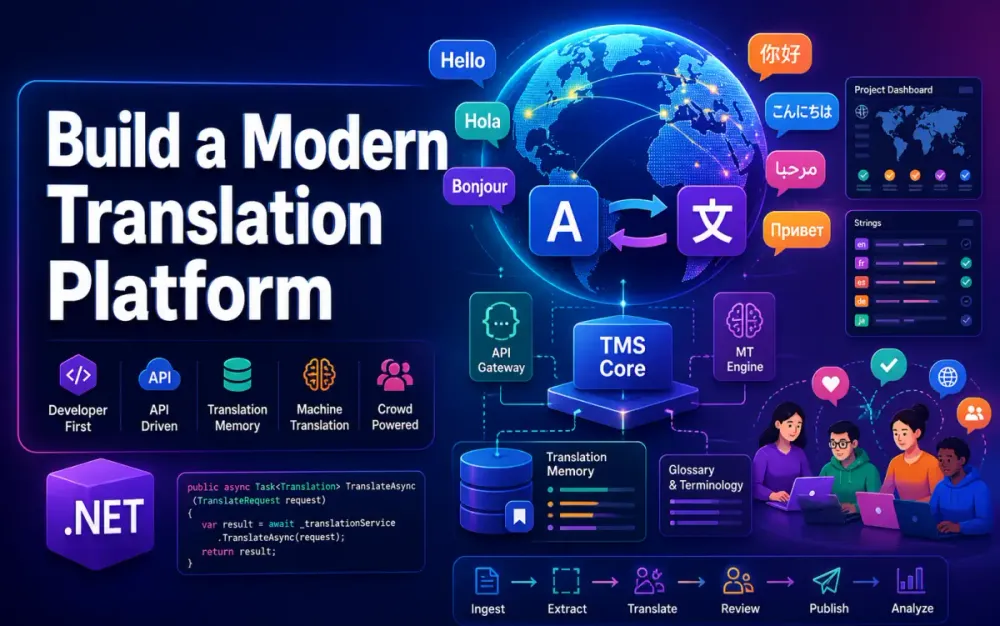
1 Building a Translation Management System: Machine Translation Integration, Translation Memory, and Crowd-Sourced Localization
A Translation Management System is not just a wrapper around DeepL, Google Translate, or Azure AI Translator. At production scale, it becomes a workflow system, a quality-control system, a terminology system, and an audit system. The goal is to translate content once, reuse it safely, route difficult content to humans, and keep enough context so translators and machine translation engines do not guess incorrectly.
This article starts the implementation from the architecture foundation: the localization problem, the domain model, and the machine translation provider layer. The target stack is a .NET 9 Web API backend, React translator workbench, PostgreSQL, Redis, and a provider abstraction that can route work across DeepL, Google Cloud Translation, Azure AI Translator, and future engines. The requested scope and outline are based on the uploaded article brief.
1.1 Why This Matters Now
Localization used to be treated as a release-side activity: export strings, send them to translators, receive files back, and merge them before deployment. That breaks down quickly when teams ship weekly, product copy changes frequently, and multiple applications share terminology.
The common failure mode is the “copy-paste DeepL era.” A developer, product manager, or regional team copies UI strings into a machine translation tool, pastes the result into a resource file, and moves on. It feels fast, but the hidden cost appears later.
There is no consistent terminology. “Claim,” “case,” “matter,” and “request” may all be translated differently across screens. There is no audit trail showing who approved a translation. There is no reuse, so the same sentence is translated repeatedly. There is no quality visibility, so the team cannot tell whether Spanish support content is improving or getting worse.
A production TMS solves this by making translation a managed pipeline. Machine translation is useful, but it is only one part of the system.
1.2 Common Mistakes and Better Approaches
The first mistake is translating files instead of translation units. A file is only a transport format. The real unit of work is a segment: a sentence, label, message, paragraph, or ICU message that can be translated, reviewed, scored, and reused.
Incorrect:
Translate the full en-US.json file and replace it with es-ES.json.Better:
Extract stable translation units, preserve keys and placeholders, translate each segment, review changes, then export back to JSON.The second mistake is hardcoding one machine translation provider. Provider quality varies by language pair, content type, cost tier, formality support, glossary support, and data residency. DeepL’s documentation explicitly recommends checking supported language features dynamically rather than assuming fixed support, because language and feature availability can change.
The third mistake is ignoring standards. If you store translations in a proprietary shape only your application understands, migration becomes painful. XLIFF, TMX, TBX, ICU MessageFormat, and BCP 47 language tags are not academic details. They reduce vendor lock-in and make imports, exports, and integrations predictable.
1.3 What We’ll Cover
We will build the foundation for a production-grade Translation Management System:
- The localization architecture and the role of machine translation, translation memory, context, and quality scoring.
- A domain model based on translation units, segments, language pairs, jobs, glossaries, and translation memories.
- A provider model for DeepL, Google Cloud Translation, Azure AI Translator, and future engines.
- Rate limiting, batching, routing, and cost control.
The design assumes a .NET 9 Web API backend, PostgreSQL for durable storage, Redis for caching and locks, and a React-based Translator Workbench UI. The UI matters, but the backend model matters more. A weak model creates workflow problems no front end can fix.
1.4 What a Production TMS Actually Does
A production TMS has four pillars.
Machine translation integration provides fast first drafts. This may come from DeepL, Google Cloud Translation, Azure AI Translator, ModernMT, or an internal model. The key is not to call one provider blindly. The system should know which engine was used, why it was selected, how much it cost, and whether it produced acceptable quality.
Translation Memory stores approved source-target pairs. When the same or similar segment appears again, the system proposes an exact or fuzzy match instead of paying for translation again. This reduces cost and improves consistency.
Context management keeps translations meaningful. A segment like “Save” is ambiguous without knowing whether it is a button, a menu item, a file action, or a game state. Context includes developer notes, screenshots, UI element type, surrounding strings, character limits, and domain tags.
Quality scoring gives the system a feedback loop. Automated rules detect missing placeholders, broken URLs, untranslated text, number mismatches, punctuation errors, forbidden terms, and terminology violations. Human review, peer voting, post-edit distance, and automated quality metrics can then feed a composite score.
These four pillars interlock. Machine translation generates a candidate. Translation Memory provides reusable matches. Context improves both MT and human decisions. Quality scoring decides whether the segment can move forward, needs review, or should be rejected.
1.5 Scoping the System We Will Build
The backend is a modular .NET 9 Web API. It exposes APIs for project ingestion, translation jobs, translation memory lookup, glossary enforcement, machine translation routing, and quality checks.
PostgreSQL stores the main model:
Project
SourceDocument
TranslationUnit
Segment
TranslationJob
TranslationMemory
Glossary
Contributor
TranslationHistory
QualityResult
Redis supports caching and operational coordination. It stores hot Translation Memory lookups, glossary term caches, rate-limit counters, provider usage windows, and short-lived job locks.
The React Translator Workbench shows segment-by-segment editing, MT suggestions, TM matches, glossary warnings, screenshots, and review status. It should not contain business rules. It should display decisions made by the API.
A simplified architecture looks like this:
React Workbench
      |
.NET 9 Web API
      |
      |-- TranslationCore: projects, documents, TUs, TM, glossary
      |-- MTGateway: provider routing, retries, rate limits, cost tracking
      |-- JobOrchestration: assignment, locking, review workflow
      |-- QualityService: placeholder checks, term checks, scoring
      |
PostgreSQL + Redis
      |
DeepL / Google Cloud Translation / Azure AI Translator / Future Providers
This shape keeps provider-specific logic out of the domain model. That matters because provider APIs change, but translation history and approved content must remain stable.
1.6 Key Standards Every .NET Architect Must Know
XLIFF is the most important interchange format for localization workflows. XLIFF 2.0 is an OASIS standard designed for localization data exchange. It represents source and target content, units, segments, notes, state, and metadata in a vendor-neutral format.
TMX 1.4b is the common exchange format for Translation Memory. Even if your internal TM schema is optimized for PostgreSQL or OpenSearch, export support matters because clients, vendors, and legacy CAT tools often expect TMX.
TBX is used for terminology and termbases. It helps exchange approved terms, forbidden terms, definitions, and subject domains.
ICU MessageFormat handles pluralization, gender, selection, and locale-sensitive messages. A TMS that treats ICU messages as plain strings will break placeholders and plural branches.
BCP 47 language tags provide a standard way to represent language and locale identifiers such as en-US, fr-CA, pt-BR, and zh-Hant-TW. BCP 47 is widely referenced by localization standards and web technologies for language tagging.
Use standards at the boundary. Internally, you can normalize into your own model. But imports and exports should respect the formats teams already use.
2 Domain Modeling: Thinking in Translation Units
The most important design decision is this: the TMS does not translate documents. It translates translation units.
A source document may be a .resx, .json, .po, .xliff, Markdown file, CMS page, or database export. Each document is parsed into translation units. Each translation unit contains one or more segments. Segments move through workflow independently.
2.1 Core Entities and Their Relationships
A practical model starts with these entities:
public sealed class Project
{
    public Guid Id { get; init; }
    public string TenantId { get; init; } = default!;
    public string Name { get; set; } = default!;
    public string SourceLocale { get; set; } = "en-US";
    public List<SourceDocument> Documents { get; set; } = [];
}

public sealed class SourceDocument
{
    public Guid Id { get; init; }
    public Guid ProjectId { get; init; }
    public string Path { get; set; } = default!;
    public string Format { get; set; } = default!; // resx, json, xliff, markdown
    public string ContentHash { get; set; } = default!;
    public int SourceVersion { get; set; }
    public List<TranslationUnit> Units { get; set; } = [];
}

public sealed class TranslationUnit
{
    public Guid Id { get; init; }
    public Guid SourceDocumentId { get; init; }
    public string Key { get; set; } = default!;
    public string SourceText { get; set; } = default!;
    public string SourceHash { get; set; } = default!;
    public Dictionary<string, object> Metadata { get; set; } = [];
    public List<Segment> Segments { get; set; } = [];
}

public sealed class Segment
{
    public Guid Id { get; init; }
    public Guid TranslationUnitId { get; init; }
    public string TargetLocale { get; set; } = default!;
    public string SourceText { get; set; } = default!;
    public string? TargetText { get; set; }
    public SegmentState State { get; set; } = SegmentState.New;
    public decimal? QualityScore { get; set; }
}

public enum SegmentState
{
    New,
    MachineTranslated,
    HumanReview,
    Approved,
    Published
}
The model separates the source unit from target-language segments. This avoids duplicating source metadata for every language and makes change detection easier.
A LanguagePair is usually represented as normalized source and target tags:
public readonly record struct LanguagePair(string Source, string Target)
{
    public override string ToString() => $"{Source}->{Target}";
}
A Glossary belongs to a tenant, project, domain, or language pair. A TranslationMemory contains approved translations and metadata. A TranslationJob assigns segments to a machine translation batch, human translator, reviewer, or community group.
2.2 The Segment as the Unit of Work
You translate sentences or messages, not files. A .resx file may contain 2,000 keys, but only 14 changed since the last release. A Markdown page may contain 80 paragraphs, but only two were edited. Segment-level processing lets the TMS translate only what changed.
Segmentation must preserve meaning. Splitting on every period is not enough. You need to handle abbreviations, placeholders, HTML tags, Markdown links, ICU plural blocks, and inline code.
Incorrect:
You have {count, plural, one {# message} other {# messages}}.Split into:
You have {count, plural, one {# message}
other {# messages}}.Recommended:
Treat the ICU message as one protected translation unit.
Validate placeholders after translation.
The segment state machine should be explicit:
New -> MachineTranslated -> HumanReview -> Approved -> PublishedDo not overload a nullable ApprovedByUserId field to infer state. Workflow state deserves its own column because it drives permissions, queues, metrics, and release eligibility.
2.3 Versioning and Change Detection
A common mistake is invalidating all target translations when a source file changes. Instead, compute a stable hash per translation unit.
public static string ComputeSourceHash(string sourceText)
{
    var normalized = sourceText
        .Normalize()
        .Replace("\r\n", "\n")
        .Trim();

    var bytes = System.Text.Encoding.UTF8.GetBytes(normalized);
    return Convert.ToHexString(System.Security.Cryptography.SHA256.HashData(bytes));
}
When a source document is re-imported:
if (existingUnit.SourceHash == incomingUnit.SourceHash)
{
    // No source change. Preserve approved translations.
}
else
{
    // Source changed. Keep old target text as reference.
    // Attempt exact/fuzzy TM lookup.
    // Move affected target segments back to review.
}
This pattern lets you track SourceVersion at document level and SourceHash at unit level. It also supports fuzzy matching. A fuzzy match means the new source text is similar enough to an approved previous source text that the old target translation may be reusable with edits.
At the data layer, fuzzy match is not magic. It is a scored lookup across normalized source text, language pair, tenant, domain, and metadata.
2.4 Multi-Tenancy and Namespace Isolation
Translation Memory can be valuable and dangerous. Sharing TM entries across clients may reduce cost, but it can also leak confidential terminology, product names, legal phrases, or customer-specific language.
A safe default is tenant-isolated TM:
Tenant A TM: private
Tenant B TM: private
Global TM: optional, curated, scrubbed
Glossaries should also be scoped. A legal glossary and a marketing glossary may disagree intentionally. In a legal context, “claim” may need a precise term. In marketing copy, the translation may be more natural.
For EF Core, you have two common options.
Schema per tenant gives strong isolation but increases operational complexity:
tenant_acme.translation_units
tenant_contoso.translation_units
Row-level filtering is simpler:
modelBuilder.Entity<TranslationUnit>()
    .HasQueryFilter(x => x.TenantId == tenantContext.TenantId);
Row-level filtering is usually enough for mid-size SaaS platforms, but you must enforce tenant filters consistently in background jobs, TM lookup queries, and export APIs. The highest-risk bugs in a TMS are cross-tenant lookup bugs.
2.5 Open-Source Libraries for Domain Parsing
Do not start by writing parsers for every file format. Use libraries where possible, then normalize into your internal model.
For Markdown-aware processing, Markdig is a practical .NET parser. It lets you preserve links, code spans, tables, and front matter instead of treating Markdown as plain text.
For spell checking, WeCantSpell.Hunspell can support language-specific dictionaries in QA workflows.
For XLIFF and TTX-style workflows, SDL/RWS file-type libraries may be useful depending on licensing and compatibility needs. Validate the current package status before committing to it in a product.
A clean extension point is more important than the first parser:
public interface ISourceDocumentParser
{
    string Format { get; }

    Task<IReadOnlyList<ParsedTranslationUnit>> ParseAsync(
        Stream document,
        CancellationToken ct);
}

public sealed record ParsedTranslationUnit(
    string Key,
    string SourceText,
    IReadOnlyDictionary<string, object> Metadata);
For segmentation, keep a separate interface:
public interface ISegmenter
{
    IReadOnlyList<string> Segment(string sourceText, string sourceLocale, SegmentOptions options);
}

public sealed record SegmentOptions(
    bool PreserveIcuMessages,
    bool PreserveHtmlTags,
    bool PreserveMarkdownLinks);
That separation allows one parser to extract a value and another component to decide whether it can be split.
3 Machine Translation Provider Architecture
Machine translation should be treated as an infrastructure dependency, not as domain logic. The TMS owns projects, segments, workflow, translation memory, glossary rules, and quality decisions. Providers only generate candidates.
3.1 Why a Single Provider Is Never Enough
A single-provider architecture looks simple until real content arrives.
One provider may produce better legal translations. Another may support more languages. Another may offer better glossary behavior. One may support formality controls for a target language, while another may not. One may be acceptable for public documentation but not for regulated customer data.
DeepL supports querying its supported languages through its API, and feature support such as glossary or formality should be checked dynamically rather than hardcoded. Google Cloud Translation Advanced supports glossaries, custom translation models, and batch translation features. Azure AI Translator exposes text translation, transliteration, and dictionary-style lookup operations through REST APIs.
The better design is a provider gateway with routing rules.
3.2 Designing the Provider Abstraction
Start with a small contract and make capabilities explicit.
public interface IMachineTranslationProvider
{
    string Name { get; }

    ProviderCapabilities Capabilities { get; }

    Task<TranslationResult> TranslateAsync(
        TranslationRequest request,
        CancellationToken ct);

    Task<IReadOnlyList<TranslationResult>> TranslateBatchAsync(
        IReadOnlyList<TranslationRequest> requests,
        CancellationToken ct);

    Task<LanguageDetectionResult> DetectLanguageAsync(
        string text,
        CancellationToken ct);
}

[Flags]
public enum ProviderCapabilities
{
    None = 0,
    Batch = 1,
    Glossary = 2,
    Formality = 4,
    HtmlAware = 8,
    Transliteration = 16,
    DictionaryLookup = 32
}

public sealed record TranslationRequest(
    string SourceText,
    string SourceLocale,
    string TargetLocale,
    string? GlossaryId,
    string ContentType,
    IReadOnlyDictionary<string, object> Context);

public sealed record TranslationResult(
    string Provider,
    string TargetText,
    decimal Confidence,
    int CharacterCount,
    string? ProviderRequestId,
    IReadOnlyDictionary<string, object> Metadata);
Avoid leaking provider-specific request objects into the application layer. TranslationRequest is your stable contract. Provider adapters map it to DeepL, Google, Azure, or another engine.
3.3 Implementing the DeepL Provider
DeepL is often strong for European languages and business content, but do not design around assumptions. Query capabilities and supported languages. DeepL’s HTML handling works by setting tag_handling=html, which tells the API to process the HTML structure, translate extracted text, and place translations back into the structure. DeepL also supports formality controls for certain target languages, with fallback options available for unsupported targets.
A provider implementation should handle retries, usage mapping, and glossary IDs.
public sealed class DeepLProvider : IMachineTranslationProvider
{
    private readonly HttpClient _http;
    private readonly ILogger<DeepLProvider> _logger;

    public string Name => "deepl";

    public ProviderCapabilities Capabilities =>
        ProviderCapabilities.Batch |
        ProviderCapabilities.Glossary |
        ProviderCapabilities.Formality |
        ProviderCapabilities.HtmlAware;

    public DeepLProvider(HttpClient http, ILogger<DeepLProvider> logger)
    {
        _http = http;
        _logger = logger;
    }

    public async Task<TranslationResult> TranslateAsync(
        TranslationRequest request,
        CancellationToken ct)
    {
        var payload = new Dictionary<string, object?>
        {
            ["text"] = new[] { request.SourceText },
            ["source_lang"] = request.SourceLocale,
            ["target_lang"] = request.TargetLocale
        };

        if (request.ContentType == "text/html")
            payload["tag_handling"] = "html";

        if (!string.IsNullOrWhiteSpace(request.GlossaryId))
            payload["glossary_id"] = request.GlossaryId;

        using var response = await _http.PostAsJsonAsync("/v2/translate", payload, ct);

        if ((int)response.StatusCode is 429 or 503)
        {
            _logger.LogWarning("DeepL throttled or unavailable for {TargetLocale}", request.TargetLocale);
        }

        response.EnsureSuccessStatusCode();

        var deepl = await response.Content.ReadFromJsonAsync<DeepLTranslateResponse>(cancellationToken: ct)
                    ?? throw new InvalidOperationException("Empty DeepL response.");

        var translated = deepl.Translations.Single().Text;

        return new TranslationResult(
            Provider: Name,
            TargetText: translated,
            Confidence: 0,
            CharacterCount: request.SourceText.Length,
            ProviderRequestId: null,
            Metadata: new Dictionary<string, object>
            {
                ["model"] = "deepl",
                ["glossaryId"] = request.GlossaryId ?? ""
            });
    }

    public Task<IReadOnlyList<TranslationResult>> TranslateBatchAsync(
        IReadOnlyList<TranslationRequest> requests,
        CancellationToken ct)
        => throw new NotImplementedException();

    public Task<LanguageDetectionResult> DetectLanguageAsync(string text, CancellationToken ct)
        => throw new NotImplementedException();
}

public sealed record DeepLTranslateResponse(IReadOnlyList<DeepLTranslation> Translations);
public sealed record DeepLTranslation(string Text, string? DetectedSourceLanguage);
public sealed record LanguageDetectionResult(string Locale, decimal Confidence);
In production, wrap calls with Polly or the built-in resilience pipeline, handle 429 and 503, and map provider usage to your own cost ledger.
3.4 Implementing the Google Cloud Translation Provider
For new .NET implementations, prefer the Google Cloud Translation v3 client package, Google.Cloud.Translate.V3. Google’s .NET reference identifies TranslationServiceClient as the v3 API client, and the current reference package line is documented as Google.Cloud.Translate.V3.
A simplified provider looks like this:
using Google.Cloud.Translate.V3;

public sealed class GoogleTranslationProvider : IMachineTranslationProvider
{
    private readonly TranslationServiceClient _client;
    private readonly string _parent;

    public string Name => "google-translate-v3";

    public ProviderCapabilities Capabilities =>
        ProviderCapabilities.Batch | ProviderCapabilities.Glossary;

    public GoogleTranslationProvider(
        TranslationServiceClient client,
        IConfiguration configuration)
    {
        _client = client;
        var projectId = configuration["GoogleCloud:ProjectId"];
        var location = configuration["GoogleCloud:Location"] ?? "global";
        _parent = $"projects/{projectId}/locations/{location}";
    }

    public async Task<TranslationResult> TranslateAsync(
        TranslationRequest request,
        CancellationToken ct)
    {
        var translateRequest = new TranslateTextRequest
        {
            Parent = _parent,
            SourceLanguageCode = request.SourceLocale,
            TargetLanguageCode = request.TargetLocale,
            MimeType = request.ContentType,
            Contents = { request.SourceText }
        };

        if (!string.IsNullOrWhiteSpace(request.GlossaryId))
        {
            translateRequest.GlossaryConfig = new TranslateTextGlossaryConfig
            {
                Glossary = request.GlossaryId
            };
        }

        var response = await _client.TranslateTextAsync(translateRequest, cancellationToken: ct);
        var translation = response.Translations.First();

        return new TranslationResult(
            Provider: Name,
            TargetText: translation.TranslatedText,
            Confidence: 0,
            CharacterCount: request.SourceText.Length,
            ProviderRequestId: null,
            Metadata: new Dictionary<string, object>
            {
                ["mimeType"] = request.ContentType
            });
    }

    public Task<IReadOnlyList<TranslationResult>> TranslateBatchAsync(
        IReadOnlyList<TranslationRequest> requests,
        CancellationToken ct)
        => throw new NotImplementedException();

    public Task<LanguageDetectionResult> DetectLanguageAsync(string text, CancellationToken ct)
        => throw new NotImplementedException();
}
Use service account credentials, workload identity, or platform-native credentials. Do not store JSON keys in source control.
3.5 Implementing an Azure AI Translator Provider
Azure AI Translator is usually integrated through REST or SDK clients, depending on language and feature needs. The REST surface includes translation, transliteration, dictionary lookup, and language discovery operations. Microsoft’s Translator REST documentation describes text translation as a cloud-based feature and lists available methods such as translate, transliterate, dictionary lookup, and supported languages.
A minimal REST provider:
public sealed class AzureTranslatorProvider : IMachineTranslationProvider
{
    private readonly HttpClient _http;
    private readonly string _region;

    public string Name => "azure-translator";

    public ProviderCapabilities Capabilities =>
        ProviderCapabilities.Batch |
        ProviderCapabilities.Transliteration |
        ProviderCapabilities.DictionaryLookup;

    public AzureTranslatorProvider(HttpClient http, IConfiguration config)
    {
        _http = http;
        _region = config["AzureTranslator:Region"]!;
    }

    public async Task<TranslationResult> TranslateAsync(
        TranslationRequest request,
        CancellationToken ct)
    {
        var route = $"/translate?api-version=3.0&from={request.SourceLocale}&to={request.TargetLocale}";

        using var httpRequest = new HttpRequestMessage(HttpMethod.Post, route)
        {
            Content = JsonContent.Create(new[]
            {
                new { Text = request.SourceText }
            })
        };

        httpRequest.Headers.Add("Ocp-Apim-Subscription-Region", _region);

        using var response = await _http.SendAsync(httpRequest, ct);
        response.EnsureSuccessStatusCode();

        var results = await response.Content.ReadFromJsonAsync<List<AzureTranslateResponse>>(cancellationToken: ct)
                      ?? throw new InvalidOperationException("Empty Azure Translator response.");

        var translated = results[0].Translations[0].Text;

        return new TranslationResult(
            Provider: Name,
            TargetText: translated,
            Confidence: 0,
            CharacterCount: request.SourceText.Length,
            ProviderRequestId: null,
            Metadata: new Dictionary<string, object>());
    }

    public Task<IReadOnlyList<TranslationResult>> TranslateBatchAsync(
        IReadOnlyList<TranslationRequest> requests,
        CancellationToken ct)
        => throw new NotImplementedException();

    public Task<LanguageDetectionResult> DetectLanguageAsync(string text, CancellationToken ct)
        => throw new NotImplementedException();
}

public sealed record AzureTranslateResponse(List<AzureTranslation> Translations);
public sealed record AzureTranslation(string Text, string To);
For dictionary suggestions, call Azure’s Dictionary Lookup endpoint. It returns alternative translations with part-of-speech and back-translation details, which can be useful in a translator workbench.
3.6 The Provider Router: Intelligent Engine Selection
The provider router chooses the best engine for a segment. It should not be a long if statement buried in a controller.
public interface IProviderRouter
{
    Task<ProviderSelection> SelectAsync(
        TranslationRequest request,
        CancellationToken ct);
}

public sealed record ProviderSelection(
    string ProviderName,
    string Reason,
    decimal EstimatedCost);
Example routing rules:
If target locale is fr-CA and project domain is legal, prefer provider A.
If content type is text/html, require HtmlAware capability.
If project budget is near limit, prefer lower-cost provider.
If glossary is mandatory, require Glossary capability.
If provider fails with 429, retry later or route to fallback.
Persist the routing decision:
SegmentId
ProviderName
RuleMatched
EstimatedCost
ActualCost
RequestedAt
CompletedAt
This gives architects, finance teams, and localization managers a clear audit trail.
3.7 Rate Limiting, Queuing, and Cost Budgets
Provider APIs have rate limits, latency spikes, and usage costs. Your TMS should protect itself before providers reject requests.
Use System.Threading.RateLimiting for per-provider throttling:
using System.Threading.RateLimiting;

var limiter = new SlidingWindowRateLimiter(new SlidingWindowRateLimiterOptions
{
    PermitLimit = 100,
    Window = TimeSpan.FromMinutes(1),
    SegmentsPerWindow = 6,
    QueueProcessingOrder = QueueProcessingOrder.OldestFirst,
    QueueLimit = 500
});
For in-process batching, use Channel<T>:
public sealed class TranslationBatchQueue
{
    private readonly Channel<TranslationRequest> _channel =
        Channel.CreateBounded<TranslationRequest>(new BoundedChannelOptions(10_000)
        {
            FullMode = BoundedChannelFullMode.Wait
        });

    public ValueTask EnqueueAsync(TranslationRequest request, CancellationToken ct)
        => _channel.Writer.WriteAsync(request, ct);

    public IAsyncEnumerable<TranslationRequest> ReadAllAsync(CancellationToken ct)
        => _channel.Reader.ReadAllAsync(ct);
}
For larger systems, move batching to RabbitMQ, Azure Service Bus, or Kafka. Keep the same provider abstraction.
Cost estimation should happen before submission:
public interface ITranslationCostEstimator
{
    Money Estimate(string provider, int characterCount, string sourceLocale, string targetLocale);
}

public readonly record struct Money(decimal Amount, string Currency);
Track cost by tenant, project, provider, user, and language pair. Alert when a project crosses 80% of budget. Block or require approval at 100%, depending on business rules.
4 Translation Memory: Building Your Own TM Engine
Translation Memory is where the TMS starts paying for itself. Every approved translation becomes reusable knowledge instead of a one-time output from a machine translation provider or a human reviewer. In the article outline you provided, this section continues directly from the provider layer and focuses on building a TM engine that supports exact matches, fuzzy matches, semantic matches, and safe write-back from reviewed translations.
4.1 What Translation Memory Actually Stores
A Translation Memory entry is not just source text and translated text. It needs enough metadata to decide whether the match is safe to reuse.
public sealed class TranslationMemoryEntry
{
    public Guid Id { get; init; }
    public string TenantId { get; init; } = default!;
    public string SourceLocale { get; init; } = default!;
    public string TargetLocale { get; init; } = default!;
    public string SourceText { get; init; } = default!;
    public string TargetText { get; set; } = default!;
    public string SourceHash { get; init; } = default!;
    public string NormalizedSource { get; init; } = default!;
    public string? Domain { get; set; }
    public string? ProjectId { get; set; }
    public string CreatedBy { get; init; } = default!;
    public DateTimeOffset CreatedAt { get; init; }
    public int UsageCount { get; set; }
    public decimal QualityScore { get; set; }
}
The SourceHash supports exact match. NormalizedSource supports fuzzy and semantic lookup. Domain prevents a legal translation from being reused in marketing content without review.
TMX remains useful as the interchange format. Internally, you can optimize storage for PostgreSQL, Elasticsearch, or pgvector. But when a client asks for their Translation Memory export, TMX is the safest portable format.
4.2 Storage Architecture Options and Trade-offs
For most .NET teams, PostgreSQL is the right first TM store. It gives you transactions, indexing, tenant filtering, JSON metadata, and simple deployment. Add pg_trgm for fuzzy matching. PostgreSQL’s pg_trgm module provides similarity functions and index support for fast search over similar strings.
CREATE EXTENSION IF NOT EXISTS pg_trgm;

CREATE TABLE translation_memory_entries (
    id uuid PRIMARY KEY,
    tenant_id text NOT NULL,
    source_locale text NOT NULL,
    target_locale text NOT NULL,
    source_text text NOT NULL,
    target_text text NOT NULL,
    source_hash text NOT NULL,
    normalized_source text NOT NULL,
    domain text NULL,
    quality_score numeric(5,2) NOT NULL,
    usage_count int NOT NULL DEFAULT 0,
    created_at timestamptz NOT NULL
);

CREATE UNIQUE INDEX ux_tm_exact
ON translation_memory_entries
(tenant_id, source_locale, target_locale, source_hash);

CREATE INDEX ix_tm_trgm
ON translation_memory_entries
USING gin (normalized_source gin_trgm_ops);
This works well for small and mid-size systems. Once the TM grows into tens or hundreds of millions of segments, OpenSearch or Elasticsearch may become attractive because of distributed indexing and operational tooling.
For semantic matching, use pgvector or Qdrant. pgvector stores embeddings directly in PostgreSQL and supports approximate indexes such as HNSW and IVFFlat for vector search. Use this when wording changes but meaning remains close.
4.3 Implementing Exact Match and Fuzzy Match
Exact match should always run first. It is cheap, deterministic, and safe.
public async Task<TranslationMemoryEntry?> FindExactAsync(
    string tenantId,
    LanguagePair pair,
    string sourceText,
    CancellationToken ct)
{
    var hash = ComputeSourceHash(sourceText);

    return await _db.TranslationMemoryEntries
        .Where(x => x.TenantId == tenantId)
        .Where(x => x.SourceLocale == pair.Source)
        .Where(x => x.TargetLocale == pair.Target)
        .Where(x => x.SourceHash == hash)
        .OrderByDescending(x => x.QualityScore)
        .FirstOrDefaultAsync(ct);
}
Fuzzy match is a ranked search. A 100% score means the normalized source is effectively identical. An 85% match is usually useful for reviewer-assisted reuse. A 75% match may be useful only as a suggestion.
public async Task<IReadOnlyList<TmMatch>> FindFuzzyAsync(
    string tenantId,
    LanguagePair pair,
    string normalizedSource,
    decimal threshold,
    int limit,
    CancellationToken ct)
{
    return await _db.Database
        .SqlQuery<TmMatch>($"""
            SELECT id AS "EntryId",
                   target_text AS "TargetText",
                   similarity(normalized_source, {normalizedSource}) AS "Score"
            FROM translation_memory_entries
            WHERE tenant_id = {tenantId}
              AND source_locale = {pair.Source}
              AND target_locale = {pair.Target}
              AND similarity(normalized_source, {normalizedSource}) >= {threshold}
            ORDER BY "Score" DESC
            LIMIT {limit}
        """)
        .ToListAsync(ct);
}

public sealed record TmMatch(Guid EntryId, string TargetText, decimal Score);
Do not auto-publish fuzzy matches unless the risk is low. Use them as review accelerators.
4.4 Segment Normalization and Tag Stripping
Raw segments often contain tags, placeholders, Markdown links, or ICU variables. Those details matter for rendering, but they distort matching.
public static string NormalizeForTmLookup(string text)
{
    var withoutHtml = Regex.Replace(text, "<[^>]+>", " ");
    var normalizedPlaceholders = Regex.Replace(
        withoutHtml,
        @"(\{[a-zA-Z0-9_]+\}|%s|%d|\{\{[a-zA-Z0-9_]+\}\})",
        "{VAR}");

    return Regex.Replace(normalizedPlaceholders, @"\s+", " ")
        .Trim()
        .ToLowerInvariant();
}
The important rule is to preserve the original segment separately. Normalization is only for lookup. If the TM returns a candidate, run a placeholder validator before exposing it as reusable.
public static bool HasSamePlaceholders(string source, string target)
{
    var pattern = @"\{[a-zA-Z0-9_]+\}|%s|%d|\{\{[a-zA-Z0-9_]+\}\}";
    var sourceTokens = Regex.Matches(source, pattern).Select(x => x.Value).Order().ToArray();
    var targetTokens = Regex.Matches(target, pattern).Select(x => x.Value).Order().ToArray();

    return sourceTokens.SequenceEqual(targetTokens);
}
This prevents a common production issue: the translation looks linguistically correct but breaks the UI because {count} or %s disappeared.
4.5 Leveraging Sentence-Embedding-Based Semantic TM
Edit distance works when the wording is similar. It fails when the sentence is rewritten.
Original: Submit your claim before the deadline.
Changed: File the request prior to the due date.
A fuzzy text match may score this poorly. A multilingual sentence embedding can identify that the meaning is close.
In .NET, Microsoft.ML.OnnxRuntime is a practical way to run local embedding models. ONNX Runtime provides .NET bindings for running ONNX models, and the NuGet package is actively maintained.
public interface IEmbeddingService
{
    Task<float[]> EmbedAsync(string text, CancellationToken ct);
}
Store embeddings with pgvector:
CREATE EXTENSION IF NOT EXISTS vector;

ALTER TABLE translation_memory_entries
ADD COLUMN source_embedding vector(384);

CREATE INDEX ix_tm_embedding_hnsw
ON translation_memory_entries
USING hnsw (source_embedding vector_cosine_ops);
Then query by similarity:
SELECT id, target_text, 1 - (source_embedding <=> @embedding) AS score
FROM translation_memory_entries
WHERE tenant_id = @tenantId
  AND source_locale = @sourceLocale
  AND target_locale = @targetLocale
ORDER BY source_embedding <=> @embedding
LIMIT 5;
Use semantic TM as a second-stage suggestion, not as an automatic replacement for approved exact matches. It is powerful, but it can return meaning-adjacent content that still needs human judgment.
4.6 TM Auto-Population from MT Post-Edits
The feedback loop is simple: machine translation produces a draft, a human improves it, and the approved result becomes a TM entry.
The risk is TM pollution. If poor translations are stored, the system repeats mistakes at scale. Use quality gates before write-back.
public async Task TryWriteBackAsync(Segment segment, CancellationToken ct)
{
    if (segment.State != SegmentState.Approved)
        return;

    if (segment.QualityScore is null or < 85)
        return;

    if (!HasSamePlaceholders(segment.SourceText, segment.TargetText!))
        return;

    var entry = new TranslationMemoryEntry
    {
        Id = Guid.NewGuid(),
        TenantId = segment.TenantId,
        SourceLocale = segment.SourceLocale,
        TargetLocale = segment.TargetLocale,
        SourceText = segment.SourceText,
        TargetText = segment.TargetText!,
        SourceHash = ComputeSourceHash(segment.SourceText),
        NormalizedSource = NormalizeForTmLookup(segment.SourceText),
        CreatedBy = segment.ApprovedBy!,
        CreatedAt = DateTimeOffset.UtcNow,
        QualityScore = segment.QualityScore.Value
    };

    _db.TranslationMemoryEntries.Add(entry);
    await _db.SaveChangesAsync(ct);
}
Post-edit distance is also useful. If the human changed almost everything from the MT draft, the provider output was weak. If only terminology changed, the provider may be good but needs glossary support.
4.7 TMX Import/Export Pipeline
TMX import should be treated as a batch job, not a request-response API call. Files can be large, malformed, or encoded inconsistently.
public async Task ImportTmxAsync(Stream stream, string tenantId, CancellationToken ct)
{
    var doc = await XDocument.LoadAsync(stream, LoadOptions.None, ct);

    var tus = doc.Descendants("tu");

    foreach (var batch in tus.Chunk(500))
    {
        foreach (var tu in batch)
        {
            var variants = tu.Elements("tuv").ToList();
            var source = variants.FirstOrDefault(x => (string?)x.Attribute(XNamespace.Xml + "lang") == "en-US");
            var target = variants.FirstOrDefault(x => (string?)x.Attribute(XNamespace.Xml + "lang") == "es-ES");

            if (source is null || target is null)
                continue;

            var sourceText = source.Descendants("seg").FirstOrDefault()?.Value;
            var targetText = target.Descendants("seg").FirstOrDefault()?.Value;

            if (string.IsNullOrWhiteSpace(sourceText) || string.IsNullOrWhiteSpace(targetText))
                continue;

            _db.TranslationMemoryEntries.Add(CreateEntry(tenantId, sourceText, targetText));
        }

        await _db.SaveChangesAsync(ct);
    }
}
For export, generate TMX from approved entries only. Normalize encoding to UTF-8 and preserve right-to-left markers where they are part of the text.
5 Context Management: Helping Translators and MT Engines
Context is where translation quality often succeeds or fails. The same word can mean different things depending on where it appears, who sees it, and what action it triggers.
5.1 Why Context Is the Hardest Problem
A button labeled “Save” is easy in English and risky in translation. It may mean save a file, save form data, save a person from danger, or save progress in a game. “Mute” can mean disable notifications, silence audio, or block a user.
Machine translation engines and human translators both need context. Without it, they guess. A production TMS should make guessing less common by attaching context to every important segment.
5.2 Context Metadata Model
Store context close to the translation unit. PostgreSQL JSON works well because context varies by source type.
public sealed record TranslationContext(
    string? ScreenshotUri,
    string? UiElementType,
    int? CharacterLimit,
    string? DeveloperNote,
    string? Domain,
    Guid? PreviousSegmentId,
    Guid? NextSegmentId);
EF Core can map this as JSON:
modelBuilder.Entity<TranslationUnit>()
    .OwnsOne(x => x.Context, builder =>
    {
        builder.ToJson();
    });
Example metadata:
{
  "uiElementType": "button",
  "developerNote": "Submits the claim form. Do not translate as legal claim ownership.",
  "domain": "claims-processing",
  "characterLimit": 24,
  "screenshotUri": "https://cdn.example.com/screens/claim-submit.png"
}
This metadata should appear in the translator workbench and should also be available to provider routing and QA rules.
5.3 Context Injection into MT Prompts
For high-value content, context can be used before calling the MT provider. The resolver does not replace DeepL, Google, or Azure. It prepares a better request by clarifying ambiguity.
public interface IContextResolver
{
    Task<ResolvedTranslationContext> ResolveAsync(
        TranslationUnit unit,
        string targetLocale,
        CancellationToken ct);
}

public sealed record ResolvedTranslationContext(
    string Domain,
    string Instruction,
    IReadOnlyList<string> RequiredTerms);
Use this for Tier 2 or Tier 3 content, not every low-risk UI label. The latency and cost are not justified for every segment.
5.4 Screenshot Management Pipeline
Screenshots are most useful when linked to exact string keys. For web applications, Playwright can capture screens during CI/CD and store bounding boxes for visible text.
import { test } from '@playwright/test';

test('capture checkout screenshots', async ({ page }) => {
  await page.goto('https://localhost:5001/claims/new');
  await page.screenshot({
    path: 'artifacts/screens/claims-new.png',
    fullPage: true
  });
});
The build pipeline can upload screenshots to blob storage or a CDN, then send screenshot references to the TMS ingestion API.
{
  "key": "claims.submit",
  "sourceText": "Submit",
  "screenshot": {
    "uri": "https://cdn.example.com/screens/claims-new.png",
    "bounds": { "x": 620, "y": 410, "width": 92, "height": 36 }
  }
}
This makes the workbench practical. The translator sees the string in context instead of reviewing a spreadsheet.
5.5 Character Limit Enforcement and Expansion Ratio Warnings
UI translations often expand. If the source button has 12 characters and the translated text needs 22, the layout may break. Do not wait until QA testing to discover that.
public sealed class LengthWarningRule
{
    public QualityResult Check(Segment segment, int characterLimit)
    {
        if (segment.TargetText is null)
            return QualityResult.Pass();

        if (segment.TargetText.Length <= characterLimit)
            return QualityResult.Pass();

        return QualityResult.Warning(
            "LengthLimitExceeded",
            $"Target text is {segment.TargetText.Length} characters; limit is {characterLimit}.");
    }
}
Surface this warning before approval. For hard UI limits, block submission. For soft limits, allow override with reviewer justification.
5.6 Glossary and Termbase as Context
Glossaries are not just dictionaries. They are business rules.
public sealed class GlossaryTerm
{
    public string SourceTerm { get; init; } = default!;
    public string RequiredTargetTerm { get; init; } = default!;
    public string TargetLocale { get; init; } = default!;
    public string Domain { get; init; } = default!;
    public bool IsMandatory { get; init; }
    public bool IsForbidden { get; init; }
}
A term highlight endpoint helps the UI show terminology issues in real time.
app.MapPost("/terms/highlight", async (
    HighlightTermsRequest request,
    GlossaryService glossary,
    CancellationToken ct) =>
{
    var matches = await glossary.FindMatchesAsync(
        request.Text,
        request.TargetLocale,
        request.Domain,
        ct);

    return Results.Ok(matches);
});
Use mandatory terms for product names, legal phrases, and regulated wording. Use forbidden terms for deprecated product names or translations that caused previous issues.
6 Crowd-Sourced Localization Workflow
Crowd-sourced localization adds scale, but it also adds trust problems. The system needs permissions, review gates, voting, version history, and abuse prevention.
6.1 The Hybrid Model: MT, Post-Edit, and Community Review
A practical TMS uses different workflows by content criticality.
Tier 1 content is low-risk and can be machine-translated with automated QA. Tier 2 content needs professional post-editing. Tier 3 content can include community review, especially for open-source projects, games, documentation, and community-driven products.
public enum LocalizationTier
{
    Automated,
    ProfessionalReview,
    CommunityReview
}
Routing should be explicit. Do not let every community contributor edit every segment.
6.2 Contributor Identity, Reputation, and Trust Levels
Contributor trust should be earned through accepted work.
public sealed class Contributor
{
    public Guid Id { get; init; }
    public string DisplayName { get; set; } = default!;
    public TrustLevel TrustLevel { get; set; }
    public decimal ReputationScore { get; set; }
    public int AcceptedTranslations { get; set; }
    public int RejectedTranslations { get; set; }
}

public enum TrustLevel
{
    Newcomer,
    Verified,
    Expert,
    Maintainer
}
Use trust levels for permissions. A newcomer may suggest translations. A verified contributor may claim jobs. An expert may approve low-risk content. A maintainer resolves conflicts.
6.3 The Translation Job Lifecycle API
The job API should make ownership clear.
POST /jobs/claim
GET /jobs/{id}/segments
PUT /segments/{id}/translation
POST /jobs/{id}/submit
Use Redis locks to prevent two people from editing the same segment at the same time.
public async Task<bool> TryClaimSegmentAsync(Guid segmentId, Guid contributorId)
{
    var key = $"segment-lock:{segmentId}";
    var value = contributorId.ToString();

    return await _redis.StringSetAsync(
        key,
        value,
        expiry: TimeSpan.FromMinutes(20),
        when: When.NotExists);
}
Locks should expire. If a contributor disappears, the job should return to the queue.
6.4 Peer Review and Voting
Community review works best when reviewers can compare candidates side by side: MT output, previous TM match, proposed post-edit, and source context.
SignalR is a good fit for real-time review updates because ASP.NET Core SignalR lets server-side code push updates to connected clients.
public sealed class ReviewHub : Hub
{
    public async Task JoinJob(string jobId)
    {
        await Groups.AddToGroupAsync(Context.ConnectionId, $"job:{jobId}");
    }
}

public sealed class ReviewNotifier
{
    private readonly IHubContext<ReviewHub> _hub;

    public ReviewNotifier(IHubContext<ReviewHub> hub)
    {
        _hub = hub;
    }

    public Task VoteRecorded(Guid jobId, Guid segmentId, int score)
    {
        return _hub.Clients
            .Group($"job:{jobId}")
            .SendAsync("vote-recorded", new { segmentId, score });
    }
}
Use quorum rules for acceptance. For example, require two verified reviewers or one maintainer approval for high-visibility content.
6.5 Conflict Resolution and Version History
Every edit should create history. Never overwrite translations silently.
public sealed class TranslationHistory
{
    public Guid Id { get; init; }
    public Guid SegmentId { get; init; }
    public string PreviousText { get; init; } = default!;
    public string NewText { get; init; } = default!;
    public string ChangedBy { get; init; } = default!;
    public DateTimeOffset ChangedAt { get; init; }
    public string Reason { get; init; } = default!;
}
When two translators edit the same segment, compare both against the same base version. If both changed different punctuation or terminology, a maintainer can merge. If both changed meaning, escalate to review.
6.6 Gamification and Contributor Incentives
Points and badges can help, but they should not reward speed over quality. A contributor who submits 100 weak translations should not outrank someone who submits 20 accurate domain-specific corrections.
Reward accepted translations, reviewer agreement, glossary compliance, and maintainer endorsements.
public sealed record ReputationEvent(
    Guid ContributorId,
    string EventType,
    int Points,
    DateTimeOffset OccurredAt);
A monthly digest can be queued after reputation calculation:
public sealed record ContributorDigestMessage(
    Guid ContributorId,
    int AcceptedTranslations,
    int ReviewVotes,
    IReadOnlyList<string> BadgesEarned);
Gamification should support intrinsic motivation: recognition, ownership, and visible product impact. The best community localization systems make contributors feel responsible for quality, not just points.
7 Quality Scoring and Automated QA Pipeline
Quality scoring turns translation from a subjective review activity into a measurable workflow. It will not replace human judgment, but it gives reviewers a consistent way to decide what can be published, what needs correction, and what should never be written back into Translation Memory. The requested continuation focuses on automated QA, COMET, LLM assessment, quality metrics, and production alerts.
7.1 The Translation Quality Landscape in 2025
Traditional machine translation metrics such as BLEU, chrF, and TER are still useful for benchmarking engines, but they are weak at judging whether a single product string is safe to publish. BLEU rewards overlap with a reference translation, so it can penalize valid paraphrases. TER measures edit effort, which helps with post-edit analysis but does not fully capture terminology, tone, or meaning.
COMET is more useful for modern MT evaluation because it uses neural models and is designed to correlate better with human quality judgments. COMET is widely used for MT evaluation and is positioned as a metric that can predict human judgments such as MQM-style quality scores.
Still, a production TMS should not use one score blindly. Combine automatic metrics with rule-based checks, human review, peer agreement, and post-edit distance. BLEU can help compare providers on a controlled dataset. COMET can help score translation adequacy. MQM or LISA-style error categories can help humans classify why a translation failed.
7.2 Implementing Automated QA Checks
Automated QA should run every time a segment changes. The checks should be small, composable, and easy to add without changing the workflow engine.
public interface IQualityCheckRule
{
    string Code { get; }

    Task<QualityCheckResult> CheckAsync(
        Segment segment,
        QualityContext context,
        CancellationToken ct);
}

public sealed record QualityCheckResult(
    string Code,
    QualitySeverity Severity,
    string Message,
    bool Passed);

public enum QualitySeverity
{
    Info,
    Warning,
    Error
}
A placeholder rule is usually mandatory because placeholder loss can break runtime behavior.
public sealed class PlaceholderParityRule : IQualityCheckRule
{
    public string Code => "placeholder_parity";

    public Task<QualityCheckResult> CheckAsync(
        Segment segment,
        QualityContext context,
        CancellationToken ct)
    {
        var source = ExtractPlaceholders(segment.SourceText);
        var target = ExtractPlaceholders(segment.TargetText ?? "");

        var passed = source.Order().SequenceEqual(target.Order());

        return Task.FromResult(new QualityCheckResult(
            Code,
            passed ? QualitySeverity.Info : QualitySeverity.Error,
            passed ? "Placeholders match." : "Target text is missing or changing placeholders.",
            passed));
    }

    private static IEnumerable<string> ExtractPlaceholders(string text)
    {
        return Regex.Matches(text, @"\{[a-zA-Z0-9_]+\}|%s|%d|\{\{[a-zA-Z0-9_]+\}\}")
            .Select(x => x.Value);
    }
}
Run independent rules in parallel and store the result against the segment.
public async Task<IReadOnlyList<QualityCheckResult>> RunAsync(
    Segment segment,
    QualityContext context,
    CancellationToken ct)
{
    var results = new ConcurrentBag<QualityCheckResult>();

    await Parallel.ForEachAsync(_rules, ct, async (rule, token) =>
    {
        results.Add(await rule.CheckAsync(segment, context, token));
    });

    return results.OrderByDescending(x => x.Severity).ToList();
}
Typical rules include number format mismatch, double spaces, untranslated source leakage, broken URLs, forbidden terms, missing glossary terms, and trailing punctuation mismatch.
7.3 COMET Score Integration
COMET is usually easier to run as a Python sidecar than directly inside the .NET process. The TMS calls a small FastAPI service, and the sidecar loads the COMET model once at startup.
from fastapi import FastAPI
from pydantic import BaseModel
from comet import download_model, load_from_checkpoint

app = FastAPI()

model_path = download_model("Unbabel/wmt22-comet-da")
model = load_from_checkpoint(model_path)

class CometRequest(BaseModel):
    source: str
    translation: str
    reference: str | None = None

@app.post("/score")
def score(req: CometRequest):
    data = [{
        "src": req.source,
        "mt": req.translation,
        "ref": req.reference or req.source
    }]
    result = model.predict(data, batch_size=1, gpus=0)
    return {"score": float(result.scores[0])}
From .NET, treat this as an expensive dependency. Cache results by source hash, target hash, locale pair, and model version.
public async Task<decimal> GetCometScoreAsync(Segment segment, CancellationToken ct)
{
    var cacheKey = $"comet:{segment.SourceHash}:{ComputeSourceHash(segment.TargetText!)}";

    var cached = await _redis.StringGetAsync(cacheKey);
    if (cached.HasValue)
        return decimal.Parse(cached!);

    var response = await _http.PostAsJsonAsync("/score", new
    {
        source = segment.SourceText,
        translation = segment.TargetText
    }, ct);

    response.EnsureSuccessStatusCode();

    var result = await response.Content.ReadFromJsonAsync<CometResponse>(cancellationToken: ct);
    await _redis.StringSetAsync(cacheKey, result!.Score.ToString(), TimeSpan.FromDays(30));

    return result.Score;
}

public sealed record CometResponse(decimal Score);
Use COMET to gate automated publishing only for content where you have enough confidence in the threshold. For regulated or customer-visible content, use it as a review signal rather than final approval.
7.4 LLM-Based Quality Assessment
LLM-based QA is useful when the issue is nuanced: tone, ambiguity, terminology, politeness, or domain-specific meaning. It should return structured JSON, not free-form commentary.
{
  "accuracy": 92,
  "fluency": 88,
  "terminology": 95,
  "style": 84,
  "majorErrors": [],
  "minorErrors": ["Slightly formal tone for a mobile notification"]
}
Only invoke LLM QA for Tier 2 or Tier 3 content, failed automated QA, low COMET scores, or high-risk domains. This keeps cost predictable and avoids turning every small UI label into an expensive model call.
7.5 Quality Score as a First-Class Metric
QualityScore should be stored, queried, and trended like any other operational metric.
public static decimal CalculateQualityScore(QualityInputs input)
{
    var ruleScore = input.RulePassRate * 35m;
    var cometScore = input.CometScore * 35m;
    var voteScore = input.PeerAgreementRate * 20m;
    var editScore = (1m - input.PostEditDistance) * 10m;

    return Math.Clamp(ruleScore + cometScore + voteScore + editScore, 0m, 100m);
}

public sealed record QualityInputs(
    decimal RulePassRate,
    decimal CometScore,
    decimal PeerAgreementRate,
    decimal PostEditDistance);
Use this score to decide TM write-back, reviewer routing, and publishing eligibility. A segment with a score above 90 may be eligible for low-risk auto-publish. A segment below 75 should return to review.
7.6 Continuous Quality Monitoring and Alerts
Quality should be monitored over time by provider, language pair, domain, reviewer group, and project. A sudden drop in French legal translations from one provider is more useful than a generic “translation quality is down” alert.
Use events for quality regression.
public sealed record TranslationQualityDropped(
    string TenantId,
    string ProjectId,
    string Provider,
    string SourceLocale,
    string TargetLocale,
    decimal PreviousAverage,
    decimal CurrentAverage);
MassTransit over RabbitMQ can publish this event to alerting, dashboards, and project notifications. Keep alerts actionable: include the provider, content slice, recent sample count, and suggested fallback provider.
8 Production Architecture: Putting It All Together
The production architecture should preserve clear ownership. TranslationCore should not know how DeepL retries work. MTGateway should not approve community translations. QualityService should not parse .resx files. This separation keeps the system maintainable as volume and provider complexity grow.
8.1 Service Decomposition and Bounded Contexts
A clean decomposition is:
TranslationCore     -> translation units, TM, glossary, import/export
JobOrchestration    -> assignment, locking, workflow state
MTGateway           -> provider routing, rate limiting, cost tracking
QualityService      -> QA rules, COMET, LLM scoring
ContributorPortal   -> identity, reputation, voting, gamification
Use REST for synchronous user actions and MassTransit events for long-running workflows. For example, SegmentApproved can trigger TM write-back, quality aggregation, and notification without blocking the reviewer.
8.2 Caching Strategy for Translation-Heavy Workloads
Cache exact TM lookups, glossary terms, provider capability responses, and repeated MT results. Redis is useful as a shared cache, but local memory caching reduces latency further.
FusionCache is a practical .NET option because it supports hybrid cache patterns, stampede protection, fail-safe behavior, and optional backplane support for multi-node synchronization.
var result = await _cache.GetOrSetAsync(
    $"tm:exact:{tenantId}:{pair}:{sourceHash}",
    async _ => await _tmRepository.FindExactAsync(tenantId, pair, sourceText, ct),
    TimeSpan.FromMinutes(10),
    token: ct);
Invalidate TM cache entries when approved translations are added or changed. For glossary updates, use longer TTLs but publish invalidation messages so translators see terminology changes quickly.
8.3 Localization File Format Pipeline
The ingestion pipeline should normalize many formats into the same internal model.
.resx / .json / .po / .xliff / .strings / .arb
        -> parser
        -> TranslationUnit
        -> Segment
        -> workflow
        -> export preserving original structure
The export step must preserve comments, keys, nesting, and placeholders. Losing file structure creates noisy pull requests and makes localization hard to review.
8.4 CI/CD Integration and the Localization as Code Pattern
Localization should be part of the delivery pipeline.
name: localization

on:
  pull_request:
    paths:
      - "src/**/Resources/*.resx"

jobs:
  sync-localization:
    runs-on: ubuntu-latest
    steps:
      - uses: actions/checkout@v4

      - name: Extract and push strings
        run: dotnet run --project tools/TmsCli -- push --project claims-portal

      - name: Pull approved translations
        run: dotnet run --project tools/TmsCli -- pull --project claims-portal

      - name: Validate resources
        run: dotnet format --verify-no-changes
Use pseudo-localization early to catch layout issues before real translations arrive.
8.5 Observability: Metrics, Tracing, and Cost Visibility
OpenTelemetry is the right default for tracing and metrics in .NET services. The OpenTelemetry .NET documentation describes support for generating and collecting traces, metrics, and logs through the .NET implementation.
public static readonly Meter Meter = new("Tms.MTGateway");
public static readonly Counter<long> CharactersTranslated =
    Meter.CreateCounter<long>("mt.characters.translated");

CharactersTranslated.Add(segment.SourceText.Length, new KeyValuePair<string, object?>[]
{
    new("provider", providerName),
    new("target_locale", segment.TargetLocale)
});
Track tm.hit_rate, qa.failure_rate, cost.usd_per_1000_chars, and provider latency. These metrics make it easier to explain cost spikes and low-quality batches.
8.6 Security, Data Residency, and Compliance Considerations
Never send PII, PHI, secrets, or confidential legal content to a third-party MT provider without policy approval and scrubbing. Add a pre-translation redaction step before MTGateway.
public interface ISensitiveTextScrubber
{
    ScrubbedText Scrub(string sourceText);
}

public sealed record ScrubbedText(
    string Text,
    IReadOnlyDictionary<string, string> TokenMap);
Use ASP.NET Core policies for sensitive actions.
builder.Services.AddAuthorization(options =>
{
    options.AddPolicy("CanApproveTranslation",
        policy => policy.RequireClaim("permission", "translation.approve"));

    options.AddPolicy("CanManageGlossary",
        policy => policy.RequireClaim("permission", "glossary.manage"));
});
For GDPR deletion, avoid physically deleting TM entries if they are needed for audit. Soft-delete the entry, anonymize contributor fields, and remove user-identifying metadata. Data residency rules should be enforced in routing, not documented as a manual process.