1 The High Stakes of Email Delivery
Email remains the backbone of digital communication for critical workflows: password resets, payment confirmations, fraud alerts, onboarding sequences, and service notifications. When you click “Forgot Password,” you don’t think about queues, retries, or SMTP relays—you expect an email in seconds. But for the engineers behind the curtain, ensuring that message reliably reaches the inbox is anything but trivial.
In this section, we’ll zoom out from code and APIs to understand why building resilient email delivery systems is not just a technical exercise but a business-critical mandate. Then, we’ll frame the architectural blueprint that guides every design choice in the sections that follow.
1.1 Introduction: Beyond “Fire and Forget”
Too many teams still treat email as a “fire and forget” action: make an API call to SendGrid or Azure Communication Services (ACS), and assume the job is done. This mindset works for hobby projects and proof-of-concepts, but it collapses under real-world conditions.
Consider three examples:
- E-commerce checkout: If a purchase confirmation email fails, a customer may think their order didn’t go through. That often results in duplicate orders, charge disputes, or churn.
- SaaS onboarding: Missing verification emails can block users from accessing a platform, tanking activation metrics.
- Banking notifications: Failure to deliver a fraud alert could have compliance consequences, and erode trust permanently.
The business impact compounds quickly:
- Lost revenue: A failed campaign to 10,000 users means wasted marketing spend and lost conversions.
- Damaged reputation: Mailbox providers (e.g., Gmail, Outlook) track bounce and complaint rates. Poor handling of these degrades your sender reputation, leading to more messages landing in spam.
- Poor user experience: Inconsistent delivery erodes trust. Customers may stop relying on email altogether.
The promise of a resilient delivery system is clear: instead of hoping emails make it, you design infrastructure that anticipates and mitigates inevitable failures—even when you’re sending millions of messages per day.
1.2 Common Failure Scenarios in a High-Volume System
When you’re operating at scale, failure is not an exception; it’s the baseline. Let’s unpack the most common failure scenarios and why they matter.
1.2.1 Transient Failures
APIs are inherently unreliable. Even the most stable providers experience:
- Network glitches: Packet loss, DNS resolution delays, or TLS handshake issues can interrupt a request.
- Temporary API unavailability: Providers occasionally return HTTP 5xx errors while they’re under load or deploying changes.
- Rate limiting: If you exceed provider thresholds, requests may fail with HTTP 429 (Too Many Requests).
A naïve implementation that retries immediately can amplify the problem. If thousands of requests retry in lockstep, you trigger a thundering herd that worsens the outage.
1.2.2 Provider-Level Outages
Even cloud-scale providers are not immune to downtime. SendGrid has had incidents where their API was unavailable globally for hours. Azure services occasionally suffer regional issues. If your architecture relies on a single provider, your email capability is effectively down until they recover.
This is not hypothetical: teams have lost entire marketing days because their only email provider had a service disruption. The lesson is clear—single-provider dependency is a critical architectural flaw.
1.2.3 Invalid Data
Garbage in, garbage out. Failures often stem from:
- Malformed email addresses (e.g., missing
@). - Unescaped template variables causing rendering errors.
- Payloads exceeding provider limits (e.g., oversized attachments).
These are not transient errors; they require validation and sanitation before attempting delivery.
1.2.4 Recipient-Side Issues
Not every bounce is your provider’s fault. Common scenarios include:
- Full mailboxes: Temporary rejection; retrying later may succeed.
- Invalid domains: Typos like
gnail.comresult in permanent hard bounces. - Spam filters: Poor sender reputation or suspicious content can result in silent filtering.
Your system must differentiate between recoverable and non-recoverable failures to avoid wasted retries and preserve sender reputation.
1.3 Our Architectural Blueprint: Key Pillars of Resilience
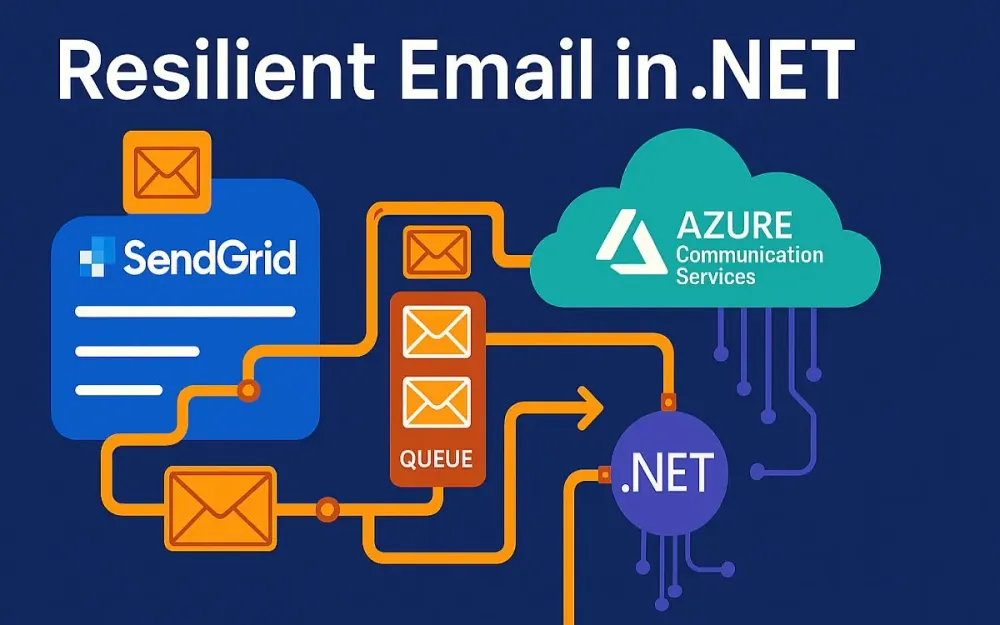
Resilience is not a single feature—it’s a posture. The most reliable email systems share four architectural pillars.
1.3.1 Decoupling
The worst anti-pattern is coupling email sending directly to the user’s request lifecycle. Imagine your web app waiting synchronously for an email API call. If the provider is slow or down, your entire user flow blocks.
Instead, decouple:
- Place email requests onto a message queue (e.g., Azure Service Bus, RabbitMQ).
- Let a background service, the Email Dispatcher, handle the actual sending asynchronously.
This smooths out traffic spikes, adds persistence, and isolates user experience from provider hiccups.
1.3.2 Resilience Policies
With Polly in .NET, you can build intelligent resilience into every API call:
- Retries with exponential backoff and jitter prevent retry storms.
- Circuit breakers avoid hammering a failing provider.
- Timeouts ensure requests don’t hang indefinitely.
Instead of inventing custom retry loops, you codify proven patterns.
1.3.3 Provider Abstraction & Failover
Think of email providers like cloud regions: treat them as interchangeable. By abstracting with an IEmailProvider interface, you can implement multiple backends (SendGrid, ACS, or others).
With failover logic:
- Primary provider down? Route automatically to secondary.
- Primary recovers? Circuit breaker detects health and resumes usage.
This ensures continuity even during provider outages.
1.3.4 Observability
You can’t improve what you can’t see. Observability means:
- Logs: Who requested what email, when, and what happened?
- Metrics: Success/failure rates, queue depth, latency.
- Dashboards: At-a-glance health of your delivery system.
Without visibility, issues linger until customers complain—a dangerous place to be.
2 The Foundation: Transient Fault Handling with .NET and Polly
With the high-level blueprint established, let’s shift into implementation details. The first layer of resilience is handling transient faults gracefully. In .NET, the combination of IHttpClientFactory and Polly gives us the building blocks.
2.1 Why IHttpClientFactory is Your Best Friend
Historically, many .NET developers misused HttpClient:
- Instantiating a new
HttpClientper request leads to socket exhaustion. - Reusing a single static
HttpClientinstance solves that, but makes DNS changes invisible.
Enter IHttpClientFactory, introduced in .NET Core 2.1:
- Manages
HttpClientlifetimes efficiently. - Handles connection pooling, DNS refresh, and handler reuse.
- Provides a central place to attach resilience policies (via Polly).
Example setup:
builder.Services.AddHttpClient("SendGrid", client =>
{
    client.BaseAddress = new Uri("https://api.sendgrid.com/v3/");
    client.DefaultRequestHeaders.Authorization =
        new AuthenticationHeaderValue("Bearer", "<SENDGRID_API_KEY>");
});
With this, you get a managed, configured client ready to use—no socket leaks, no hidden pitfalls.
2.2 Introducing Polly: The .NET Resilience Framework
Polly is the de facto resilience library in .NET. It allows you to define policies that describe how to handle failures:
- Retry
- Circuit breaker
- Timeout
- Fallback
- Bulkhead isolation
As of Polly v8+, the library has moved to the Resilience Pipeline model. Instead of stacking policies manually, you build a pipeline that is both composable and efficient.
Example of creating a pipeline:
var pipeline = new ResiliencePipelineBuilder<HttpResponseMessage>()
    .AddRetry(new RetryStrategyOptions<HttpResponseMessage>
    {
        ShouldHandle = args => args.Outcome.Result?.StatusCode is
            HttpStatusCode.RequestTimeout or HttpStatusCode.ServiceUnavailable,
        MaxRetryAttempts = 3,
        Delay = TimeSpan.FromSeconds(2),
    })
    .AddCircuitBreaker(new CircuitBreakerStrategyOptions<HttpResponseMessage>
    {
        FailureRatio = 0.5,
        MinimumThroughput = 10,
        SamplingDuration = TimeSpan.FromSeconds(30),
        BreakDuration = TimeSpan.FromSeconds(15),
    })
    .Build();
This pipeline automatically retries transient failures, and if failure rates spike, it trips a circuit breaker.
2.3 Pattern 1: Exponential Backoff with Jitter
2.3.1 Why Exponential Backoff?
Imagine thousands of retrying requests hitting a provider immediately after an outage resolves. The provider gets flooded, fails again, and the cycle repeats—this is the thundering herd problem.
Exponential backoff solves this by spacing out retries:
- 1st retry: wait 2 seconds
- 2nd retry: wait 4 seconds
- 3rd retry: wait 8 seconds
Adding jitter (a random delta) ensures retries are distributed rather than synchronized.
2.3.2 Implementation Example
using Polly;
using Polly.Contrib.WaitAndRetry;

var delay = Backoff.DecorrelatedJitterBackoffV2(
    medianFirstRetryDelay: TimeSpan.FromSeconds(2),
    retryCount: 5);

var pipeline = new ResiliencePipelineBuilder<HttpResponseMessage>()
    .AddRetry(new RetryStrategyOptions<HttpResponseMessage>
    {
        MaxRetryAttempts = 5,
        DelayGenerator = args =>
        {
            var span = delay.ElementAt(args.AttemptNumber);
            return new ValueTask<TimeSpan?>(span);
        },
        ShouldHandle = args => args.Outcome.Result?.StatusCode is
            HttpStatusCode.RequestTimeout or HttpStatusCode.TooManyRequests
    })
    .Build();
Here, retries back off exponentially with jitter, and only specific transient status codes trigger retries.
2.3.3 Incorrect vs Correct
Incorrect:
// Immediate retries, no backoff, causes retry storms
for (int i = 0; i < 5; i++)
{
    var response = await client.SendAsync(request);
    if (response.IsSuccessStatusCode) break;
}
Correct:
// Managed exponential backoff with jitter
var response = await pipeline.ExecuteAsync(
    ct => client.SendAsync(request, ct), cancellationToken);
2.4 Pattern 2: The Circuit Breaker
2.4.1 Concept
The circuit breaker pattern protects both your system and the downstream provider:
- Closed: Requests flow normally.
- Open: After too many failures, the breaker trips. Requests fail fast without hitting the provider.
- Half-Open: After a cooldown, a few trial requests check if the provider has recovered.
This prevents wasting resources on doomed requests and avoids hammering a provider already struggling.
2.4.2 Implementation Example
var pipeline = new ResiliencePipelineBuilder<HttpResponseMessage>()
    .AddCircuitBreaker(new CircuitBreakerStrategyOptions<HttpResponseMessage>
    {
        FailureRatio = 0.5, // Trip if 50% of requests fail
        MinimumThroughput = 20, // Only evaluate after 20 requests
        SamplingDuration = TimeSpan.FromSeconds(30),
        BreakDuration = TimeSpan.FromSeconds(60) // Stay open for 1 min
    })
    .Build();
2.4.3 Practical Scenario
Imagine SendGrid’s API starts returning 500 errors:
- After 20 attempts with >50% failures, the circuit opens.
- For 60 seconds, requests fail immediately with a
BrokenCircuitException. - After cooldown, the circuit allows a limited number of test requests.
- If they succeed, the circuit closes; if not, it reopens.
This protects your queue processor from grinding to a halt during provider outages.
3 Choosing Your Weapon: SendGrid vs. Azure Communication Services (ACS) Email
When building resilient systems, the choice of email provider is not just about features—it’s about how that provider integrates into your architecture, what guarantees it offers, and how gracefully it handles scale. In late 2025, the two leading contenders for enterprise-grade email delivery in .NET ecosystems are SendGrid (now fully under Twilio) and Azure Communication Services (ACS) Email. Each brings strengths and trade-offs that matter when architecting a provider-agnostic system.
3.1 A Head-to-Head Architectural Comparison (As of Late 2025)
At a high level, SendGrid and ACS share the same goal—getting your messages into inboxes—but they take different architectural approaches.
-
SendGrid: A mature, battle-tested platform with over a decade of specialization in email. It’s globally distributed, with optimized sending infrastructure, deep template tooling, and advanced deliverability controls. It integrates well beyond .NET (Node.js, Python, Java), but its .NET SDK is thinner than others.
-
ACS Email: A relatively newer player, but deeply integrated into the Azure ecosystem. ACS treats email as part of a multi-channel communication fabric (SMS, chat, voice, video). Its SDKs align with modern .NET idioms and integrate natively with Azure identity, observability, and compliance tooling.
From a resilience perspective, the key contrast is that SendGrid is a specialist while ACS is a generalist that benefits from Azure’s cloud-native guarantees. If your system is already heavily invested in Azure, ACS provides tighter integration; if email is mission-critical at internet scale, SendGrid may offer more mature controls.
3.2 Feature Deep Dive
The real comparison lies in the details that shape developer experience and system resilience.
3.2.1 API Design & SDKs
SendGrid SDK:
- The .NET SDK is serviceable but minimal. You often drop down to raw JSON payloads.
- Example: sending an email involves constructing
SendGridMessageobjects and callingSendEmailAsync. - The downside: less type-safety and fewer compile-time guarantees.
var client = new SendGridClient("<SENDGRID_API_KEY>");
var msg = new SendGridMessage()
{
    From = new EmailAddress("noreply@myapp.com"),
    Subject = "Welcome!",
    HtmlContent = "<strong>Hello world</strong>"
};
msg.AddTo(new EmailAddress("user@example.com"));
var response = await client.SendEmailAsync(msg);
ACS SDK:
- The .NET SDK is strongly typed and feels at home in modern .NET applications.
- APIs align with Azure conventions (
Azure.Corelibraries, async-first). - Integration with Azure AD for authentication simplifies key management in enterprise environments.
var emailClient = new EmailClient(new Uri("https://<resource-name>.communication.azure.com/"), new DefaultAzureCredential());

var emailContent = new EmailContent("Welcome!")
{
    Html = "<strong>Hello world</strong>"
};

var message = new EmailMessage(
    senderAddress: "noreply@myapp.com",
    content: emailContent,
    recipients: new EmailRecipients(new List<EmailAddress>
    {
        new EmailAddress("user@example.com")
    }));

SendEmailResult result = await emailClient.SendAsync(WaitUntil.Completed, message);Takeaway: If developer ergonomics and Azure-native integration matter, ACS has the edge. If you need cross-platform parity and long-standing community knowledge, SendGrid wins.
3.2.2 Deliverability & IP Management
Deliverability is about ensuring messages land in the inbox, not spam. Here the two differ:
- SendGrid: Offers dedicated IPs, IP warmup tooling, sender reputation dashboards, and granular suppression lists. Large senders can segment traffic across IP pools. This makes it attractive for marketing-heavy applications.
- ACS: Still catching up. It supports SPF/DKIM/DMARC but lacks the depth of SendGrid’s reputation tooling. Dedicated IPs were rolled out in 2024, but warmup is less automated.
For companies sending millions of marketing emails per month, SendGrid’s mature deliverability tooling is often decisive.
3.2.3 Template Management
- SendGrid: Dynamic templates with versioning, A/B testing, conditional rendering, and handlebars-style expressions. You can delegate template editing to non-developers through the SendGrid UI.
- ACS: Template management is minimal. You usually manage templates inside your app or CMS and send rendered HTML through the API. ACS assumes you own the rendering pipeline.
For teams where marketing or product managers frequently change templates, SendGrid provides independence. If templates are static or tightly controlled, ACS suffices.
3.2.4 Webhooks & Event Handling
Both providers let you track delivery outcomes, but the granularity and reliability differ.
-
SendGrid:
- Events include Delivered, Opened, Clicked, Bounced, Deferred, Spam Report, Unsubscribe.
- Webhooks are signed with a verification key.
- Battle-tested under high load; at scale, you can rely on them.
-
ACS:
- Events are narrower: Delivered, Bounced, Read.
- Events are integrated into Azure Event Grid, making it easy to fan out to multiple consumers.
- Still maturing in granularity (no click/unsubscribe tracking yet).
Example (SendGrid Webhook Payload):
{
  "email": "user@example.com",
  "event": "bounce",
  "timestamp": 1635869262,
  "sg_event_id": "12345",
  "sg_message_id": "xyz"
}
Example (ACS Event Grid Delivery Event):
{
  "id": "event123",
  "eventType": "Microsoft.Communication.EmailDeliveryReportReceived",
  "data": {
    "messageId": "abc123",
    "recipient": "user@example.com",
    "status": "Bounced",
    "error": "Mailbox not found"
  }
}
3.2.5 Rate Limiting & Scalability
- SendGrid: Documented limits are generous; you can negotiate higher throughput with enterprise contracts. Known to handle bursts of millions of emails per hour if warmed up.
- ACS: Throughput limits are tied to Azure resource tiers. Scaling requires explicit provisioning. While stable, ACS is less proven under global-scale spikes.
3.3 Security & Compliance
Enterprise systems demand compliance and strong security postures.
-
Authentication:
- SendGrid uses API keys. Rotation and scoping are manual but straightforward.
- ACS supports both API keys and Azure AD (service principals, managed identities), which is often more secure in enterprise settings.
-
Compliance:
- Both are GDPR, HIPAA (under BAA), and SOC 2 compliant.
- ACS benefits from Azure’s global compliance umbrella, simplifying audits for Azure-first shops.
-
Domain Authentication:
- Both require SPF, DKIM, and DMARC.
- SendGrid has better tooling to guide DNS setup and validate configuration.
- ACS relies on Azure Portal, which is functional but less user-friendly.
3.4 Pricing Models at Scale
Pricing is often the tiebreaker, especially at high volume.
-
SendGrid:
- Pay-as-you-go and subscription tiers.
- Dedicated IPs and advanced deliverability features are add-ons.
- At scale, enterprise contracts can reduce per-email cost significantly.
-
ACS:
- Flat pay-per-email model.
- No premium for IPs until dedicated IPs are requested.
- Pricing simpler but less flexible for negotiation.
Hidden Costs:
- Support tiers can matter. SendGrid’s higher support tiers include deliverability experts who advise on sender reputation.
- ACS includes standard Azure support; premium requires upgrading the overall Azure support plan.
3.5 The Verdict: Which to Choose and When?
Neither provider is universally better. The decision depends on context:
| Scenario | SendGrid Advantage | ACS Advantage |
|---|---|---|
| High-volume marketing campaigns | Mature deliverability tooling, dedicated IP pools, A/B testing | Limited |
| Enterprise compliance & Azure integration | Manual key management | Azure AD, unified observability |
| Webhook/event integration | Rich, granular events | Native Event Grid integration |
| Developer experience in .NET | Thin SDK, JSON payloads | Strongly typed SDK, async-first |
| Pricing flexibility | Enterprise contracts, negotiable | Transparent pay-as-you-go |
Architectural Guidance:
- For internet-scale, marketing-heavy workloads: make SendGrid your primary and ACS your secondary failover.
- For Azure-native enterprise systems with moderate volume: make ACS your primary and SendGrid your secondary failover for resilience.
4 The Core Architecture: Building a Decoupled, Provider-Agnostic Email Service
With provider strengths in mind, let’s design an architecture that doesn’t lock us into one choice. The goal: decouple email sending from user flows, abstract provider specifics, and ensure graceful degradation under failure.
4.1 The “Why”: Decoupling with a Message Queue
Imagine a user signs up, and your API tries to send a verification email synchronously. If the provider is slow, the signup call blocks; if the provider is down, the signup fails entirely. This is unacceptable for resilient systems.
Instead, decouple with a message queue:
- Your API publishes an
EmailRequestmessage onto a queue (Azure Service Bus, RabbitMQ). - A background worker—the Email Dispatcher—pulls from the queue and handles sending.
This yields:
- Asynchronicity: User-facing flows don’t block.
- Persistence: Messages survive process restarts.
- Elasticity: Dispatchers can scale horizontally to handle spikes.
Recommended Library: MassTransit. It abstracts over multiple queueing systems, supports retries, and integrates well with .NET dependency injection.
4.2 Designing the Abstraction
The abstraction starts with clean contracts.
4.2.1 Models and Interfaces
public record EmailRequest(
    string To,
    string Subject,
    string HtmlContent,
    string? PlainTextContent = null,
    string? TemplateId = null,
    Dictionary<string, object>? TemplateData = null);

public record EmailResult(
    bool Success,
    string Provider,
    string MessageId,
    string? Error = null);

public interface IEmailProvider
{
    Task<EmailResult> SendAsync(EmailRequest request, CancellationToken ct = default);
}
This contract makes the dispatcher agnostic: it doesn’t care whether SendGrid or ACS handles the actual sending.
4.2.2 SendGrid Provider Implementation
public class SendGridEmailProvider : IEmailProvider
{
    private readonly SendGridClient _client;

    public SendGridEmailProvider(string apiKey)
    {
        _client = new SendGridClient(apiKey);
    }

    public async Task<EmailResult> SendAsync(EmailRequest request, CancellationToken ct = default)
    {
        var msg = new SendGridMessage
        {
            From = new EmailAddress("noreply@myapp.com"),
            Subject = request.Subject,
            HtmlContent = request.HtmlContent,
            PlainTextContent = request.PlainTextContent
        };
        msg.AddTo(new EmailAddress(request.To));

        if (request.TemplateId is not null)
        {
            msg.SetTemplateId(request.TemplateId);
            if (request.TemplateData is not null)
                msg.SetTemplateData(request.TemplateData);
        }

        var response = await _client.SendEmailAsync(msg, ct);

        return new EmailResult(
            response.IsSuccessStatusCode,
            "SendGrid",
            response.Headers.TryGetValues("X-Message-Id", out var ids) ? ids.FirstOrDefault() ?? "" : "",
            response.IsSuccessStatusCode ? null : response.StatusCode.ToString());
    }
}
4.2.3 ACS Provider Implementation
public class AcsEmailProvider : IEmailProvider
{
    private readonly EmailClient _client;

    public AcsEmailProvider(EmailClient client)
    {
        _client = client;
    }

    public async Task<EmailResult> SendAsync(EmailRequest request, CancellationToken ct = default)
    {
        var content = new EmailContent(request.Subject)
        {
            Html = request.HtmlContent,
            PlainText = request.PlainTextContent
        };

        var message = new EmailMessage(
            senderAddress: "noreply@myapp.com",
            content: content,
            recipients: new EmailRecipients(new List<EmailAddress> { new EmailAddress(request.To) }));

        if (request.TemplateId is not null)
        {
            // Note: ACS templates must be resolved externally
        }

        SendEmailResult result = await _client.SendAsync(WaitUntil.Completed, message, ct);

        return new EmailResult(
            result.Status == EmailSendStatus.Succeeded,
            "ACS",
            result.Id,
            result.Status.ToString());
    }
}
4.3 The Email Dispatcher Service
The dispatcher is a background service that:
- Listens to the queue.
- Retrieves
EmailRequestmessages. - Passes them through the resilience pipeline.
- Invokes the provider.
public class EmailDispatcher : BackgroundService
{
    private readonly IQueueConsumer<EmailRequest> _consumer;
    private readonly IEmailProvider _provider;
    private readonly ResiliencePipeline<EmailResult> _pipeline;
    private readonly ILogger<EmailDispatcher> _logger;

    public EmailDispatcher(IQueueConsumer<EmailRequest> consumer,
        IEmailProvider provider,
        ResiliencePipeline<EmailResult> pipeline,
        ILogger<EmailDispatcher> logger)
    {
        _consumer = consumer;
        _provider = provider;
        _pipeline = pipeline;
        _logger = logger;
    }

    protected override async Task ExecuteAsync(CancellationToken stoppingToken)
    {
        await foreach (var request in _consumer.ReadAsync(stoppingToken))
        {
            try
            {
                var result = await _pipeline.ExecuteAsync(
                    ct => _provider.SendAsync(request, ct), stoppingToken);

                if (!result.Success)
                {
                    _logger.LogWarning("Email to {To} failed: {Error}", request.To, result.Error);
                }
            }
            catch (Exception ex)
            {
                _logger.LogError(ex, "Unhandled error dispatching email to {To}", request.To);
                throw;
            }
        }
    }
}
The resilience pipeline ensures retries and circuit breakers wrap every dispatch.
4.4 Handling Unrecoverable Failures: The Dead-Letter Queue (DLQ)
No matter how robust your retries, some messages will fail permanently:
- Invalid email addresses.
- Providers consistently rejecting due to policy.
- Circuit breaker remains open for extended periods.
Dead-Letter Queue (DLQ) is the safety net:
- The message broker moves messages that failed all retry attempts to a separate queue.
- You can monitor this queue to detect systemic issues or bad data.
Strategies for handling DLQ messages:
- Manual intervention: Operations teams inspect messages, correct data, and requeue if valid.
- Automated processing: A dedicated service periodically inspects DLQ, applies heuristics (e.g., discard invalid domains), and retries recoverable ones.
Example (Azure Service Bus DLQ reprocessing):
var client = new ServiceBusClient("<connection-string>");
var receiver = client.CreateReceiver("email-queue/$DeadLetterQueue");

await foreach (var message in receiver.ReceiveMessagesAsync())
{
    var body = message.Body.ToObjectFromJson<EmailRequest>();
    if (IsRecoverable(body))
    {
        var sender = client.CreateSender("email-queue");
        await sender.SendMessageAsync(new ServiceBusMessage(BinaryData.FromObjectAsJson(body)));
    }
    else
    {
        // Log and suppress
    }
    await receiver.CompleteMessageAsync(message);
}
By handling DLQ messages proactively, you close the loop: no message is silently lost, and systemic issues surface early.
5 Advanced Strategy: Implementing Automatic Provider Failover
In a production-grade email system, simply having retry logic is not enough. Even the best providers will occasionally suffer an outage or degraded performance. When that happens, your system should fail over automatically to a backup provider without manual intervention. Done right, this ensures uninterrupted communication with users, even during black swan events. In this section, we’ll explore the strategy, the implementation of a meta-provider that orchestrates failover, and the mechanisms for recovery and monitoring.
5.1 The Failover Strategy
Failover begins with a clear definition of roles: the primary provider handles normal traffic, and the secondary provider stands ready to take over if the primary fails. This separation ensures that operational complexity is minimized under healthy conditions, while resilience is maintained under stress.
The linchpin of this strategy is the circuit breaker. When the breaker for the primary provider transitions to the Open state, the system interprets it as “do not send here, it’s unhealthy.” At that point, messages should automatically be routed to the secondary provider. The reverse is equally important: once the primary’s breaker moves into Half-Open, trial requests should be routed back to test recovery.
The goals of the failover strategy are:
- Fast detection: identify provider failures quickly.
- Fast switch: reroute to secondary with minimal latency.
- Automatic recovery: re-establish primary usage once stability returns.
- Observability: log and track every failover event to avoid silent degradation.
This avoids the common trap of building a failover system that never fails back, leaving the secondary permanently overloaded.
5.2 Building the FailoverEmailProvider
To encapsulate failover logic, we implement a meta-provider that delegates to child providers. This provider itself implements IEmailProvider, so it can be plugged into the existing dispatcher without modification.
5.2.1 Implementation
public class FailoverEmailProvider : IEmailProvider
{
    private readonly IEmailProvider _primary;
    private readonly IEmailProvider _secondary;
    private readonly ResiliencePipeline<EmailResult> _primaryPipeline;
    private readonly ILogger<FailoverEmailProvider> _logger;

    public FailoverEmailProvider(
        IEmailProvider primary,
        IEmailProvider secondary,
        ResiliencePipeline<EmailResult> primaryPipeline,
        ILogger<FailoverEmailProvider> logger)
    {
        _primary = primary;
        _secondary = secondary;
        _primaryPipeline = primaryPipeline;
        _logger = logger;
    }

    public async Task<EmailResult> SendAsync(EmailRequest request, CancellationToken ct = default)
    {
        try
        {
            // Attempt through primary with resilience pipeline
            return await _primaryPipeline.ExecuteAsync(
                async token => await _primary.SendAsync(request, token),
                ct);
        }
        catch (BrokenCircuitException)
        {
            _logger.LogWarning("Primary provider circuit open. Falling back to secondary.");
            return await _secondary.SendAsync(request, ct);
        }
        catch (Exception ex)
        {
            _logger.LogError(ex, "Unexpected failure in primary provider. Failing over.");
            return await _secondary.SendAsync(request, ct);
        }
    }
}
The logic is straightforward:
- Try the primary via its resilience pipeline.
- If the circuit is open (or another unhandled exception occurs), fall back to the secondary.
- Log failovers for observability.
5.2.2 Dependency Injection Setup
Using .NET’s built-in DI, we can wire this up cleanly:
builder.Services.AddSingleton<IEmailProvider>(sp =>
{
    var logger = sp.GetRequiredService<ILogger<FailoverEmailProvider>>();

    var sendGridProvider = sp.GetRequiredService<SendGridEmailProvider>();
    var acsProvider = sp.GetRequiredService<AcsEmailProvider>();

    var pipeline = new ResiliencePipelineBuilder<EmailResult>()
        .AddCircuitBreaker(new CircuitBreakerStrategyOptions<EmailResult>
        {
            FailureRatio = 0.5,
            MinimumThroughput = 20,
            SamplingDuration = TimeSpan.FromSeconds(30),
            BreakDuration = TimeSpan.FromSeconds(60)
        })
        .AddRetry(new RetryStrategyOptions<EmailResult>
        {
            MaxRetryAttempts = 3,
            Delay = TimeSpan.FromSeconds(2)
        })
        .Build();

    return new FailoverEmailProvider(sendGridProvider, acsProvider, pipeline, logger);
});
This configuration declares SendGrid as primary and ACS as secondary. In an Azure-first shop, the order may be reversed.
5.3 Health Checks and Automatic Recovery
Failover without recovery leads to failover lock-in. A healthy circuit breaker includes a Half-Open state, during which a few requests are probed against the primary. If successful, the breaker closes and traffic resumes.
To make this transparent, expose a dedicated health check endpoint, e.g., /health/email, reporting:
- Circuit state of each provider.
- Success/failure rates over the last sampling window.
- Latency percentiles.
Example Health Check
public class EmailHealthCheck : IHealthCheck
{
    private readonly FailoverEmailProvider _provider;

    public EmailHealthCheck(FailoverEmailProvider provider)
    {
        _provider = provider;
    }

    public Task<HealthCheckResult> CheckHealthAsync(
        HealthCheckContext context, CancellationToken cancellationToken = default)
    {
        // Simplified example: report based on circuit state
        var primaryHealthy = _provider.PrimaryCircuitState == CircuitState.Closed;
        var secondaryHealthy = _provider.SecondaryCircuitState == CircuitState.Closed;

        if (primaryHealthy)
            return Task.FromResult(HealthCheckResult.Healthy("Primary provider healthy."));
        if (secondaryHealthy)
            return Task.FromResult(HealthCheckResult.Degraded("Failing over to secondary."));

        return Task.FromResult(HealthCheckResult.Unhealthy("Both providers unavailable."));
    }
}
This integrates with .NET HealthChecks and can be surfaced in Kubernetes liveness/readiness probes or Application Insights dashboards. Automatic recovery becomes visible, measurable, and predictable.
6 Closing the Loop: Tracking, Bounces, and Unsubscribes
Sending emails is only half the story. To truly manage deliverability and user experience, you must close the loop: track what happened to each message, detect bounces, process complaints, and manage unsubscribes. Without this, you risk wasting money retrying undeliverable addresses and damaging your domain reputation.
6.1 The Power of Webhooks
Polling for status is inefficient and unreliable. Providers already push events via webhooks (SendGrid) or Event Grid (ACS). By designing a unified webhook ingestion endpoint, your system can process delivery updates from multiple providers in one place.
Benefits of webhooks:
- Near real-time updates.
- Reduced API polling costs.
- Higher accuracy in deliverability metrics.
The challenge is heterogeneity: SendGrid and ACS send differently structured payloads. That’s where normalization comes in.
6.2 A Unified Webhook Processor
The key idea: build a single controller endpoint that accepts POSTs from both providers, then normalize into a canonical internal model.
6.2.1 Canonical Event Model
public record EmailStatusUpdatedEvent(
    string Provider,
    string MessageId,
    string Recipient,
    EmailStatus Status,
    DateTimeOffset Timestamp,
    string? Reason = null);

public enum EmailStatus
{
    Delivered,
    Bounced,
    Opened,
    Clicked,
    Complained,
    Unsubscribed
}
6.2.2 Controller Implementation
[ApiController]
[Route("api/email/webhook")]
public class EmailWebhookController : ControllerBase
{
    private readonly IMessageBus _bus;
    private readonly ILogger<EmailWebhookController> _logger;

    public EmailWebhookController(IMessageBus bus, ILogger<EmailWebhookController> logger)
    {
        _bus = bus;
        _logger = logger;
    }

    [HttpPost("sendgrid")]
    public async Task<IActionResult> FromSendGrid([FromBody] JsonElement payload)
    {
        foreach (var ev in payload.EnumerateArray())
        {
            var mapped = new EmailStatusUpdatedEvent(
                Provider: "SendGrid",
                MessageId: ev.GetProperty("sg_message_id").GetString()!,
                Recipient: ev.GetProperty("email").GetString()!,
                Status: MapSendGridEvent(ev.GetProperty("event").GetString()!),
                Timestamp: DateTimeOffset.FromUnixTimeSeconds(ev.GetProperty("timestamp").GetInt64()),
                Reason: ev.TryGetProperty("reason", out var r) ? r.GetString() : null);

            await _bus.Publish(mapped);
        }
        return Ok();
    }

    [HttpPost("acs")]
    public async Task<IActionResult> FromAcs([FromBody] AcsEventGridEvent[] events)
    {
        foreach (var ev in events)
        {
            var mapped = new EmailStatusUpdatedEvent(
                Provider: "ACS",
                MessageId: ev.Data.MessageId,
                Recipient: ev.Data.Recipient,
                Status: MapAcsStatus(ev.Data.Status),
                Timestamp: ev.EventTime,
                Reason: ev.Data.Error);

            await _bus.Publish(mapped);
        }
        return Ok();
    }

    private EmailStatus MapSendGridEvent(string evt) => evt switch
    {
        "delivered" => EmailStatus.Delivered,
        "bounce" => EmailStatus.Bounced,
        "open" => EmailStatus.Opened,
        "click" => EmailStatus.Clicked,
        "spamreport" => EmailStatus.Complained,
        "unsubscribe" => EmailStatus.Unsubscribed,
        _ => EmailStatus.Bounced
    };

    private EmailStatus MapAcsStatus(string status) => status switch
    {
        "Delivered" => EmailStatus.Delivered,
        "Bounced" => EmailStatus.Bounced,
        "Read" => EmailStatus.Opened,
        _ => EmailStatus.Bounced
    };
}
The controller normalizes events and publishes them onto an internal bus for downstream consumers (analytics, suppression lists, CRM updates).
6.3 Handling Bounces and Complaints
Not all failures are equal:
- Soft bounces (e.g., mailbox full) may resolve; retry later.
- Hard bounces (e.g., domain not found) should be suppressed immediately.
- Complaints (spam reports) must result in permanent suppression.
A common pattern:
- Store a Suppression List in your database.
- Update it based on webhook events.
- Check suppression before enqueueing any new email.
Example Suppression Service
public class SuppressionService
{
    private readonly IDbConnection _db;

    public SuppressionService(IDbConnection db) => _db = db;

    public async Task HandleEvent(EmailStatusUpdatedEvent ev)
    {
        if (ev.Status == EmailStatus.Bounced && IsHardBounce(ev.Reason))
        {
            await _db.ExecuteAsync("INSERT INTO SuppressionList (Email) VALUES (@Email) ON CONFLICT DO NOTHING",
                new { Email = ev.Recipient });
        }
        else if (ev.Status == EmailStatus.Complained || ev.Status == EmailStatus.Unsubscribed)
        {
            await _db.ExecuteAsync("INSERT INTO SuppressionList (Email) VALUES (@Email) ON CONFLICT DO NOTHING",
                new { Email = ev.Recipient });
        }
    }

    private bool IsHardBounce(string? reason) =>
        !string.IsNullOrWhiteSpace(reason) &&
        (reason.Contains("user unknown", StringComparison.OrdinalIgnoreCase) ||
         reason.Contains("domain not found", StringComparison.OrdinalIgnoreCase));
}
This protects your sender reputation, avoids wasted retries, and saves costs.
6.4 Managing Templates and Tracking
One subtle challenge when using multiple providers is template divergence. SendGrid has dynamic, versioned templates with handlebars-like expressions, while ACS expects you to manage templates externally. If you aren’t careful, your template logic will fork.
Strategies:
- Centralize templates in your app: Render content in your backend and send raw HTML to both providers. This avoids divergence but shifts template management to engineering.
- Use provider templates only for the primary: Fall back to static rendering for the secondary. This balances feature richness with resilience.
- Implement a template adapter layer: Define a canonical template schema in your code, and implement adapters to render for each provider.
For tracking user interactions (opens, clicks):
- SendGrid provides click/open events natively.
- ACS (as of 2025) does not track clicks; you may need to embed your own tracking links and pixels.
Example of Correlating Events to Campaigns
public record EmailCampaignEvent(
    Guid CampaignId,
    string Recipient,
    EmailStatus Status,
    DateTimeOffset Timestamp);

public class CampaignTracker
{
    private readonly IMessageBus _bus;

    public CampaignTracker(IMessageBus bus) => _bus = bus;

    public async Task Handle(EmailStatusUpdatedEvent ev, Guid campaignId)
    {
        var mapped = new EmailCampaignEvent(campaignId, ev.Recipient, ev.Status, ev.Timestamp);
        await _bus.Publish(mapped);
    }
}
This ensures every email status event can be tied back to a user, a campaign, or a business action—closing the loop between sending and outcome.
7 Observability: Building Your Mission Control Dashboard
Even the most carefully designed email delivery pipeline will fail in subtle ways over time. Provider outages, DNS misconfigurations, invalid templates, and creeping latency are inevitable. What separates resilient systems from fragile ones is not the absence of failure but the ability to see, measure, and respond to those failures in real time. This is where observability becomes your mission control dashboard: giving you immediate visibility into health, throughput, and anomalies.
7.1 You Can’t Fix What You Can’t See
Observability rests on three interconnected pillars:
- Logs: A detailed narrative of what happened, in what order, and why. They should be structured (not just free text) so you can query them meaningfully.
- Metrics: Aggregated numerical signals that allow you to track trends. Queue depth, dispatch latency, and error rate are classic examples.
- Traces: Contextual flow information that ties together a request across multiple services. This is particularly helpful if your email dispatch is part of a larger distributed system (e.g., order placement flowing into queue publishing into provider call).
Each pillar alone provides value, but resilience requires combining them. For instance, a log may show that the SendGrid circuit breaker opened, while metrics confirm dispatch throughput dropped, and traces reveal the upstream API slowed down at the same time. Together, these allow engineers to fix root causes, not just symptoms.
7.2 Structured Logging for Clarity
Structured logging turns events into machine-readable JSON objects instead of raw text. Libraries like Serilog integrate seamlessly into .NET and can ship logs to multiple sinks (console, file, Application Insights, Elasticsearch).
A resilient email service benefits from consistent event names and contextual properties. This allows you to query “all failover activations in the last hour” or “latency per provider” without parsing brittle strings.
Example: Logging Key Events with Serilog
public class EmailLogger
{
    private readonly ILogger<EmailLogger> _logger;

    public EmailLogger(ILogger<EmailLogger> logger) => _logger = logger;

    public void EmailQueued(EmailRequest request) =>
        _logger.LogInformation("EmailQueued {To} {Subject}", request.To, request.Subject);

    public void DispatchAttempt(string provider, string to) =>
        _logger.LogInformation("DispatchAttempt {Provider} {To}", provider, to);

    public void DispatchSuccess(string provider, string to, string messageId) =>
        _logger.LogInformation("DispatchSuccess {Provider} {To} {MessageId}", provider, to, messageId);

    public void DispatchFailed(string provider, string to, string error) =>
        _logger.LogWarning("DispatchFailed {Provider} {To} {Error}", provider, to, error);

    public void CircuitBroken(string provider) =>
        _logger.LogError("CircuitBroken {Provider}", provider);

    public void FailoverActivated(string fromProvider, string toProvider) =>
        _logger.LogWarning("FailoverActivated {From} {To}", fromProvider, toProvider);
}
When shipped to a structured log store, these become queryable fields (Provider, To, MessageId), enabling analysis by provider, customer segment, or error reason.
7.3 Key Metrics to Track
Logs help with postmortems, but metrics keep you ahead of the curve. The right metrics act as leading indicators of failure, giving you time to react before customers notice.
7.3.1 Queue Depth
- Definition: Number of
EmailRequestmessages waiting in the queue. - Why it matters: If queue depth grows steadily, dispatchers are falling behind. This can indicate provider slowness, insufficient worker scaling, or systemic outages.
- How to track: Expose queue length via metrics (e.g., Azure Service Bus has built-in metrics; RabbitMQ exposes them via Prometheus exporters).
7.3.2 Dispatch Rate
- Definition: Number of emails successfully sent per minute/hour, broken down by provider.
- Why it matters: A sudden drop in dispatch rate signals provider trouble even before circuits open.
_counterEmailsSent.WithLabels(provider).Inc();7.3.3 Error Rate & Latency
- Error Rate: Percentage of requests returning non-success responses.
- Latency: Time taken for API calls, tracked by percentile (P50, P95, P99).
- These metrics differentiate between a slow provider (latency spike) versus a failing one (error spike).
_histogramLatency.WithLabels(provider).Observe(stopwatch.Elapsed.TotalSeconds);7.3.4 Failover Events
Count how many times the system switched from primary to secondary in the last 24 hours. Frequent failovers mean you may need to reconsider provider selection, negotiate higher rate limits, or optimize retries.
7.3.5 Webhook Events
Delivered, bounced, opened, and clicked counts provide a ground-truth view of what actually happened. Overlaying webhook data with dispatch metrics ensures you are not blind to downstream issues (e.g., provider accepted email but mailbox rejected later).
7.4 Tools for the Job
Collecting logs and metrics is only half the battle; you also need tools to aggregate, visualize, and alert.
7.4.1 OpenTelemetry
OpenTelemetry has become the vendor-neutral standard for emitting logs, metrics, and traces. By instrumenting with OpenTelemetry, you avoid lock-in and can ship telemetry to any backend.
builder.Services.AddOpenTelemetry()
    .WithMetrics(metrics =>
    {
        metrics.AddMeter("EmailService");
        metrics.AddPrometheusExporter();
    })
    .WithTracing(tracing =>
    {
        tracing.AddAspNetCoreInstrumentation();
        tracing.AddHttpClientInstrumentation();
    });
This automatically traces HTTP calls to providers and correlates them with the user’s original request.
7.4.2 Telemetry Backends
- Azure Application Insights: Tight Azure integration, powerful query language (Kusto), alerting support.
- Datadog: Rich dashboards, anomaly detection, and service-level objectives (SLOs).
- Prometheus/Grafana: Open-source, highly flexible, excellent for self-hosted or Kubernetes clusters.
7.4.3 Example Grafana Dashboard
Imagine a Grafana dashboard with the following panels:
- Queue Depth Gauge: Red if >10,000 messages waiting.
- Dispatch Rate Line Graph: Split by provider.
- Latency Histogram: P95 latency over time.
- Failover Counter: Total failover events in last 24h.
- Webhook Event Pie Chart: Delivered vs. bounced vs. complaints.
A glance at this dashboard during an incident tells you:
- Are users blocked (queue depth rising)?
- Which provider is sick (error rate, latency)?
- Did failover activate?
- Are messages actually being delivered?
With such observability in place, you no longer guess—you know.
8 Conclusion: The Resilient Mindset
Resilience is not a feature you toggle; it’s a mindset that informs every design choice. Building resilient email delivery systems is about preparing for the inevitable: provider hiccups, malformed requests, customer typos, and black swan outages. By abstracting providers, embracing decoupling, implementing resilience policies, and investing in observability, you ensure communication with users is a certainty, not a gamble.
8.1 Recapping the Architecture
Let’s summarize the journey:
- High Stakes of Email Delivery: We saw why failure is costly and inevitable.
- Transient Fault Handling: Polly pipelines with retries and circuit breakers became our first line of defense.
- Provider Comparison: SendGrid and ACS each bring strengths; using both offers resilience.
- Decoupled Architecture: Message queues and dispatcher services decouple user flows from provider APIs.
- Automatic Failover: A meta-provider ensures continuity when the primary fails.
- Closing the Loop: Webhooks, suppression lists, and unified event processing prevent waste and protect reputation.
- Observability: Logs, metrics, and dashboards form mission control for ongoing health.
Each layer compounds: resilience emerges not from any one mechanism, but from the systemic layering of defenses.
8.2 Future Considerations
Resilience is a journey, not a destination. Areas for future evolution include:
- A/B Testing Templates: Integrate template selection logic into the dispatcher, randomly assigning templates and correlating click/open rates.
- Cross-Channel Integration: Apply the same resilient patterns to SMS, push notifications, or chat, using ACS multi-channel capabilities or Twilio’s APIs.
- Advanced DMARC Analysis: Feed DMARC reports into analytics pipelines to continuously validate authentication, detect spoofing, and refine domain reputation strategy.
- Machine Learning for Suppression: Train models on bounce/complaint data to proactively predict addresses likely to fail, reducing retries even before the first bounce.
The resilient mindset means you don’t just stop at “good enough.” You continue iterating, layering defenses, and tightening feedback loops, always assuming that tomorrow’s outage or anomaly is just around the corner.