1 The Quest for Real-Time: Why Instantaneous Communication Matters
Modern software no longer operates in a world of static pages and delayed refreshes. Users expect real-time interaction: live chats that don’t lag, dashboards that reflect the current state of systems without a manual refresh, and collaborative tools where one user’s action appears instantly on another’s screen. To meet these expectations, developers have had to evolve communication strategies well beyond the original request-response paradigm of HTTP.
In this section, we’ll unpack what “real-time” really means in the context of web applications, why it matters, and how the ASP.NET Core ecosystem gives us the flexibility to implement different patterns—from old but reliable long polling, to efficient server-sent events (SSE), to full-duplex WebSockets.
1.1 Introduction: From Request-Response to Continuous Conversation
The original web model was simple: a browser sends a request, the server returns a response, and the connection closes. This cycle worked well for static content and even for dynamic web pages when users expected reloads or navigation between pages. But it struggles with situations where the server has to notify the client of changes asynchronously.
Imagine an online auction platform. If a new bid arrives, the bidder shouldn’t have to refresh the page to see it. A notification system that only updates after a refresh creates a frustrating lag. The same applies to social media feeds, multiplayer games, monitoring systems, and collaborative tools like Google Docs.
That’s where real-time communication comes in. Real-time in web applications doesn’t mean zero latency—it means updates happen fast enough that users perceive them as immediate. For many use cases, that’s sub-second delivery.
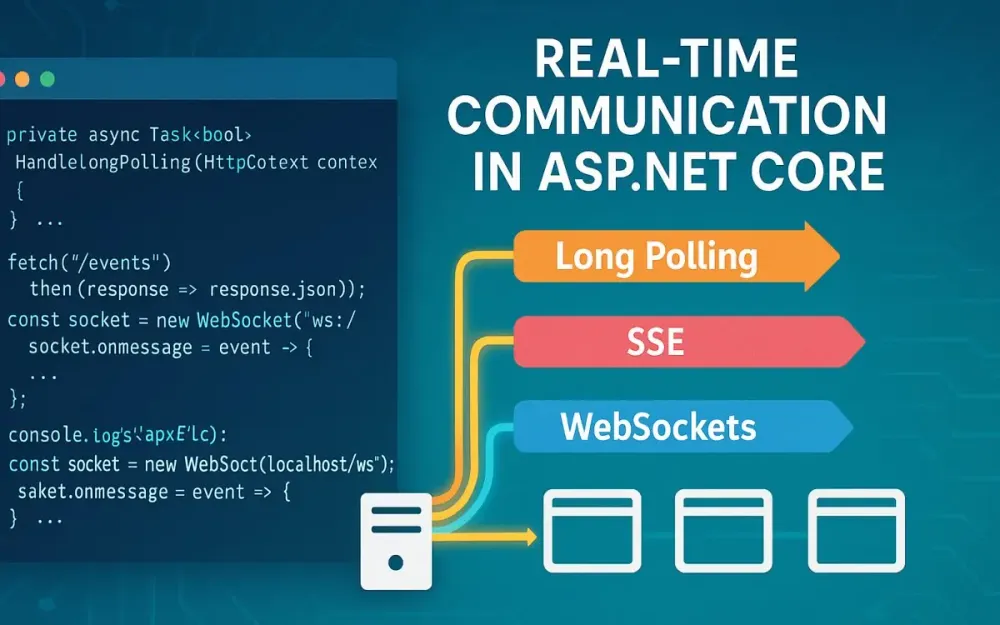
There are three primary architectural patterns that emerged to bridge the gap:
- Long Polling – Stretching the traditional request-response cycle by keeping a connection open until there’s data to send.
- Server-Sent Events (SSE) – A standardized way for servers to stream updates over a single HTTP connection.
- WebSockets – A protocol designed for true two-way, persistent communication.
Each of these has its strengths and weaknesses, and choosing the right one requires understanding the problem space and constraints.
1.2 Setting the Stage: The ASP.NET Core Ecosystem for Real-Time
ASP.NET Core has matured into one of the most capable frameworks for building modern web applications. Its cross-platform runtime, asynchronous programming model, and modular pipeline make it a natural fit for real-time communication scenarios.
Key advantages for real-time development include:
- Asynchronous I/O model – Built on top of Kestrel and leveraging the async/await pattern, ASP.NET Core handles thousands of concurrent connections efficiently.
- Middleware pipeline – Developers can intercept, transform, or route requests and responses at a very granular level, which is critical for protocols like WebSockets.
- Background services and hosted workers – Perfect for decoupling message producers from consumers, enabling push notifications or broadcasts.
There’s also SignalR, Microsoft’s high-level abstraction over real-time communication. SignalR automatically selects the best transport available (WebSockets when possible, falling back to SSE or Long Polling). It also simplifies connection management, group broadcasting, and scaling with backplanes like Redis or Azure SignalR Service.
But this article deliberately steps below SignalR. By building long polling, SSE, and WebSockets from scratch in ASP.NET Core, we’ll develop a mental model of how these protocols actually work. That knowledge pays dividends when debugging, optimizing, or making architectural decisions about which pattern fits best in your solution.
2 The Classic Approach: Long Polling
Before modern browser APIs and dedicated protocols, developers needed a way to push data from servers to clients. Long polling became the pragmatic solution. It’s not elegant, but it’s reliable and universally supported. Understanding long polling is essential because it remains the fallback for many frameworks—including SignalR—when newer transports aren’t available.
2.1 What is Long Polling? The Patient Request
At its core, long polling is an illusion of server push. The client sends a request and, instead of responding immediately, the server holds that request open until it has data to return. Once the server responds, the client processes the message and immediately opens a new request to wait for the next event.
Think of it like a customer waiting at a counter. Instead of placing an order and walking away, the customer stands there patiently. The cashier doesn’t respond until the order is ready. As soon as it’s handed over, the customer steps aside—only to immediately join the line again for the next order.
This technique keeps the client in a near-constant listening state without the need for specialized protocols. But it also means connections are frequently opened and closed, adding overhead.
2.2 The Mechanics: How Long Polling Works Under the Hood
The workflow for long polling looks like this:
- Client request – The client issues an HTTP request to a server endpoint (e.g.,
/notifications). - Server holds – If no data is available, the server holds the request open instead of responding immediately.
- Data available – When an event or message occurs, the server responds with the data.
- Client reconnects – The client immediately sends another request to repeat the cycle.
A simplified diagram:
Client -> GET /notifications -> Server
Server holds connection...
Event occurs!
Server -> Response with data
Client processes data, reconnects...
Key technical details:
- HTTP headers – Standard headers apply (
Content-Type: application/jsonfor structured payloads). - Timeouts – Servers typically cap how long they’ll hold a connection (e.g., 30 seconds). If no data arrives, the server responds with an empty payload and the client reconnects.
- Connection management – Each request is a full HTTP connection with TCP handshake, so efficiency is limited compared to persistent protocols.
2.3 Practical Implementation: Building a Simple Notification System
Let’s walk through a basic notification system using long polling in ASP.NET Core.
2.3.1 Server-Side (ASP.NET Core)
We’ll use a combination of a Channel for queued notifications and a TaskCompletionSource to hold client requests until new data arrives.
using System.Threading.Channels;
using Microsoft.AspNetCore.Builder;
using Microsoft.AspNetCore.Http;
using Microsoft.Extensions.DependencyInjection;
using Microsoft.Extensions.Hosting;

var builder = WebApplication.CreateBuilder(args);
builder.Services.AddSingleton(Channel.CreateUnbounded<string>());
builder.Services.AddHostedService<NotificationProducer>();

var app = builder.Build();

app.MapGet("/notifications", async (HttpContext context, Channel<string> channel) =>
{
    using var cts = CancellationTokenSource.CreateLinkedTokenSource(context.RequestAborted);
    var reader = channel.Reader;

    // Wait for a message or cancellation
    if (await reader.WaitToReadAsync(cts.Token))
    {
        if (reader.TryRead(out var message))
        {
            context.Response.ContentType = "application/json";
            await context.Response.WriteAsJsonAsync(new { message });
            return;
        }
    }

    context.Response.StatusCode = 204; // No Content
});

app.Run();

public class NotificationProducer : BackgroundService
{
    private readonly Channel<string> _channel;
    private int _counter = 0;

    public NotificationProducer(Channel<string> channel) => _channel = channel;

    protected override async Task ExecuteAsync(CancellationToken stoppingToken)
    {
        while (!stoppingToken.IsCancellationRequested)
        {
            await Task.Delay(5000, stoppingToken); // Simulate new data every 5s
            await _channel.Writer.WriteAsync($"Notification {_counter++}", stoppingToken);
        }
    }
}
In this example:
- The
/notificationsendpoint holds requests until the channel has data. - A background service (
NotificationProducer) periodically writes new messages. - Clients will receive one notification per request and then must reconnect.
2.3.2 Client-Side (JavaScript)
On the client, we need a loop that continually fetches new notifications.
async function pollNotifications() {
    try {
        const response = await fetch("/notifications");
        if (response.status === 200) {
            const data = await response.json();
            console.log("New notification:", data.message);
        }
    } catch (err) {
        console.error("Polling error:", err);
    } finally {
        // Always reconnect
        setTimeout(pollNotifications, 1000);
    }
}

pollNotifications();
This recursive approach ensures the client is always listening. If a request fails, it retries after a short delay.
2.4 Production Considerations and Challenges
Long polling is simple to implement but has trade-offs you need to evaluate.
Pros:
- Universal compatibility: works with any browser or device that supports HTTP.
- Easy to reason about: no special protocols required.
- Often a fallback in frameworks like SignalR.
Cons:
- High overhead: each notification requires a full HTTP cycle.
- Latency: gaps may occur between receiving a message and reconnecting.
- Scalability issues: holding thousands of pending requests consumes server resources.
- Message ordering: reconnections can lead to missed or duplicated events if not carefully managed.
Use cases:
- Legacy browser support (e.g., IE9).
- Low-frequency updates where overhead isn’t prohibitive.
- As a fallback mechanism when other transports are blocked by proxies or firewalls.
Long polling may feel archaic compared to WebSockets or SSE, but it still has a place. Many real-time frameworks include it not because it’s efficient, but because it ensures coverage in hostile or outdated environments.
3 The Efficient Broadcaster: Server-Sent Events (SSE)
While long polling served as a clever workaround to simulate real-time updates, it was never designed as a long-term solution. Server-Sent Events (SSE) emerged as a formalized standard to fill this gap: a way for servers to broadcast messages to clients over a single, persistent HTTP connection. SSE is not as general-purpose as WebSockets, but for many scenarios it strikes a balance between simplicity, efficiency, and robustness.
In this section, we’ll explore what SSE is, how it works at the protocol level, and how to implement it in ASP.NET Core with modern patterns. We’ll also analyze practical challenges and best practices for running SSE in production.
3.1 What are Server-Sent Events (SSE)? A One-Way Street
At its core, SSE is a unidirectional protocol. The server continuously streams updates to the client over an open HTTP connection, but the client cannot send data back through the same channel. If the client needs to communicate with the server, it must fall back to standard HTTP requests or another channel.
Think of SSE like a radio broadcast. A station pushes audio signals, and listeners tune in to hear it. Listeners don’t transmit back on the same frequency. The one-way nature is not a limitation in many use cases: dashboards, notifications, news feeds, live scores, or stock tickers often only require the server to broadcast information.
The real magic of SSE lies in its integration with browsers. Most modern browsers include a native EventSource API, so developers don’t need third-party libraries to establish or manage the connection. The browser also handles reconnections automatically, making client-side code remarkably simple compared to alternatives.
3.2 The Mechanics: The text/event-stream Protocol
SSE relies on a lightweight text-based protocol transmitted over HTTP. Instead of closing the connection after a response, the server keeps writing chunks of text to the client in a structured format.
Each message can include several optional fields:
data:– The actual payload of the event. Can span multiple lines if needed.id:– A unique identifier for the event. If the connection drops, the client can request only events that occurred after the last received ID.event:– An optional name that allows clients to route different types of events to different handlers.retry:– A suggestion for how long (in milliseconds) the client should wait before attempting to reconnect after a failure.
A simple event might look like this:
id: 101
event: message
data: {"user":"Alice","message":"Hello World"}
Multiple data: lines are concatenated before being delivered to the client:
data: Line 1
data: Line 2
becomes Line 1\nLine 2.
To signal the end of an event, the server sends a blank line.
The required headers are minimal but important:
Content-Type: text/event-streamCache-Control: no-cacheConnection: keep-alive
Browsers handle reconnection automatically when using the EventSource API. If the server sends an id: with each message, the client includes a Last-Event-ID header when reconnecting, ensuring continuity.
3.3 Practical Implementation: Building a Live Activity Dashboard
Let’s walk through building a live dashboard with SSE in ASP.NET Core. For concreteness, we’ll simulate streaming CPU usage and user activity.
3.3.1 Server-Side (ASP.NET Core)
We need an endpoint that responds with text/event-stream and continuously writes events until the client disconnects.
using System.Diagnostics;
using System.Text.Json;
using Microsoft.AspNetCore.Builder;
using Microsoft.AspNetCore.Http;
using Microsoft.Extensions.Hosting;

var builder = WebApplication.CreateBuilder(args);
builder.Services.AddHostedService<ActivityGenerator>();

var app = builder.Build();

// Endpoint for SSE
app.MapGet("/dashboard-updates", async context =>
{
    context.Response.Headers.Add("Content-Type", "text/event-stream");
    context.Response.Headers.Add("Cache-Control", "no-cache");
    context.Response.Headers.Add("Connection", "keep-alive");

    var generator = context.RequestServices.GetRequiredService<ActivityGenerator>();
    var response = context.Response;
    var cancellation = context.RequestAborted;

    await foreach (var update in generator.GetUpdates(cancellation))
    {
        var json = JsonSerializer.Serialize(update);
        await response.WriteAsync($"data: {json}\n\n", cancellation);
        await response.Body.FlushAsync(cancellation);
    }
});

app.Run();

// Background service generating random dashboard updates
public class ActivityGenerator : BackgroundService
{
    private readonly Channel<DashboardUpdate> _channel = Channel.CreateUnbounded<DashboardUpdate>();
    private readonly Random _rng = new();

    public IAsyncEnumerable<DashboardUpdate> GetUpdates(CancellationToken ct) =>
        _channel.Reader.ReadAllAsync(ct);

    protected override async Task ExecuteAsync(CancellationToken stoppingToken)
    {
        var process = Process.GetCurrentProcess();

        while (!stoppingToken.IsCancellationRequested)
        {
            await Task.Delay(2000, stoppingToken); // every 2s

            var update = new DashboardUpdate
            {
                CpuUsage = _rng.Next(1, 100),
                ActiveUsers = _rng.Next(1, 500),
                Timestamp = DateTime.UtcNow
            };

            await _channel.Writer.WriteAsync(update, stoppingToken);
        }
    }
}

public record DashboardUpdate
{
    public int CpuUsage { get; init; }
    public int ActiveUsers { get; init; }
    public DateTime Timestamp { get; init; }
}
Here’s what happens:
/dashboard-updatessets up an SSE stream.- The background service
ActivityGeneratorpushes newDashboardUpdateobjects into a channel. - The endpoint reads updates and writes them to the client in the SSE format (
data: {...}). - Each update is flushed immediately to avoid buffering.
Notice how HttpContext.RequestAborted ensures the loop terminates gracefully if the client disconnects. Without this, the server could leak resources.
3.3.2 Client-Side (JavaScript)
The client side is straightforward thanks to the EventSource API.
const eventSource = new EventSource("/dashboard-updates");

eventSource.onopen = () => {
    console.log("Connected to SSE stream");
};

eventSource.onmessage = (event) => {
    const data = JSON.parse(event.data);
    console.log("Dashboard update:", data);
    document.getElementById("cpu").textContent = `CPU: ${data.cpuUsage}%`;
    document.getElementById("users").textContent = `Users: ${data.activeUsers}`;
};

eventSource.onerror = (err) => {
    console.error("SSE error:", err);
};
You don’t need to implement reconnect logic manually. The browser handles retries under the hood. If you want finer control, the server can send a retry: directive to adjust backoff behavior.
Custom event names allow more complex routing:
await response.WriteAsync("event: userSignup\n", cancellation);
await response.WriteAsync($"data: {json}\n\n", cancellation);
And on the client:
eventSource.addEventListener("userSignup", (event) => {
    const user = JSON.parse(event.data);
    console.log("New signup:", user);
});
This makes it easy to multiplex different event types over the same connection.
3.4 Production Considerations and Best Practices
SSE can shine in production environments, but only if you handle its quirks.
Pros:
- Extremely lightweight compared to long polling: one persistent connection, minimal overhead.
- Native reconnection handled by the browser with
EventSource. - Simple to implement both on client and server.
- Works over standard HTTP and TLS—no need for special ports.
Cons:
- Unidirectional: client cannot push data back through the channel.
- Browser connection limits: typically around six concurrent SSE connections per domain. For dashboards with many widgets, multiplex events into a single stream.
- Proxies and load balancers may buffer responses, breaking the real-time illusion.
Proxy and Load Balancer Hell Many proxies, such as Nginx or Apache, buffer server responses by default. This prevents the client from receiving incremental chunks until the buffer fills. The result: updates appear in bursts rather than real time.
To fix this, disable buffering:
For Nginx:
location /dashboard-updates {
    proxy_pass http://localhost:5000;
    proxy_set_header Connection '';
    proxy_http_version 1.1;
    chunked_transfer_encoding off;
    proxy_buffering off;
    proxy_cache off;
}
For ASP.NET Core’s reverse proxy (YARP), configure streaming support explicitly in the route.
Library Support
While rolling your own SSE endpoint works, libraries like Lib.Net.Http.ServerSentEvents provide a higher-level API. They manage client connections, reconnection strategies, and broadcasting more elegantly than custom loops.
Use Cases Where SSE Fits Perfectly
- News feeds and alerts: broadcasting breaking stories or weather alerts.
- Stock tickers: unidirectional price updates.
- Monitoring dashboards: server health metrics, application performance.
- Live sports scores: event-driven updates from a server.
SSE thrives in cases where the server has much to say and the client only needs to listen. Its simplicity makes it easy to reason about, test, and debug—qualities that often outweigh its lack of bidirectionality.
4 The Ultimate Conversation: WebSockets
If long polling is a clever workaround and SSE is a streamlined broadcast, WebSockets represent the full realization of real-time communication on the web. They provide a dedicated, bidirectional, low-latency channel that supports both server push and client messages with equal ease. Unlike previous approaches, WebSockets were designed specifically for persistent communication at scale.
In this section, we’ll explore WebSockets from the conceptual level down to a practical implementation in ASP.NET Core. We’ll build a real-time stock ticker example, examine the protocol in detail, and then contrast hand-rolled implementations with production-ready abstractions like SignalR.
4.1 What are WebSockets? The Two-Way Superhighway
WebSockets establish a persistent TCP connection between client and server, bypassing the limitations of the request-response model. Once the connection is established, both sides can send and receive messages independently without waiting for each other.
The analogy of a telephone call captures WebSockets well. In a call, both parties can talk and listen simultaneously. Contrast this with SSE, where the server is essentially broadcasting over a radio and the client can only tune in.
This bidirectional model makes WebSockets ideal for scenarios where the client must actively participate in the conversation: chat applications, collaborative editing tools, multiplayer games, or trading platforms where orders and updates flow rapidly in both directions.
Technically, WebSockets use a distinct protocol (ws:// for unencrypted, wss:// for TLS-secured). After an initial handshake over HTTP, the connection “upgrades” to WebSocket mode and persists as long as both sides keep it alive.
4.2 The Mechanics: The WebSocket Handshake and Protocol
The WebSocket lifecycle begins with an HTTP request that includes an Upgrade header. If the server accepts, the connection transitions to the WebSocket protocol.
A typical client request might look like this:
GET /ws-stocks HTTP/1.1
Host: example.com
Upgrade: websocket
Connection: Upgrade
Sec-WebSocket-Key: dGhlIHNhbXBsZSBub25jZQ==
Sec-WebSocket-Version: 13
The server responds with a 101 Switching Protocols status, confirming the upgrade:
HTTP/1.1 101 Switching Protocols
Upgrade: websocket
Connection: Upgrade
Sec-WebSocket-Accept: s3pPLMBiTxaQ9kYGzzhZRbK+xOo=
After that, communication uses WebSocket frames, not HTTP messages.
Structure of a WebSocket Frame
Each WebSocket message is broken into frames. A simplified view of a frame includes:
- FIN bit – Indicates if this is the final frame of a message.
- Opcode – Describes the type of frame (text, binary, ping, pong, close).
- Payload length – Encoded in 7, 16, or 64 bits depending on size.
- Masking key – A 32-bit key applied to all client-to-server messages for security.
- Payload data – The actual message body.
This structure allows multiplexing messages efficiently and supports both text and binary formats.
Subprotocols and Extensions
WebSockets also support subprotocols, negotiated during the handshake. For example, a chat application might specify "chat" while a financial service might request "trading.v1". Extensions can provide additional functionality such as message compression (permessage-deflate).
ASP.NET Core’s WebSocket API abstracts these low-level details, so developers typically don’t deal with frames directly. Still, understanding the framing is useful when debugging network traces.
4.3 Practical Implementation: Building a Real-Time Stock Ticker
Let’s build a WebSocket-based stock ticker where clients can subscribe to specific stock symbols and receive live updates.
4.3.1 Server-Side (ASP.NET Core)
First, enable WebSockets in Program.cs:
using System.Collections.Concurrent;
using System.Net.WebSockets;
using System.Text;
using System.Text.Json;
using Microsoft.AspNetCore.Builder;
using Microsoft.AspNetCore.Http;
using Microsoft.Extensions.Hosting;

var builder = WebApplication.CreateBuilder(args);
builder.Services.AddHostedService<StockPriceSimulator>();
builder.Services.AddSingleton<StockConnectionManager>();

var app = builder.Build();

app.UseWebSockets();

app.Map("/ws-stocks", async (HttpContext context, StockConnectionManager manager) =>
{
    if (context.WebSockets.IsWebSocketRequest)
    {
        using var webSocket = await context.WebSockets.AcceptWebSocketAsync();
        await manager.HandleConnectionAsync(webSocket, context.RequestAborted);
    }
    else
    {
        context.Response.StatusCode = 400;
    }
});

app.Run();

public record StockUpdate(string Symbol, decimal Price, DateTime Timestamp);

public class StockConnectionManager
{
    private readonly ConcurrentDictionary<string, List<WebSocket>> _subscribers = new();
    private readonly object _lock = new();

    public async Task HandleConnectionAsync(WebSocket socket, CancellationToken ct)
    {
        var buffer = new byte[1024 * 4];

        while (!ct.IsCancellationRequested && socket.State == WebSocketState.Open)
        {
            var result = await socket.ReceiveAsync(buffer, ct);

            if (result.MessageType == WebSocketMessageType.Text)
            {
                var message = Encoding.UTF8.GetString(buffer, 0, result.Count);
                var request = JsonSerializer.Deserialize<SubscriptionRequest>(message);

                if (request?.Action == "subscribe" && !string.IsNullOrEmpty(request.Symbol))
                {
                    lock (_lock)
                    {
                        _subscribers.TryAdd(request.Symbol, new List<WebSocket>());
                        _subscribers[request.Symbol].Add(socket);
                    }
                }
            }
            else if (result.MessageType == WebSocketMessageType.Close)
            {
                await socket.CloseAsync(WebSocketCloseStatus.NormalClosure, "Closing", ct);
            }
        }
    }

    public async Task BroadcastUpdateAsync(StockUpdate update)
    {
        if (_subscribers.TryGetValue(update.Symbol, out var sockets))
        {
            var json = JsonSerializer.Serialize(update);
            var bytes = Encoding.UTF8.GetBytes(json);

            foreach (var socket in sockets.ToArray())
            {
                if (socket.State == WebSocketState.Open)
                {
                    await socket.SendAsync(bytes, WebSocketMessageType.Text, true, CancellationToken.None);
                }
            }
        }
    }
}

public class StockPriceSimulator : BackgroundService
{
    private readonly StockConnectionManager _manager;
    private readonly Random _rng = new();
    private readonly string[] _symbols = { "MSFT", "AAPL", "TSLA" };

    public StockPriceSimulator(StockConnectionManager manager) => _manager = manager;

    protected override async Task ExecuteAsync(CancellationToken stoppingToken)
    {
        while (!stoppingToken.IsCancellationRequested)
        {
            await Task.Delay(2000, stoppingToken);

            var symbol = _symbols[_rng.Next(_symbols.Length)];
            var update = new StockUpdate(symbol, (decimal)(_rng.NextDouble() * 1000), DateTime.UtcNow);

            await _manager.BroadcastUpdateAsync(update);
        }
    }
}

public record SubscriptionRequest(string Action, string Symbol);
Key points:
- The server accepts WebSocket requests at
/ws-stocks. - Clients send a subscription message like
{"action":"subscribe","symbol":"AAPL"}. - The
StockConnectionManagermaintains a mapping of symbols to subscribers. - The
StockPriceSimulatorgenerates updates and broadcasts them.
This example shows the bidirectional nature: clients can influence what data they receive by subscribing dynamically.
4.3.2 Client-Side (JavaScript)
The client uses the native WebSocket API.
let socket;
let reconnectAttempts = 0;

function connect() {
    socket = new WebSocket("wss://localhost:5001/ws-stocks");

    socket.onopen = () => {
        console.log("Connected to WebSocket server");
        reconnectAttempts = 0;

        // Subscribe to stock updates
        socket.send(JSON.stringify({ action: "subscribe", symbol: "AAPL" }));
        socket.send(JSON.stringify({ action: "subscribe", symbol: "TSLA" }));
    };

    socket.onmessage = (event) => {
        const update = JSON.parse(event.data);
        console.log("Stock update:", update);
    };

    socket.onclose = () => {
        console.log("Disconnected. Attempting to reconnect...");
        attemptReconnect();
    };

    socket.onerror = (err) => {
        console.error("WebSocket error:", err);
        socket.close();
    };
}

function attemptReconnect() {
    reconnectAttempts++;
    const delay = Math.min(1000 * Math.pow(2, reconnectAttempts), 30000);
    setTimeout(connect, delay);
}

connect();
This client subscribes to updates for Apple and Tesla, prints updates, and reconnects using exponential backoff if the connection drops.
A reconnection strategy is essential for WebSocket clients, as transient network failures or server restarts are inevitable.
4.4 Production-Grade WebSockets with SignalR
Writing a custom WebSocket manager is instructive but becomes cumbersome at scale. You need to handle reconnections, manage groups of users, serialize messages, and integrate authentication. This is where SignalR shines.
SignalR is a high-level abstraction over WebSockets, SSE, and long polling. It automatically selects the best available transport and hides protocol details behind a simple API.
Why Use SignalR?
- Transport negotiation – Clients don’t need to know if WebSockets are available; SignalR picks the optimal transport.
- Connection management – Each client has a connection ID, making it easy to send targeted or group messages.
- RPC model – Server methods can invoke client-side functions, and vice versa.
- Scalability – Built-in support for backplanes like Redis or cloud services such as Azure SignalR.
Refactoring the Stock Ticker with SignalR
Here’s the same stock ticker, but with far less boilerplate.
Server-Side Hub:
using Microsoft.AspNetCore.SignalR;

public class StockHub : Hub
{
    private readonly StockPriceSimulator _simulator;

    public StockHub(StockPriceSimulator simulator) => _simulator = simulator;

    public override Task OnConnectedAsync()
    {
        Console.WriteLine($"Client connected: {Context.ConnectionId}");
        return base.OnConnectedAsync();
    }

    public async Task Subscribe(string symbol)
    {
        await Groups.AddToGroupAsync(Context.ConnectionId, symbol);
    }

    public async Task Unsubscribe(string symbol)
    {
        await Groups.RemoveFromGroupAsync(Context.ConnectionId, symbol);
    }

    public async Task BroadcastUpdate(StockUpdate update)
    {
        await Clients.Group(update.Symbol).SendAsync("ReceiveUpdate", update);
    }
}
Startup Configuration:
var builder = WebApplication.CreateBuilder(args);
builder.Services.AddSignalR();
builder.Services.AddHostedService<StockPriceSimulator>();

var app = builder.Build();

app.MapHub<StockHub>("/stockhub");

app.Run();
Simulator:
public class StockPriceSimulator : BackgroundService
{
    private readonly IHubContext<StockHub> _hubContext;
    private readonly Random _rng = new();
    private readonly string[] _symbols = { "MSFT", "AAPL", "TSLA" };

    public StockPriceSimulator(IHubContext<StockHub> hubContext) => _hubContext = hubContext;

    protected override async Task ExecuteAsync(CancellationToken stoppingToken)
    {
        while (!stoppingToken.IsCancellationRequested)
        {
            await Task.Delay(2000, stoppingToken);
            var symbol = _symbols[_rng.Next(_symbols.Length)];
            var update = new StockUpdate(symbol, (decimal)(_rng.NextDouble() * 1000), DateTime.UtcNow);

            await _hubContext.Clients.Group(symbol).SendAsync("ReceiveUpdate", update, stoppingToken);
        }
    }
}
Client-Side (JavaScript with SignalR):
const connection = new signalR.HubConnectionBuilder()
    .withUrl("/stockhub")
    .build();

connection.on("ReceiveUpdate", (update) => {
    console.log("Stock update:", update);
});

async function start() {
    try {
        await connection.start();
        console.log("Connected to SignalR");

        await connection.invoke("Subscribe", "AAPL");
        await connection.invoke("Subscribe", "TSLA");
    } catch (err) {
        console.error(err);
        setTimeout(start, 5000);
    }
}

start();
With SignalR:
- No manual subscription management dictionaries.
- No custom reconnection logic—SignalR handles it.
- Broadcasting is as simple as
Clients.Group(symbol).SendAsync(...).
SignalR abstracts away the plumbing while leaving enough flexibility for custom logic when needed.
5 Head-to-Head: A Comparative Analysis for Architects
Now that we’ve walked through long polling, SSE, and WebSockets in depth, the natural question is: which one should you use? Senior developers and solution architects often face this decision, and the wrong choice can lead to unnecessary complexity, degraded performance, or scalability nightmares. The truth is that none of these technologies is universally better; each shines under specific conditions.
This section provides two things: first, a feature matrix—a side-by-side cheat sheet comparing the three approaches across the dimensions that actually matter in architecture reviews. Second, a decision framework—a narrative guide you can use in design discussions to justify why a certain pattern is the right fit.
5.1 Feature Matrix: The Ultimate Cheat Sheet
The following table compares long polling, Server-Sent Events, and WebSockets across criteria relevant to both technical design and production operations.
| Criteria | Long Polling | Server-Sent Events (SSE) | WebSockets |
|---|---|---|---|
| Directionality | Server → Client only (via response per request) | Server → Client only | Full duplex (Client ↔ Server) |
| Protocol | Standard HTTP/1.1 | Standard HTTP/1.1 (text/event-stream) | WebSocket (ws:// or wss://) |
| Overhead | High (new HTTP connection each event) | Low (single persistent connection) | Very low (persistent TCP connection) |
| Latency | Moderate to high (depends on reconnect gap) | Low (near real-time) | Very low (sub-second, push-based) |
| State Management | Stateless per request | Connection-based but lightweight | Stateful (long-lived connections) |
| Built-in Reconnection | No, must implement manually | Yes (native EventSource API) | No (must implement reconnection logic) |
| Proxy/Firewall Traversal | Excellent (pure HTTP, few restrictions) | Good (may need to disable proxy buffering) | Sometimes problematic (some firewalls block ws://) |
| Connection Limits | Many simultaneous clients (but server overhead increases quickly) | ~6 connections per domain (browser enforced) | Typically limited by server capacity (memory, threads) |
| Implementation Complexity | Low, trivial to implement | Moderate, requires streaming endpoint | Higher, involves protocol handling or libraries like SignalR |
This matrix should serve as your quick reference in architecture meetings. When a stakeholder asks “why not just use WebSockets for everything?”, you can point out SSE’s simplicity for one-way feeds, or long polling’s universal compatibility for legacy clients.
5.2 Decision Framework: When to Use Which?
A feature matrix is helpful, but architects also need a decision tree—a way to translate requirements into a specific pattern. Here’s a structured way to think about it.
Choose Long Polling When:
- Legacy is king: You must support very old browsers or embedded devices with no modern protocol support.
- Update frequency is low: A few events per minute where overhead isn’t a big deal.
- Infrastructure simplicity matters: No special server configuration is needed; any HTTP server works.
Example: An internal enterprise portal where a handful of alerts per hour need to be delivered, and clients include old corporate machines running Internet Explorer.
Choose Server-Sent Events (SSE) When:
- Server → Client only: Your app pushes notifications, metrics, or alerts without requiring client-to-server messages on the same channel.
- Simplicity matters: The
EventSourceAPI removes reconnection headaches, and the text-based protocol is easy to debug. - Scalability with moderate frequency: SSE supports thousands of clients streaming updates efficiently, provided you tune proxies.
Example: A live sports feed where the server pushes score updates and play-by-play text commentary to a massive audience, none of whom need to send messages back.
Choose WebSockets (or SignalR) When:
- Bidirectional, low-latency communication: Chat systems, collaborative document editing, multiplayer games, trading platforms.
- High-frequency updates: When events are too frequent for SSE or long polling overhead.
- Complex interactions: Clients need to subscribe/unsubscribe dynamically, send commands, or interact in near real time.
Example: A fintech trading platform where clients submit buy/sell orders and also receive streaming market data in milliseconds.
As a general heuristic:
- If your use case is push-only and can tolerate browser connection limits, SSE is usually the sweet spot.
- If you need true conversation, WebSockets (often via SignalR) are the gold standard.
- If you need broadest compatibility with minimal effort, long polling is your safety net.
6 Advanced Architecture and Production-Hardening
Choosing a real-time pattern is only half the story. Running it in production introduces new challenges: scaling across multiple servers, securing persistent connections, and monitoring for health. This section covers the architectural patterns, security considerations, and operational practices you need to make real-time systems production-grade.
6.1 Scaling Your Real-Time Application
The biggest architectural hurdle with SSE and WebSockets is that they introduce stateful connections into a world where we’ve optimized for stateless HTTP. In a stateless model, any server instance can handle any request. But with long-lived connections, messages destined for a client must be routed to the server currently holding that connection.
The Backplane Pattern
To solve this, architects use a backplane—a shared message bus that all application servers connect to. When one server generates an event, it publishes to the backplane. The backplane then delivers that event to every server, and each server pushes it out to its connected clients.
Common backplanes:
- Redis Pub/Sub: Lightweight and extremely fast for broadcasting.
- Azure SignalR Service: A fully managed backplane with global scale.
- Azure Service Bus or RabbitMQ: Heavier but useful if you need durability and guaranteed delivery.
Example: Scaling SignalR with Redis
builder.Services.AddSignalR()
    .AddStackExchangeRedis("localhost:6379", options =>
    {
        options.Configuration.ChannelPrefix = "realtime";
    });
With this configuration, every message sent via SignalR is published to Redis. Each app server subscribed to the Redis channel then relays the message to its clients.
Visual Architecture
Imagine a cluster of three app servers behind a load balancer:
- A client connects to Server A.
- A message is generated on Server B.
- Server B publishes the message to Redis.
- Redis broadcasts to all servers, including Server A.
- Server A pushes the message to its connected client.
Without a backplane, that client would miss messages generated on Server B.
6.2 Security Considerations
Persistent connections change the threat landscape. You’re not just handling a quick request; you’re maintaining a pipeline that can be hijacked or abused.
Authentication and Authorization
For SignalR, the [Authorize] attribute works as expected:
[Authorize]
public class ChatHub : Hub
{
    public Task SendMessage(string message) =>
        Clients.All.SendAsync("ReceiveMessage", message);
}
For raw WebSockets or SSE, you need middleware that checks authentication before allowing the upgrade:
app.Use(async (context, next) =>
{
    if (!context.User.Identity?.IsAuthenticated ?? true)
    {
        context.Response.StatusCode = 401;
        return;
    }
    await next();
});
Bearer tokens or cookies can be validated at the handshake stage.
Cross-Site WebSocket Hijacking (CSWH)
A subtle risk: if your WebSocket endpoint relies only on cookies for authentication, a malicious site can trick a browser into opening a WebSocket connection with those cookies attached. Mitigation strategies include:
- Origin checks: Validate
Originheaders during the handshake. - Token-based auth: Require a JWT or CSRF token in the connection query string or header.
if (context.WebSockets.IsWebSocketRequest)
{
    var origin = context.Request.Headers["Origin"];
    if (origin != "https://yourdomain.com")
    {
        context.Response.StatusCode = 403;
        return;
    }
}
CORS Policies
For SSE and WebSockets, configure CORS explicitly:
builder.Services.AddCors(options =>
{
    options.AddPolicy("RealtimePolicy", builder =>
    {
        builder.WithOrigins("https://app.example.com")
               .AllowAnyHeader()
               .AllowCredentials()
               .WithMethods("GET", "POST");
    });
});

app.UseCors("RealtimePolicy");
Without this, cross-domain clients may be blocked or inadvertently open up to CSRF risks.
6.3 Health Checks and Monitoring
Long-lived connections are invisible to traditional HTTP health checks. You need new metrics and probes.
Implementing Health Checks
ASP.NET Core’s health checks can expose the state of your real-time services:
builder.Services.AddHealthChecks()
    .AddCheck<ActiveConnectionsHealthCheck>("active_connections");

public class ActiveConnectionsHealthCheck : IHealthCheck
{
    private readonly StockConnectionManager _manager;
    public ActiveConnectionsHealthCheck(StockConnectionManager manager) => _manager = manager;

    public Task<HealthCheckResult> CheckHealthAsync(
        HealthCheckContext context, CancellationToken cancellationToken)
    {
        var count = _manager.ActiveConnectionCount;
        return Task.FromResult(count > 0
            ? HealthCheckResult.Healthy($"Active connections: {count}")
            : HealthCheckResult.Degraded("No active connections"));
    }
}
This way, orchestration systems (like Kubernetes) can monitor not just process liveness but also connection state.
Monitoring Metrics
Real-time apps benefit from tracking:
- Active connections per server.
- Message throughput (messages/sec).
- Average latency (time from server publish to client receipt).
- Error rates (failed sends, dropped connections).
Integrate with observability platforms like Prometheus + Grafana or Azure Application Insights. For example, you can expose connection metrics via Prometheus exporters and visualize spikes in active users during major events.
Log Aggregation for Events
Log every connect/disconnect event, but sample or aggregate to avoid log storms. For example:
_logger.LogInformation("Client {ConnectionId} connected at {Time}", id, DateTime.UtcNow);At scale, aggregate connection events per minute instead of per event. This provides visibility without overwhelming storage.
7 Conclusion: Choosing the Right Tool for the Real-Time Job
We’ve covered a long journey—from the clever hacks of long polling, through the structured elegance of SSE, to the full-duplex capabilities of WebSockets and the abstraction power of SignalR. Each approach reflects an era of web development, but all remain relevant in modern architectures depending on context. The art of system design is not about choosing the “shiniest” protocol but selecting the one that aligns with your business and technical requirements.
7.1 Recap of Key Takeaways
Let’s consolidate the most important lessons:
-
Long Polling is the safety net. It works everywhere, requires no special client APIs, and is trivial to implement. But it incurs high overhead, scales poorly, and introduces small but noticeable latency gaps. Use it only when supporting legacy browsers or as a fallback transport in a multi-transport system.
-
Server-Sent Events (SSE) shine when communication is server-to-client only. They offer simplicity, excellent browser support via the
EventSourceAPI, and automatic reconnection. SSE is lightweight and ideal for dashboards, notifications, or news feeds. Its limitations—one-way communication and browser-imposed connection caps—make it less suitable for interactive use cases but perfect for efficient broadcasting. -
WebSockets provide the full conversation channel. They enable low-latency, bidirectional communication that is crucial for interactive, high-frequency scenarios like chat, collaborative editing, or trading platforms. However, WebSockets introduce complexity: connection state, reconnection logic, and scaling across servers all require careful handling.
-
SignalR abstracts away most of the pain points of raw WebSockets. It automatically negotiates transport, manages groups and connections, and integrates with backplanes for scalability. When building real-world enterprise systems, SignalR is often the pragmatic choice—letting developers focus on business logic rather than protocol plumbing.
The decision framework boils down to this:
- If compatibility is the priority → choose Long Polling.
- If server push only with simplicity → choose SSE.
- If bidirectional, low-latency interaction → choose WebSockets (preferably via SignalR).
7.2 The Future is Real-Time: A Look Ahead
The story doesn’t end here. The web continues to evolve, and new protocols are emerging that promise to refine or even replace today’s real-time patterns.
One such technology is WebTransport, a protocol built on top of HTTP/3 and QUIC. WebTransport aims to combine the best aspects of WebSockets and modern transport primitives. It provides bidirectional streams, datagrams for low-latency delivery, and built-in congestion control—all while running on the same ports as HTTPS, avoiding many firewall headaches. In theory, WebTransport could become the future default for real-time apps, offering the flexibility of WebSockets with the reliability of HTTP/3.
However, just as with WebSockets a decade ago, widespread adoption will take time. Browser support, server frameworks, and proxy compatibility must mature before WebTransport becomes mainstream. Until then, WebSockets, SSE, and long polling remain the tools we reach for, often wrapped by frameworks like SignalR that allow us to hedge bets as the ecosystem evolves.
As architects and senior developers, the key is not to memorize every protocol detail but to understand the trade-offs deeply enough to defend your decisions. Picking a real-time pattern is not merely a technical preference—it directly impacts performance, scalability, maintainability, and ultimately user experience. A chat that lags, a dashboard that buffers, or a trading app that misses updates is not just an inconvenience; it’s a business risk.
Real-time is no longer a “nice-to-have.” It is a baseline expectation. By understanding the strengths and weaknesses of long polling, SSE, and WebSockets—and by keeping an eye on emerging technologies like WebTransport—you can design systems that not only meet today’s demands but are prepared for tomorrow’s opportunities.