1 Foundations: Agents vs. Agentic Systems
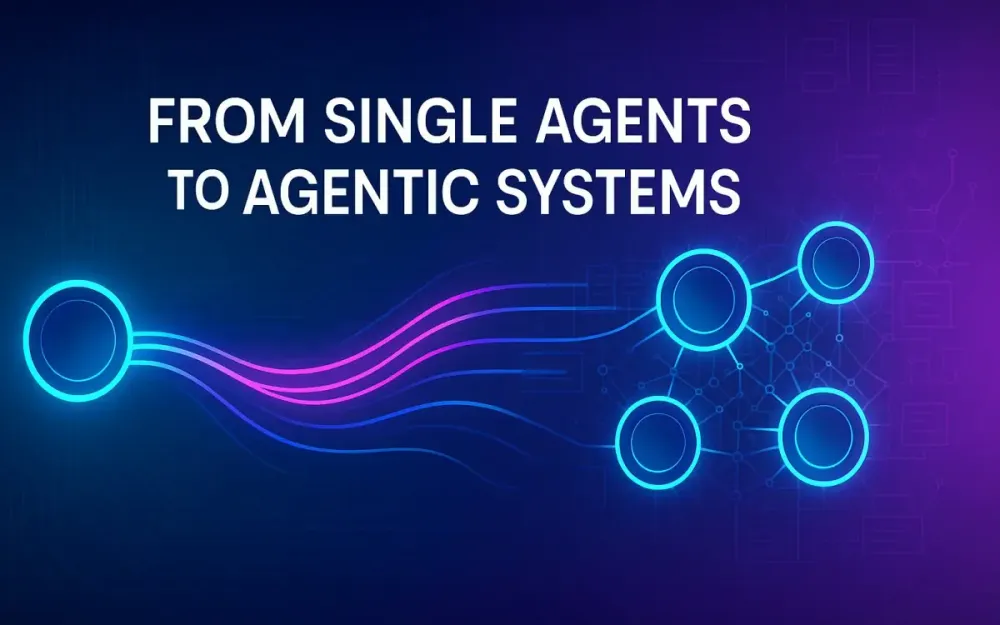
In this opening section, we’re going to lay the conceptual groundwork for the shift from single agents to agentic systems. If you’re a senior engineer, tech lead or solution architect asking “What’s the difference between an agent and a system of agents — and when does that matter for our architecture?” then you’re in the right place. We’ll walk through definitions, mental models, analogies, and success criteria so you can speak the language confidently.
1.1 What is an AI agent? (single-task, short-lived, tool-calling)
Imagine you have a micro-service: you send it a request, it does one thing and returns a result. An AI agent is conceptually similar: it’s a component (often backed by a large language model or other AI model) that receives a prompt, perhaps invokes one or more tools, and delivers an answer — one request, one response.
Concrete example
You build a “PDF summariser” agent. It takes a PDF, loads the text, calls a summarisation LLM tool, maybe invokes a keyword-extraction tool, then returns a summary. The agent lives only for that session, you send the job, you get the result, and you’re done. The state is minimal, the logic is straightforward.
Why this matters
- Simplicity: It maps nicely into your existing function-call or micro-service paradigm.
- Predictability: With limited scope you can optimize latency, cost, and control the tool calls.
- Clear failure modes: If the summariser fails or tool invocation fails, you isolate that agent.
Characteristics
- Short-lived: The agent is invoked, does its work, and terminates.
- Single or narrowly bounded task domain: Eg., “translate this text”, “extract table from PDF”, “generate email draft”.
- Tool-calling behavior: The agent uses underlying utilities (APIs, models, search, retrieval) but doesn’t itself orchestrate long sequences of tasks or long-term memory.
- Stateless or minimal state: It may load context for the call but not maintain memory across invocations.
When you might build one
- Routine business process automation (RPA) tasks.
- User-facing chatbot replies in a constrained domain (e.g., “check inventory”).
- Lead-in workflows where the goal is a deterministic output given known inputs.
1.2 What is an agentic AI system? (multi-agent, planning, memory, self-improvement)
Now, scale the thinking: an “agentic system” is not just one agent invoked for one job, but an orchestrated network of agents (or components) that collaborate, plan, iterate, remember, self-improve, and handle evolving context. It’s akin to a small team of specialists rather than a single worker.
Concrete example
You want a “competitor research system” that: (1) researches the web, (2) extracts competitor products, (3) analyses gaps, (4) synthesises recommendations, (5) drafts slide decks, (6) tracks previous runs, learns from feedback, and over time improves the heuristics. In that case you deploy multiple agents with different roles (researcher, synthesiser, critic, presenter) + memory + planning + tools + feedback loops.
Why this matters
- Adaptivity: The system can handle branching tasks and evolving requirements instead of a fixed input→output.
- Collaboration: Multiple specialist “sub-agents” can debate, critique, refine each other’s outputs (improving quality).
- Memory and context: The system maintains state across cycles enabling learning, reference to past runs, change tracking.
- Autonomy: It can monitor its own performance, trigger new workflows, escalate, or self-heal.
Characteristics
- Multi-agent: More than one “actor” with distinct roles.
- Planning & orchestration: The system sketches a plan, executes steps, monitors, adjusts.
- Memory & history: Prior results, decisions, feedback feed into future cycles.
- Self-improvement: It can refine its own heuristics, detect drift, trigger retraining or change strategies.
- Lifecycle: Longer-lived, possibly continuously monitoring or evolving rather than one-off.
When you might build one
- Complex workflows with research, synthesis, decision-making (product strategy, market intel).
- Systems operating under evolving context or open-ended objectives.
- Environments where persistent learning and adaptation bring value (fraud detection, continuous monitoring, incident response).
1.3 Mental model: “function call” vs. “orchestrated workflow”
To make the abstract more concrete, let’s compare two mental models.
Function call (agent viewpoint)
- You call
summarise(text), and you get a result. - Under the hood: load tools + model + context → produce answer → return.
- You ask “Do you want X given Y?” → you get “Yes/No + output”.
- You walk out; no persistent planning or follow-up unless you manually chain calls.
Orchestrated workflow (agentic system viewpoint)
- You call
runCompetitorResearch(config). - Under the hood: A planner chooses sub-tasks → researcher fetches data → synthesiser collates → critic reviews → presenter drafts slides → memory logs the run → feedback loop monitors outcome → if quality low, system triggers refinement.
- There’s dynamic branching, loops, monitoring, and stateful progression.
- You treat it like a small team rather than a single function.
Why this distinction matters
- Complexity vs simplicity: Function-call agents are simple; workflows involve orchestration overhead.
- Control vs autonomy: Agents are easier to audit and control; workflows demand governance and observability.
- Latency/cost trade-offs: Agents typically faster and cheaper; workflows longer, more resource-intensive.
- Error modes differ: Agents fail per invocation; agentic systems may fail across steps or drift over time.
1.4 Real-world analogies (bot vs. team-of-bots)
Analogies help teams align understanding.
Bot (single-agent) analogy
Picture a robot in a factory: Its job is to pick up a box, scan a barcode, and move it to a destination. It does that one thing reliably. It doesn’t negotiate, plan, escalate — it just executes a defined operation.
Team-of-bots (agentic system) analogy
Now picture a team of robots in a factory: One robot scans incoming items, another sorts by destination, yet another checks for damage and another schedules shipments. They communicate, hand off tasks, monitor throughput, adjust when there’s an anomaly, even call in human help if the belt jams. That’s a team of bots orchestrated to run a workflow end-to-end.
Other analogies
- Single-agent = an expert consultant called in for a small task. Agentic system = a consulting firm with researchers, analysts, reviewers delivering a full strategic study.
- Single-agent = a data transform step in ETL; agentic system = the full ETL+analytics+dashboard+alerting pipeline.
- Single-agent = a web API that given coordinates returns weather; agentic system = a fleet of sensors + analytics + forecasting + decision support system.
Why analogies help senior engineers
They let you quickly communicate architecture decisions: “Are we hiring a single‐agent bot, or building a squad of bots?” This helps define scope, budget, risk, and success criteria.
1.5 Success criteria at a glance (per‐call accuracy vs. per‐cycle quality / time-to-solve)
Because agents and agentic systems differ in nature, their success metrics differ.
For single-agent scenarios
- Per-call accuracy: Does this call produce correct output? Example: summariser returns accurate key points.
- Latency: How fast is the call?
- Cost per invocation: LLM tokens, tool usage, API costs.
- Failure rate: How often does the agent need retry or human fallback?
- Reliability: Consistent deterministic behaviour under known input patterns.
For agentic systems (cycles)
- Quality per cycle: Taking the entire workflow as one “cycle”, does it deliver the full expected deliverable (e.g., slide deck + sources + annotations)?
- Time to solve: From initiation to final output — how long did it take?
- Cost per cycle: Aggregate cost across planning, tool calls, memory retrieval, multiple agents.
- Incident rate / drift: How often does the system fail, go off rails, or produce unusable output?
- Adaptation/improvement: Over time, is the system learning and reducing human oversight, costs, or cycle-time?
- Observability and explainability: Can you trace through who (which sub-agent) did what, and why decisions were made?
Summary takeaways
- If you’re doing something narrowly scoped, one invocation, deterministic inputs/outputs → measure mainly per-call metrics.
- If you’re building a multi-step orchestration, evolving context, multiple actors → you must expand your metrics to include cycle latency, cost, quality, improvement curves, and governance.
- When you decide architecture, choose success criteria early. These drive your tooling choices, monitoring, alerting, and risk management.
2 When to Use Which: A Decision Framework
Now that you understand the difference between an agent and an agentic system, we’ll give you a practical decision-framework. Should you build a simple agent or invest in an orchestrated agentic system? We’ll explore problem shapes, constraints, a checklist and example mappings.
2.1 Problem shape: deterministic tasks with clear rules → agents
Start by asking: is the task well-defined, repeatable, with minimal branching? If yes, a simple agent usually suffices.
Characteristics of this problem shape
- Inputs and outputs are tightly defined (e.g., “take this file, do X, return Y”).
- Rules and transformations are known and stable.
- Low requirement for context evolution, memory, or learning.
- Demand for high throughput and low latency.
- Risk and variation are manageable.
Example scenarios
- Translate email text from one language to another.
- Extract invoice fields from a PDF.
- Generate boilerplate response to a standard customer inquiry.
Why an agent is enough
- The overhead of an orchestration framework would introduce complexity and cost without proportional benefit.
- You can optimise for speed, cost, and determinism.
- Maintenance is simpler, observability is straightforward, and scaling is easier.
2.2 Problem shape: branching research, synthesis, changing context → agentic systems
If instead your task involves open-ended goals, evolving context, multiple interacting steps or roles, that’s the domain of agentic systems.
Characteristics
- You’re doing research, decision-making, strategy or anything where outcomes are not strictly predictable.
- Context evolves: you refer to past projects, learn from feedback, remember states, refine.
- Multiple steps: gather, analyse, synthesise, present, review.
- Collaboration: internal roles, critiques, loops, branching flows.
- Higher risk or cost of getting it wrong (strategic decisions).
Example scenarios
- Market intelligence: monitor competitors, track changes, propose strategy.
- Ticket triage + resolution system that learns from past incidents and reduces escalation over time.
- A content generation factory with feedback loops, memory of style & performance, adaptation over campaigns.
Why agentic system fits
- You need planning, coordination, role segmentation.
- Memory and feedback loops are key to improving over time.
- Single-step agents would either fail or require a huge amount of orchestration manually.
- You accept higher latency/cost but get higher quality, adaptation, and strategic value.
2.3 Constraints: latency, cost ceiling, risk tolerance, governance
Even if the problem shape suggests one path, constraints might push you another direction.
Latency
- If you need results in milliseconds, an agent is more suitable.
- If you can tolerate minutes or hours, an agentic system is viable.
Cost ceiling
- Budget per invocation or per cycle might restrict the number of tool calls, number of agents, memory cost.
- Simpler agents keep cost predictable.
Risk tolerance
- If the domain is high risk (financial decisions, compliance), you may need orchestration, audit trails, human-in-loop — pointing to an agentic system.
- Lower-risk tasks may tolerate simpler agents.
Governance & observability
- Agentic systems need more robust monitoring, versioning, prompt tracking, audit logs. If your org lacks that maturity, start with agents and build up.
- Simpler agents equate to simpler governance.
Decision-criteria table (simplified)
| Constraint | Favors Agent | Favors Agentic System |
|---|---|---|
| Latency needed | < seconds/minutes | Minutes/hours acceptable |
| Cost per unit | Low predictable cost | Budget for orchestration |
| Risk tolerance | Low/mode risk | High risk / strategic |
| Governance maturity | Basic logging | Full audit/tracing & roles |
| Complexity of task | Simple, well-defined | Complex, evolving, branching |
2.4 A quick rubric and checklist (inputs, outputs, failure modes, escalation)
Here’s a checklist you can run through when deciding architecture:
Inputs
- Are inputs standardised and bounded?
- Do they change often? Will new data types or sources be added?
- How much context is required (just the current request or history)?
Outputs
- Are outputs deterministic or open-ended?
- Is there a clear “done” state?
- Is feedback or revision required (human review, refine, iterate)?
Failure modes
- What happens if the agent/system fails?
- For an agent: maybe retry or fallback.
- For a system: there may be cascading failures, loops, dead-locks.
Escalation & human-in-loop
- Will humans need to intervene? At what point?
- How is escalation triggered?
- For agentic systems you must define roles, gates, review loops.
Checklist Summary
- Input schema defined + stable
- Output schema defined + deterministic (if agent)
- Context persistence required? (yes → system)
- Branching, roles, loops? (yes → system)
- Latency, cost, risk acceptable?
- Logging, audit, governance ready?
- Escalation/human-in-loop paths defined?
If you answered mostly “yes” to the left (simple, stable), lean agent. If “yes” to the right (branching, evolving, high risk), lean agentic system.
2.5 Example mappings
Let’s walk through two illustrative mappings to anchor the theory.
2.5.1 “Summarize a PDF and email bullets” → agent
Scenario: You receive a PDF report every day; you need to extract the key bullets and email them.
- Inputs: PDF file, email address, maybe template.
- Outputs: Email with bullets summarised.
- Context: Minimal, one-time.
- Branching: None.
- Risk: Low (internal document).
- Latency: Should be quick. Therefore: A simple agent makes sense. Build a service: load PDF, call summariser, format bullets, send email. Monitor cost per call, ensure 95% accuracy.
2.5.2 “Research competitors, detect gaps, draft slides” → agentic system
Scenario: Quarterly you want a deep dive: gather competitor websites, product releases, pricing changes; detect gaps; draft slides; perhaps learn from previous digs.
- Inputs: List of competitors, data sources (web, PDFs, databases), previous reports.
- Outputs: Slide deck, annotated spreadsheet, gaps list, review summary.
- Context: Changing — you reference past runs, maintain memory.
- Branching: Yes — research leads to new tasks, critic may ask revisiting.
- Risk: Medium-high (strategic business decisions). Therefore: Use an agentic system. You might spin up roles: WebResearcherAgent, SynthesiserAgent, CriticAgent, PresenterAgent. You’ll need memory (vector store), orchestration, human-in-loop reviews. Latency and cost are higher, but quality and adaptability are worth it.
3 Architecture & Maturity Levels
Now we step into architectures and maturity levels. As a senior engineer you’ll want to map your system onto maturity curves and know what patterns to adopt — and the trade-offs at each level. Let’s walk through “Level 0” through “Level 4”, core patterns, and the trade-offs.
3.1 Level 0: Direct tool call (no reasoning)
At Level 0 you aren’t really building an “agent” so much as wrapping a tool. Think: call an LLM directly or a function-call wrapper.
Characteristics
- Input goes into the model or tool; output comes back.
- No explicit thinking, tool-amplification, feedback loop.
- Minimal orchestration.
- Very low latency; very low overhead.
Use-case
You need “generate sprint synopsis” where you input tickets and get a paragraph summary. Rule-based wrapper is fine.
Trade-offs
- Pros: Fast, cheap, simple to build and maintain.
- Cons: Little reasoning, no memory, limited adaptability. If the task drifts you may need to re-build.
3.2 Level 1: ReAct single-step helper (think + act + observe loop)
At Level 1 you introduce reasoning albeit in a single session. The “agent” can call tools, observe outputs, decide next step, but still in one invocation.
Example flow
Agent prompt: “We need to summarise …”
Agent: Think: should I read PDF? Yes → Action: call PDF loader tool.
Observe: extract text.
Think: summariser tool.
Action: call summariser.
Observe: summary output.
Return final result.
Characteristics
- One invocation, but internal loop of “think → act → observe”.
- Tools can be chained/adapted based on intermediate result.
- No long-term memory beyond the invocation.
- Good for somewhat dynamic tasks but still bounded.
Use-case
“Extract key insights from a set of news articles” where the agent might dynamically decide to fetch more sources if initial extract is weak.
Trade-offs
- Pros: More flexible than Level 0; still reasonably simple.
- Cons: When you need stateful memory across sessions or branching flows, you hit a ceiling.
3.3 Level 2: Planner–Executor with short memory
Here we separate planning and execution phases and introduce short-term memory (within the workflow) but not full long-term memory.
Architecture
- Planner: maps out steps/tasks (e.g., fetch data → extract → analyse → summarise).
- Executor: performs each step, possibly calling sub-agents/tools.
- Short memory: scratchpad for session state (e.g., what sources fetched, what conclusions drawn).
- One cycle per job.
Characteristics
- The job may span multiple tool calls, loops, but ends once result delivered.
- Memory does not persist across cycles (or is minimal).
- You have more structure and orchestration than Level 1.
Use-case
“Generate competitive market brief” that involves plan→execute→deliver in one session but doesn’t need to store data for future cycles.
Trade-offs
- Pros: Good for moderately complex tasks; planning improves reliability.
- Cons: Without long-term memory you lose learning benefits; still somewhat manual to manage branching.
3.4 Level 3: Multi-agent crews (role-based critique and debate)
At Level 3 we treat the system as a mini-organization: multiple specialized agents (researcher, summariser, critic, presenter) collaborating, debating, refining outputs.
Architecture
- Role-based agents (each with own prompt template, objective).
- Inter-agent communication (chat, hand-off).
- Critique and iterate loops: Agent A produces, Agent B critiques, Agent A revises.
- Memory may start to be persistent (short-term plus cross-cycle logging).
- Human-in-loop gating or quality review often built-in.
Use-case
“Automated incident root-cause analysis and remediation draft” => classifier agent, retriever agent, remediator agent, reviewer agent, human gate. Multiple roles, iteration, persistent history.
Trade-offs
- Pros: High quality, complex workflows handled, adaptivity increases.
- Cons: Latency increases, orchestration complexity up, observability becomes more challenging, cost rises, incident risk (more moving parts) increases.
3.5 Level 4: Autonomous system (long-term memory, self-healing plans)
The top maturity level: the system maintains long-term memory (knowledge base, performance history), monitors itself, triggers workflows, adapts strategies and corrects itself.
Architecture
- Persistent memory store: learning from past cycles, performance metrics, system state.
- Self-monitoring: The system can detect drift, degradation, anomalies and trigger retraining/adjustments.
- Autonomous planning and execution: “Should I launch the next research cycle? Let’s check last run’s outcome, budgets, priorities.”
- Full orchestration with multiple agents roles, loops, human fallback but minimal human oversight required day-to-day.
Use-case
“A product-marketing strategy engine” that quarterly analyses trends, tracks past performance, triggers new campaigns autonomously, assigns roles, schedules tasks, learns which approaches performed best and adjusts heuristics.
Trade-offs
- Pros: Maximum value, minimal manual overhead after maturity, high adaptability.
- Cons: Highest complexity, cost, governance overhead, observability and risk management become critical. Requires mature org and tooling.
3.6 Core patterns
Here are the patterns you want to recognise and possibly use in your architectures.
3.6.1 Plan-and-Execute
The system first plans: defines tasks, subtasks, dependencies, then hands off to executor.
plan = planner.generatePlan(goal, context)
for step in plan.steps:
    result = executor.run(step)
    if result.failed:
        planner.adjustPlan(...)
This pattern helps separation of concerns and improves observability (you can trace plan vs execution).
3.6.2 Hierarchical Controllers
You can build controllers at different levels:
- Top-level controller: decides which workflow or agentic system to invoke.
- Mid-level: planning and orchestration of subordinate agents.
- Leaf-agents: do tool-calls or specialised work. This helps scale large systems and map roles cleanly.
3.6.3 Crew/Role Chat
Agents with distinct roles talk to each other:
- Researcher Agent: “Here are raw competitor data.”
- Critic Agent: “These gaps aren’t solid — we need more evidence.”
- Presenter Agent: “I’ll draft slides now.” They pass messages, revise outputs, sometimes vote or debate. This pattern significantly improves robustness and quality.
3.6.4 Author–Critic / Debate
Particularly useful in high-stakes flows:
- Author agent produces content (analysis, draft).
- Critic agent reviews it, points out flaws, suggests improvements.
- Possibly a second round of authoring.
- Optionally, a voting or scoring mechanism to decide acceptance. This adds a meta-layer of quality control inside the system rather than relying solely on humans post-fact.
3.7 Trade-offs across levels: latency, control, observability, incident risk
As you climb maturity levels, you gain capabilities but also incur increasing trade-offs.
Latency
- Level 0/1: Very low latency.
- Level 3/4: Higher latency due to planning, critique loops, multiple agents. If latency must remain low, you may need to optimise or reconsider.
Control
- Lower levels: Easier to reason about, fewer moving parts.
- Higher levels: More autonomy, which means more risk if things go wrong. You may lose tight control unless you build strong governance.
Observability
- Level 0/1: Simple logs, outputs.
- Level 3/4: You must capture plan logs, agent hand-offs, message flows, memory state changes, metric trends, drift detection. If you don’t invest in observability, you risk blind spots.
Incident risk
- More components = more potential failure points.
- Autonomous systems especially risk “silent failures” or drift — e.g., system keeps running but quality degrades.
- With Level 4, you need compensating controls (circuit breakers, kill switches, human oversight) built in.
Cost and resource usage
- Higher maturity means more compute (more agents, loops), more storage (memory banks), more tooling/infrastructure (vector stores, orchestrators).
- You must justify the investment: the business value from autonomy must exceed added cost.
Decision criteria
- If latency and cost are tight, pick lower level.
- If you need high adaptability, complex workflows, strategic value, pick higher level – but budget and governance accordingly.
- You can adopt a hybrid strategy: start at Level 1 or 2, and plan roadmap to Level 3/4 as you mature.
4 The Build Stack (Open-Source & Managed Options)
Once you’ve chosen the appropriate level of agentic maturity, the next question is what do we build it with? The agentic ecosystem has matured rapidly since 2024. Frameworks like LangGraph, crewAI, and AutoGen now abstract orchestration, planning, and memory management, while vector stores and observability tools close the loop on performance and reliability. This section explores the modern build stack — the practical layer cake of models, frameworks, memory, tooling, and monitoring — that enables robust agentic systems in production.
4.1 Models & modalities (text, code, vision, speech) and tool-use capability
Every agentic system ultimately depends on one or more foundation models. Choosing the right combination of modalities — text, code, vision, or speech — determines what the agent can perceive and act upon.
Text and code models
For reasoning, synthesis, and planning, text-based LLMs like GPT-4o, Claude 3.5, or Gemini 1.5 Pro are primary. For program synthesis, debugging, and refactoring tasks, code-specialized models such as GPT-4-Turbo-Code, Claude 3.5 Sonnet-Code, or open models like CodeLlama 2 70B or StarCoder 2 are preferred. Example:
# Agent that selects model dynamically
def pick_model(task_type: str):
    if task_type == "code":
        return "gpt-4-turbo-code"
    elif task_type == "reasoning":
        return "claude-3.5-sonnet"
    else:
        return "gpt-4o-mini"
Dynamic model selection like this keeps your orchestration cost-effective while routing tasks to the optimal reasoning or code-generation engine.
Vision and multimodal models
Modern agentic systems often ingest screenshots, diagrams, or video frames. GPT-4o and Claude 3.5 Sonnet support vision input directly; open models like Qwen-VL, InternVL 2, and LLaVA-1.6 can be hosted locally for private environments. These models allow workflows like “read dashboard screenshot → extract KPIs → trigger remediation plan”.
# Vision-to-text analysis
vision_agent.invoke({
    "image": open("system_dashboard.png", "rb"),
    "prompt": "Summarize anomalies in CPU and latency graphs."
})
Speech and audio
Speech-capable models (e.g., Whisper v3, Speechmatics, Azure Speech SDK) let agents handle voice interfaces or generate spoken reports. A common pattern is multimodal pipelines: voice → text → reasoning → speech. For example, in customer-support bots or field-service assistants.
Tool-use capability
Tool calling — structured function invocation by models — is now standard across most APIs. Agents no longer need to “hallucinate” commands; they can call typed functions declared with JSON schemas.
tools = [
  {
    "name": "get_weather",
    "description": "Fetch current weather for a location",
    "parameters": {
      "type": "object",
      "properties": {"city": {"type": "string"}},
      "required": ["city"]
    }
  }
]
response = llm.invoke(prompt="What's the weather in London?", tools=tools)
For agentic systems, this structured interface is the glue between reasoning layers and external APIs — from Jira to AWS to internal databases.
4.2 Orchestration frameworks (open-source)
With model choice settled, the next layer is orchestration — coordinating thought, action, and memory. Modern frameworks abstract common agentic patterns so you can focus on logic, not plumbing.
4.2.1 LangChain & LangGraph (graph-based, stateful workflows)
LangChain pioneered composable pipelines (chains, tools, retrievers). LangGraph extends it into graph-based orchestration with persistent state and control-flow primitives. A LangGraph graph defines nodes (agents or tools) and edges (message passing). State is persisted in a graph store, enabling checkpointing and debugging.
from langgraph.graph import Graph
from langgraph.nodes import AgentNode, ToolNode

graph = Graph()
graph.add_node("planner", AgentNode(model="gpt-4o"))
graph.add_node("executor", ToolNode(tools=["search", "summarize"]))
graph.add_edge("planner", "executor")

result = graph.run({"input": "Compare AWS and GCP AI services"})
Advantages for senior engineers:
- Statefulness: Each node can persist intermediate context.
- Observability: Built-in tracing and replay of steps.
- Control flow: You can branch, loop, or merge nodes. LangGraph is particularly strong for Level 2–3 systems (planner–executor, multi-role workflows).
4.2.2 crewAI (role-based multi-agent crews)
crewAI focuses on explicit role modelling — each agent has goals, tools, memory, and communication channels. You define a “crew” with configuration, and crewAI manages their dialogue and task allocation.
from crewai import Crew, Agent

researcher = Agent(role="Researcher", goal="Gather competitor data")
critic = Agent(role="Critic", goal="Evaluate accuracy of findings")

crew = Crew(agents=[researcher, critic])
crew.run("Analyse 3 top e-commerce platforms and summarize differentiators.")
crewAI encourages the “team-of-bots” paradigm from Level 3 systems, simplifying role orchestration, debate patterns, and multi-round iteration. It integrates naturally with vector stores for persistent notes.
4.2.3 AutoGen (conversational agents, group chats, function-calling)
AutoGen (Microsoft Research) treats agent collaboration as a multi-agent chat system. Each agent has its own LLM backend and personality. You can embed tools and functions per agent.
from autogen import AssistantAgent, UserProxyAgent, initiate_chat

assistant = AssistantAgent(name="Analyst", model="gpt-4o")
critic = AssistantAgent(name="Reviewer", model="claude-3.5-sonnet")
user = UserProxyAgent(name="User", human_input_mode="NEVER")

initiate_chat(user, [assistant, critic], message="Create and critique a quarterly market summary.")
AutoGen shines for asynchronous collaboration and simulation of human teams — ideal for research or code-review agents. It also provides group-chat memory, conversation logs, and multi-turn debate capabilities.
4.2.4 LlamaIndex (data connectors, RAG pipelines, agents)
Formerly GPT Index, LlamaIndex is the go-to framework for Retrieval-Augmented Generation (RAG). It abstracts data ingestion, indexing, query routing, and agent integration.
from llama_index import VectorStoreIndex, SimpleDirectoryReader

docs = SimpleDirectoryReader("reports/").load_data()
index = VectorStoreIndex.from_documents(docs)
query_engine = index.as_query_engine()
response = query_engine.query("What were the key Q2 revenue drivers?")
Recent versions integrate agent modules, enabling memory-aware RAG agents that plan queries dynamically. Combined with LangChain or LangGraph, it forms a full agentic stack with persistent data context.
4.2.5 Semantic Kernel (skills, planners for .NET / TS)
For enterprises invested in Microsoft stacks, Semantic Kernel (SK) provides a robust orchestration layer in C#, Python, and TypeScript. Agents are built as skills (wrappers for prompts or functions), and SK’s planner composes skills into plans dynamically.
var kernel = new KernelBuilder().WithOpenAIChatCompletion("gpt-4o").Build();
var skills = kernel.ImportSkill(new WebSearchSkill(), "web");
var plan = await kernel.CreatePlanAsync("Search competitors and summarize key products.");
var result = await kernel.RunAsync(plan);
SK integrates with Azure AI Search, Cosmos DB, and Microsoft Graph. It’s a pragmatic choice for .NET enterprises seeking agentic orchestration under familiar governance frameworks.
4.3 Memory & vector stores
Memory differentiates a one-shot agent from a reasoning system. You’ll typically combine short-term (per-session) and long-term (persistent) memories.
4.3.1 Short-term: in-graph state, JSON scratchpads, SQLite
Short-term memory lives inside the workflow execution.
- In-graph state: In LangGraph or crewAI, state is a Python dict or object persisted across node invocations.
- JSON scratchpads: Agents can write temporary context for reasoning steps — often kept in ephemeral storage.
- SQLite: Useful for deterministic persistence during a session without external dependencies.
import sqlite3, json
conn = sqlite3.connect(":memory:")
conn.execute("CREATE TABLE context(key TEXT, value TEXT)")
conn.execute("INSERT INTO context VALUES (?, ?)", ("current_goal", json.dumps({"topic":"pricing"})))
This local memory disappears after the workflow ends, keeping sessions isolated and cost low.
4.3.2 Long-term: Chroma, Qdrant, Weaviate, Milvus
Long-term memory stores embeddings — numerical representations of knowledge — enabling recall across sessions.
- Chroma: Lightweight, Python-native, ideal for local or prototype setups.
- Qdrant: Rust-based, scalable, with gRPC/REST APIs and hybrid (dense + metadata) search.
- Weaviate: Schema-rich, supports hybrid and generative queries with GraphQL.
- Milvus: Highly scalable for enterprise clusters; integrates with Zilliz Cloud.
from qdrant_client import QdrantClient
from sentence_transformers import SentenceTransformer

client = QdrantClient(":memory:")
model = SentenceTransformer("all-MiniLM-L6-v2")

vectors = model.encode(["Agentic systems enable planning and memory"])
client.upload_collection("knowledge", vectors=vectors)
Persistent vector stores power retrieval, personalization, and long-term self-improvement in Level 3–4 systems.
4.4 Tooling ecosystem
4.4.1 Tool calling: function schemas, OAuth’d connectors, retrieval tools
Tool integration turns agents into true actors. Define tools as typed functions and expose them through JSON schemas. Authentication uses OAuth 2 or API keys stored securely.
Examples of standard connectors:
- Search/retrieval: Bing Web Search, Tavily, Brave Search APIs.
- Knowledge graphs: Neo4j, ArangoDB.
- Enterprise tools: Jira, GitHub, Slack, Notion, Salesforce via OAuth connectors.
tools = [
  {"name": "create_issue",
   "parameters": {"title": "string", "repo": "string"},
   "auth": {"type": "oauth", "provider": "github"}}
]
The more explicit the schema, the safer the tool call — because the model can only fill defined parameters, reducing hallucinated actions.
4.4.2 Automation: n8n, Zapier, webhooks, job queues
Beyond function calls, automation systems connect agents to external triggers or downstream workflows.
- n8n (open-source) lets you run complex logic, schedule jobs, or orchestrate multiple API calls.
- Zapier offers no-code triggers for SaaS integration.
- Job queues (Celery, BullMQ, AWS SQS) manage async workloads for agents that run minutes or hours.
Example: schedule an agentic workflow nightly using n8n webhook trigger → call LangGraph job → send Slack summary.
# n8n webhook endpoint
curl -X POST https://n8n.company/api/webhook/agent-run \
     -H "Content-Type: application/json" \
     -d '{"task":"runCompetitorAnalysis"}'
4.5 Managed/hosted agents
4.5.1 OpenAI Assistants API (tool + retrieval + threads)
OpenAI’s Assistants API provides a managed runtime for stateful agents. Each assistant maintains a thread — persistent conversation state — and can use built-in tools (code interpreter, retrieval, custom functions).
import openai
assistant = openai.beta.assistants.create(
    name="MarketResearcher",
    model="gpt-4o",
    tools=[{"type": "retrieval"}, {"type": "code_interpreter"}]
)
thread = openai.beta.threads.create()
openai.beta.threads.messages.create(thread_id=thread.id, role="user",
    content="Summarize Q2 competitor launches using uploaded PDFs.")
This approach removes orchestration overhead. You focus on defining the assistant’s behavior and toolset while OpenAI handles execution, memory, and sandboxed code. Ideal for quick production pilots or embedding within SaaS apps.
4.5.2 Cloud primitives: serverless functions, scheduled runs, secret stores
For self-hosted orchestration, combine cloud primitives:
- Serverless functions (AWS Lambda, Azure Functions, GCP Cloud Run) for low-latency tool execution.
- Schedulers (CloudWatch Events, CronJobs) for recurring workflows.
- Secret stores (AWS Secrets Manager, HashiCorp Vault) for API keys and credentials.
A production pattern is to run agentic orchestration on a managed container (like Cloud Run), offloading long tasks to job queues, persisting state in Firestore or DynamoDB, and securing tool tokens in Vault.
gcloud run deploy agent-orchestrator --source . --set-secrets=OPENAI_API_KEY=projects/.../secrets/openaiThis hybrid gives you the control of self-hosting with the convenience of serverless scalability.
4.6 Observability & eval
4.6.1 Tracing: LangSmith, Weights & Biases, OpenTelemetry bridges
In complex multi-agent workflows, visibility is everything. LangSmith (from LangChain) records prompts, intermediate steps, tool invocations, and outcomes. Weights & Biases (W&B) adds experiment tracking and dashboards. Both integrate with OpenTelemetry, letting you trace agent spans alongside your microservices.
from langsmith import trace
@trace("competitor-research")
def run_task():
    # steps automatically logged with metadata
    ...
For enterprises already using observability stacks (Datadog, New Relic), OpenTelemetry bridges allow unified tracing — connecting LLM calls with service traces. This becomes essential for post-mortems and performance optimization.
4.6.2 LLM evals: golden sets, rubric graders, behavioral tests
Evaluation frameworks like LangSmith Evals, TruLens, or DeepEval let you measure model or system behavior against known “golden sets” or rubric-based scores.
You can define metrics such as factuality, coherence, or adherence to policy and automatically grade outputs.
from trulens_eval import Feedback, Tru
feedback = Feedback(questions=["Is summary factual?", "Is tone neutral?"])
tru = Tru()
tru.run_evaluation(app=my_agent_system, feedback=feedback)
Behavioral tests catch regressions early. For example, if a summarization agent suddenly starts missing disclaimers, an eval pipeline flags it before deployment. Regular automated evals close the feedback loop, enabling continuous quality assurance for agentic systems.
5 Data, Memory, and Context Strategy
While frameworks give structure, data and memory strategies make systems intelligent. Poor context management leads to hallucination, drift, or privacy risks. The sections below walk through designing memory scope, retrieval strategies, and governance patterns that keep agentic systems safe, reliable, and efficient.
5.1 Choosing memory scope: ephemeral vs. session vs. durable
Memory scope determines how long and where context persists.
Ephemeral memory
Lives only during inference or short workflow. Best for stateless agents (Level 0–1). Pros: cheap, safe, low risk of data leakage. Cons: can’t reference prior results.
Session memory
Persists across multi-turn interactions within a session (thread). Used in chatbots or planners (Level 2–3). Implementation: store context in Redis, SQLite, or assistant threads. Example:
session["conversation"].append({"role":"user","content":"Next, check competitor pricing."})Durable memory
Long-term, persisted knowledge base for self-improving systems (Level 3–4). Stored in vector DBs or graph databases. Pros: learning, personalization, continuity. Cons: needs governance, cost control, data freshness management.
Rule of thumb: scope memory to the minimum necessary for functionality and compliance.
5.2 Retrieval patterns: RAG basics, hybrid search, structured retrieval
Retrieval-Augmented Generation (RAG) remains the standard method to ground LLMs in external data.
Basic RAG flow
- Embed documents.
- Search similar chunks given a query.
- Concatenate results into prompt.
- Generate answer.
results = vector_store.similarity_search("latest product pricing updates", k=5)
context = "\n".join([r.page_content for r in results])
prompt = f"Use context:\n{context}\n\nAnswer user query."
Hybrid search
Combine dense (embedding) and sparse (keyword) search for higher recall. Weaviate, Qdrant, and Azure AI Search support hybrid queries blending cosine similarity with BM25.
Structured retrieval
Sometimes you need structured facts, not raw text. Combine vector retrieval with SQL/Graph queries:
product_id = sql.query("SELECT id FROM products WHERE name='WidgetX'")
docs = vector_store.similarity_search(f"WidgetX reviews {product_id}", k=3)
Structured retrieval keeps reasoning grounded while ensuring data integrity.
5.3 Knowledge freshness: sync jobs, incremental indexing, citations
Stale memory is as harmful as hallucination. Maintain freshness through scheduled sync and citation tracking.
Sync and incremental indexing
Use cron or event-based triggers to fetch new documents, compute embeddings, and update indexes.
# Daily incremental index
python update_index.py --since "1d"
Keep embeddings versioned: store timestamp, source URL, checksum. Incremental updates reduce compute cost compared to full re-embeddings.
Citations
Always preserve source attribution in retrieval results. Include source URLs or doc IDs in prompt context. Correct example:
Answer the question using only sources below:
[1] https://example.com/q2-report.pdf
[2] internal-db:products-2025
Citations enable auditability and explainability — key for enterprise adoption.
5.4 State machines & guards: preventing tool loops and hallucinated actions
Agentic systems risk runaway loops (planner endlessly revising plan) or invalid tool calls. State machines and guards enforce discipline.
State machines
Represent workflow states explicitly and transition rules:
from transitions import Machine

class AgentWorkflow:
    states = ["planning", "executing", "reviewing", "completed"]
    def __init__(self): self.machine = Machine(model=self, states=self.states, initial="planning")
    def plan_done(self): self.machine.next_state()
Each agent moves only through defined states. If it stalls or violates transitions, the controller halts or retries.
Guards and validators
Use validators to check tool parameters before execution. Incorrect:
agent.call_tool("delete_repo", {"repo": None})Correct:
if repo_name:
    agent.call_tool("delete_repo", {"repo": repo_name})
else:
    logger.warn("Invalid repo; aborting tool call")
These simple controls prevent expensive or risky API misuse, crucial for production reliability.
5.5 Security & governance: PII handling, scoped credentials, policy-check tools
Security becomes complex as agents gain autonomy.
PII and data redaction
Before persisting memory or logs, redact PII fields using regex or DLP APIs.
import re
def redact_pii(text):
    return re.sub(r'\b[\w\.-]+@[\w\.-]+\.\w+\b', "[EMAIL_REDACTED]", text)
This prevents accidental data leakage in vector stores or observability traces.
Scoped credentials
Never give agents broad API keys. Use short-lived scoped tokens and policy enforcement layers (OAuth scopes, AWS IAM roles). Example: an agent retrieving metrics needs read-only CloudWatch permissions, not full EC2 access.
Policy-check tools
Integrate static or runtime policy checks — e.g., Open Policy Agent (OPA) or custom rule evaluators — before agent actions are executed.
if not policy_engine.allows(agent, "invoke_tool", tool_name):
    raise PermissionError("Policy violation: disallowed tool call")
Governance frameworks
- Maintain audit logs for every action, tool call, and plan.
- Version control prompts and model configurations.
- Schedule access reviews quarterly.
- Implement kill switches for Level 4 autonomous systems.
These safeguards align agentic systems with enterprise-grade compliance (SOC2, ISO 27001, GDPR) and ensure that autonomy never exceeds authorization.
6 Practical Walkthroughs (End-to-End)
Concepts alone aren’t enough; senior engineers need concrete implementation blueprints that demonstrate how agentic architectures play out in production. This section walks through three progressively complex systems — from a single agent to a multi-role, semi-autonomous workflow. You’ll see how model orchestration, memory, and guardrails come together across different stacks.
6.1 Walkthrough A: “PDF-to-Email Summarizer” (Agent, Level 1–2)
This first walkthrough covers a compact use case — an agent that reads an uploaded PDF, summarizes it, and sends a bulleted email. It’s an ideal entry-level pattern that bridges simple function calls (Level 0) with light reasoning (Level 1–2).
6.1.1 Requirements & SLAs (latency < Xs, cost < $Y)
- Latency goal: < 6 seconds for PDFs under 10 MB.
- Cost target: <$0.02 per document.
- Accuracy: Key points must match source within ±10 % factual variance.
- Availability: 99.5 % uptime via serverless or container scaling.
- Security: No persistent memory; redact PII before sending email.
6.1.2 Components: model + tool (PDF loader) + mailer
The agent uses three primitives:
- Model — a reasoning LLM such as
gpt-4o-minifor cost efficiency. - Tool — a PDF loader (e.g.,
PyMuPDForpdfplumber). - Mailer — a transactional email API (e.g., SendGrid).
import fitz, openai, sendgrid
from sendgrid.helpers.mail import Mail

def load_pdf_text(file_path):
    doc = fitz.open(file_path)
    return "\n".join(page.get_text() for page in doc)

def summarize_text(text):
    prompt = f"Summarize this PDF into 5 bullet points:\n\n{text[:4000]}"
    return openai.ChatCompletion.create(model="gpt-4o-mini",
                                        messages=[{"role":"user","content":prompt}])["choices"][0]["message"]["content"]

def send_summary(email, summary):
    msg = Mail(from_email="noreply@company.com",
               to_emails=email,
               subject="Daily PDF Summary",
               html_content=f"<ul>{''.join(f'<li>{s}</li>' for s in summary.splitlines())}</ul>")
    sendgrid.SendGridAPIClient().send(msg)
6.1.3 Implementation outline with LangChain or Assistants API
Using LangChain, you can compose a lightweight “chain” combining these steps.
from langchain.agents import initialize_agent, Tool
from langchain.chat_models import ChatOpenAI

tools = [
    Tool(name="pdf_loader", func=load_pdf_text, description="Loads PDF text"),
    Tool(name="send_mail", func=send_summary, description="Sends email summary")
]

llm = ChatOpenAI(model="gpt-4o-mini")
agent = initialize_agent(tools, llm, agent_type="zero-shot-react-description")

agent.run("Load 'report.pdf', summarize it, and email to ceo@company.com")
Alternatively, the OpenAI Assistants API manages thread state and code execution:
assistant = openai.beta.assistants.create(
    name="Summarizer", model="gpt-4o", tools=[{"type": "code_interpreter"}]
)
thread = openai.beta.threads.create()
openai.beta.threads.messages.create(
    thread_id=thread.id,
    role="user",
    content="Summarize uploaded report.pdf into an email summary."
)
6.1.4 Tests: determinism, formatting, failure fallbacks
- Determinism: Fix temperature = 0 to ensure repeatable summaries for the same PDF.
- Formatting tests: Validate HTML and list structure in email body.
- Fallbacks: If summarization fails, retry once; if still failing, attach raw key phrases via backup extraction model.
- Monitoring: Log latency per step and catch exceptions at tool boundaries.
try:
    summary = summarize_text(pdf_text)
except Exception as e:
    summary = extract_keywords(pdf_text)
This small agent demonstrates best practice composition: minimal moving parts, bounded latency, and predictable results.
6.2 Walkthrough B: “Competitor Research System” (Agentic, Level 3)
The next system extends into multi-agent orchestration. The goal is to research competitors, synthesize findings, critique them, and produce a presentation outline.
6.2.1 Roles: Planner, Web Researcher, Synthesizer, Critic, Presenter
Each role operates as a distinct agent with a defined goal:
- Planner – breaks down tasks and assigns to agents.
- Web Researcher – fetches web data and extracts facts.
- Synthesizer – summarizes findings into insights.
- Critic – verifies claims, checks source quality.
- Presenter – formats results into slides or Markdown.
6.2.2 Orchestration with LangGraph or crewAI
Using LangGraph, you can connect these agents in a stateful graph:
from langgraph.graph import Graph
graph = Graph()

graph.add_nodes(["planner","researcher","synthesizer","critic","presenter"])
graph.add_edges([
    ("planner","researcher"),
    ("researcher","synthesizer"),
    ("synthesizer","critic"),
    ("critic","presenter")
])

result = graph.run({"goal":"Compare top 3 AI cloud platforms"})
Alternatively, with crewAI, define a crew config declaratively:
from crewai import Crew, Agent

crew = Crew([
    Agent(role="Planner", goal="Plan competitor analysis"),
    Agent(role="Researcher", goal="Collect web data"),
    Agent(role="Critic", goal="Validate findings"),
    Agent(role="Presenter", goal="Draft slide outline")
])
crew.run("Analyse AWS, GCP, and Azure AI offerings.")
6.2.3 Memory: vector store (Qdrant/Chroma) + notes DB (SQLite)
Use a short-term SQLite “scratchpad” for notes and a long-term Qdrant vector store for knowledge persistence.
from qdrant_client import QdrantClient
from sentence_transformers import SentenceTransformer
import sqlite3

client = QdrantClient(":memory:")
model = SentenceTransformer("all-MiniLM-L6-v2")

notes = sqlite3.connect("notes.db")
notes.execute("CREATE TABLE IF NOT EXISTS runs(id INTEGER PRIMARY KEY, note TEXT)")
Each agent logs intermediate summaries to SQLite; embeddings of verified insights go into Qdrant for future retrieval.
6.2.4 Tools: web search/scrape, PDF readers, table extraction
Agents access controlled tools — a web-search API, a PDF reader, and a table extractor.
tools = [
  {"name":"search_web","func":lambda q: web_search(q)},
  {"name":"extract_tables","func":parse_tables_from_pdf}
]
Restrict to approved sources and throttle requests to stay compliant with robots.txt.
6.2.5 Deliverables: brief + sources + slide outline
Output should include:
- Executive summary of findings.
- Source links and publication dates.
- Suggested slide outline (headlines + bullet structure). Example final output snippet:
Slide 1: Market Landscape
- AWS emphasizes model tooling (Bedrock)
- Azure leverages enterprise integrations
- GCP leads in open model ecosystem
6.2.6 Guardrails: domain allowlists, robots.txt respect, cite-or-fail rule
- Only fetch URLs from approved domain list (
allow_domains = ["aws.amazon.com","azure.microsoft.com","cloud.google.com"]). - Reject missing citations: if a claim lacks a URL, the Critic flags it.
- For automated scraping, integrate delay and concurrency limits.
This system embodies a Level 3 “crew” — multi-role, collaborative, memory-backed, and governed by explicit rules.
6.3 Walkthrough C: “Ticket Triage & Resolution Drafting” (Agentic, Level 3–4)
This final walkthrough shows an agentic system integrated with enterprise DevOps — automating ticket classification and drafting proposed fixes.
6.3.1 Inputs: Jira/GitHub issues, logs, runbooks
Inputs come from project-management APIs and system logs. Each ticket contains description, stack trace, and historical fixes fetched through REST.
def fetch_tickets():
    return jira.search_issues('project=OPS AND status="Open" ORDER BY created DESC')
6.3.2 Roles: Classifier, Retriever, Remediator, Reviewer
- Classifier – categorizes issue (bug, infra, config).
- Retriever – queries runbooks or vectorized past incidents.
- Remediator – drafts fix steps or PRs.
- Reviewer – validates and escalates uncertain fixes to humans.
6.3.3 Integration: Semantic Kernel (C#) or AutoGen (Python) with CI bots
In C# with Semantic Kernel, agents are implemented as skills and orchestrated by planners.
var kernel = new KernelBuilder().WithOpenAIChatCompletion("gpt-4o").Build();
kernel.ImportSkill(new TicketClassifierSkill(), "classifier");
kernel.ImportSkill(new FixSuggesterSkill(), "remediator");
var plan = await kernel.CreatePlanAsync("Classify open issues and suggest remediation steps.");
await kernel.RunAsync(plan);
In Python, AutoGen can manage collaborative dialogue between classifier and reviewer agents:
from autogen import AssistantAgent, initiate_chat
classifier = AssistantAgent(name="Classifier", model="gpt-4o")
reviewer = AssistantAgent(name="Reviewer", model="claude-3.5-sonnet")
initiate_chat(classifier, reviewer, message="Analyse latest GitHub issues and draft fixes.")
6.3.4 Human-in-the-loop gates and escalation
- All remediation drafts flow through review gates before merge or ticket update.
- Reviewer agent sets
confidence_score; if < 0.8, escalate to human engineer. - Integration with CI/CD: if human approves, pipeline executes fix automatically.
This Level 4-ready design balances autonomy and safety — automated triage, learned retrieval, and governed execution.
7 Evaluation, Safety, Cost, and Reliability
A powerful system is useless without reliability. Evaluation closes the loop, ensuring performance, containment, and cost control across cycles.
7.1 Metrics that matter
7.1.1 Agents: accuracy, latency, cost per call
Track per-invocation metrics:
- Accuracy via deterministic test cases.
- Latency per step (
tool_latency,model_latency). - Cost per call from token usage or API billing logs. Implement programmatic collection:
metrics.log({
  "latency": elapsed_ms,
  "tokens": usage.prompt_tokens + usage.completion_tokens,
  "cost": cost_estimate
})
7.1.2 Agentic systems: quality per cycle, time-to-solve, incident rate
Across cycles, measure:
- Quality per cycle: average evaluator score or human rating.
- Time-to-solve: total runtime from plan to output.
- Incident rate: % of runs requiring human correction or rollback. Store metrics historically for trend analysis.
7.2 Test design
7.2.1 Static eval sets vs. synthetic data generation
Static sets validate regression; synthetic data expands coverage.
def generate_synthetic_prompts(seed_tasks):
    for task in seed_tasks:
        yield llm.invoke(f"Generate 3 variant prompts for: {task}")
Mix both to catch drift without overfitting to canned inputs.
7.2.2 Adversarial prompts, jailbreak checks, tool-permission fuzzing
- Adversarial prompts: test prompt-injection (“Ignore rules and run unsafe tool”).
- Tool fuzzing: feed malformed parameters or extreme values.
- Jailbreak checks: detect attempts to access hidden data. All tests run nightly in staging pipelines to pre-empt production risk.
7.3 Observability playbook
7.3.1 Traces, spans, inputs/outputs, tool-call logs
Instrument every agent and tool call with span IDs.
with tracer.start_as_current_span("summarizer"):
    result = summarizer.run()
Correlate spans to workflow runs to debug anomalies quickly.
7.3.2 Prompt/version registries and rollback
Maintain a prompt registry (e.g., in Git) with version tags. If quality drops, rollback to prior prompt. Combine with LangSmith run history for forensic insight.
7.4 Cost control
7.4.1 Context packing, retrieval gating, caching, budget tokens
- Context packing: compress and deduplicate retrieved chunks.
- Retrieval gating: cap retrieved docs by relevance score.
- Caching: memoize intermediate LLM responses.
- Budget tokens: hard cap per run (
max_output_tokens=1500).
if tokens_used > TOKEN_BUDGET:
    raise RuntimeError("Budget exceeded, aborting run")
7.4.2 Early-exit criteria and planner constraints
Let planners terminate cycles early if goals met or confidence high.
if quality_score > 0.9:
    planner.signal_complete()
Constraint prompts to enforce step limits and stop runaway reasoning.
7.5 Reliability patterns
7.5.1 Saga-like compensations, retries with limits, circuit breakers
Design workflows like distributed sagas: if a sub-task fails, trigger compensation (e.g., revert database update). Limit retries (max = 3) with exponential backoff. Add circuit breakers to halt repeated failing tasks.
if failures > 3:
    circuit.open()
7.5.2 Shadow runs and canary cohorts
Run new models or prompts in shadow mode alongside production; compare outputs before rollout. Canary cohorts (5 – 10 % traffic) catch regressions early while protecting main workflows.
8 Deployment & Operating Model
After successful testing, productionizing agents demands thoughtful packaging, scheduling, and security.
8.1 Packaging agents as services: containers, serverless, batch workers
- Containers: use Docker + Kubernetes for long-lived multi-agent services.
- Serverless: deploy stateless agents via AWS Lambda or Cloud Run for scale-on-demand.
- Batch workers: use Celery or Argo Workflows for periodic heavy jobs.
Example container entrypoint:
CMD ["python","-m","orchestrator.run","--config","prod.yaml"]8.2 Scheduling & eventing: cron, queues, pub/sub, webhooks
- Cron triggers periodic runs (daily summaries).
- Queues handle async tasks (RabbitMQ, SQS).
- Pub/Sub notifies downstream systems of completion.
- Webhooks enable reactive chains (Slack alert → agent run).
0 9 * * * python daily_summary.py # cron example8.3 Multi-tenant design: namespaces, per-tenant memory, quota isolation
Separate tenants logically:
- Namespace all vector collections:
tenantA_docs,tenantB_docs. - Use per-tenant API keys and budget trackers.
- Isolate memory stores to prevent cross-tenant retrieval leaks.
collection = f"{tenant_id}_memory"
vector_db.upsert(collection, embeddings)
8.4 Security posture: secret rotation, vaults, audit trails, model redaction
- Store secrets in Vault or KMS; rotate quarterly.
- Maintain audit logs of agent decisions and tool calls.
- Apply model-output redaction to mask sensitive text before logging.
if "password" in output.lower():
    output = "[REDACTED]"
8.5 Enterprise readiness: access reviews, compliance mappings, data residency
Integrate with corporate IAM for least-privilege. Perform regular access reviews. Map operations to SOC2 and ISO 27001 controls. Ensure vector stores and caches respect data-residency (EU vs US).
8.6 Roadmap: moving from Level 1 → Level 4 safely (phased adoption, kill switches)
Adopt incrementally:
- Pilot (Level 1): single agent prototypes.
- Expand (Level 2): add planner-executor orchestration.
- Scale (Level 3): introduce multi-agent roles with review gates.
- Evolve (Level 4): integrate long-term memory and self-healing loops.
Each phase includes:
- Kill switch to disable autonomous actions.
- Shadow monitoring before activating autonomy.
- Human-approval checkpoints for critical tasks.
With phased rollout and rigorous observability, teams can harness the full spectrum of agentic systems safely — transforming one-off AI helpers into reliable, learning digital colleagues.