1 Introduction: The Zero Trust Mandate for Modern APIs
Modern enterprise systems depend on APIs to connect business processes, exchange data, and support distributed applications. These APIs operate in environments where users, workloads, and network boundaries shift constantly—across cloud platforms, on-prem systems, partner integrations, and remote access. The real challenge today isn’t building APIs; it’s securing them reliably and consistently in this changing landscape.
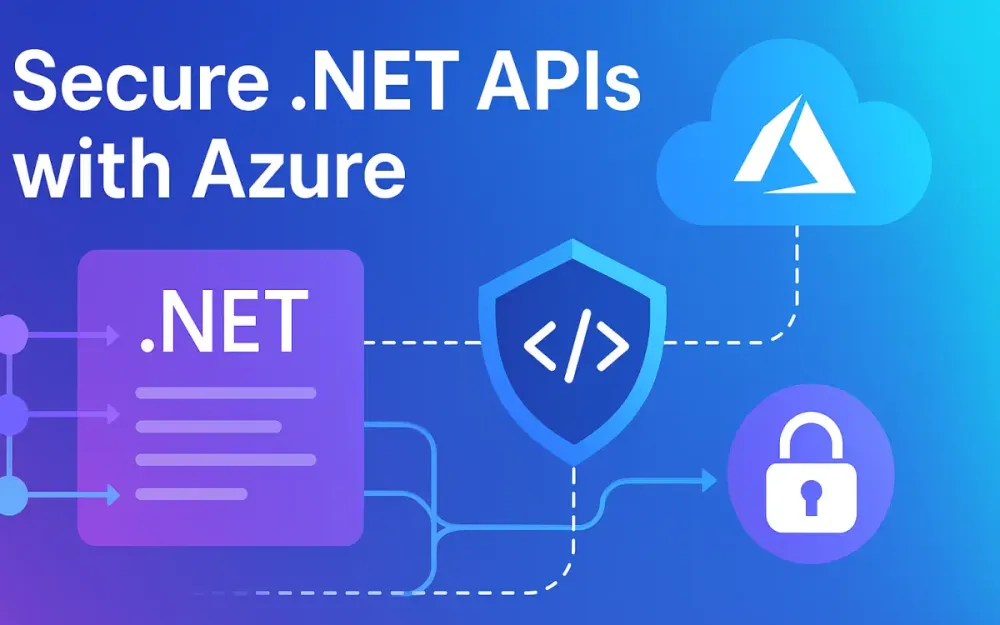
Using .NET, Azure API Management (APIM), and Entra ID together provides a strong, predictable foundation for implementing Zero Trust principles across your entire API surface.
This section sets the stage by defining the security problem and the architectural model used throughout the article.
1.1 The Shift from Perimeter to Identity-Centric Security
For a long time, organizations relied on firewalls and network segmentation to protect internal systems. If traffic came from inside the network, it was assumed to be trustworthy. That assumption no longer holds. Cloud adoption, mobile users, partner integrations, and public-facing APIs have blurred the concept of a “safe internal network.”
Why traditional firewalls are no longer enough
Firewalls protect the network boundary, not the identity of who or what is calling the API. They cannot reliably distinguish:
- a legitimate user from someone using stolen credentials,
- a trusted client application from an automated attack script,
- a valid API request from an attempt to extract sensitive data.
Most APIs run over HTTPS on ports that firewalls cannot easily differentiate. Attackers now focus on identity weaknesses—misconfigured OAuth flows, improperly validated tokens, or backend services that trust too much. These identity gaps have become the easiest targets.
Zero Trust applied to APIs
Applying Zero Trust to APIs means you never assume a request is safe simply because it reached your service. Instead, you evaluate every call based on identity, context, and policy. Three core ideas guide this approach:
Verify Explicitly
Every request must include a valid, verifiable identity. This means:
- validating access tokens against Entra ID,
- checking key claims such as issuer, audience, roles, and scopes,
- treating authentication as a continuous requirement, not a one-time check.
Use Least Privilege
Permissions should be minimal and precise:
- front-end apps receive only the scopes they need,
- machine-to-machine integrations use tightly scoped app roles,
- access tokens remain short-lived and narrowly defined.
Least privilege also applies behind the gateway. APIM should authenticate to downstream services using managed identities with explicit RBAC assignments.
Assume Breach
The system must treat every request as untrusted until proven otherwise. This mindset leads to guardrails such as:
- rate limiting and throttling,
- JSON schema validation before the request touches backend code,
- anomaly detection logs,
- isolated networks using VNETs and private endpoints.
These controls create a consistent enforcement layer at the API boundary rather than relying on each microservice to implement its own security logic.
1.2 The Role of Azure API Management (APIM) in 2025
Securing an API isn’t only about writing secure backend code. You also need a reliable way to inspect, validate, and shape every request before it reaches your application. That is the job of Azure API Management.
APIM acts as the Policy Enforcement Point (PEP) for authentication, authorization, throttling, transformation, and routing. As organizations shift toward distributed and hybrid architectures, APIM has become the entry point where security is uniformly applied.
APIM as the unified Policy Enforcement Point
APIM in 2025 provides several capabilities that simplify API security:
- seamless integration with Entra ID for OAuth 2.0 and OpenID Connect,
- detailed JWT claim enforcement,
- managed identity authentication to downstream services,
- input validation based on OpenAPI definitions,
- request and response transformation for legacy or partner systems.
By enforcing these rules at the gateway, your .NET services remain focused on business logic instead of repeatedly implementing security concerns.
GenAI Gateway capabilities
With the rise of LLM-based features, APIs now face new risks—prompt manipulation, high-cost token usage, and unpredictable output. APIM’s GenAI Gateway introduces controls designed specifically for these scenarios:
- rate limiting based on token count, not just request count,
- content moderation and guardrails before execution,
- semantic caching to minimize repeated LLM calls,
- protections against prompt-based data leakage.
Even if you are not yet building AI-heavy APIs, these capabilities matter because AI services increasingly appear in enterprise workflows and require the same level of security scrutiny.
1.3 The Architecture High-Level View
When we combine .NET, APIM, and Entra ID, we get a clear, layered trust model that separates client identity, gateway enforcement, and backend execution. This separation is key to building secure and maintainable systems.
Request flow overview
A secure request typically follows this path:
- Client—A web app, mobile app, partner system, or automated process requests an access token from Entra ID.
- Entra ID—Issues the token, embedding the roles or scopes the caller is allowed to use.
- APIM Gateway—Validates the token, applies business rules, and blocks anything that doesn’t comply with policy.
- Managed Identity—APIM obtains a backend token using its managed identity, ensuring no secrets are stored in code.
- .NET Backend—Receives an authenticated request, applies any application-specific checks, and returns the response.
This pattern ensures both sides of the communication—caller to gateway and gateway to backend—use strong, identity-based authentication. There’s no need for stored passwords, API keys in code, or long-lived secrets.
The result is a clean, modern security posture built on Zero Trust principles and backed by Azure-native tooling.
2 Identity at the Front Door: OAuth 2.0 & OpenID Connect
Identity is the first control point in any secure API architecture. OAuth 2.0 determines what a caller is allowed to access, while OpenID Connect adds who the caller is. Entra ID issues the identity tokens, and APIM enforces them before the request ever reaches your .NET backend. When configured properly, this creates a clean and predictable boundary where unauthorized traffic is blocked early and consistently.
2.1 Configuring Entra ID (Azure AD) for API Security
Many API security problems trace back to the initial identity configuration. A well-structured setup in Entra ID makes everything else—APIM policies, backend authorization, and tenant onboarding—much easier to maintain.
Separate “Client” and “Resource” App Registrations
The most reliable approach is to create two separate Entra ID app registrations: one for the client and one for the API. This keeps call permissions cleanly separated and avoids accidental privilege escalation.
Client App (Public or Confidential)
The client app represents whoever is calling your API. This can be:
- a SPA built in React or Angular,
- a mobile app,
- a server-side .NET application,
- a machine-to-machine integration.
The client app requests scopes from the API. It does not define roles or backend behavior—its only job is to obtain tokens.
Resource App (The API Itself)
The resource app defines what the API exposes. It contains:
- delegated scopes (for user-based calls such as
api.readorapi.write), - app roles (for service-to-service calls like
Api.ReaderorApi.Admin), - an Application ID URI, which becomes the API’s audience (
aud) in issued tokens.
Keeping the client and resource registrations separate ensures each application receives only the permissions it needs and no more.
App Roles vs. Delegated Scopes
Zero Trust requires precise control over who can call what. Scopes and roles support different calling patterns and should be chosen intentionally.
Delegated Scopes (api.read, api.write)
Delegated scopes are used when a user is involved. The frontend obtains a token on behalf of the signed-in user and passes it to APIM. The API checks the scp claim to determine what the user is allowed to do.
Example delegated scopes:
api.read
api.write
chat.generate
App Roles (Api.Reader, Api.Admin)
App roles are designed for machine-to-machine interactions. These callers don’t represent a user; they represent an application identity. App roles appear in the roles claim and cannot be self-assigned, which makes them a strong authorization mechanism for backend services and partner systems.
Use scopes when users are involved, and use roles when applications call the API independently.
2.2 Implementing the validate-jwt Policy in APIM
Once Entra ID issues tokens, APIM becomes the enforcement layer. The validate-jwt policy is responsible for authenticating callers, checking claims, and rejecting anything that does not match your expected configuration.
Understanding the Core Policy
A minimal example looks like this:
<validate-jwt header-name="Authorization" failed-validation-httpcode="401" require-scheme="Bearer">
  <openid-config url="https://login.microsoftonline.com/{tenant}/v2.0/.well-known/openid-configuration" />
  <required-claims>
    <claim name="aud">
      <value>api://your-api-id</value>
    </claim>
  </required-claims>
</validate-jwt>
This policy ensures that:
- the token came from Entra ID,
- the gateway understands how to validate the signature,
- the token’s
audvalue matches the resource app registration.
APIM runs this validation before the request reaches your backend, removing a large number of failure modes from your .NET code.
Checking Key Claims: aud, iss, scp, roles
Good JWT validation does more than verify the signature. APIM should enforce:
- aud — The token must be intended for this API.
- iss — The identity provider must match your tenant or allowed tenants.
- scp — Required for user-delegated calls.
- roles — Required for application-permission scenarios.
If a caller provides a token lacking the appropriate scope or role, APIM should fail the request immediately. This prevents backend code from handling traffic that should never have reached it.
Example: Using Conditional Logic for Multi-Tenant APIs
SaaS and B2B solutions often support multiple tenants, each with its own identity configuration. APIM policies can branch based on tenant-specific logic.
<choose>
  <when condition="@(context.Variables.GetValueOrDefault("tenant") == "contoso")">
    <validate-jwt header-name="Authorization">
      <openid-config url="https://login.microsoftonline.com/contoso.onmicrosoft.com/v2.0/.well-known/openid-configuration" />
      <required-claims>
        <claim name="aud"><value>api://contoso-api</value></claim>
        <claim name="scp"><value>api.read</value></claim>
      </required-claims>
    </validate-jwt>
  </when>
  <otherwise>
    <validate-jwt header-name="Authorization">
      <openid-config url="https://login.microsoftonline.com/common/v2.0/.well-known/openid-configuration" />
      <required-claims>
        <claim name="roles"><value>Api.Reader</value></claim>
      </required-claims>
    </validate-jwt>
  </otherwise>
</choose>
This pattern allows you to onboard new tenants without modifying backend code. APIM handles all tenant-specific validation rules, keeping the gateway as the identity guardrail.
2.3 Handling the “On-Behalf-Of” (OBO) Flow
The OBO flow is common in modern systems where multiple services collaborate. If a frontend obtains a token for API A, and API A needs to call API B using the same user’s identity, the OBO flow ensures identity continuity.
Without OBO, API A would call API B without any user context, breaking authorization rules that depend on roles or scopes assigned to that user.
How the OBO Flow Works
The overall sequence is:
- The client requests token T1 for API A.
- API A receives T1 and exchanges it for token T2 for API B.
- API A calls API B using T2, representing the same user.
Entra ID verifies that API A is allowed to perform this exchange and that the user has the appropriate permissions.
Using Microsoft.Identity.Web in .NET 8/9
Microsoft.Identity.Web makes OBO easy to implement in .NET APIs.
public class OrdersService
{
    private readonly ITokenAcquisition _tokenAcquisition;
    private readonly HttpClient _httpClient;

    public OrdersService(ITokenAcquisition tokenAcquisition, IHttpClientFactory httpClientFactory)
    {
        _tokenAcquisition = tokenAcquisition;
        _httpClient = httpClientFactory.CreateClient("OrdersApi");
    }

    public async Task<string> GetOrdersAsync()
    {
        var token = await _tokenAcquisition.GetAccessTokenForUserAsync(
            new[] { "api://orders-api/orders.read" }
        );

        _httpClient.DefaultRequestHeaders.Authorization =
            new AuthenticationHeaderValue("Bearer", token);

        return await _httpClient.GetStringAsync("/orders");
    }
}
And in Program.cs:
builder.Services.AddMicrosoftIdentityWebApiAuthentication(builder.Configuration)
                .EnableTokenAcquisitionToCallDownstreamApi()
                .AddDownstreamWebApi("OrdersApi", builder.Configuration.GetSection("OrdersApi"))
                .AddInMemoryTokenCaches();
With these configurations, your .NET services can exchange tokens securely and propagate user identity across internal API layers—without manually handling MSAL libraries or token caching.
3 Protecting the Backend: Mutual TLS and Managed Identities
Identity at the gateway is only part of the story. The backend services your API relies on must also be protected with strong, verifiable identity. This is where Azure Managed Identities and, in certain cases, mutual TLS (mTLS) come into play. The goal is to ensure that only trusted components inside your architecture can call your .NET services, databases, and secrets stores—without relying on hard-coded credentials or long-lived secrets.
3.1 Eliminating Secrets with Managed Identities
Managed identities allow Azure resources such as APIM to authenticate to other Azure services using Entra ID, without storing passwords, keys, or connection strings. They fit neatly into the Zero Trust model you established at the front door, because they ensure every hop—client → APIM → backend—uses identity-based authentication.
System-assigned vs. User-assigned Managed Identities
You can attach managed identities to APIM in two ways, depending on how reusable or isolated you want the identity to be.
System-assigned
- Created automatically when you enable the identity on the resource.
- Removed automatically if the APIM instance is deleted.
- Best for environments where each gateway instance has its own isolated identity.
User-assigned
- Created as an independent Azure resource.
- Can be attached to multiple APIM gateways, Function Apps, or Web Apps.
- Useful when you want consistent identity across multiple deployments or environments.
Both types authenticate the same way; the choice depends on your deployment model and lifecycle management requirements.
Using authentication-managed-identity in APIM
When APIM calls a backend service that supports Azure AD authentication—such as Azure SQL, Key Vault, or an App Service with Easy Auth—you can apply a policy to automatically request a token.
<authentication-managed-identity
    resource="https://database.windows.net/"
    token-format="Bearer" />
APIM requests the token under its managed identity and injects it into the outbound call, so your backend receives a trusted caller every time.
Example: Authenticating to Azure SQL Without Secrets
APIM can connect to Azure SQL using its managed identity, eliminating the need for connection strings with embedded passwords.
- Grant APIM’s identity access inside SQL:
CREATE USER [apim-identity] FROM EXTERNAL PROVIDER;
ALTER ROLE db_datareader ADD MEMBER [apim-identity];- Add the outbound policy in APIM:
<outbound>
  <authentication-managed-identity resource="https://database.windows.net/" />
</outbound>
The backend SQL instance now trusts APIM the same way it trusts any other Entra ID principal. No secrets are stored in APIM or .NET code.
Example: Calling Key Vault Securely from APIM
APIM can retrieve a secret directly from Key Vault without exposing credentials:
<send-request mode="new" response-variable-name="secretResponse">
  <set-url>https://myvault.vault.azure.net/secrets/api-key?api-version=7.3</set-url>
  <set-method>GET</set-method>
  <authentication-managed-identity resource="https://vault.azure.net" />
</send-request>
This pattern is common when APIM needs to call downstream systems that still require API keys, but you don’t want those keys to live in code or environment variables.
Managed identities let you keep the control plane clean and identity-driven, while still supporting legacy integrations safely.
3.2 Network Isolation: VNET Injection and Private Link
Identity ensures callers are authenticated, but network isolation adds another layer of protection. APIM can run inside a virtual network, restricting who can reach the gateway and which services it can reach downstream.
External vs. Internal VNET Modes
APIM supports two network deployment modes.
External
- Accessible from the public internet.
- Often used for public or partner-facing APIs.
- Still allows private outbound traffic (egress) using standard VNET integrations.
This mode works well when external systems must reach your API but you still want private communication to backend .NET services or databases.
Internal
- Exposes APIM only inside a VNET.
- Best suited for internal enterprise APIs or partner APIs accessed over VPN or ExpressRoute.
- Requires explicit networking arrangements to reach the gateway.
Internal mode minimizes exposure and ensures all requests flow through controlled network paths.
Private Endpoints for Ingress and Egress
Private Link further tightens network boundaries by keeping traffic on the Azure backbone. Instead of reaching services over public IPs, APIM communicates over private IP addresses.
Ingress (client → APIM):
- Clients connect to APIM through a private endpoint.
- DNS maps the API hostname to an internal IP address.
Egress (APIM → backend services):
- APIM calls downstream services—such as Azure SQL, Storage, or App Services—over private endpoints.
- Backend services are no longer reachable publicly.
This model significantly reduces the attack surface. Even if a token is compromised, an attacker cannot easily reach the internal API or its backend services.
3.3 Mutual TLS (mTLS) for Legacy Backends
While most modern workloads support Entra ID authentication, some on-premises or older systems still rely on certificate-based identification. Mutual TLS (mTLS) is a reliable way to authenticate APIM to those backends without exposing shared keys.
Presenting Client Certificates from APIM
If a downstream system requires a specific client certificate, APIM can present it during the TLS handshake:
<authentication-certificate thumbprint="4509ABCD12345EF998A11CDE44556677889900AA" />The certificate is securely stored in APIM and never exposed to application code.
Validating Certificates from Inbound Callers
Some organizations use mTLS for inbound validation as well, especially in partner-to-partner integrations. APIM can check certificate properties before processing the request.
Example using a header:
<check-header name="X-Client-Cert-Thumbprint" failed-check-httpcode="403">
  <value>expected-thumbprint</value>
</check-header>
Or using the built-in certificate validation policy:
<validate-client-certificate>
  <thumbprints>
    <thumbprint>expected-thumbprint</thumbprint>
  </thumbprints>
</validate-client-certificate>
This keeps legacy integrations secure while you gradually migrate partners and internal systems to Entra ID–based authentication.
4 The Guardrails: Advanced Gateway Policies & Throttling
Identity validation at the gateway is essential, but it isn’t enough on its own. Once APIM knows who the caller is, it still needs to control how that caller uses your API and what kind of data they send. These runtime guardrails protect your backend services from misuse, overload, and unsafe payloads. Think of APIM as a programmable security boundary that complements your .NET services by enforcing consistent rules before a request ever reaches your code.
4.1 Intelligent Rate Limiting & Quotas
Traffic patterns across APIs vary widely. Some partners send steady, predictable traffic, while others send bursts or run batch jobs at odd hours. Rate limiting and quotas help keep load under control and ensure fairness across tenants.
Differentiating Between rate-limit and quota
Both policies restrict traffic, but they solve different problems.
Throttling (rate-limit)
Used for short-term control. It helps protect your API from sudden spikes—whether caused by a bug, retry storm, or malicious activity.
For example, you might limit callers to 50 requests per minute to ensure your backend remains stable.
<rate-limit calls="50" renewal-period="60" />Quotas (quota)
Used for long-term consumption limits, typically tied to subscription plans or partner agreements. A Gold-tier partner may receive 10,000 requests per day, while a Free tier might get significantly less.
<quota calls="10000" renewal-period="86400" />Where throttling protects system stability, quotas protect business commitments. Applying both ensures partners use your API responsibly while preventing overconsumption or abuse.
Using rate-limit-by-key With JWT Claims
Throttling becomes far more accurate when you tie limits to identity instead of IP address. IP-based throttling quickly breaks down with mobile users, NAT gateways, or serverless workloads. Instead, APIM should extract identity information—usually tenant or user metadata—from the JWT.
Common claims used for throttling:
tid→ tenant ID (SaaS models)oid→ user object IDazporclient_id→ application identifier for M2M calls- custom claims defined in Entra ID
Per-tenant throttling example:
<rate-limit-by-key
    calls="100"
    renewal-period="60"
    counter-key="@(context.Request.Headers.GetValueOrDefault("Authorization","")
        .AsJwt()?.Claims["tid"])" />
This ensures one high-volume tenant doesn’t starve others.
For user-centric APIs, you might combine claims to isolate usage more precisely:
<rate-limit-by-key
    calls="20"
    renewal-period="10"
    counter-key="@($"{context.Request.IpAddress}-{context.Principal.Claims.GetValueOrDefault("oid")}")" />
This pattern fits interactive systems where multiple users from the same tenant may make concurrent requests.
Because APIM policies compose well, you can layer limits—one per tenant, another per client app, and a third per product tier—without modifying backend code.
4.2 Input Validation & Sanitation
Even if a call comes from a valid identity, the payload it sends may still be malformed or malicious. Input validation closes this gap by making sure the gateway only forwards well-structured, expected data.
Enforcing JSON Structure with validate-content
APIM can validate incoming JSON against a schema derived from your OpenAPI definition. This helps catch errors early and reduces unnecessary load on backend services.
Example schema enforcement:
<validate-content unspecified-content-type-action="prevent" max-size="102400">
  <content-type>application/json</content-type>
  <schema>
  {
    "type": "object",
    "properties": {
      "orderId": { "type": "string" },
      "quantity": { "type": "integer", "minimum": 1 },
      "notes": { "type": "string" }
    },
    "required": ["orderId", "quantity"]
  }
  </schema>
</validate-content>
This blocks requests missing required fields, using the wrong types, or exceeding size limits. Instead of your .NET service returning a 500 due to bad input, APIM immediately returns a clean 400 response.
Preventing SQL Injection and XSS at the Gateway
Most modern .NET systems don’t run raw SQL from request input, but legacy services might. APIM provides a quick first line of defense by inspecting payloads for suspicious sequences.
Basic SQL injection detection:
<choose>
  <when condition="@(
    context.Request.Body.As<string>().Contains(\"--\") ||
    context.Request.Body.As<string>().Contains(\"; drop table\") ||
    context.Request.Body.As<string>().Contains(\" or 1=1\")
  )">
    <return-response>
      <set-status code="400" reason="Invalid input detected" />
    </return-response>
  </when>
</choose>
For simple XSS filtering, APIM can sanitize script tags:
<set-body>@(Regex.Replace(context.Request.Body.As<string>(), "<script.*?>.*?</script>", "", RegexOptions.IgnoreCase))</set-body>These are not replacements for server-side validation, but they prevent obvious attacks from ever reaching the backend. They also reduce noise in application logs by removing invalid requests earlier in the pipeline.
4.3 The GenAI Gateway: Token-Based Limiting
AI-driven workloads behave differently than traditional APIs. The cost of an AI call depends not on how many requests you send but on how many tokens the prompt and response consume. A single oversized prompt can cost more than thousands of regular API calls. The GenAI Gateway helps manage these risks.
Using llm-token-limit for Token-Aware Throttling
Token-based rate limiting prevents abuse and keeps costs predictable. The policy measures token consumption for both the request and the model’s output.
Example:
<llm-token-limit
    tokens="50000"
    renewal-period="3600"
    counter-key="@(context.Principal.Claims.GetValueOrDefault("tid"))" />
Each tenant now receives an hourly token budget. If a tenant sends a large prompt or many small prompts that exceed this budget, APIM returns a 429. This prevents runaway usage and enforces fairness across consumers.
Semantic Caching to Reduce Load and Cost
Semantic caching avoids unnecessary LLM calls by recognizing when different prompts mean essentially the same thing. Instead of caching exact text matches, APIM uses vector similarity to detect semantically similar prompts.
Example configuration:
<llm-cache mode="semantic" similarity-threshold="0.92" duration="300" />When two prompts are close enough in meaning, APIM serves the cached response and avoids calling the LLM entirely. This improves performance and reduces operational cost without requiring changes in your .NET code.
Developers can adjust the similarity threshold depending on how strict the matching should be. Higher thresholds prioritize accuracy; lower thresholds maximize cost savings.
5 Advanced Security with Microsoft Defender for APIs
Validating identity and enforcing policies at the gateway prevents a large set of attacks, but API environments are always changing. New endpoints appear during deployments, internal services accidentally become public, or data shapes change over time. Even with strong gateway policies, you still need continuous visibility into how your APIs behave in the real world. Microsoft Defender for APIs adds that layer of monitoring, detection, and threat intelligence so teams can quickly spot problems and respond before they escalate.
5.1 Onboarding and Posture Management
Defender integrates directly with Azure API Management, so you don’t need to modify application code or redeploy anything. Once enabled, it begins analyzing API configurations and runtime behavior to highlight risks you may not notice through manual reviews.
Enabling Defender for APIs in the Azure Portal
Turning on Defender for APIs is straightforward:
- Open Microsoft Defender for Cloud.
- Navigate to Environment settings.
- Select the subscription where your APIM instance lives.
- Enable Defender for APIs.
As soon as it’s enabled, Defender starts ingesting metadata from APIM—your API routes, policies, products, subscription models, and other configuration details. Because it integrates at the platform layer, there’s no impact on runtime traffic and no code changes required.
Discovering Shadow APIs and Unauthenticated Endpoints
In growing systems, it’s easy for endpoints to slip through unnoticed. Old revisions may stay deployed, test endpoints might leak into production, or internal APIs might be unintentionally exposed.
Defender identifies these “shadow” APIs by checking for:
- operations missing authentication,
- APIs not documented in OpenAPI,
- routes that differ from the intended configuration,
- endpoints reachable publicly but never meant to be externally accessible.
For example, a forgotten endpoint such as:
POST /internal/uploadmight still accept unauthenticated requests if a policy was removed or misconfigured during deployment. Defender flags this as a high-risk issue and provides actionable guidance.
Common posture findings include:
- JWT validation missing or weakened,
- inconsistent rate limiting across APIs,
- publicly exposed endpoints intended to be private,
- responses containing sensitive data without adequate controls.
Because Defender highlights these issues with clear remediation steps, teams can quickly bring their APIs back into alignment with Zero Trust practices.
5.2 Runtime Threat Detection
While posture management focuses on configuration problems, runtime detection targets live traffic. Defender continuously analyzes API call patterns—who is calling your APIs, what parameters they send, and how those patterns deviate from normal usage.
Detecting OWASP API Top 10 Anomalies
Broken Object Level Authorization (BOLA) remains one of the most common and damaging API vulnerabilities. Defender inspects request identifiers and compares them across tenants or users. If a user tries to access resources belonging to another user, Defender raises an alert.
For example, if the same caller attempts:
GET /orders/789
GET /orders/790
GET /orders/791
Defender recognizes enumeration patterns that often precede unauthorized data access.
Other runtime anomalies include:
- repeated authentication failures (credential stuffing),
- unusually large payloads,
- parameter tampering attempts,
- bypass attempts against schema validation,
- suspicious usage of administrative operations.
Defender enriches these findings with Microsoft threat intelligence to surface attacks linked to known malicious actors or botnets.
Data Classification for Sensitive Information
Most enterprise APIs return some form of sensitive data—financial details, personal identifiers, medical information, and more. Defender automatically scans response payloads to classify:
- personally identifiable information (PII),
- payment or financial data,
- health data,
- confidential business information.
If an endpoint returns sensitive data without proper controls—for example, a missing authentication policy or logs that expose raw payloads—Defender alerts your team.
It also identifies mismatches between what your OpenAPI specification says and what your API actually returns. If an endpoint leaks a field not described in your contract, that’s often a sign of unintended behavior or a regression introduced in a recent deployment.
This level of classification helps both security and compliance teams ensure APIs meet regulatory requirements without manually reviewing thousands of responses.
5.3 SIEM Integration
Even the best alerts are only useful if they reach the right teams. Defender integrates natively with Microsoft Sentinel so your security operations center (SOC) can see everything happening across your API ecosystem—including identity attacks, network anomalies, and policy violations.
Sending Security Alerts to Microsoft Sentinel
When integrated, Defender sends detailed events to Sentinel, covering:
- unusual request spikes,
- failed JWT validations,
- attempts to enumerate resources,
- suspicious geolocation behavior,
- exposure of sensitive fields,
- traffic from known malicious IPs.
Sentinel then correlates these signals with identity events from Entra ID, network logs, and other security sources to form a full picture of the incident.
You can also automate responses. For example:
- Disable a suspicious client app in Entra ID.
- Temporarily lower rate limits for a partner showing unusual behavior.
- Trigger paging for the on-call engineering team.
- Lock down a backend subnet until the issue is resolved.
Sentinel workbooks provide dashboards showing API health, threat activity, and long-term trends. This helps architects and platform teams refine APIM policies—like adding new rate limits or tightening validation—based on real-world data, not assumptions.
6 B2B Integrations: Structuring Products & Subscriptions
As APIs grow beyond internal use and begin supporting partners, resellers, or external applications, controlling how each consumer uses your platform becomes just as important as securing the requests themselves. Azure API Management provides a clean model for packaging APIs into products and issuing subscription keys that uniquely identify each partner. Instead of hardcoding partner logic into .NET services, APIM becomes the control point for multi-tenant routing, identity enforcement, and consumption management.
This section builds directly on the identity and policy patterns we covered earlier and shows how to apply them in real B2B scenarios.
6.1 The “Product” Abstraction for Multi-Tenancy
A product in APIM is a logical bundle of APIs, policies, and consumption rules. This abstraction lets you expose the same API surface to different partners but enforce different limits, features, and operational agreements for each one. Partners subscribe to the products they are allowed to use, and APIM issues them subscription keys that uniquely identify their traffic.
Mapping Products to Business Tiers
Business tiers give you a repeatable way to scale partnerships without rewriting code or creating custom deployments for each customer. A typical tiering model might look like:
- Free Tier: Lower daily limits, no advanced features, and restricted endpoints.
- Standard Partner: Moderate limits and full access to non-critical APIs.
- Gold Partner: Higher throughput, expanded features, and early access to premium endpoints.
Each product can enforce rate limits and quotas specific to that tier, continuing the Zero Trust principle of “least privilege.” For example, a Free Tier may receive 2,000 calls per day, while a Gold Partner receives 50,000. APIM applies these rules automatically and consistently, without changes in your .NET code.
Products also help shape functionality. You might allow only premium customers to use AI-powered endpoints routed through the GenAI Gateway, while basic tiers interact solely with your core REST APIs.
Scoping Subscriptions and Enabling Partner Self-Service
Every partner receives subscription keys tied to the products they subscribe to. APIM issues two keys:
- a primary key for production traffic,
- a secondary key for rotation or failover.
Partners can regenerate keys themselves using the Developer Portal. This reduces engineering involvement and keeps your operations team focused on platform improvements rather than manual access management.
Products can also separate test and production environments. A partner may have:
- a Sandbox product pointing to a lower-capacity backend, and
- a Production product pointing to the main tenant-specific backend.
Policies assigned to each product determine routing rules, rate limits, features, and response behaviors.
In some B2B arrangements, subscription keys work alongside Entra ID tokens—helpful for partners that cannot implement identity federation but still require strong, auditable access control.
6.2 Custom Authorization Policies for B2B
Partner-specific logic does not belong inside .NET microservices when it can be expressed directly at the gateway. APIM’s policies allow you to enforce routing, authorization, and data shaping rules based on subscription metadata or JWT identity. This pattern keeps your services clean and reduces the risk of coupling backend logic to external business contracts.
Using Context Variables for Dynamic Routing
Every subscription has a unique identifier available via context.Subscription.Id. You can use this identifier to determine which backend system the request should reach.
For example:
<choose>
  <when condition="@(context.Subscription.Id == \"subs-gold-123\")">
    <set-backend-service base-url="https://gold-tenant-backend.azurewebsites.net" />
  </when>
  <when condition="@(context.Subscription.Id == \"subs-standard-456\")">
    <set-backend-service base-url="https://standard-tenant-backend.azurewebsites.net" />
  </when>
  <otherwise>
    <set-backend-service base-url="https://default-tenant-backend.azurewebsites.net" />
  </otherwise>
</choose>
This lets you route each partner to the correct backend instance—or even a fully isolated environment—without revealing any implementation details to callers. Your .NET services stay unaware of partner-specific routing rules and only focus on business logic.
More advanced models store tenant routing information in Azure Key Vault or App Configuration, allowing you to update routing without modifying policies.
Scenario: One API, Multiple Databases Behind It
Imagine a SaaS platform where each customer has their own SQL database. Exposing unique connection strings to your .NET services or mixing multi-tenant logic across controllers quickly becomes difficult to maintain. APIM can inject the tenant identifier so the service can select the right database dynamically.
APIM injects a header:
<set-header name="X-Tenant-Db" exists-action="override">
  <value>@{
     if (context.Subscription.Id == "subs-tenant-a")
        return "TenantADB";
     if (context.Subscription.Id == "subs-tenant-b")
        return "TenantBDB";
     return "DefaultDB";
  }</value>
</set-header>
Your .NET middleware uses that header to route to the correct database:
public class TenantResolverMiddleware
{
    private readonly RequestDelegate _next;

    public TenantResolverMiddleware(RequestDelegate next)
    {
        _next = next;
    }

    public async Task Invoke(HttpContext context, TenantProvider tenantProvider)
    {
        var tenant = context.Request.Headers["X-Tenant-Db"];

        if (!string.IsNullOrWhiteSpace(tenant))
        {
            tenantProvider.SetCurrentTenant(tenant);
        }

        await _next(context);
    }
}
This approach keeps tenant resolution outside the API controller logic and allows you to onboard new customers simply by adding new routing rules in APIM. No code changes, redeployments, or new environment configurations are required.
7 Operational Excellence & Observability
As your API platform grows—more endpoints, more partners, more tenants—operational maturity becomes a core part of security. It’s not enough for an API to authenticate callers or validate payloads; you also need full visibility into how the system behaves and a reliable way to deploy changes across environments. Azure API Management integrates with Application Insights and Azure Monitor to give you this visibility, and Infrastructure as Code (IaC) tools ensure your configuration stays consistent and repeatable.
7.1 Distributed Tracing with Application Insights
When troubleshooting issues in a distributed system, the hardest part is often figuring out where something went wrong. A request may pass through APIM, token validation, multiple .NET microservices, and several external systems. Without end-to-end tracing, engineers waste time digging through logs in multiple systems, trying to stitch together what happened.
Distributed tracing gives you a single view of the entire request path, which fits naturally with the Zero Trust model you’ve built—every hop is authenticated, and every hop can be monitored.
Correlating Requests Using W3C Trace Context
APIM automatically forwards standard W3C traceparent and tracestate headers to downstream services. .NET captures these values using Application Insights so that gateway events and backend events appear in the same trace.
Configuring Application Insights in Program.cs:
builder.Services.AddApplicationInsightsTelemetry(options =>
{
    options.EnableW3CDistributedTracing = true;
    options.EnableAdaptiveSampling = false; // keep full fidelity in high-security systems
});
Inside a controller, you can log the current trace identifier:
public class OrdersController : ControllerBase
{
    private readonly ILogger<OrdersController> _logger;

    public OrdersController(ILogger<OrdersController> logger)
    {
        _logger = logger;
    }

    [HttpGet("{id}")]
    public IActionResult GetOrder(string id)
    {
        _logger.LogInformation("Trace identifier: {TraceId}",
            System.Diagnostics.Activity.Current?.TraceId);

        return Ok(new { Id = id });
    }
}
When engineers inspect a failing call, they can see exactly:
- how long APIM spent validating the JWT,
- whether rate limits were applied,
- whether token acquisition slowed down the backend,
- which .NET service introduced latency or errors.
This dramatically reduces mean time to resolution and helps teams tune gateway and backend performance.
Masking Sensitive Data in Logs
Observability is important, but it must not compromise security. APIs frequently handle sensitive information—customer identifiers, financial records, personal data. If logs capture this information without masking, they become a new risk surface.
APIM policies allow redaction before logs reach Application Insights or Event Hub:
<log-to-eventhub logger-id="apim-logger">
  @{
    var body = context.Request.Body.As<string>();
    body = Regex.Replace(body, "\"ssn\":\\s*\"[^\"]+\"", "\"ssn\":\"***\"");
    return $"{{ \"path\": \"{context.Request.Url.Path}\", \"body\": \"{body}\" }}";
  }
</log-to-eventhub>
In .NET, you can restrict what gets logged using filters:
builder.Logging.AddFilter("Microsoft.AspNetCore.Hosting.Diagnostics", LogLevel.Warning);
builder.Logging.AddFilter("Microsoft.AspNetCore.Authentication", LogLevel.Error);
These practices ensure your tracing system preserves value for debugging while staying compliant with internal data policies and regulatory requirements.
7.2 DevOps & Infrastructure as Code (IaC)
APIM environments usually span Dev, Test, Stage, and Prod, each with its own routing logic, identity configuration, and product catalog. Manually applying changes introduces drift, inconsistencies, and security gaps. IaC ensures that every environment is built from the same source of truth.
Managing APIM with Bicep or Terraform
APIM resources—including APIs, products, policies, and backends—can be fully managed with Bicep or Terraform. This keeps your control plane declarative and version-controlled.
Bicep example defining a basic API:
resource api 'Microsoft.ApiManagement/service/apis@2022-08-01' = {
  name: '${apim.name}/orders-api'
  properties: {
    displayName: 'Orders API'
    path: 'orders'
    protocols: ['https']
    subscriptionRequired: true
    apiRevision: '1'
  }
}
Terraform example with similar configuration:
resource "azurerm_api_management_api" "orders" {
  name                = "orders-api"
  api_management_name = azurerm_api_management.main.name
  resource_group_name = azurerm_resource_group.main.name

  revision            = "1"
  path                = "orders"
  protocols           = ["https"]
}
Keeping your API definitions and gateway policies in source control provides:
- consistency across environments,
- auditable changes,
- easy rollback (rebuild from Git),
- reduced drift over time.
When APIs evolve—new operations, schema updates, policy changes—those updates follow the same CI/CD pipeline as the .NET services themselves.
Using the APIM DevOps Resource Kit
The APIM DevOps Resource Kit helps extract, version, and redeploy API configurations across environments. It breaks an APIM instance into modular artifacts such as:
- OpenAPI files,
- policy XML files,
- backend definitions,
- product and subscription configurations.
A typical pipeline looks like this:
- Export the Dev APIM configuration as artifacts.
- Review or adjust the policies, OpenAPI specs, or routing rules.
- Deploy to Stage through your CI pipeline.
- After approval, promote to Prod.
This workflow aligns API changes with application releases, prevents accidental configuration drift, and ensures all tenants receive consistent and secure behavior across environments.
8 Conclusion: The Architect’s Checklist
A secure enterprise API platform is never defined by a single component. It comes from combining identity, gateway enforcement, network controls, and operational visibility into a cohesive architecture. Throughout this article, we used .NET, Azure API Management, and Entra ID as the foundation for building a Zero Trust API ecosystem that works for both internal workloads and multi-tenant B2B integrations.
This final section condenses the earlier concepts into practical guidance that architects and technical leads can apply immediately.
8.1 Summary of Key Security Controls
The table below maps common API threats to the APIM features designed to mitigate them. Each feature builds on the same principles covered earlier: verify explicitly, limit privilege, and assume breach.
| Security Threat | Recommended APIM Feature | Notes |
|---|---|---|
| Unauthorized access | validate-jwt | Enforce issuer, audience, scopes, and roles. |
| Tenant misuse | rate-limit-by-key | Identity-based throttling instead of IP limits. |
| Payload tampering | validate-content | Reject malformed input at the gateway. |
| Traffic spikes | rate-limit, quota | Protect backend systems from overload. |
| LLM overuse | llm-token-limit | Throttle AI usage based on tokens, not calls. |
| Partner isolation | Subscription-based routing | Supports clean tenant sharding in B2B scenarios. |
| Sensitive data exposure | Defender for APIs | Detects PII leaks and suspicious behavior. |
| Observability gaps | W3C trace propagation | Links APIM and .NET traces into a single view. |
Together, these controls provide a layered defense model at the gateway before any request reaches your application code.
8.2 Future-Proofing
API platforms change quickly. New protocols emerge, AI workloads evolve, and partners expect increasingly flexible integration options. The goal isn’t to predict every change but to design with enough structure and observability to adapt safely.
Preparing for GraphQL Security
GraphQL gives consumers more flexibility but also increases risk. Clients can request deeply nested queries or fetch large object graphs in a single call. As organizations begin adopting GraphQL alongside REST, APIM policies can enforce:
- maximum query depth,
- maximum query cost,
- field-level restrictions based on scopes or roles.
Because identity and policy enforcement already live at the gateway, GraphQL becomes another shape of API—not another silo requiring bespoke security logic.
Further AI Integration
LLM-backed features are becoming part of core business workflows. As these capabilities expand—model fine-tuning, retrieval-based querying, classification pipelines—the need for centralized controls grows as well.
APIM’s GenAI Gateway provides future-ready capabilities such as:
- token-based rate limiting,
- semantic caching,
- moderation and prompt inspection,
- identity-aware access controls.
These controls act as an AI firewall in front of your .NET services, helping teams scale safely without scattering AI-specific protections across multiple microservices.
8.3 Next Steps
For architects evaluating their current API landscape, the most effective improvements start with the foundations—identity enforcement, tenant-aware controls, and observability. The following actions provide immediate value and pave the way for a mature Zero Trust design:
- Audit existing
validate-jwtpolicies. Confirm each API validates issuer, audience, scopes, and roles correctly, especially in multi-tenant environments. - Replace IP-based rate limits with identity-based controls. Use JWT claims (tenant ID, client ID, user ID) to enforce fair usage across tenants.
- Introduce schema validation at the gateway. Validate payload shapes using
validate-contentbefore they reach .NET services. - Enable Microsoft Defender for APIs. Surface undocumented endpoints, misconfigurations, and data exposures early.
- Enable distributed tracing across APIM and .NET. Ensure all requests carry W3C trace identifiers so your team can diagnose issues quickly.
- Adopt Infrastructure as Code for APIM. Export policies, products, and APIs into version-controlled artifacts to remove manual drift.
Taken together, these steps strengthen the integrity of your entire API platform while preparing your organization for future demands—new tenants, new workloads, and new security expectations.