1 The Scalability Wall: From Gatekeeper to Valet Key
Large file uploads are one of the fastest ways to expose weaknesses in an API architecture. Uploading a 1GB or 5GB file through an ASP.NET Core API that was designed for JSON requests turns that API into a data pipe it was never meant to be. CPU usage climbs, memory pressure increases, and concurrency drops. The Valet Key Pattern addresses this by changing the API’s role. Instead of carrying file data, the API authorizes the operation and steps aside. Azure Blob Storage handles the heavy lifting, while the API focuses on identity, policy, and control.
1.1 The “Gatekeeper” Bottleneck: Why Proxying 1GB+ Files Kills API Performance
In many systems, file uploads are implemented in the most straightforward way possible: the client sends the file to the API, and the API forwards it to storage. This works for small payloads and low volume. It starts to fail when file sizes grow and concurrency increases.
The API becomes a gatekeeper not only for authorization but also for every byte of data. That decision has cascading effects across compute, network, and scaling behavior.
1.1.1 CPU and Memory Pressure
ASP.NET Core streams requests by default, but large uploads still tie up server resources for long periods of time. Each upload consumes:
- A live HTTP connection
- Thread-pool capacity
- Memory buffers for streaming and backpressure handling
When uploads last minutes instead of milliseconds, those resources cannot serve other requests. Authentication endpoints slow down. Health probes queue. Eventually, autoscaling kicks in just to maintain basic responsiveness. At that point, the system is scaling to move bytes, not to execute business logic.
1.1.2 Network Egress Multiplication
When an API proxies an upload to Azure Blob Storage, the data flows twice:
- From the client to the API
- From the API to Blob Storage
This doubles bandwidth usage and often introduces unexpected egress costs. For teams moving hundreds of gigabytes or terabytes per day, this is not a rounding error. It directly affects monthly cloud spend. Worse, the extra hop adds failure points and increases the blast radius of transient network issues.
1.1.3 Latency and Throughput Limits
Large uploads hold open HTTPS connections for a long time. A single 5GB upload can occupy a connection for several minutes. Under load, this reduces the number of concurrent requests the API can handle.
Even with load balancers and horizontal scaling, throughput drops because the system is optimized for short-lived API calls, not long-running data transfers. The result is a platform that feels slow and fragile under peak upload traffic.
This isn’t a tuning problem. It’s a structural one. The API is doing work that Azure Blob Storage is specifically designed to handle at scale.
1.2 Identifying the Valet Key Pattern: Decoupling Authorization from Data Transfer
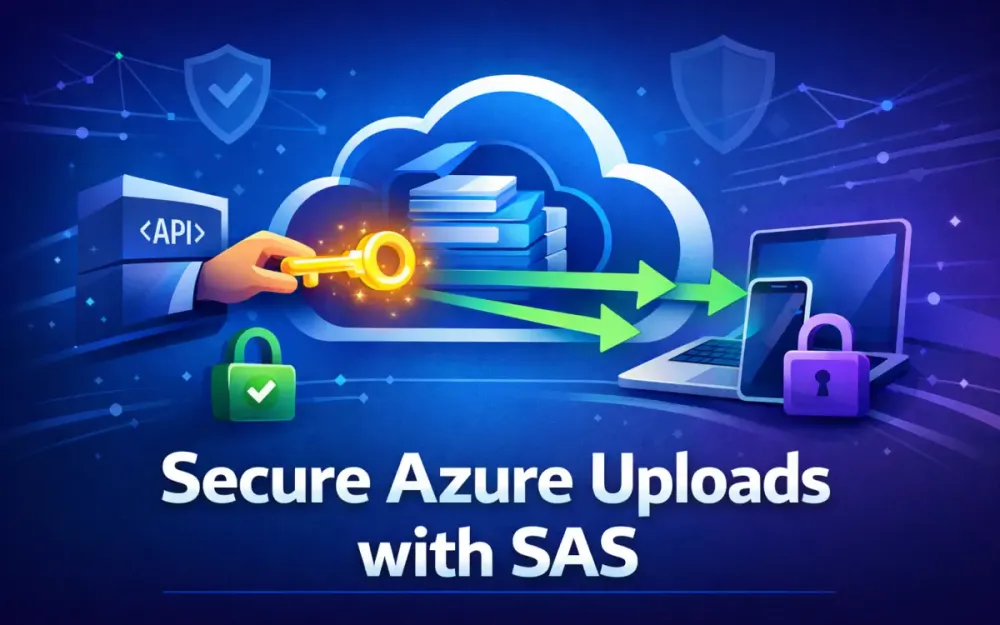
The Valet Key Pattern fixes this by separating authorization from data movement. The API still decides whether an upload is allowed, but it no longer carries the file itself.
Instead of acting as a gatekeeper that inspects and forwards every byte, the API becomes a policy authority that issues a temporary, tightly scoped credential. That credential allows the client to upload directly to Azure Blob Storage.
1.2.1 How the Pattern Works
At a high level, the flow looks like this:
- The client asks the API for permission to upload a file.
- The API authenticates the caller and evaluates business rules.
- The API generates a scoped Shared Access Signature (SAS), often called the “valet key.”
- The client uploads the file directly to Azure Blob Storage over HTTPS.
The API never receives the file contents. It only controls who can upload, what they can upload, and where the file is allowed to go.
1.2.2 Why This Decoupling Works
This design aligns each component with what it does best. The API handles identity, validation, and policy decisions. Azure Blob Storage handles high-throughput, fault-tolerant data ingestion.
By removing the API from the data path, you reduce coupling between tiers. Upload performance improves, API responsiveness stabilizes, and scaling behavior becomes predictable. This matches core cloud architecture principles: isolate responsibilities, minimize cross-tier traffic, and push bandwidth-heavy workloads to managed services built for that purpose.
1.3 Business Drivers: Cost Optimization, Latency Reduction, and Serverless Scalability
Teams adopt the Valet Key Pattern not just because it is cleaner, but because it directly addresses real operational pain points.
1.3.1 Cost Optimization
Azure Blob Storage does not charge for inbound data. When clients upload directly, you avoid paying twice for network transfer and reduce the load on your compute layer. Fewer API instances are required, and autoscaling events become less frequent. Over time, this leads to measurable reductions in infrastructure cost.
1.3.2 Latency Reduction
Uploading directly to storage is almost always faster than routing through an API. Azure Storage endpoints are optimized for high-bandwidth ingestion and are geographically distributed. Once the SAS token is issued, the API response is immediate. From the user’s perspective, uploads start faster and complete more reliably.
1.3.3 Serverless and Autoscaling Scenarios
Serverless platforms benefit even more from this pattern. Azure Functions and Container Apps are poorly suited for long-running uploads. Each second of execution costs money and consumes limited concurrency.
With the Valet Key Pattern, the API’s responsibility is short-lived: validate the request, issue a SAS, and exit. This keeps execution time low and scaling behavior linear, even under heavy upload traffic.
1.4 Identifying Anti-Patterns: When Not to Use Valet Key
The Valet Key Pattern is not a universal solution. There are cases where it adds unnecessary complexity or conflicts with system requirements.
1.4.1 Small, High-Frequency Metadata Requests
For very small files, such as thumbnails or configuration blobs under 50KB, the overhead of generating SAS tokens may outweigh the benefits. If uploads are extremely frequent and lightweight, a traditional multipart POST directly to the API may be simpler and faster.
1.4.2 Scenarios Requiring Strict Byte-Level Inspection
Some workflows require the API to inspect file contents as they arrive, such as parsing documents inline or extracting metadata during upload. In these cases, direct-to-storage uploads break the processing model. A hybrid approach can still work, but it introduces additional steps and complexity.
1.4.3 Regulated Environments with Strict Network Constraints
Certain regulatory environments require all data to flow through controlled inspection gateways. Direct uploads to storage may violate policy unless the storage account is isolated behind private endpoints and tightly controlled network rules.
The key is intentional use. The Valet Key Pattern is most effective where it removes unnecessary load from the API without compromising security, compliance, or clarity. When applied deliberately, it becomes a foundational building block for scalable, secure upload architectures on Azure.
2 Modern Azure Storage Security Architecture
The Valet Key Pattern only works if the security model behind it is solid. Handing out upload permissions—even temporarily—requires a system that is identity-driven, auditable, and easy to reason about under failure or compromise. Azure Storage security has evolved significantly to support this. What used to rely on static secrets is now built around managed identities and short-lived credentials.
Today, the recommended approach for secure direct uploads uses Microsoft Entra ID for authentication and User Delegation SAS for authorization. This combination aligns cleanly with zero-trust principles and fits naturally into modern ASP.NET Core architectures.
2.1 Evolution of Credentials: From Account Keys to Microsoft Entra ID
Early Azure Storage integrations relied on account keys. Each storage account exposed two long-lived keys, and possession of either key granted full control over the account. There was no scoping, no identity context, and no meaningful audit trail.
That model breaks down quickly in real systems. Keys get copied into configuration files, shared across services, and rotated infrequently because rotation causes outages. If a key leaks, the blast radius includes every container and blob in the account.
Microsoft Entra ID changes this model entirely. Instead of authenticating with a shared secret, services authenticate as identities. Permissions are assigned using role-based access control (RBAC), and access tokens are short-lived.
Common roles used in upload pipelines include:
- Storage Blob Data Contributor – create and write blobs
- Storage Blob Data Owner – full control, including access policies
- Storage Blob Data Reader – read-only access
With this approach, the storage account validates OAuth 2.0 access tokens rather than static keys. Each request carries identity context, and access can be granted or revoked centrally without redeploying applications.
2.1.1 The Role of OAuth Scopes
When a service authenticates to Azure Storage using Entra ID, it requests a specific scope:
https://storage.azure.com/.defaultThis scope tells Azure that the token is intended only for Storage operations. The resulting access token is time-bound and cannot be reused against other Azure services. Combined with RBAC, this makes least-privilege enforcement practical instead of theoretical.
For the Valet Key Pattern, this is critical. The API generating SAS tokens must itself authenticate securely, without holding any long-term secrets.
2.2 User Delegation SAS: Why It’s the Gold Standard for 2026
Shared Access Signatures have existed for years, but not all SAS tokens are equal. Azure supports three types:
- Account SAS – signed with the storage account key
- Service SAS – scoped to a specific service
- User Delegation SAS – signed using an Entra ID–backed identity
For secure direct uploads, User Delegation SAS is the correct choice.
2.2.1 What Makes User Delegation SAS Different
A User Delegation SAS is issued using an identity, not a shared secret. The ASP.NET Core API authenticates to Azure Storage using its managed identity, requests a delegation key, and uses that key to sign the SAS.
This has several important properties:
- The SAS is tied to an Entra ID identity
- The identity must have explicit RBAC permissions
- The token is short-lived by design (often minutes)
- Permissions are limited to a specific container or blob
- Access can be revoked by disabling or removing the identity
This fits naturally with the Valet Key model described earlier. The API authorizes the action, issues a narrowly scoped credential, and steps out of the data path.
2.2.2 Attack Resistance and Blast Radius
If a User Delegation SAS leaks, the damage is contained. The token expires quickly, applies only to a specific resource, and cannot be reused elsewhere. There is no account-wide access and no long-term secret to rotate.
Compare this to an account key leak, where every container and blob becomes immediately accessible. From a risk perspective, the difference is substantial.
2.3 Managed Identities in the Valet Service
The valet service—the ASP.NET Core API responsible for issuing SAS URLs—must authenticate to Azure Storage securely. Managed identities are the preferred way to do this.
A managed identity allows Azure to issue credentials automatically to a service without storing secrets in configuration or code.
2.3.1 System-Assigned Managed Identity
A system-assigned managed identity is created automatically when you enable it on a resource such as an App Service, Container App, or VM.
Key characteristics:
- Lifecycle is tied to the resource
- Automatically cleaned up when the resource is deleted
- Simple to configure and sufficient for most applications
For a single API deployment that issues SAS tokens, this is usually the right default.
2.3.2 User-Assigned Managed Identity
A user-assigned managed identity is a standalone Azure resource that can be shared across multiple services.
This is useful when:
- Multiple APIs need to issue SAS tokens
- Identity lifecycle must be managed independently of deployments
- Security teams want tighter control over identity rotation
The trade-off is slightly more operational complexity.
2.3.3 Required RBAC Roles
At minimum, the valet identity needs permission to generate delegation keys and sign SAS tokens. This typically means:
- Storage Blob Data Contributor on the target container
- Storage Blob Data Owner if managing stored access policies or delete permissions
Avoid granting broader roles unless required. The valet service should never have blanket access to all storage resources unless there is a clear operational need.
2.4 Understanding SAS Token Scopes: Read, Write, Create, Delete
SAS permissions are explicit and additive. Each permission maps to a concrete operation in Azure Storage.
- Read (
r) – download blobs or read metadata - Write (
w) – overwrite or update blob content - Create (
c) – create new blobs - Delete (
d) – delete blobs
It is common to see overly permissive SAS tokens with permissions like:
racwThis is rarely necessary for uploads.
In a Valet Key upload scenario, the client typically needs only:
cwThis allows the client to create a new blob and write its contents, but nothing more. It cannot read existing data or delete blobs. If the token leaks, the scope of misuse is limited.
The guiding rule is simple: grant the minimum permissions required for the operation, for the shortest possible time. This principle shows up repeatedly throughout a secure Valet Key architecture, and SAS scoping is one of the most important places to enforce it.
3 Implementing the Valet Service in ASP.NET Core 8/9
The valet service is deliberately small. Its only responsibility is to decide whether an upload is allowed and, if so, issue a tightly scoped SAS URL. It does not stream files, inspect bytes, or manage upload state. Those concerns belong elsewhere.
In practice, this service is just an ASP.NET Core API that authenticates callers, applies validation rules, and uses Azure Storage APIs to generate User Delegation SAS tokens. The simpler this service stays, the easier it is to secure, scale, and reason about.
3.1 Leveraging the Azure.Storage.Blobs SDK for Modern .NET
The Azure SDK for .NET provides everything needed to implement the Valet Key Pattern without dropping down to raw REST calls. For a modern .NET 8 or .NET 9 application, the required dependencies are minimal:
dotnet add package Azure.Storage.Blobs
dotnet add package Azure.Identity
dotnet add package FluentValidation
dotnet add package Polly
At runtime, the valet service authenticates to Azure Storage using its managed identity. Locally, the same code works using Visual Studio, Azure CLI, or environment credentials.
var credential = new DefaultAzureCredential();

var blobServiceClient = new BlobServiceClient(
    new Uri(storageAccountUrl),
    credential);
There are no connection strings or keys in configuration. The identity boundary you defined in Section 2 is enforced automatically by the platform.
3.1.1 Container Client
All upload permissions are scoped to a specific container. The valet service should never issue SAS tokens against arbitrary containers.
var containerClient = blobServiceClient
    .GetBlobContainerClient("incoming");
Using a fixed container name also makes it easier to layer scanning, quarantine, and lifecycle rules later.
3.1.2 Blob Client
Each upload maps to a single blob name. The valet service controls this name to avoid path traversal or namespace collisions.
var blobClient = containerClient
    .GetBlobClient(fileName);
Every subsequent operation—metadata, properties, SAS signing—flows from these two clients. There is no need for additional abstractions.
3.2 Generating User Delegation Keys: Validity Period
User Delegation SAS tokens are signed using a delegation key issued by Azure Storage. The valet service must request this key before it can generate any SAS URLs.
var delegationKey = await blobServiceClient.GetUserDelegationKeyAsync(
    DateTimeOffset.UtcNow,
    DateTimeOffset.UtcNow.AddMinutes(5));
This call authenticates using the managed identity and returns a short-lived signing key.
3.2.1 Why Short TTL Matters
Delegation keys define the upper bound for every SAS token signed with them. If the delegation key expires in five minutes, no SAS token can outlive that window.
This matters because SAS URLs are bearer tokens. Anyone who has the URL can use it. Keeping the delegation key short-lived limits the damage if something goes wrong, without adding complexity to the client experience.
3.2.2 Caching Trade-Offs
Requesting a delegation key is a control-plane operation. Under heavy load, repeatedly calling this endpoint can introduce latency or throttling.
Some teams cache the delegation key in memory until it expires, then reuse it to sign multiple SAS tokens. The trade-off is straightforward:
- Pros: Fewer control-plane calls, lower latency under load.
- Cons: A longer window where a compromised identity could sign tokens.
In high-security environments, it’s common to skip caching entirely. In high-throughput systems, limited caching is often acceptable. The key point is to make the decision intentionally and document it.
3.3 Pre-Signed URLs: Designing the Handshake API Endpoint
The handshake endpoint is the public face of the valet service. Clients call this endpoint to request upload permission. If the request passes validation, the API returns a SAS URL.
A minimal endpoint using ASP.NET Core looks like this:
app.MapPost("/api/uploads/sas", async (
    UploadRequest request,
    BlobServiceClient blobServiceClient) =>
{
    var containerClient = blobServiceClient
        .GetBlobContainerClient("incoming");

    var blobClient = containerClient
        .GetBlobClient(request.FileName);

    var delegationKey = await blobServiceClient
        .GetUserDelegationKeyAsync(
            DateTimeOffset.UtcNow,
            DateTimeOffset.UtcNow.AddMinutes(3));

    var sasBuilder = new BlobSasBuilder
    {
        BlobContainerName = containerClient.Name,
        BlobName = blobClient.Name,
        Resource = "b",
        StartsOn = DateTimeOffset.UtcNow.AddSeconds(-30),
        ExpiresOn = DateTimeOffset.UtcNow.AddMinutes(3)
    };

    sasBuilder.SetPermissions(
        BlobSasPermissions.Create |
        BlobSasPermissions.Write);

    var sasQuery = sasBuilder
        .ToSasQueryParameters(
            delegationKey,
            blobServiceClient.AccountName);

    return Results.Ok(new
    {
        uploadUrl = $"{blobClient.Uri}?{sasQuery}",
        expiresAt = sasBuilder.ExpiresOn
    });
});
This endpoint does exactly one thing: it decides whether an upload is allowed and returns the minimum information required for the client to proceed.
3.3.1 Why the Start Time Is Offset
Storage services validate SAS timestamps strictly. If the client’s clock is slightly behind the server’s clock, a token that starts “now” may appear invalid.
Subtracting 30 seconds from StartsOn avoids this edge case without materially increasing risk.
3.3.2 Keep the Response Minimal
Do not return storage account names, headers, or internal identifiers. The client needs only the upload URL and its expiration time. Anything more increases coupling and attack surface.
3.4 Handling Dynamic Metadata: Injecting x-ms-meta Tags
Metadata is often required to track who uploaded a file, which workflow it belongs to, or how it should be processed later.
3.4.1 Client-Supplied Metadata
Azure allows clients to send metadata headers during upload:
x-ms-meta-user-id: 12345
x-ms-meta-correlation-id: 67890
To support this, the SAS token must include write permissions:
sasBuilder.SetPermissions(
    BlobSasPermissions.Create |
    BlobSasPermissions.Write);
This works well for non-sensitive metadata that helps with diagnostics or tracing.
3.4.2 Server-Controlled Metadata
Sensitive or authoritative metadata should never be trusted from the client. Instead, apply it after the upload completes.
await blobClient.SetMetadataAsync(new Dictionary<string, string>
{
    ["uploadedBy"] = userId,
    ["workflow"] = "quarantine"
});
This preserves the Valet Key separation: the client uploads bytes, the server controls meaning.
3.5 Using Polly and FluentValidation for Robust Token Issuance
The valet service interacts with Azure’s control plane. Transient failures are inevitable. Validation and resilience are not optional here; they are part of making SAS issuance safe.
3.5.1 FluentValidation for Request Pre-Checks
Before issuing a SAS token, validate everything you can at the boundary.
public class UploadRequestValidator : AbstractValidator<UploadRequest>
{
    public UploadRequestValidator()
    {
        RuleFor(x => x.FileName)
            .NotEmpty()
            .Matches("^[a-zA-Z0-9._-]+$")
            .WithMessage("Invalid file name.");

        RuleFor(x => x.ExpectedSize)
            .GreaterThan(0)
            .LessThan(5L * 1024 * 1024 * 1024)
            .WithMessage("File size exceeds limit.");
    }
}
Apply validation early and fail fast:
var validationResult = validator.Validate(request);
if (!validationResult.IsValid)
{
    return Results.BadRequest(validationResult.Errors);
}
Every rejected request is a SAS token that was never issued.
3.5.2 Polly for Resilient Delegation Key Requests
Azure may throttle delegation key requests during spikes. Polly allows you to retry safely without building custom retry logic.
var retryPolicy = Policy
    .Handle<RequestFailedException>(ex => ex.Status == 429)
    .WaitAndRetryAsync(
        retryCount: 3,
        sleepDurationProvider: attempt =>
            TimeSpan.FromMilliseconds(200 * attempt));

var delegationKey = await retryPolicy.ExecuteAsync(() =>
    blobServiceClient.GetUserDelegationKeyAsync(
        DateTimeOffset.UtcNow,
        DateTimeOffset.UtcNow.AddMinutes(3)));
Retries should be conservative. If retries fail, return an error instead of issuing a partially valid token.
3.5.3 Avoiding Failure and Abuse Loops
Before issuing any SAS token, always verify:
- The file name conforms to expected patterns
- The target container is correct and fixed
- The caller is authorized to upload this file
- The requested size and metadata are reasonable
A SAS token is effectively a temporary capability. Issuing it without strong checks creates security debt that shows up later as cleanup jobs, incident response, or compliance gaps.
4 Client-Side Orchestration and Performance
Once the valet service has issued a SAS URL, responsibility shifts to the client. This is a deliberate handoff. The server has already made its authorization decision and stepped out of the data path. From this point forward, the client is responsible for moving bytes efficiently and safely into Azure Blob Storage.
Modern browsers are well suited for this role. They provide native APIs for hashing, streaming, chunking, and retries, all without pulling in large dependencies. When used correctly, the client becomes a reliable participant in the upload pipeline rather than a thin wrapper around a server-side proxy.
4.1 The Browser Handshake: Requesting the SAS Token and MD5 Hashing
The client-side flow mirrors the server-side intent established earlier. The browser does not ask for blanket access. It asks for permission to upload one specific file, with known characteristics. The server responds with a SAS URL scoped to that exact operation.
After receiving the SAS URL, the browser prepares the file for upload. This preparation step is important because the server never sees the file contents. Any integrity checks that can be done client-side should happen here.
4.1.1 Requesting the SAS Token
From the browser’s perspective, the handshake is a simple HTTP call. The client sends only the metadata the valet service expects: file name and size.
async function requestSasToken(file) {
  const payload = {
    fileName: file.name,
    expectedSize: file.size
  };

  const response = await fetch("/api/uploads/sas", {
    method: "POST",
    headers: { "Content-Type": "application/json" },
    body: JSON.stringify(payload)
  });

  if (!response.ok) {
    throw new Error("Unable to obtain upload permission.");
  }

  return response.json();
}
At this point, all validation has already happened on the server. The browser does not need to worry about naming rules or size limits. If the request succeeds, the client can assume the upload is authorized for a short window of time.
4.1.2 Generating the MD5 Hash
Because the API never sees the file bytes, the client is responsible for computing an integrity checksum. Browsers expose the crypto.subtle API, which allows hashing without external libraries.
async function computeMd5(file) {
  const buffer = await file.arrayBuffer();
  const hash = await crypto.subtle.digest("MD5", buffer);
  const bytes = new Uint8Array(hash);

  return btoa(
    Array.from(bytes, b => String.fromCharCode(b)).join("")
  );
}
This MD5 hash represents the exact bytes the browser intends to upload. Azure Blob Storage will later verify that the received data matches this hash.
4.2 Content-MD5 Validation: Ensuring End-to-End Integrity
Azure Blob Storage supports protocol-level integrity checks using the Content-MD5 header. When the client includes this header, Azure calculates the hash of the received payload and compares it to the provided value.
If the values do not match, the upload fails immediately.
4.2.1 Attaching the MD5 to the Upload Request
For simple uploads that fit comfortably in memory, the client can issue a single PUT request.
async function uploadFile(sasUrl, file, md5) {
  const response = await fetch(sasUrl, {
    method: "PUT",
    headers: {
      "x-ms-blob-type": "BlockBlob",
      "Content-MD5": md5
    },
    body: file
  });

  if (!response.ok) {
    throw new Error("Upload failed integrity validation.");
  }
}
Azure validates the hash before committing the blob. If anything goes wrong in transit, the request fails and the client can retry safely.
4.2.2 Why Integrity Checking Matters
Without an explicit integrity check, corrupted uploads can appear successful. Network interruptions, browser bugs, or edge-case proxy behavior may truncate or alter data without triggering an obvious failure.
Catching corruption at upload time is far cheaper than discovering it later during processing or customer usage. For large files, this single check eliminates an entire class of hard-to-debug production issues.
4.3 Chunked Uploads: Block Blob Upload with Put Block and Put Block List
As file sizes increase, single-request uploads become fragile. Chunked uploads solve this by splitting the file into blocks and uploading them independently. Azure Blob Storage is optimized for this pattern.
Block uploads enable resumability, parallelism, and targeted retries without restarting the entire upload.
4.3.1 Splitting the File into Blocks
Browsers can slice files efficiently using the Blob.slice API. A block size between 4 MB and 8 MB is a common balance between throughput and memory usage.
function createFileBlocks(file, blockSize = 4 * 1024 * 1024) {
  const blocks = [];
  let offset = 0;
  let index = 0;

  while (offset < file.size) {
    const chunk = file.slice(offset, offset + blockSize);
    const blockId = btoa(
      `block-${index.toString().padStart(6, "0")}`
    );

    blocks.push({ blockId, chunk });
    offset += blockSize;
    index++;
  }

  return blocks;
}
Each block ID must be unique and Base64-encoded. Padding the index ensures that blocks commit in the correct order.
4.3.2 Uploading Blocks
Each block is uploaded independently using the same SAS URL, with query parameters that identify the block.
async function uploadBlock(sasUrl, block) {
  const url =
    `${sasUrl}&comp=block&blockid=${encodeURIComponent(block.blockId)}`;

  const response = await fetch(url, {
    method: "PUT",
    body: block.chunk
  });

  if (!response.ok) {
    throw new Error(`Block upload failed: ${block.blockId}`);
  }
}
Most clients upload several blocks in parallel. This improves throughput while keeping memory usage predictable.
4.3.3 Committing the Block List
Uploading blocks does not create a visible blob. The blob becomes visible only after the client commits the block list.
async function commitBlockList(sasUrl, blocks) {
  const body = `
    <BlockList>
      ${blocks.map(b => `<Latest>${b.blockId}</Latest>`).join("")}
    </BlockList>
  `;

  const response = await fetch(`${sasUrl}&comp=blocklist`, {
    method: "PUT",
    headers: { "Content-Type": "application/xml" },
    body
  });

  if (!response.ok) {
    throw new Error("Failed to commit uploaded blocks.");
  }
}
If the browser crashes or the network drops before this step, Azure keeps the uncommitted blocks temporarily. They are not accessible as a blob until the commit succeeds.
4.3.4 Resume Support
If an upload is interrupted, the client can query Azure for uncommitted blocks:
GET ?comp=blocklist&blocklisttype=uncommittedUsing this information, the client can resume from where it left off, uploading only missing blocks instead of restarting from scratch.
4.4 Managing CORS Dynamically via Terraform or Bicep
Because the browser uploads directly to Azure Storage, CORS configuration becomes mandatory. Without it, the browser will block the request even if the SAS token is valid.
CORS rules should be explicit and environment-specific.
4.4.1 Terraform Example
resource "azurerm_storage_account" "files" {
  name                     = "filestorageacct01"
  resource_group_name      = azurerm_resource_group.main.name
  location                 = azurerm_resource_group.main.location
  account_tier             = "Standard"
  account_replication_type = "LRS"

  blob_properties {
    cors_rule {
      allowed_origins    = ["https://app.example.com"]
      allowed_methods    = ["GET", "PUT", "OPTIONS"]
      allowed_headers    = ["*"]
      exposed_headers    = ["*"]
      max_age_in_seconds = 3600
    }
  }
}
4.4.2 Bicep Example
resource storage 'Microsoft.Storage/storageAccounts@2023-01-01' = {
  name: 'filestorageacct01'
  location: resourceGroup().location
  sku: { name: 'Standard_LRS' }
  kind: 'StorageV2'
  properties: {
    cors: {
      corsRules: [
        {
          allowedOrigins: ['https://app.example.com']
          allowedMethods: ['GET', 'PUT', 'OPTIONS']
          allowedHeaders: ['*']
          exposedHeaders: ['*']
          maxAgeInSeconds: 3600
        }
      ]
    }
  }
}
CORS should never be an afterthought. Avoid wildcard origins unless the application is explicitly multi-tenant and the SAS tokens are tightly scoped. Proper CORS configuration is part of the security boundary, not just a browser convenience.
5 Advanced Security Hooks: Antivirus and DLP
Once a file has been uploaded successfully, the client’s responsibility ends. From this point forward, the system takes over. This handoff is intentional and important. The Valet Key Pattern ensures that untrusted data enters the platform in a controlled way, but it does not assume that uploaded content is safe.
Modern upload pipelines treat every file as untrusted until proven otherwise. Antivirus scanning, quarantine, and data loss prevention run asynchronously and independently of upload traffic. This keeps upload performance high while allowing security controls to scale on their own terms.
5.1 The “Quarantine” Workflow: Uploading to a Restricted Container First
The first security decision happens before the upload even starts. The valet service issues SAS tokens for a restricted container, not for the final destination. This ensures that no uploaded file is immediately available to downstream systems or users.
The quarantine stage creates time and space for inspection.
5.1.1 Example Quarantine Layout
A common container layout looks like this:
incoming/
quarantine/
verified/
rejected/
The client uploads only to incoming/. No application reads from this container directly. A background process then moves the file into quarantine/, marks it as pending review, and triggers scanning workflows.
This layout makes intent obvious. Anything outside verified/ is assumed to be unsafe.
5.1.2 Server-Side Blob Movement
Moving blobs between containers is a server-side operation. Clients never receive permission to write outside the initial upload container.
public async Task MoveToQuarantineAsync(
    BlobClient sourceBlob,
    BlobContainerClient quarantineContainer)
{
    var destinationBlob =
        quarantineContainer.GetBlobClient(sourceBlob.Name);

    await destinationBlob.StartCopyFromUriAsync(sourceBlob.Uri);
    await sourceBlob.DeleteAsync();
}
This copy-and-delete pattern keeps the trust boundary intact. Even if a client compromises its own upload process, it cannot bypass quarantine.
5.2 Microsoft Defender for Storage: Built-In Malware Scanning
For many teams, Microsoft Defender for Storage provides a strong baseline for malware detection. Defender scans blobs automatically after upload and surfaces results through Azure security tooling.
This approach requires minimal custom code and integrates cleanly with the rest of the Azure ecosystem.
5.2.1 Enabling Defender for Storage
Defender can be enabled at the subscription level using Azure CLI:
az security pricing create \
  --name StorageAccounts \
  --tier Standard
Once enabled, Defender scans new blobs and raises alerts when malware is detected. These alerts can flow into Azure Security Center, Microsoft Sentinel, or Event Grid for automation.
5.2.2 Acting on Defender Signals
Defender itself does not move or delete files. It reports findings. Your system decides what to do next.
Common responses include:
- Moving the blob to a
rejected/container - Tagging the blob with metadata such as
scan-status: malicious - Triggering an incident workflow or notification
This separation keeps scanning declarative and response logic explicit.
5.2.3 Enforcing Defender with Azure Policy
To ensure Defender remains enabled across environments, Azure Policy can audit or enforce its configuration:
{
  "policyRule": {
    "if": {
      "field": "type",
      "equals": "Microsoft.Storage/storageAccounts"
    },
    "then": {
      "effect": "auditIfNotExists",
      "details": {
        "type": "Microsoft.Security/pricings",
        "name": "StorageAccounts",
        "existenceCondition": {
          "field": "Microsoft.Security/pricings/pricingTier",
          "equals": "Standard"
        }
      }
    }
  }
}
This avoids configuration drift between environments and keeps baseline protection consistent.
5.3 Custom Antivirus Hooks: Event Grid and Scanning Functions
Some environments require more control than Defender alone provides. Custom scanning pipelines allow integration with open-source or commercial antivirus engines and support more complex decision logic.
The common pattern is event-driven. Storage emits an event, and a scanner reacts.
5.3.1 Event Grid Subscription
The pipeline starts with an Event Grid subscription listening for blob creation events:
az eventgrid event-subscription create \
  --name blobscanner \
  --source-resource-id $STORAGE_ID \
  --endpoint $FUNCTION_ENDPOINT \
  --included-event-types Microsoft.Storage.BlobCreated
This ensures every new upload triggers scanning without polling or manual orchestration.
5.3.2 Scanner Function Example
The scanning function retrieves the blob, inspects it, and records the outcome.
public async Task Run(EventGridEvent eventGridEvent)
{
    var data = eventGridEvent.Data
        .ToObjectFromJson<StorageBlobCreatedEventData>();

    var blobClient = new BlobClient(
        new Uri(data.Url),
        new DefaultAzureCredential());

    using var buffer = new MemoryStream();
    await blobClient.DownloadToAsync(buffer);

    var isMalicious = ScanWithClam(buffer.ToArray());

    var metadata = new Dictionary<string, string>
    {
        ["scan-status"] = isMalicious ? "malicious" : "clean"
    };

    await blobClient.SetMetadataAsync(metadata);

    if (isMalicious)
    {
        // Optionally move to rejected container
    }
}
The function never interacts with the client. It operates entirely within the trusted backend, which keeps the attack surface small.
5.3.3 Integrating ClamAV or Other Engines
A common deployment model runs ClamAV in a sidecar container:
- The function streams bytes to the sidecar over localhost
- The sidecar performs the scan
- The function records the result and applies policy
Because the scanner is isolated, it can be swapped out later without redesigning the pipeline.
5.4 Data Loss Prevention (DLP): Scanning for PII Before Promotion
Malware scanning answers the question “Is this file dangerous?” DLP answers a different question: “Is this file allowed to exist here?”
Before a file moves into a production or verified container, it should be inspected for sensitive data such as PII, credentials, or regulated content.
5.4.1 Typical DLP Flow
A common sequence looks like this:
- File uploads to
incoming/ - Antivirus scan completes
- DLP process is triggered
- File is analyzed for sensitive patterns
- Clean files move to
verified/ - Violations move to
rejected/and raise alerts
Each step builds on the previous one. No file skips stages.
5.4.2 Simple DLP Logic in .NET
For text-based formats, basic pattern matching may be sufficient as an initial gate.
public bool ContainsSensitiveData(string content)
{
    var ssnPattern = @"\b\d{3}-\d{2}-\d{4}\b";
    var emailPattern = @"[a-zA-Z0-9._%+-]+@[a-zA-Z0-9.-]+\.[A-Za-z]{2,}";

    return Regex.IsMatch(content, ssnPattern) ||
           Regex.IsMatch(content, emailPattern);
}
This approach works for simple cases, but it does not scale to complex document formats or large binary files. For those, teams typically integrate with Azure Cognitive Services or dedicated DLP platforms.
5.4.3 Metadata as Workflow State
Throughout this pipeline, metadata acts as the system’s memory.
scan-status: clean
dlp-status: reviewed
Downstream services check these markers before consuming files. This avoids accidental use of unverified content and makes the pipeline observable and auditable.
6 Validation, Limits, and Revocation
At this point in the pipeline, uploads are no longer just a performance concern—they are a control problem. Once you allow clients to upload directly to storage, you must assume that some of them will behave incorrectly, intentionally or not. Validation, limits, and revocation are how the valet service maintains control without reintroducing the API as a bottleneck.
These mechanisms work together. Validation happens before a SAS token is issued. Limits are enforced during and after upload. Revocation and isolation provide escape hatches when something goes wrong.
6.1 Enforcing Size Limits: Validating content-length Before Issuing the SAS Token
Size limits are one of the simplest and most effective protections you can apply. They prevent accidental uploads of massive files and stop obvious abuse early.
The challenge is that the server never sees the file bytes. The client tells you how large the file is, but the client might be wrong. The system has to defend itself anyway.
6.1.1 Client-Supplied Size Checks
The first line of defense is validating the declared size before issuing a SAS token. This keeps most bad requests from ever reaching storage.
public class UploadRequestValidator : AbstractValidator<UploadRequest>
{
    public UploadRequestValidator()
    {
        RuleFor(x => x.ExpectedSize)
            .GreaterThan(0)
            .LessThan(2L * 1024 * 1024 * 1024) // 2 GB cap
            .WithMessage("File exceeds allowed size.");
    }
}
This check is cheap and effective. It prevents obvious mistakes and ensures that downstream systems can plan capacity and scanning workloads predictably.
6.1.2 Storage-Enforced Limits via Metadata
Because the client could still upload something larger than declared, the system needs a second layer of enforcement. One practical approach is to store the expected size as metadata and validate it after the upload completes.
await blobClient.SetMetadataAsync(new Dictionary<string, string>
{
    ["expected-size"] = request.ExpectedSize.ToString()
});
This metadata becomes a contract. Any workflow that processes the file can verify that the actual size matches what was authorized.
6.1.3 Rejecting Oversized Uploads After Completion
Azure Storage does not allow SAS tokens to enforce a maximum payload size directly. Instead, validation happens immediately after upload.
var properties = await blobClient.GetPropertiesAsync();

if (properties.Value.ContentLength > maxAllowed)
{
    await blobClient.DeleteAsync();
}
This ensures that oversized uploads are short-lived and never enter the scanning, verification, or production pipelines. The file may briefly exist, but it does not become usable.
6.2 Revocation Strategies: Short-Lived vs. Revocable Tokens
SAS tokens are self-contained. Once issued, they cannot be selectively revoked unless you planned for that upfront. This creates an important design decision: rely on short lifetimes, or build explicit revocation mechanisms.
Most systems use a combination of both.
6.2.1 Short TTL as the Default Control
The simplest and most reliable protection is a short expiration time. Tokens valid for only a few minutes dramatically reduce the impact of leaks.
If a token expires before it can be abused, revocation becomes unnecessary. This approach also keeps the system easier to reason about, since there is no state to track.
6.2.2 Server-Side Invalidation After Upload
In higher-security environments, the system may maintain a temporary deny list of blob names or upload sessions. If an upload is later deemed invalid, a background process removes it.
if (revocationList.Contains(blobName))
{
    await blobClient.DeleteIfExistsAsync();
}
This does not stop the upload itself, but it ensures that invalid data never progresses further in the pipeline.
6.2.3 Key Rotation as a Last Resort
Rotating User Delegation Keys invalidates every SAS token derived from them. This is a blunt instrument, but it is effective.
Because it disrupts all active uploads, key rotation is typically reserved for serious incidents such as:
- A compromised managed identity
- Unexpected SAS leakage
- A detected abuse pattern that cannot be contained otherwise
6.3 Stored Access Policies: A Controlled Kill Switch
Stored Access Policies provide a middle ground between short-lived tokens and full key rotation. Instead of encoding permissions directly into the SAS token, the token references a named policy.
When the policy changes, all tokens that depend on it change as well.
6.3.1 Creating a Stored Access Policy
var identifier = new BlobSignedIdentifier
{
    Id = "tier-premium",
    AccessPolicy = new BlobAccessPolicy
    {
        StartsOn = DateTimeOffset.UtcNow,
        ExpiresOn = DateTimeOffset.UtcNow.AddHours(4),
        Permissions = "cw"
    }
};

await containerClient.SetAccessPolicyAsync(
    permissions: new[] { identifier });
This policy defines what uploads in this tier are allowed to do and for how long.
6.3.2 Issuing SAS Tokens Bound to the Policy
var sasBuilder = new BlobSasBuilder
{
    BlobContainerName = containerName,
    Identifier = "tier-premium"
};
The SAS token no longer contains permissions directly. It delegates that responsibility to the stored policy.
6.3.3 Kill Switch Behavior
If the policy is deleted or modified, all dependent SAS tokens stop working immediately. This gives operators a clean and targeted way to disable uploads for a specific tier, tenant, or workflow without impacting unrelated traffic.
6.4 Network Isolation: Limiting Where SAS Tokens Can Be Used
Identity and permissions are only part of the picture. Network controls add another layer of defense by limiting where storage endpoints can be accessed from.
Even a valid SAS token is useless if the network path is blocked.
6.4.1 Private Endpoints
Private endpoints move storage access onto a private network. Public access is disabled entirely.
az storage account update \
  --name mystorage \
  --default-action Deny
With this configuration, uploads must originate from approved networks or services.
6.4.2 VNET Rules
VNET rules restrict access to specific subnets. This is useful when uploads originate from controlled environments such as corporate networks or backend services.
az storage account network-rule add \
  --resource-group rg \
  --account-name mystorage \
  --vnet-name internalvnet \
  --subnet uploads
6.4.3 Defense in Depth
When SAS scoping, short TTLs, and network isolation are combined, failure modes become predictable. A leaked token without network access fails. A valid network path without a valid token fails.
This layered approach reinforces the zero-trust model established earlier and keeps the Valet Key Pattern secure even under adverse conditions.
7 Observability and Operations
Once you move uploads out of the API and into Azure Storage, operations change shape. You are no longer watching request bodies flow through controllers. Instead, you are observing a distributed workflow that spans the API, the browser, the network, and the storage account.
Good observability is what keeps this model safe and predictable. It allows you to answer basic but critical questions: who uploaded this file, when did it happen, did it complete, was it scanned, and how much did it cost.
7.1 Auditing with Azure Storage Logs: Tracking Who Used Which SAS Token
Every write to Azure Blob Storage is logged. On its own, that log tells you what happened. When combined with metadata you attach during SAS generation, it also tells you who initiated the upload and why.
This is why audit context must be added before the client ever uploads a byte.
7.1.1 Adding Audit Context During SAS Generation
The valet service is the only trusted place where user identity and intent are known. That is where audit information should be attached.
Instead of relying on the client to report identity later, the valet service encodes traceable information into the upload itself.
sasBuilder.SetPermissions(
    BlobSasPermissions.Create |
    BlobSasPermissions.Write);

sasBuilder.ContentDisposition =
    $"attachment; filename=\"{request.FileName}\"";
In practice, you would also attach metadata after upload—such as user ID, tenant ID, or workflow ID—so that storage logs and blob properties can be correlated back to the originating request.
7.1.2 Querying and Using Storage Logs
Storage logs can be queried directly or streamed into Azure Monitor and Log Analytics. From there, teams typically build dashboards and alerts around upload behavior.
For example, using Azure CLI to confirm logging is enabled:
az storage logging show \
  --services b \
  --account-name mystorage
Once logs are centralized, you can answer questions like:
- Which user uploaded this file?
- Which container is receiving the most traffic?
- Are uploads failing or timing out at certain times?
This level of visibility is essential once the API is no longer in the data path.
7.2 Distributed Tracing: Correlation from API to Storage
In a valet-based architecture, a single upload spans multiple systems. Without correlation, troubleshooting becomes guesswork. With it, you can trace an upload from the initial API call all the way to storage and downstream processing.
7.2.1 Creating a Correlation ID in the Valet API
The valet service should generate a correlation ID as soon as it accepts an upload request.
var correlationId = Guid.NewGuid().ToString();
httpContext.Response.Headers["x-correlation-id"] = correlationId;
This ID becomes the thread that ties everything together.
7.2.2 Propagating the Correlation ID
The correlation ID should travel with the upload:
- Returned to the client in the handshake response
- Sent back to storage as metadata or a custom header
- Written into blob metadata after upload completion
When the client uploads the blob, Azure Storage logs capture this metadata. Downstream systems—scanners, DLP processors, cleanup jobs—can reuse the same ID. This makes it possible to reconstruct the full lifecycle of a file without relying on timing or guesswork.
7.3 Monitoring Abandoned Uploads and Uncommitted Blocks
Chunked uploads improve reliability, but they introduce a new operational concern: abandoned uploads. If a browser crashes or a network drops mid-upload, Azure may retain uncommitted blocks.
Left unchecked, these blocks waste storage and skew metrics.
7.3.1 Automated Cleanup with Lifecycle Policies
Azure Storage supports lifecycle rules that automatically remove incomplete uploads after a defined period.
{
  "rules": [
    {
      "name": "cleanup-uncommitted",
      "definition": {
        "filters": {
          "blobTypes": ["blockBlob"]
        },
        "actions": {
          "delete": {
            "daysAfterLastModificationGreaterThan": 1
          }
        }
      }
    }
  ]
}
This policy ensures that abandoned uploads do not linger indefinitely. For most systems, a 24-hour window is sufficient.
7.3.2 Custom Cleanup for High-Volume Systems
In high-throughput environments, teams often add an explicit cleanup function. This allows more aggressive or targeted removal based on business rules.
var blockList = await blobClient
    .GetBlockListAsync(BlockListTypes.Uncommitted);

if (blockList.Value.UncommittedBlocks.Any())
{
    await blobClient.DeleteIfExistsAsync();
}
This approach is especially useful when uploads are expected to complete quickly and anything incomplete is considered a failure.
7.3.3 Operational Dashboards
At minimum, teams should track:
- Percentage of uploads that never complete
- Average upload duration
- Throughput per container
- Time from upload to scan completion
- Time from scan to promotion
Spikes in abandoned uploads often point to client-side regressions or network issues. Delays in scanning usually indicate capacity problems in the security pipeline.
7.4 Cost Analysis: Making the Savings Visible
One of the strongest arguments for the Valet Key Pattern is cost, but those savings are only obvious if you measure them correctly.
By moving uploads out of the API tier, costs shift in predictable ways.
7.4.1 Compute Cost Reduction
APIs no longer spend time streaming large request bodies. This reduces:
- CPU utilization
- Memory pressure
- Connection duration
- Autoscaling events
In practice, this often allows teams to reduce instance counts or move to smaller SKUs without affecting throughput.
7.4.2 Network Cost Reduction
When the API proxies uploads, data flows twice. With direct-to-storage uploads, that extra hop disappears. For large volumes, eliminating compute-to-storage egress can significantly reduce monthly network charges.
7.4.3 Clearer Storage Cost Attribution
Direct uploads make storage usage easier to reason about. You can measure:
- Average file size per tenant
- Total ingress per day
- Growth trends over time
This data feeds directly into capacity planning, quota enforcement, and chargeback models. Instead of guessing where costs come from, you can tie them back to concrete upload behavior.
8 The 2026 Zero-Trust Checklist for Architects
By the time you reach this point in the design, the Valet Key Pattern should feel less like a trick and more like a disciplined way of building upload pipelines. Zero-trust principles are what keep that discipline intact over time. They ensure that every permission is intentional, every boundary is enforced, and every failure mode is predictable.
This checklist is not theoretical. Each item maps directly to decisions made earlier in the pipeline—from SAS issuance to client uploads to backend scanning and operations.
8.1 Identity-First: Is Every SAS Token Tied to an Entra Identity?
The most important question to ask is also the simplest: where does this SAS token come from? In a zero-trust architecture, the answer is always the same—an identity.
Every SAS token should be generated using a managed identity authenticated through Microsoft Entra ID. There should be no fallback paths and no legacy secrets hiding in configuration.
Architects should be able to answer “yes” to all of the following:
- No storage account keys exist in code, config files, or pipelines
- User Delegation SAS is used consistently for uploads
- Every API instance authenticates using a managed identity
- Tenant or environment boundaries map cleanly to identity boundaries
When these conditions are met, every upload has a clear, auditable identity trail. There are no anonymous capabilities floating around the system.
8.2 Minimal TTL: Are Tokens Valid for the Absolute Minimum Time Required?
SAS tokens are powerful, but they are also temporary by design. Short lifetimes are not an inconvenience—they are a feature.
In most browser-based upload scenarios, a few minutes is enough. The client requests permission, uploads immediately, and the token expires shortly after. Longer lifetimes are sometimes necessary for background jobs or very large files, but even then, the window should be deliberately constrained.
8.2.1 Practical Questions to Ask
Rather than arguing about specific numbers, architects should focus on behavior:
- Is the default TTL under ten minutes?
- Are tokens ever extended after they are issued?
- Does every regeneration require a fresh authorization check?
- Can a stalled or abandoned upload simply expire without cleanup logic?
When tokens are short-lived, many revocation and abuse scenarios disappear on their own.
8.3 Encryption: Securing Data in Transit and at Rest
Zero trust assumes that networks are hostile by default. Encryption is therefore non-negotiable, both while data is moving and while it is stored.
All uploads must use HTTPS, and storage endpoints should enforce modern TLS versions. This prevents older or misconfigured clients from connecting in insecure ways.
8.3.1 Enforcing TLS on Storage Accounts
Azure allows you to require a minimum TLS version for all storage access:
az storage account update \
  --name mystorage \
  --min-tls-version TLS1_3
This setting applies uniformly, whether access comes from a browser, a backend service, or a scanning function.
8.3.2 Infrastructure Encryption at Rest
For regulated workloads, encryption at rest often goes beyond defaults. Azure supports infrastructure-level encryption that applies an additional layer on top of standard storage encryption.
az storage account update \
  --name mystorage \
  --encryption-key-source Microsoft.Storage \
  --allow-blob-public-access false
This setting reinforces the assumption that data is always protected, even if other controls fail.
8.4 The Final Blueprint: A Production-Ready Upload Pipeline
When all of these pieces come together, the result is a pipeline that is both fast and controlled. Each component has a narrow responsibility, and no single layer carries more trust than it should.
A mature Valet Key–based architecture typically includes:
-
Valet API
- Authenticates callers using Entra ID
- Validates upload intent and metadata
- Issues short-lived User Delegation SAS tokens
- Emits correlation IDs and audit context
-
Client Upload Layer
- Requests permission explicitly
- Computes integrity hashes
- Uploads directly to Azure Blob Storage
- Uses chunked uploads and retries when needed
-
Security Pipeline
- Accepts uploads only into restricted containers
- Quarantines files by default
- Runs antivirus and DLP checks asynchronously
- Promotes only verified files to production containers
-
Observability and Operations
- Centralized storage and API logging
- End-to-end correlation across services
- Cleanup of abandoned or incomplete uploads
- Dashboards for throughput, errors, and scan latency
-
Network and Identity Controls
- Managed identities everywhere
- Minimal RBAC assignments
- Short-lived, scoped SAS tokens
- Private endpoints or restricted network access
- Stored access policies for targeted revocation
This blueprint reflects the same idea repeated throughout the article: authorization is centralized, data movement is delegated, and trust is earned incrementally. When implemented this way, the Valet Key Pattern is not just a performance optimization. It becomes a durable, auditable, zero-trust foundation for handling untrusted uploads at scale.