1 Architectural Foundations of Modern Webhook Systems
Webhook systems look simple from the outside—“send an HTTP POST when something changes.” In practice, that mental model breaks down quickly once you introduce retries, failures, and real production traffic. A webhook system is not just an HTTP call; it is a distributed delivery mechanism with durability, ordering, and trust requirements. If the architecture does not reflect that, problems surface early and are hard to fix later.
This section lays out the core architectural decisions that make webhook delivery predictable, observable, and safe in an ASP.NET Core environment.
1.1 Beyond the HTTP POST: Why simple implementations fail at scale
The most common first implementation sends an HTTP POST directly from a controller or domain service when an event occurs. That approach works for demos and low-volume internal tools. It fails as soon as traffic increases or subscribers become unreliable.
The first issue is tight coupling. When webhook delivery happens inline with the request that triggered it, the producer’s performance is now dependent on the subscriber’s availability. A slow or failing endpoint directly slows down your API. Retrying inline makes this worse by blocking threads and increasing request latency.
The second issue is durability. If the process crashes, restarts during deployment, or is scaled down, any in-flight webhook calls are lost. There is no record of what should have been delivered or what already failed. This makes auditing and recovery impossible.
The third issue is lack of backpressure. Without a buffer or queue, the producer will continue sending events at full speed even when subscribers are overloaded. Retries stack up, thread pools saturate, and failure cascades through the system.
Finally, naïve implementations often skip security basics. Sending unsigned JSON to arbitrary URLs makes it trivial to spoof requests, replay payloads, or exfiltrate data. Once external integrations exist, this becomes a serious risk.
At scale, these problems are guaranteed to appear. The solution is not better error handling around HttpClient, but a different architecture.
1.2 The Webhook Lifecycle: Event generation, queuing, dispatching, and acknowledgment
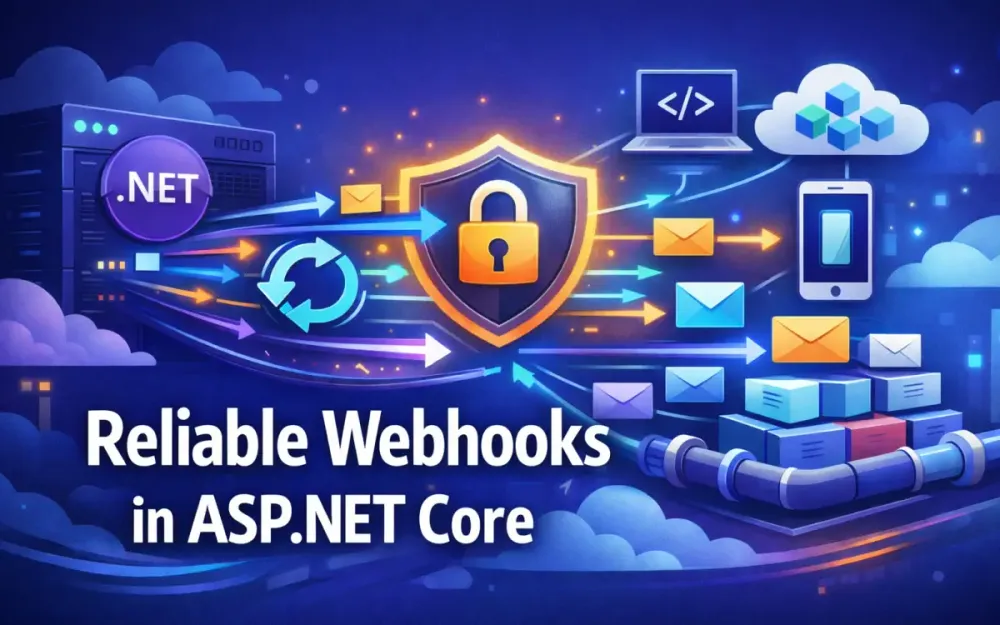
Reliable webhook systems treat delivery as a multi-stage pipeline. Each stage has a single responsibility and can fail independently without losing data.
1.2.1 Event generation
Events originate from business workflows. An order status changes, a subscription is canceled, or a user is provisioned. The domain layer records that something happened, but it should not care about delivery mechanics or HTTP concerns.
Instead of calling webhook endpoints directly, the application captures a domain or application event that represents the change. This event becomes data that can be stored, retried, and inspected later.
1.2.2 Outbox storage and enqueueing
Generated events are written to an outbox table as part of the same database transaction as the business change. This guarantees that the system never observes an event without the corresponding state change, and never commits a state change without recording the event.
A background worker later reads pending outbox records and enqueues them for delivery. This decouples business operations from external communication and allows dispatching to scale independently.
1.2.3 Dispatching
The dispatcher is responsible for attempting delivery to subscriber endpoints. It applies retry policies, rate limits, ordering rules, and timeouts. Each attempt is tracked so failures can be analyzed later.
Dispatching is always asynchronous and isolated from the request that triggered the event. If a subscriber is slow or unavailable, only the dispatcher is affected—not the core application.
1.2.4 Acknowledgment, idempotency, and result tracking
A webhook delivery is considered successful only when the subscriber returns a 2xx response. Anything else is treated as a failure and retried according to policy.
Because webhook delivery is at-least-once, duplicate deliveries are expected. A retry can succeed even if the original acknowledgment was lost. For this reason, every event must include a stable idempotency key, typically the event ID.
Subscribers are expected to store processed event IDs and ignore duplicates. On the producer side, each delivery attempt is recorded with its outcome. After retries are exhausted, the event moves to a dead letter queue for manual inspection or replay.
This lifecycle makes failures visible, recoverable, and safe.
1.3 Choosing the right Communication Pattern: Push (Webhooks) vs. Pull (Polling) vs. Streaming (WebSockets/gRPC)
Webhooks are not the only way to move data between systems. Choosing the right pattern depends on latency requirements, network constraints, and operational complexity.
1.3.1 Push (Webhooks)
Webhooks push events to subscribers as they happen. This is the preferred model when near-real-time updates are needed and subscribers can expose HTTP endpoints.
They work well when:
- Subscribers want immediate notification
- Event volume is manageable with retries and backoff
- At-least-once delivery is acceptable
The trade-off is that the producer must manage retries, failures, and security.
1.3.2 Pull (Polling)
Polling allows consumers to fetch changes on their own schedule. This avoids inbound connectivity requirements and gives consumers full control over timing.
In practice, many production systems use a hybrid model: webhooks for near-real-time delivery, combined with polling endpoints for reconciliation. If a subscriber misses events due to downtime, it can poll for changes using a cursor or timestamp and repair its state.
This hybrid approach significantly reduces support incidents and makes integrations more robust.
1.3.3 Streaming (WebSockets/gRPC)
Streaming protocols provide low latency and efficient message flow but require long-lived connections and stateful infrastructure. They are well suited for internal systems and telemetry pipelines, but rarely practical for third-party integrations.
1.3.4 Why webhooks remain the dominant integration choice
Webhooks strike a balance between simplicity and control. They work over standard HTTP, scale horizontally, and integrate well with existing infrastructure. When combined with durable storage, retries, and security controls, they remain the most practical option for external event delivery.
1.4 High-Level Design: Decoupling producers from consumers using the Outbox Pattern
The Outbox Pattern is foundational for reliable webhook delivery. It solves consistency, durability, and replayability in one place.
1.4.1 The consistency problem
Without an outbox, applications attempt two separate operations:
- Persist business state
- Send a webhook
If either operation fails independently, the system enters an inconsistent state. These errors are difficult to detect and nearly impossible to repair after the fact.
1.4.2 Outbox mechanics in ASP.NET Core
A practical outbox model must include all information required for dispatching, retries, idempotency, and ordering. The model below aligns with how the data is used later in the system.
public class OutboxMessage
{
    public Guid Id { get; set; }                  // Idempotency key
    public string EventType { get; set; } = default!;
    public string Payload { get; set; } = default!;

    public Guid SubscriberId { get; set; }
    public string TargetUrl { get; set; } = default!;

    public int RetryCount { get; set; }
    public long SequenceNumber { get; set; }      // Per-subscriber ordering

    public DateTime CreatedUtc { get; set; }
    public DateTime? ProcessedUtc { get; set; }
}
Events are inserted into this table within the same EF Core transaction as the domain change. A background dispatcher reads unprocessed records, preserving ordering per subscriber using the sequence number.
1.4.3 Ordering guarantees
Webhook systems typically provide per-subscriber, per-entity ordering, not global ordering. Events for the same subscriber are dispatched in sequence, but different subscribers may receive events concurrently.
The sequence number allows the dispatcher to:
- Deliver events in order
- Pause later events if an earlier one is still retrying
- Help subscribers detect gaps or out-of-order delivery if needed
This approach balances correctness with throughput.
1.4.4 Benefits
- Strong consistency between state and events
- Safe retries with idempotent delivery
- Predictable ordering per subscriber
- Full audit and replay capability
- Clear separation of business logic and delivery mechanics
The outbox is not an optimization. It is the baseline architecture for any webhook system expected to operate reliably in production.
2 Security and Trust: Establishing an Identity Layer
Once webhook delivery is decoupled and reliable, security becomes the next hard problem. Webhooks cross trust boundaries by design. Payloads leave your infrastructure and arrive at systems you do not control. At the same time, your system is now making outbound calls to URLs supplied by third parties. Both directions require explicit trust boundaries.
A strong identity layer answers four questions consistently:
- Who sent this webhook?
- Has the payload been modified?
- Is this request fresh?
- Is this destination safe to call?
ASP.NET Core provides solid building blocks, but correctness comes from how they are composed.
2.1 Payload Signing with HMAC-SHA256: Implementing a robust signing model
Subscribers need a reliable way to verify that a webhook was sent by your system and was not altered in transit. HMAC-SHA256 is a good default: it is fast, deterministic, and widely supported.
The key point is consistency. Both producer and consumer must agree on exactly what is signed and how it is encoded.
2.1.1 The signing model
For each webhook delivery, the dispatcher computes a signature over three values:
- The timestamp
- The raw request body
- A shared secret unique to the subscriber
signature = HMACSHA256(secret, timestamp + "." + body)The request includes these headers:
X-Webhook-SignatureX-Webhook-TimestampX-Webhook-Algorithm: hmac-sha256
The explicit algorithm header allows future upgrades without breaking existing integrations.
2.1.2 Signing helper used by the dispatcher
This helper is used when sending outbound webhooks. It operates on raw strings to avoid serialization mismatches.
public static class WebhookSigner
{
    public static string Sign(string secret, string timestamp, string body)
    {
        var key = Encoding.UTF8.GetBytes(secret);
        var data = Encoding.UTF8.GetBytes($"{timestamp}.{body}");

        using var hmac = new HMACSHA256(key);
        var hash = hmac.ComputeHash(data);

        return Convert.ToHexString(hash).ToLowerInvariant();
    }
}
The dispatcher sets all required headers explicitly:
request.Headers.Add("X-Webhook-Timestamp", timestamp);
request.Headers.Add("X-Webhook-Algorithm", "hmac-sha256");
request.Headers.Add("X-Webhook-Signature", signature);
This makes the contract visible and debuggable on both sides.
2.1.3 Middleware for incoming webhook validation
On the receiving side, signature validation must fail safely. Missing headers, malformed timestamps, or unreadable bodies should never throw exceptions or leak details.
public class WebhookSignatureMiddleware
{
    private readonly RequestDelegate _next;
    private readonly IWebhookSecretProvider _secrets;

    public WebhookSignatureMiddleware(
        RequestDelegate next,
        IWebhookSecretProvider secrets)
    {
        _next = next;
        _secrets = secrets;
    }

    public async Task Invoke(HttpContext context)
    {
        if (!context.Request.Headers.TryGetValue("X-Webhook-Timestamp", out var timestamp) ||
            !context.Request.Headers.TryGetValue("X-Webhook-Signature", out var signature) ||
            !context.Request.Headers.TryGetValue("X-Webhook-Algorithm", out var algorithm))
        {
            context.Response.StatusCode = StatusCodes.Status400BadRequest;
            return;
        }

        if (algorithm != "hmac-sha256")
        {
            context.Response.StatusCode = StatusCodes.Status400BadRequest;
            return;
        }

        if (!long.TryParse(timestamp, out _))
        {
            context.Response.StatusCode = StatusCodes.Status400BadRequest;
            return;
        }

        context.Request.EnableBuffering();
        using var reader = new StreamReader(context.Request.Body, leaveOpen: true);
        var body = await reader.ReadToEndAsync();
        context.Request.Body.Position = 0;

        var secret = await _secrets.GetSecretAsync(context);
        var expected = WebhookSigner.Sign(secret, timestamp!, body);

        if (!CryptographicOperations.FixedTimeEquals(
                Encoding.UTF8.GetBytes(expected),
                Encoding.UTF8.GetBytes(signature!)))
        {
            context.Response.StatusCode = StatusCodes.Status401Unauthorized;
            return;
        }

        await _next(context);
    }
}
Every failure path exits early and predictably. Nothing throws, and no assumptions are made about header presence or format.
2.2 Replay Attack Prevention: Timestamp validation with sliding windows
Signatures alone do not prevent replay attacks. An intercepted request can be resent unless freshness is enforced. Timestamps solve this by defining an acceptable delivery window.
The subscriber should parse the timestamp defensively and reject requests outside the window.
if (!long.TryParse(timestamp, out var seconds))
{
    return Results.BadRequest();
}

var requestTime = DateTimeOffset.FromUnixTimeSeconds(seconds);
var now = DateTimeOffset.UtcNow;

if (Math.Abs((now - requestTime).TotalMinutes) > 5)
{
    return Results.Unauthorized();
}
This logic protects against both delayed replays and clock skew. Combined with idempotency keys, it ensures retries are safe and bounded.
2.3 Secret Management: Per-subscriber secrets with rotation and caching
Each subscriber must have its own secret. Shared secrets across tenants eliminate isolation and make rotation risky. Secrets should never be hardcoded or stored in configuration files.
2.3.1 Azure Key Vault structure
A common convention is:
webhooks/{subscriberId}/primary
webhooks/{subscriberId}/secondary
The dispatcher signs with the primary secret. Receivers validate against both during rotation windows.
2.3.2 Retrieving secrets with caching
Secrets should be cached locally to avoid throttling the vault and adding latency to dispatch.
public class WebhookSecretProvider : IWebhookSecretProvider
{
    private readonly SecretClient _client;
    private readonly IMemoryCache _cache;

    public WebhookSecretProvider(SecretClient client, IMemoryCache cache)
    {
        _client = client;
        _cache = cache;
    }

    public async Task<string> GetSecretAsync(Guid subscriberId)
    {
        return await _cache.GetOrCreateAsync(
            $"webhook-secret-{subscriberId}",
            async entry =>
            {
                entry.AbsoluteExpirationRelativeToNow = TimeSpan.FromMinutes(10);
                var secret = await _client.GetSecretAsync($"webhooks/{subscriberId}/primary");
                return secret.Value.Value;
            });
    }
}
This balances security with performance and keeps dispatch latency predictable.
2.3.3 Rotation strategy
Rotation happens without downtime:
- Generate a secondary secret
- Allow validation against both
- Promote secondary to primary
- Remove old secret after confirmation
This process should be exposed through tooling, not code changes.
2.4 Mutual TLS (mTLS) for high-security integrations
Some enterprise subscribers require cryptographic identity in both directions. mTLS enforces this at the transport layer.
2.4.1 Configuring HttpClient with client certificates
services.AddHttpClient("WebhookClient")
    .ConfigurePrimaryHttpMessageHandler(() =>
    {
        var handler = new HttpClientHandler();
        handler.ClientCertificates.Add(LoadCertificate());
        return handler;
    });
This is typically used alongside HMAC signatures, not instead of them. mTLS authenticates the sender; signatures protect the payload.
2.4.2 Operational implications
Certificates must be rotated automatically and monitored for expiration. In practice, this is reserved for regulated environments where compliance mandates it.
2.5 Protecting the Dispatcher: Egress filtering and SSRF prevention
Outbound webhooks introduce a less obvious risk: Server-Side Request Forgery (SSRF). If subscribers can register arbitrary URLs, they may trick the dispatcher into calling internal services or cloud metadata endpoints.
Egress filtering at the network level is necessary but not sufficient. URLs must be validated and DNS resolution must be pinned to prevent DNS rebinding attacks.
2.5.1 Safe URL validation with DNS pinning and IPv4/IPv6 coverage
The dispatcher must ensure that:
- DNS is resolved once
- The resolved IP is validated
- The same IP is used for the actual HTTP request
- Both IPv4 and IPv6 are handled correctly
public static bool TryResolveSafeEndpoint(
    Uri uri,
    out IPAddress resolvedIp)
{
    resolvedIp = null!;

    if (!uri.IsAbsoluteUri)
        return false;

    if (uri.Scheme != Uri.UriSchemeHttps)
        return false;

    IPAddress[] addresses;
    try
    {
        addresses = Dns.GetHostAddresses(uri.Host);
    }
    catch
    {
        return false;
    }

    foreach (var ip in addresses)
    {
        // Reject loopback (IPv4 + IPv6)
        if (IPAddress.IsLoopback(ip))
            continue;

        // IPv4 checks
        if (ip.AddressFamily == AddressFamily.InterNetwork)
        {
            var bytes = ip.GetAddressBytes();

            // 10.0.0.0/8
            if (bytes[0] == 10)
                continue;

            // 172.16.0.0/12
            if (bytes[0] == 172 &&
                bytes[1] >= 16 &&
                bytes[1] <= 31)
                continue;

            // 192.168.0.0/16
            if (bytes[0] == 192 && bytes[1] == 168)
                continue;

            // 169.254.0.0/16 (link-local / metadata)
            if (bytes[0] == 169 && bytes[1] == 254)
                continue;

            resolvedIp = ip;
            return true;
        }

        // IPv6 checks
        if (ip.AddressFamily == AddressFamily.InterNetworkV6)
        {
            // Block loopback (::1), link-local (fe80::/10),
            // unique local (fc00::/7), and IPv4-mapped (::ffff:0:0/96)
            if (ip.IsIPv6LinkLocal ||
                ip.IsIPv6SiteLocal ||
                ip.IsIPv6Multicast ||
                ip.IsIPv4MappedToIPv6)
                continue;

            resolvedIp = ip;
            return true;
        }
    }

    return false;
}
2.5.2 Enforcing IP pinning with a custom SocketsHttpHandler
To ensure the HTTP request uses the validated IP, the dispatcher must bypass hostname-based resolution during connection establishment.
public static HttpClient CreatePinnedHttpClient(
    IPAddress ip,
    string originalHost)
{
    var handler = new SocketsHttpHandler
    {
        ConnectCallback = async (context, cancellationToken) =>
        {
            var socket = new Socket(
                ip.AddressFamily,
                SocketType.Stream,
                ProtocolType.Tcp);

            await socket.ConnectAsync(
                new IPEndPoint(ip, context.DnsEndPoint.Port),
                cancellationToken);

            return new NetworkStream(socket, ownsSocket: true);
        }
    };

    var client = new HttpClient(handler);

    // Preserve original Host header for TLS/SNI
    client.DefaultRequestHeaders.Host = originalHost;

    return client;
}
2.5.3 Dispatcher usage
The dispatcher validates the URL once, then uses the pinned client:
if (!TryResolveSafeEndpoint(webhookUri, out var ip))
{
    throw new SecurityException("Unsafe webhook destination");
}

using var client = CreatePinnedHttpClient(ip, webhookUri.Host);

await client.PostAsync(webhookUri, content);
2.5.4 Security properties achieved
This design ensures:
- DNS rebinding is impossible
- Private IPv4 and IPv6 ranges are fully blocked
- Hostname validation and TLS SNI still work correctly
- SSRF attempts fail deterministically and safely
Combined with network egress filtering, NAT gateways, and firewall rules, the dispatcher can only reach explicitly approved external endpoints, even under adversarial control.
3 Schema Design and Event Versioning
Once webhooks are reliable and secure, payload design becomes the long-term contract between your system and every external integrator. Unlike internal APIs, webhook schemas are hard to change once they are in use. Poor decisions here lead to brittle integrations, support overhead, and long-lived backward compatibility hacks.
This section focuses on structuring events clearly, supporting multiple formats safely, and evolving schemas without breaking consumers.
3.1 Standardizing with CloudEvents: Implementing the CNCF CloudEvents specification in .NET
CloudEvents provides a consistent envelope for event metadata while leaving the actual business payload flexible. Using it avoids one-off conventions and gives integrators a familiar structure across different providers.
3.1.1 CloudEvents structure
A CloudEvent separates metadata from data. The most commonly used attributes are:
id– a stable event identifier (also used for idempotency)source– where the event originatedtype– the kind of event (for example,order.updated)time– when the event occurredspecversion– CloudEvents spec versiondatacontenttype– media type of the payloaddata– the actual domain payload
This structure maps cleanly to the outbox and dispatcher model introduced earlier.
3.1.2 Using the CloudEvents SDK in .NET
In .NET, the most commonly used package is:
CloudNative.CloudEvents.SystemTextJsonThis package integrates cleanly with System.Text.Json and ASP.NET Core.
using CloudNative.CloudEvents;
using CloudNative.CloudEvents.SystemTextJson;

var cloudEvent = new CloudEvent
{
    Id = outboxMessage.Id.ToString(),
    Source = new Uri("https://api.example.com/orders"),
    Type = "order.updated",
    Time = DateTimeOffset.UtcNow,
    DataContentType = "application/json",
    Data = new
    {
        orderId = 123,
        status = "Shipped"
    }
};
The CloudEvent Id must remain stable across retries and re-dispatches.
If an event is retried from a dead-letter queue or re-sent due to transient failures, the same Id must be preserved, not regenerated. This allows subscribers to implement reliable idempotency and safely discard duplicates.
var formatter = new JsonEventFormatter();
var content = new CloudEventContent(
    cloudEvent,
    ContentMode.Structured,
    formatter);

await httpClient.PostAsync(subscriber.TargetUrl, content);
Using CloudEvents does not force consumers to use the same SDK, but it gives them a predictable structure that tooling can understand.
3.2 Payload Content Negotiation: Supporting JSON, Protobuf, and XML
Different subscribers have different constraints. Some are JavaScript-based and expect JSON. Others need Protobuf for performance or XML for legacy systems. A webhook platform should support multiple formats without complicating the event model.
3.2.1 Negotiation mechanism
Subscribers express their preferred format when registering their webhook, typically using media types such as:
application/cloudevents+jsonapplication/x-protobufapplication/xml
This preference is stored with the subscriber configuration and applied during dispatch.
3.2.2 Correct header usage in the dispatch layer
The producer is responsible for setting Content-Type, not Accept. The subscriber’s preference has already been resolved before dispatch.
var payload = serializer.Serialize(eventPayload, subscriber.Format);

var request = new HttpRequestMessage(HttpMethod.Post, subscriber.TargetUrl)
{
    Content = new StringContent(
        payload,
        Encoding.UTF8,
        subscriber.Format) // sets Content-Type
};
Accept headers are only relevant when the producer is calling an API and requesting a response format. For webhooks, the payload format is a producer decision based on subscriber configuration.
3.2.3 Trade-offs
- JSON is the default choice due to tooling and ease of debugging.
- Protobuf reduces payload size and parsing cost but requires schema management and version coordination.
- XML is rarely chosen for new integrations but still required in some enterprise environments.
Most platforms support JSON first and add others only when needed.
3.3 Versioning Strategies: Evolving schemas without breaking subscribers
Webhook versioning is not just about adding new fields. It is about giving subscribers time to adapt and providing clear signals about change.
3.3.1 URL versioning
Example:
https://example.com/webhooks/v2/order-updatedThis approach makes versions explicit and visible in logs and dashboards. Subscribers opt into a new version by registering a new endpoint.
URL versioning works well when versions represent meaningful schema changes.
3.3.2 Header-based versioning
X-Webhook-Version: 2This allows multiple versions to coexist on the same endpoint. It is useful when:
- Subscribers want to migrate gradually
- Versions differ only slightly
The downside is reduced visibility and reliance on custom headers that may be stripped by intermediaries.
3.3.3 Deprecation and sunset strategy
Versioning without deprecation guidance creates long-term maintenance debt. A practical strategy includes:
-
Publishing a deprecation notice with a clear timeline
-
Sending
X-Webhook-Deprecated: true -
Sending a
Sunsetheader using a valid HTTP-date formatSunset: Sat, 30 Jun 2026 00:00:00 GMT -
Logging usage of deprecated versions
-
Providing migration guides and sample payloads
Old versions should remain functional until the sunset date. After that, deliveries should fail fast with clear errors. Silent breaking changes should never happen.
3.4 Metadata vs. Full-Payload: Thin vs. Thick events
The choice between thin and thick events directly affects performance, coupling, and security.
3.4.1 Thin events
Thin events contain just enough information to signal that something changed.
{
  "eventType": "order.updated",
  "orderId": 123
}
They are lightweight and reduce data exposure. Consumers fetch additional data if needed.
The downside is increased coupling to the producer’s APIs and higher read traffic.
3.4.2 Thick events
Thick events include a snapshot of relevant domain data.
{
  "eventType": "order.updated",
  "order": {
    "id": 123,
    "status": "Shipped",
    "total": 149.99
  }
}
They are self-contained and work well at high event volumes where callbacks would overwhelm the API.
However, thick events increase the risk of exposing sensitive data.
3.4.3 Security considerations for thick events
Thick events should never be “one payload fits all.” In practice:
- Payloads are scoped per subscriber
- Sensitive fields are filtered based on permissions
- PII and secrets are excluded by default
- Different subscribers may receive different projections of the same event
This is often implemented as a mapping layer in the dispatcher that shapes the payload based on subscriber capabilities and contracts.
3.4.4 Hybrid strategy
Most production systems use a hybrid approach:
- Thin events for low-impact or frequent updates
- Thick events for critical workflows where immediacy matters
This balances efficiency, security, and usability without forcing a single model everywhere.
4 Reliable Outbound Delivery and the Outbox Pattern
At this point in the system, webhook events are durable, secure, and well-defined. The remaining challenge is making sure they are delivered reliably under real production conditions: multiple workers, partial failures, retries, and sustained load. The outbox pattern gives us a stable foundation, but the surrounding mechanics determine whether the system behaves predictably or degrades under pressure.
This section focuses on how outbound delivery is coordinated safely and how failure cases are isolated instead of amplified.
4.1 Ensuring Atomicity: Using Entity Framework Core to persist events and business data in a single transaction
Atomicity ensures that business state and webhook intent never drift apart. When an order update commits, the corresponding webhook event must exist. When a transaction rolls back, no event should be visible to the dispatcher.
EF Core makes this straightforward by sharing a transaction between domain changes and outbox inserts. The application records what happened and leaves when it is delivered to the dispatcher.
public async Task UpdateOrderAsync(UpdateOrderCommand cmd)
{
    await using var tx = await _db.Database.BeginTransactionAsync();

    var order = await _db.Orders.FindAsync(cmd.OrderId);
    order.Status = cmd.Status;

    var evt = new OutboxMessage
    {
        Id = Guid.NewGuid(),
        EventType = "order.updated",
        Payload = JsonSerializer.Serialize(new
        {
            orderId = cmd.OrderId,
            status = cmd.Status
        }),
        SubscriberId = cmd.SubscriberId,
        TargetUrl = cmd.WebhookUrl,
        CreatedUtc = DateTime.UtcNow
    };

    _db.OutboxMessages.Add(evt);
    await _db.SaveChangesAsync();
    await tx.CommitAsync();
}
No network calls happen here. This method only records intent. That separation is what allows retries, scaling, and recovery to work without data loss.
4.2 Background Workers in .NET 9/10: Safe dispatch with locking and poison message handling
Once multiple dispatcher instances are running, naïve “read then update” logic creates race conditions. Two workers can read the same unprocessed rows and deliver the same webhook twice. To avoid this, messages must be claimed before dispatch.
A common approach is to introduce a LockedUntilUtc column and claim rows atomically.
var now = DateTime.UtcNow;
var lockUntil = now.AddMinutes(2);

var batch = await db.OutboxMessages
    .Where(x => x.ProcessedUtc == null &&
                (x.LockedUntilUtc == null || x.LockedUntilUtc < now))
    .OrderBy(x => x.CreatedUtc)
    .Take(50)
    .ExecuteUpdateAsync(setters => setters
        .SetProperty(x => x.LockedUntilUtc, lockUntil),
        cancellationToken);

var messages = await db.OutboxMessages
    .Where(x => x.LockedUntilUtc == lockUntil)
    .ToListAsync(cancellationToken);
Each worker claims a unique set of rows. No two workers process the same message concurrently.
Per-message failure isolation
A single bad message should not block the entire batch. Each dispatch attempt must be isolated, and repeated failures must be detected and handled.
foreach (var message in messages)
{
    try
    {
        await dispatcher.DispatchAsync(message, stoppingToken);
        message.ProcessedUtc = DateTime.UtcNow;
        message.LockedUntilUtc = null;
    }
    catch (Exception ex)
    {
        message.RetryCount++;

        if (message.RetryCount >= MaxRetries)
        {
            await MoveToDeadLetterAsync(message, ex);
            db.OutboxMessages.Remove(message);
        }
        else
        {
            message.LockedUntilUtc = null;
        }
    }
}

await db.SaveChangesAsync(stoppingToken);
This ensures:
- One failing webhook does not block others
- Poison messages are eventually quarantined
- Retries remain bounded and observable
4.3 High-Performance Dispatching: Channels with retries and DLQ routing
Channels are useful for smoothing bursts, but they must not drop failures silently. Every dispatch attempt still needs retry and DLQ logic.
public class ChannelDispatchWorker : BackgroundService
{
    private readonly IWebhookDispatcher _dispatcher;

    public ChannelDispatchWorker(IWebhookDispatcher dispatcher)
    {
        _dispatcher = dispatcher;
    }

    protected override async Task ExecuteAsync(CancellationToken token)
    {
        var reader = WebhookChannels.DispatcherChannel.Reader;

        while (await reader.WaitToReadAsync(token))
        {
            while (reader.TryRead(out var msg))
            {
                try
                {
                    await _dispatcher.DispatchAsync(msg, token);
                }
                catch (Exception ex)
                {
                    msg.RetryCount++;

                    if (msg.RetryCount >= MaxRetries)
                    {
                        await MoveToDeadLetterAsync(msg, ex);
                    }
                    else
                    {
                        await WebhookChannels.DispatcherChannel.Writer
                            .WriteAsync(msg, token);
                    }
                }
            }
        }
    }
}
Channels handle backpressure, but correctness still comes from explicit retry and failure handling. Messages are either delivered, retried, or moved to a DLQ—never dropped.
4.4 Distributed Message Brokers: MassTransit with retries and error queues
When scaling beyond a single process, brokers provide durability and fan-out. MassTransit simplifies this, but it must be configured correctly. By default, consumers do not retry or route failures anywhere useful.
services.AddMassTransit(x =>
{
    x.AddConsumer<WebhookDispatchConsumer>(cfg =>
    {
        cfg.UseMessageRetry(r =>
        {
            r.Exponential(
                retryLimit: 5,
                minInterval: TimeSpan.FromSeconds(1),
                maxInterval: TimeSpan.FromMinutes(1),
                intervalDelta: TimeSpan.FromSeconds(5));
        });
    });

    x.UsingRabbitMq((context, cfg) =>
    {
        cfg.Host("rabbitmq", "/", h =>
        {
            h.Username("user");
            h.Password("pass");
        });

        cfg.ReceiveEndpoint("webhook-dispatch", e =>
        {
            e.ConfigureConsumer<WebhookDispatchConsumer>(context);
            e.ConfigureDeadLetterQueue();
            e.ConfigureErrorQueue();
        });
    });
});
The consumer itself stays simple:
public class WebhookDispatchConsumer : IConsumer<OutboxMessage>
{
    private readonly IWebhookDispatcher _dispatcher;

    public WebhookDispatchConsumer(IWebhookDispatcher dispatcher)
    {
        _dispatcher = dispatcher;
    }

    public async Task Consume(ConsumeContext<OutboxMessage> context)
    {
        await _dispatcher.DispatchAsync(
            context.Message,
            context.CancellationToken);
    }
}
Retries are handled by the broker. Messages that exceed retry limits are moved to an error queue for inspection and replay.
4.5 Outbox cleanup and retention strategy
Outbox tables grow continuously. Without cleanup, they become a performance liability.
A common strategy is:
- Keep processed messages for a short retention window (for example, 7–30 days)
- Archive or export records needed for compliance
- Purge the rest with a scheduled job
await db.OutboxMessages
    .Where(x => x.ProcessedUtc < DateTime.UtcNow.AddDays(-14))
    .ExecuteDeleteAsync(cancellationToken);
Cleanup jobs should run independently of dispatchers. The outbox is a delivery buffer, not a permanent event store.
5 Resilience: Retries, Backoff, and Circuit Breakers
At this stage, webhook delivery is durable and secure. Resilience is what determines whether the system behaves calmly under stress or spirals into cascading failures. Subscribers will throttle, crash, deploy broken versions, or disappear entirely. None of that should destabilize your platform.
The key principle is isolation. Failures must be contained to the subscriber that caused them, and recovery state must survive restarts and scale-out.
5.1 Implementing Polly v8: Retries with exponential backoff and jitter
Retries are unavoidable in webhook delivery because the model is at-least-once. What matters is how retries happen. If every worker retries at the same intervals, subscribers get hit with synchronized retry storms that make recovery slower.
Polly v8 replaces the older policy-based API with resilience pipelines. Pipelines are composable, observable, and easier to scope per subscriber.
using Polly;
using Polly.Retry;

var retryPipeline = new ResiliencePipelineBuilder<HttpResponseMessage>()
    .AddRetry(new RetryStrategyOptions<HttpResponseMessage>
    {
        MaxRetryAttempts = 6,
        DelayGenerator = args =>
        {
            var baseDelay = TimeSpan.FromSeconds(Math.Pow(2, args.AttemptNumber));
            var jitter = TimeSpan.FromMilliseconds(Random.Shared.Next(0, 300));
            return ValueTask.FromResult<TimeSpan?>(baseDelay + jitter);
        },
        ShouldHandle = new PredicateBuilder<HttpResponseMessage>()
            .Handle<HttpRequestException>()
            .HandleResult(r => (int)r.StatusCode >= 500)
    })
    .Build();
This pipeline is applied per dispatch attempt, not globally. Each subscriber call runs through its own retry logic. This prevents a slow or unstable endpoint from consuming all retry capacity across the system.
Retries smooth over transient failures, but they must remain bounded. Beyond a certain point, retrying causes more harm than good, which is where rate limiting and circuit breakers come in.
5.2 Adaptive Rate Limiting: Persisting Retry-After state per subscriber
When a subscriber returns 429 Too Many Requests, it is explicitly asking you to slow down. Honoring that signal only in-memory is not enough. If the dispatcher restarts, it will immediately retry and violate the subscriber’s limit again.
The backoff state must be persisted.
if (response.StatusCode == HttpStatusCode.TooManyRequests &&
    response.Headers.TryGetValues("Retry-After", out var values) &&
    int.TryParse(values.First(), out var seconds))
{
    message.RetryAfterUtc = DateTime.UtcNow.AddSeconds(seconds);
    await db.SaveChangesAsync(token);
    return;
}
Before dispatching any message, the dispatcher checks this value:
if (message.RetryAfterUtc != null &&
    message.RetryAfterUtc > DateTime.UtcNow)
{
    // Skip for now; another message can be processed
    return;
}
This approach ensures:
- Backoff survives restarts and deployments
- Rate limits are respected consistently
- Subscribers are not punished for temporary overload
Adaptive throttling is not a delay; it is a coordination mechanism between systems.
5.3 Circuit Breaker Pattern: Per-subscriber isolation with distributed state
Circuit breakers protect your infrastructure from endpoints that are persistently failing. A critical detail is scope. A global circuit breaker is almost always wrong for webhooks. One failing subscriber must not block others.
Each subscriber gets its own breaker.
With Polly v8:
using Polly.CircuitBreaker;

var breakerPipeline = new ResiliencePipelineBuilder<HttpResponseMessage>()
    .AddCircuitBreaker(new CircuitBreakerStrategyOptions<HttpResponseMessage>
    {
        FailureRatio = 0.5,
        MinimumThroughput = 10,
        SamplingDuration = TimeSpan.FromMinutes(1),
        BreakDuration = TimeSpan.FromMinutes(2),
        ShouldHandle = new PredicateBuilder<HttpResponseMessage>()
            .Handle<HttpRequestException>()
            .HandleResult(r => (int)r.StatusCode >= 500)
    })
    .Build();
Persisting breaker state across instances
In a multi-instance system, in-memory breakers reset on restart and are unaware of failures observed by other nodes. For high-volume webhook platforms, breaker state should be shared.
Common approaches include:
- Redis-backed state keyed by
SubscriberId - Database-backed counters with TTL
- Service Bus or Kafka streams feeding health state
The breaker does not need millisecond precision. What matters is that all instances agree when a subscriber is unhealthy and stop sending traffic temporarily.
This prevents thundering herds during outages and protects both sides.
5.4 Timeouts and termination: Bounding work and enabling graceful shutdown
Timeouts define the maximum cost of a single delivery attempt. Without them, a few slow subscribers can starve the dispatcher and delay unrelated deliveries.
HTTP timeouts should be aggressive and explicit.
var client = _httpClientFactory.CreateClient("WebhookClient");
client.Timeout = TimeSpan.FromSeconds(5);

await client.SendAsync(request, cancellationToken);
If the timeout is hit, the attempt fails and flows through retry or breaker logic. Long-running requests are never allowed to linger.
Cancellation tokens complete the picture. During shutdown or redeployments:
- No new messages are claimed
- In-flight dispatches are allowed to finish or cancel cleanly
- Outbox state remains consistent
protected override async Task ExecuteAsync(CancellationToken stoppingToken)
{
    while (!stoppingToken.IsCancellationRequested)
    {
        await ProcessNextMessageAsync(stoppingToken);
    }
}
This ensures that restarts are boring—and boring is exactly what you want in production.
6 Observability, Logging, and Dead Letter Handling
Once webhooks are running in production, failures stop being theoretical. Subscribers go offline, payloads change, and network paths degrade. When that happens, teams need fast, reliable answers. Observability is not just about dashboards—it is about knowing what happened, why it happened, and what to do next.
This section covers how to make webhook delivery transparent, debuggable, and recoverable.
6.1 The Dead Letter Queue (DLQ): Defining the point of human intervention
A Dead Letter Queue represents the point where automated recovery stops. Messages reach the DLQ only after retries, backoff, and circuit breakers have all been exhausted. At that stage, the system has done everything it reasonably can.
A DLQ record must contain enough information to understand the failure and to safely retry the message later.
public class DeadLetterMessage
{
    public Guid Id { get; set; }
    public Guid OutboxMessageId { get; set; }

    public Guid SubscriberId { get; set; }
    public string EventType { get; set; } = default!;
    public string Payload { get; set; } = default!;

    public string Reason { get; set; } = default!;
    public string? LastError { get; set; }

    public DateTime FailedUtc { get; set; }
}
Replaying messages from the DLQ
A DLQ is only useful if messages can be replayed. In practice, replay is either manual (via a dashboard) or automated (via a background job).
A simple replay endpoint moves the message back into the outbox and resets its state.
[HttpPost("api/webhooks/dlq/{id}/replay")]
public async Task<IActionResult> Replay(Guid id)
{
    var dlq = await _db.DeadLetterMessages.FindAsync(id);
    if (dlq == null)
        return NotFound();

    var outbox = new OutboxMessage
    {
        Id = Guid.NewGuid(),
        EventType = dlq.EventType,
        Payload = dlq.Payload,
        SubscriberId = dlq.SubscriberId,
        CreatedUtc = DateTime.UtcNow
    };

    _db.OutboxMessages.Add(outbox);
    _db.DeadLetterMessages.Remove(dlq);

    await _db.SaveChangesAsync();
    return Ok();
}
This makes recovery explicit and auditable. Nothing is retried silently, and operators stay in control.
6.2 Delivery status tracking: Building an audit trail that answers real questions
Support teams do not ask abstract questions. They ask:
- “Was this event delivered?”
- “How many times did we try?”
- “What did the subscriber return?”
- “When did it fail?”
The delivery log must answer all of them.
public class DeliveryLog
{
    public Guid Id { get; set; }
    public Guid OutboxMessageId { get; set; }
    public Guid SubscriberId { get; set; }

    public int Attempt { get; set; }
    public int StatusCode { get; set; }
    public long DurationMs { get; set; }

    public string? ErrorMessage { get; set; }
    public string? ResponseBody { get; set; }

    public DateTime AttemptedUtc { get; set; }
}
Each dispatch attempt writes one record. For failures, storing a truncated response body and error message dramatically reduces investigation time. These logs are not just for debugging—they are often used for compliance and customer communication.
6.3 Structured logging with Serilog and W3C trace context
Logs are most valuable when they connect across services. ASP.NET Core and .NET use W3C Trace Context by default, which means every request has a trace ID that can flow through the entire system.
Serilog should enrich logs with that trace ID explicitly.
Log.Logger = new LoggerConfiguration()
    .Enrich.FromLogContext()
    .Enrich.WithProperty(
        "TraceId",
        () => Activity.Current?.TraceId.ToString())
    .WriteTo.Console()
    .WriteTo.Seq("http://localhost:5341")
    .CreateLogger();
When dispatching a webhook, include both the message ID and trace ID.
_logger.LogInformation(
    "Dispatching webhook {MessageId} to {Url}",
    message.Id,
    message.TargetUrl);
If the subscriber also logs the incoming request with the same trace ID, teams can follow a single event from domain change to external delivery across system boundaries.
6.4 Health monitoring with OpenTelemetry: Metrics that explain behavior
Logs explain why something happened. Metrics explain how often and how bad it is. For webhook systems, a small set of well-defined metrics goes a long way.
Defining meters and instruments
private static readonly Meter Meter =
    new("Webhook.Dispatcher");

private static readonly Histogram<long> DispatchLatency =
    Meter.CreateHistogram<long>(
        "webhook_dispatch_latency_ms",
        unit: "ms");

private static readonly Counter<long> DeliveryAttempts =
    Meter.CreateCounter<long>(
        "webhook_delivery_attempts");
Recording metrics during dispatch
var sw = Stopwatch.StartNew();
var response = await client.SendAsync(request, token);
sw.Stop();

DispatchLatency.Record(
    sw.ElapsedMilliseconds,
    KeyValuePair.Create<string, object?>("subscriber", subscriberId));

DeliveryAttempts.Add(
    1,
    KeyValuePair.Create<string, object?>("status", response.StatusCode));
These metrics feed dashboards that show:
- Latency percentiles per subscriber
- Success vs failure rates
- Retry volume
- DLQ growth over time
Alerting guidance
Dashboards are passive. Alerts are what wake people up.
Common alert thresholds include:
- Success rate < 95% over 5 minutes for a subscriber
- DLQ growth rate > N messages per hour
- Median dispatch latency exceeding baseline
- Circuit breaker open longer than expected
Alerts should be scoped per subscriber where possible. A single failing integration should not page the entire team unless it impacts shared infrastructure.
7 Scalability and Performance Optimization
As webhook volume grows, performance issues stop being theoretical. Latency spikes, connection limits, and uneven subscriber behavior start to dominate system behavior. The goal of this layer is not to maximize raw throughput, but to scale predictably while preserving delivery guarantees, ordering, and isolation.
This section builds on the dispatcher and resilience patterns already established and focuses on scaling them safely.
7.1 Concurrent Dispatching: Balancing throughput and ordering guarantees
Concurrency is the fastest way to increase throughput, but it comes with trade-offs. In particular, unrestricted parallelism breaks ordering guarantees. This matters because many webhook consumers assume that events for the same entity or subscriber arrive in order.
The example below uses Parallel.ForEachAsync, which improves throughput but does not preserve ordering.
await Parallel.ForEachAsync(
    reader.ReadAllAsync(token),
    new ParallelOptions
    {
        MaxDegreeOfParallelism = _maxConcurrency,
        CancellationToken = token
    },
    async (msg, ct) =>
    {
        await DispatchAsync(msg, ct);
    });
This approach is acceptable only if ordering is not required, or if ordering is enforced earlier (for example, by sequence numbers and idempotency on the subscriber side).
Ordered per-subscriber dispatch
If ordering matters, a safer pattern is parallelism across subscribers, not within them. Each subscriber gets its own sequential queue, while different subscribers run concurrently.
public async Task DispatchPerSubscriberAsync(
    IEnumerable<OutboxMessage> messages,
    CancellationToken token)
{
    var groups = messages.GroupBy(m => m.SubscriberId);

    await Parallel.ForEachAsync(
        groups,
        new ParallelOptions { MaxDegreeOfParallelism = _maxConcurrency },
        async (group, ct) =>
        {
            foreach (var msg in group.OrderBy(m => m.SequenceNumber))
            {
                await DispatchAsync(msg, ct);
            }
        });
}
This preserves ordering where it matters and still scales horizontally. The key is being explicit about the trade-off instead of letting concurrency silently change delivery semantics.
7.2 HTTP Client Factory: Connection limits, pooling, and HTTP/2
High-volume webhook dispatch is network-bound more often than CPU-bound. Connection management becomes critical once you have many subscribers or send bursts of traffic.
IHttpClientFactory with SocketsHttpHandler is the baseline, but the configuration must be intentional.
services.AddHttpClient("WebhookClient", client =>
{
    client.Timeout = TimeSpan.FromSeconds(5);
})
.ConfigurePrimaryHttpMessageHandler(() =>
{
    return new SocketsHttpHandler
    {
        PooledConnectionLifetime = TimeSpan.FromMinutes(10),
        MaxConnectionsPerServer = 100,
        EnableMultipleHttp2Connections = true
    };
});
Tuning MaxConnectionsPerServer
The value should be derived from:
- Expected concurrent deliveries per subscriber
- Number of subscribers sharing the same host
- Whether HTTP/1.1 or HTTP/2 is used
For example:
- Many subscribers on different hosts → lower value is fine
- High-volume delivery to a single host → increase cautiously
- HTTP/2 enabled → fewer connections needed due to multiplexing
HTTP/2 multiplexing
When dispatching many requests to the same host, HTTP/2 significantly reduces connection overhead by multiplexing requests over a single TCP connection. Most modern APIs support it automatically over HTTPS. Enabling it reduces socket pressure and improves latency under load.
7.3 Batching strategies: Thread-safe aggregation without losing correctness
Batching reduces overhead when events are frequent, but the batching mechanism itself must be safe under concurrency. A shared List<T> without locking is not safe when accessed by multiple threads.
A thread-safe accumulator using a lock keeps the logic simple and predictable.
public class BatchAccumulator
{
    private readonly List<OutboxMessage> _buffer = new();
    private readonly object _lock = new();

    private readonly int _maxBatchSize = 50;
    private readonly TimeSpan _flushInterval = TimeSpan.FromMilliseconds(250);
    private DateTime _lastFlush = DateTime.UtcNow;

    public IReadOnlyList<OutboxMessage>? TryAdd(OutboxMessage msg)
    {
        lock (_lock)
        {
            _buffer.Add(msg);

            if (_buffer.Count >= _maxBatchSize ||
                DateTime.UtcNow - _lastFlush > _flushInterval)
            {
                var batch = _buffer.ToList();
                _buffer.Clear();
                _lastFlush = DateTime.UtcNow;
                return batch;
            }

            return null;
        }
    }
}
Batching must respect:
- Subscriber ordering expectations
- Payload size limits
- Retry semantics (a failed batch should be replayable)
It works best for high-frequency, low-criticality events.
7.4 Serverless Dispatching: Scale-out with cold start awareness
Serverless platforms like Azure Functions and AWS Lambda remove most capacity planning concerns. They are well suited for webhook dispatch when traffic is bursty or unpredictable.
However, cold starts matter.
A cold start can add hundreds of milliseconds—or even seconds—of latency. For latency-sensitive webhooks, this needs to be accounted for.
Mitigation strategies
Common approaches include:
- Using premium or provisioned plans to keep instances warm
- Running a small always-on dispatcher for critical subscribers
- Separating latency-sensitive and bulk webhooks into different queues
The dispatch logic itself remains the same.
public class WebhookDispatchFunction
{
    private readonly HttpClient _client;

    public WebhookDispatchFunction(IHttpClientFactory factory)
    {
        _client = factory.CreateClient("WebhookClient");
    }

    [Function("WebhookDispatch")]
    public async Task RunAsync(
        [ServiceBusTrigger("webhook-events", "dispatch")] string message,
        CancellationToken token)
    {
        var evt = JsonSerializer.Deserialize<OutboxMessage>(message)!;

        var request = new HttpRequestMessage(HttpMethod.Post, evt.TargetUrl)
        {
            Content = new StringContent(evt.Payload, Encoding.UTF8, "application/json")
        };

        await _client.SendAsync(request, token);
    }
}
Serverless dispatch shines when:
- Volume spikes unpredictably
- Workloads are naturally asynchronous
- Slight latency variance is acceptable
It should be combined with the same retry, circuit breaker, and DLQ logic discussed earlier.
8 Real-World Implementation and Developer Experience (DX)
At this stage, the webhook system is reliable, secure, observable, and scalable. What determines its long-term success is developer experience. Poor DX shows up as support tickets, brittle integrations, and slow incident response. Good DX makes failures understandable and recovery routine.
This section focuses on the tooling and workflows that operators, developers, and integration partners interact with directly.
8.1 The Webhook Dashboard: Visibility, control, and safe recovery
A webhook dashboard is not just a UI—it is an operational control plane. It gives tenants and internal teams answers to practical questions: “What was delivered?”, “What failed?”, “Can I retry this safely?”, and “Is this endpoint healthy?”
A typical dashboard exposes:
- Delivery logs with filtering and search
- DLQ entries with replay controls
- Endpoint configuration and health
- Secret rotation workflows
Versioned, paginated dashboard APIs
Dashboard APIs should follow the same versioning strategy described in Section 3. Logs grow quickly, so pagination is mandatory.
public record DeliveryLogDto(
    Guid Id,
    Guid MessageId,
    int Attempt,
    int StatusCode,
    long DurationMs,
    DateTime AttemptedUtc);

[HttpGet("api/v1/webhooks/{subscriberId}/logs")]
public async Task<IActionResult> GetLogs(
    Guid subscriberId,
    int pageSize = 100,
    Guid? cursor = null)
{
    var query = _db.DeliveryLogs
        .Where(x => x.SubscriberId == subscriberId)
        .OrderByDescending(x => x.AttemptedUtc);

    if (cursor.HasValue)
    {
        query = query.Where(x => x.Id.CompareTo(cursor.Value) < 0);
    }

    var logs = await query
        .Take(pageSize + 1)
        .Select(x => new DeliveryLogDto(
            x.Id,
            x.OutboxMessageId,
            x.Attempt,
            x.StatusCode,
            x.DurationMs,
            x.AttemptedUtc))
        .ToListAsync();

    var nextCursor = logs.Count > pageSize
        ? logs.Last().Id
        : (Guid?)null;

    return Ok(new
    {
        Items = logs.Take(pageSize),
        NextCursor = nextCursor
    });
}
Cursor-based pagination scales better than offsets and avoids performance degradation as log volume grows. Using the same versioning rules across webhook payloads and dashboard APIs keeps the platform consistent and predictable.
Manual replay and control
From the dashboard, operators should be able to:
- Requeue DLQ messages
- Retry a single failed delivery
- Temporarily disable an endpoint
Every action should be auditable. Manual recovery should be explicit, not hidden behind automatic retries.
8.2 Local development tools: Testing webhooks safely
Webhook development is harder than typical API development because traffic flows into the developer’s machine. Tools like Ngrok and Microsoft Dev Tunnels make this practical, but they must be used safely.
Securing Ngrok tunnels
Never expose a local webhook endpoint without authentication. Ngrok supports basic auth, which should always be enabled.
ngrok http https://localhost:7180 \
  --basic-auth "devuser:strongpassword"
This ensures that only authenticated webhook deliveries reach the local service. Without this, anyone who discovers the tunnel URL can send arbitrary requests.
Microsoft Dev Tunnels
Microsoft Dev Tunnels include built-in authentication and tighter integration with Visual Studio and VS Code. For teams already on Azure, they are often the safer default.
Regardless of the tool, the goal is the same: let developers validate signing, timestamps, idempotency, and retries before deployment.
8.3 Recommended libraries for 2026 (real, maintained, and boring)
Libraries should reduce boilerplate, not introduce risk. Everything listed here is actively maintained and widely used.
8.3.1 Webhooks.NET
A focused library for webhook producers and consumers. It provides:
- Event envelope abstractions
- Signature generation helpers
- Subscriber routing patterns
Teams use it to standardize delivery logic across services instead of reimplementing the same code repeatedly.
8.3.2 Polly
Polly remains the foundation for resilience in .NET. With v8 pipelines, it integrates cleanly with observability and supports per-subscriber isolation. It is used for retries, circuit breakers, timeouts, and fallback strategies.
8.3.3 MassTransit
MassTransit simplifies distributed delivery when scaling beyond a single process. It provides retry policies, error queues, and operational visibility out of the box. It fits naturally with outbox-driven architectures.
8.3.4 Signature verification utilities (replace GuardRex)
There is no widely adopted “GuardRex” package. Instead, most teams either:
- Implement HMAC verification directly using
System.Security.Cryptography - Wrap that logic in a small internal utility
A safe, explicit implementation looks like this:
public static bool ValidateSignature(
    byte[] body,
    byte[] secret,
    byte[] providedSignature)
{
    using var hmac = new HMACSHA256(secret);
    var computed = hmac.ComputeHash(body);

    return CryptographicOperations.FixedTimeEquals(
        computed,
        providedSignature);
}
This avoids unnecessary dependencies and keeps security-critical code easy to audit.
8.4 Final checklist: Production readiness for webhook platforms
A checklist is not bureaucracy. It is a forcing function that prevents subtle failures from escaping into production.
Correctness
- Outbox writes are atomic with domain changes
- Idempotency keys are included and documented
- Ordering guarantees are explicit and tested
- Schema changes follow versioning rules
Resilience
- Retries use exponential backoff with jitter
- Circuit breakers are scoped per subscriber
- Retry-after state is persisted
- Poison messages route to a DLQ
Observability
- Delivery logs include error details and trace IDs
- OpenTelemetry metrics cover latency, success rate, and DLQ volume
- Dashboards show per-subscriber health
- Alerts exist for sustained failure patterns
Testing and validation
- Integration tests cover end-to-end delivery paths
- Load tests simulate peak webhook volume
- Chaos testing exercises subscriber outages and slowdowns
- Replay scenarios are tested regularly
Operational maturity
- Secrets can be rotated without downtime
- Dashboard APIs are versioned and paginated
- Outbox and log retention policies are defined
- Recovery procedures are documented and rehearsed